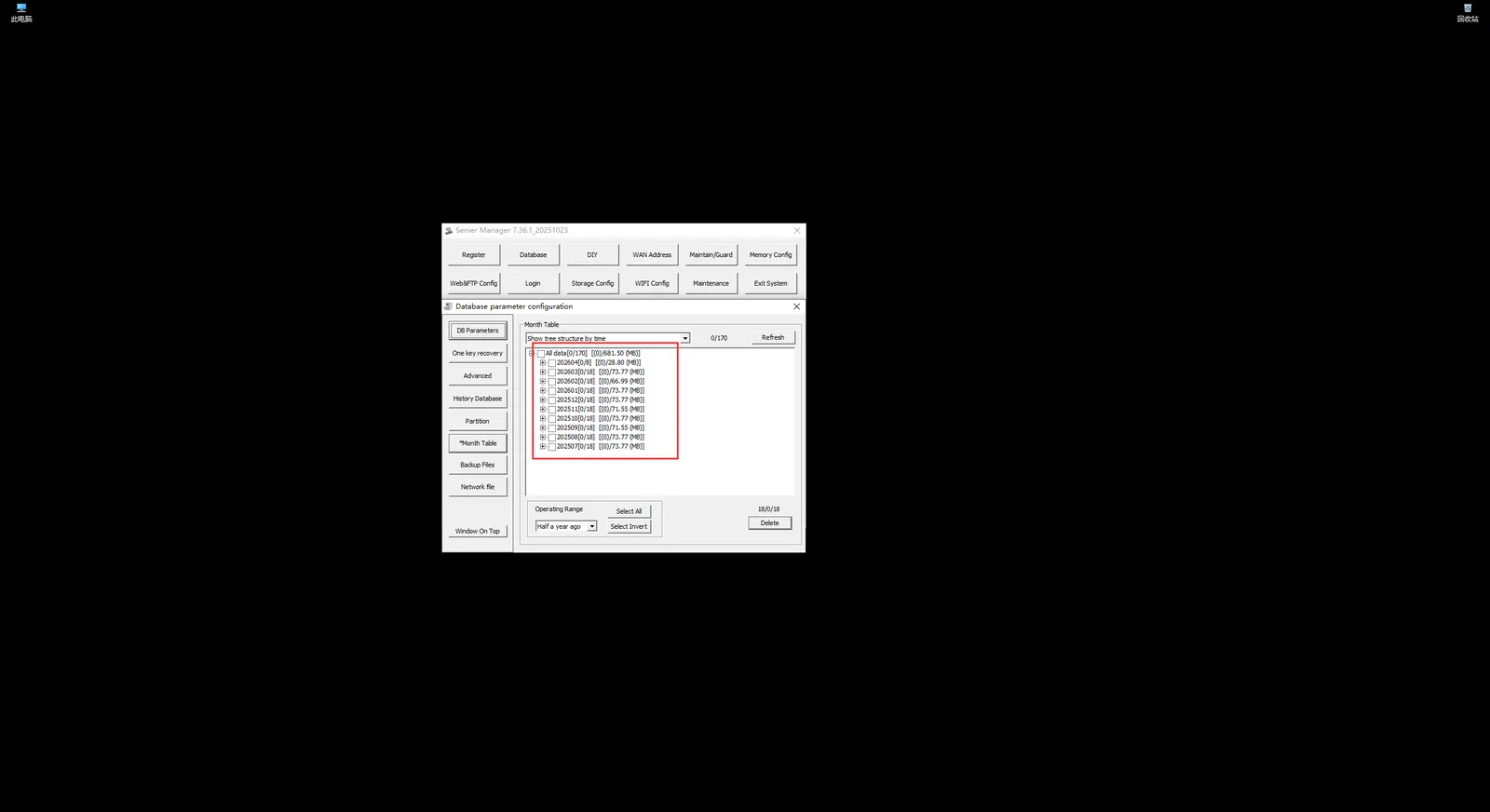
Server real- time database data cleansing
1 Function description:
- All data (except attachments) that can be queried by the platform exist in the real- time database and are stored on a monthly basis.
- When cleaning, delete big data such as track and alarm on a monthly basis
3, for the data storage time is not high, or overdue data; Or in other cases, you need to manually clean up the real- time database, you can refer to this document to introduce the operation - It is recommended to operate carefully. Once deleted, it will not be able to query. Without backup, it will not be restored.
2 Operation Method
-
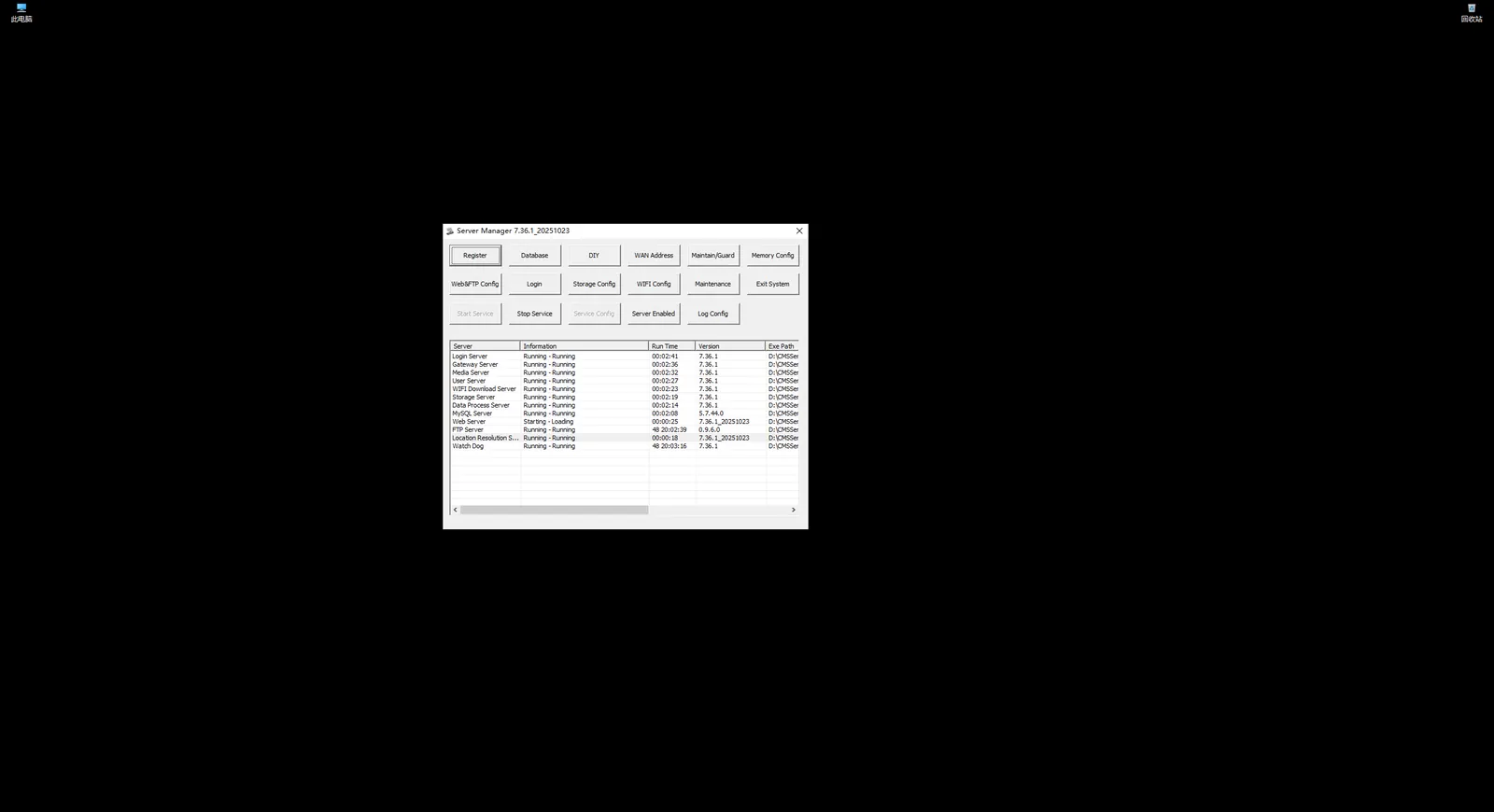
You need to connect to the windows desktop of the server and open the server management window, as shown in the following figure:
-
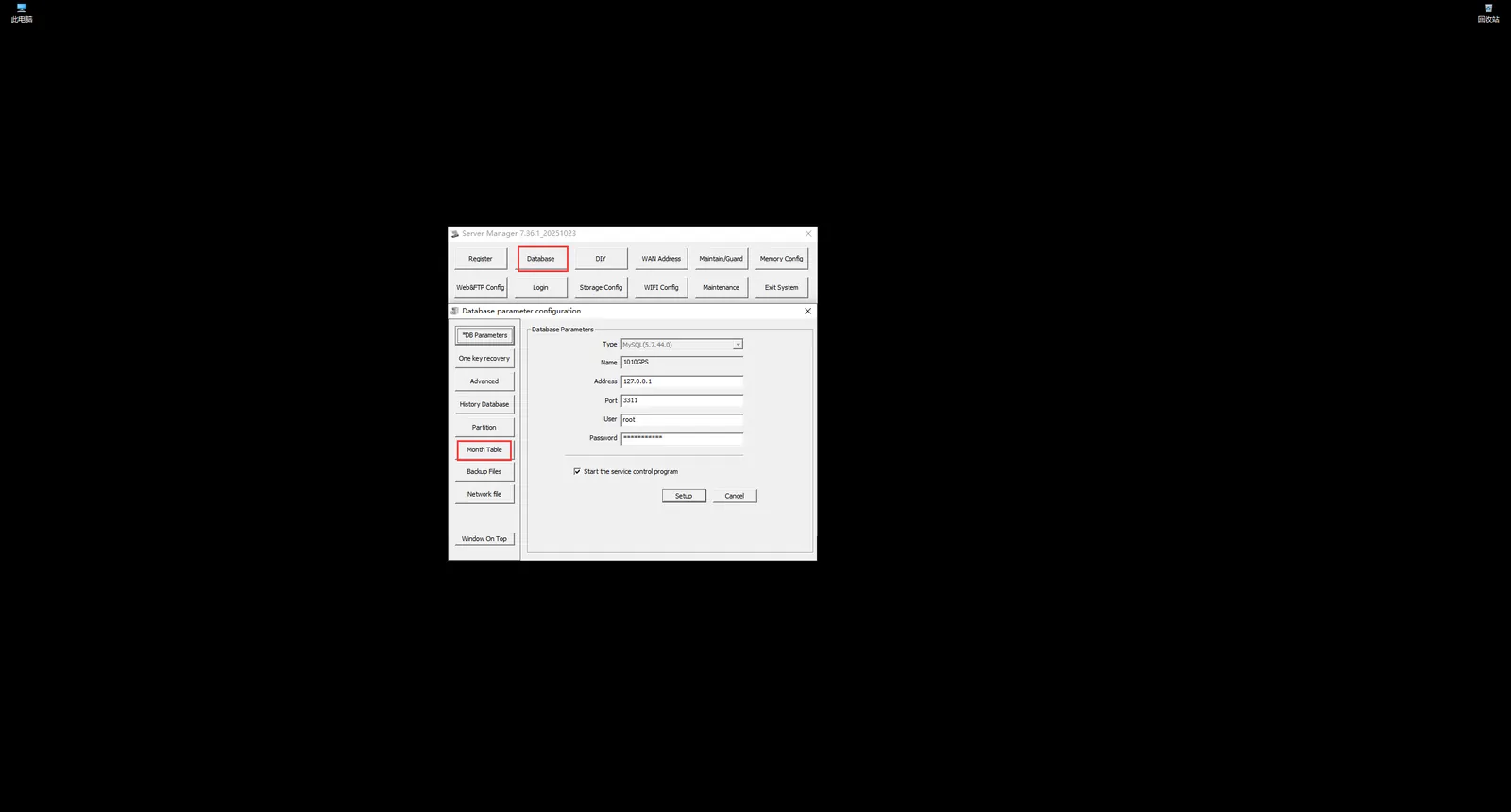
In the server management window, click "Database Configuration" and then click "Monthly Table" in the pop- up window"
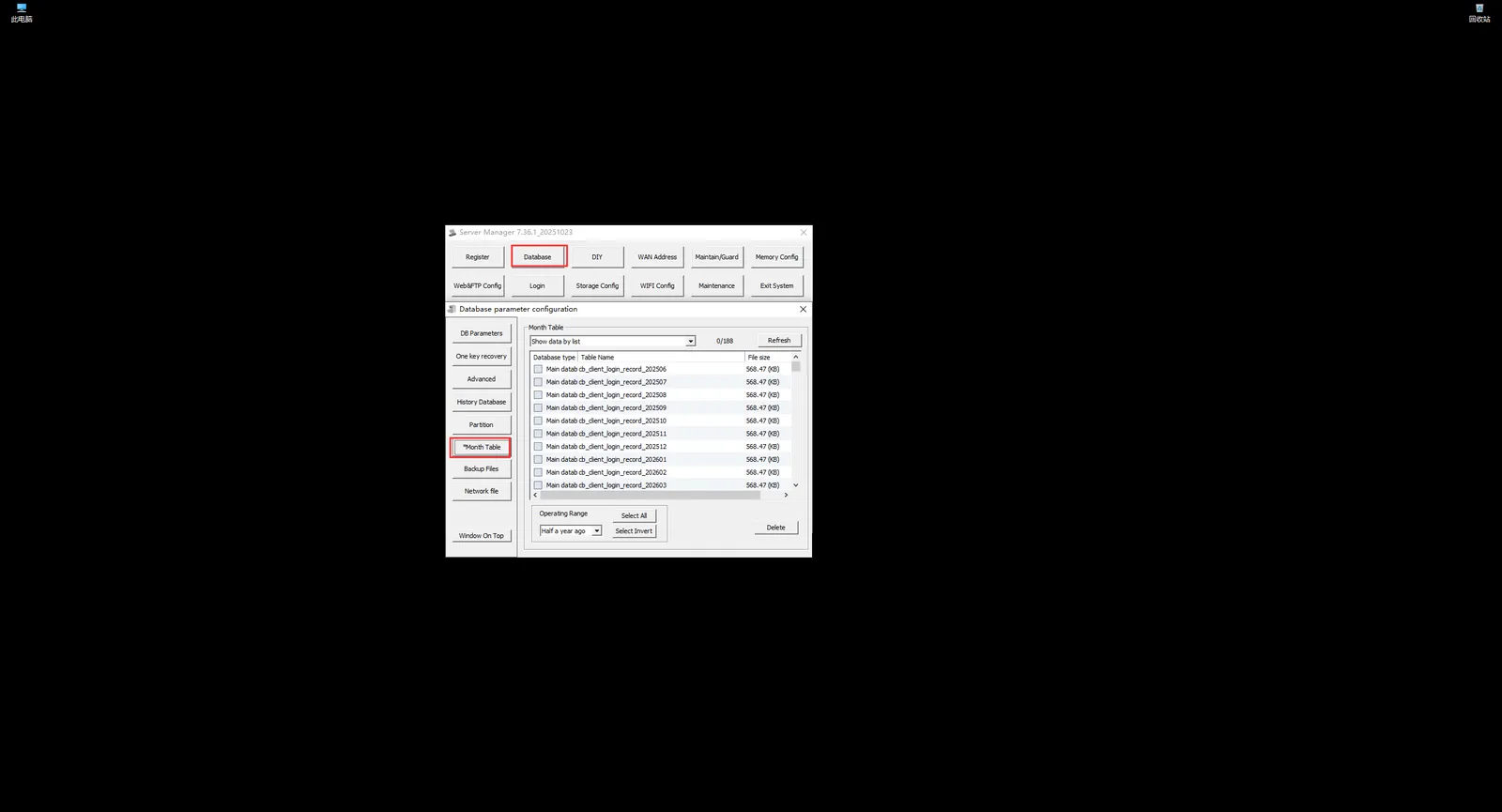
After the operation, the following interface will be displayed:
-
In the "Monthly Table", the drop- down list has three display modes to choose from, namely: A: Display data by list; B: Display tree structure by table name; C: Display tree structure by time
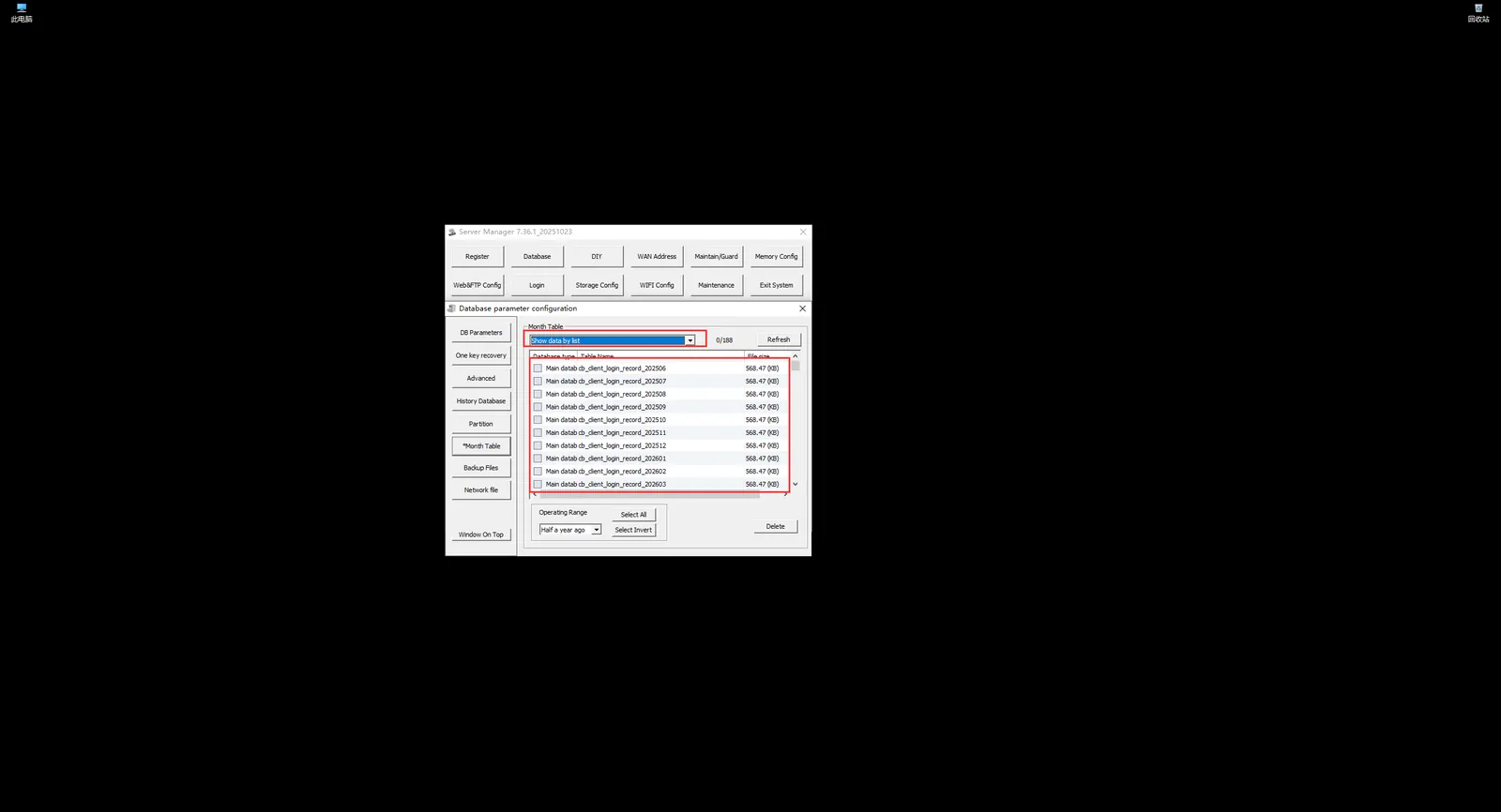
-
For general operation, it is recommended to press "Display tree structure by time", so that existing data is displayed on a monthly basis, which is convenient to delete data on a monthly basis.
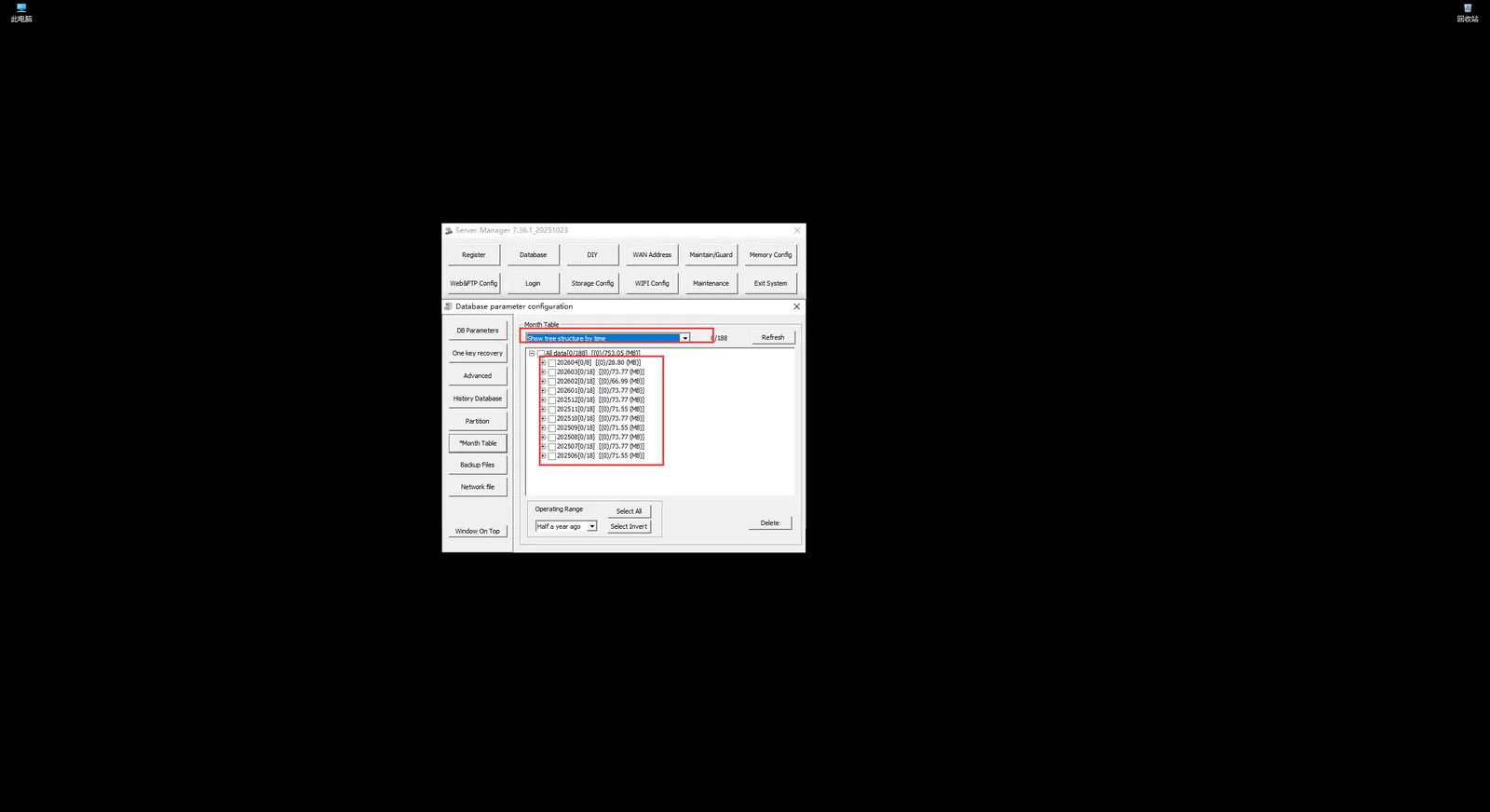
-
Under "Display Tree Structure by Time", select the month data to be deleted
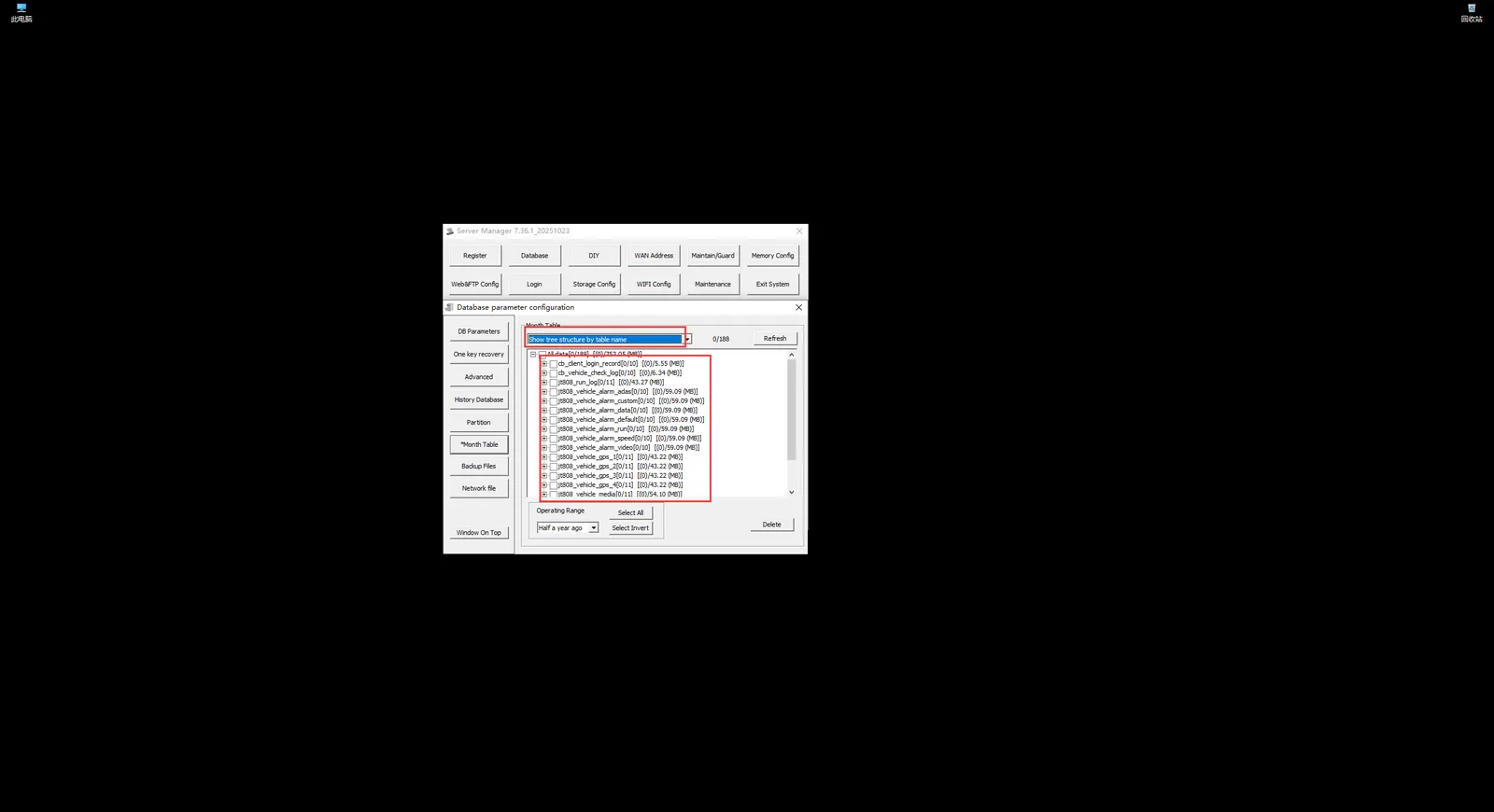
-
After selecting, you can directly click "Delete" and a prompt box will pop up. After reconfirming, the deletion operation will be carried out.
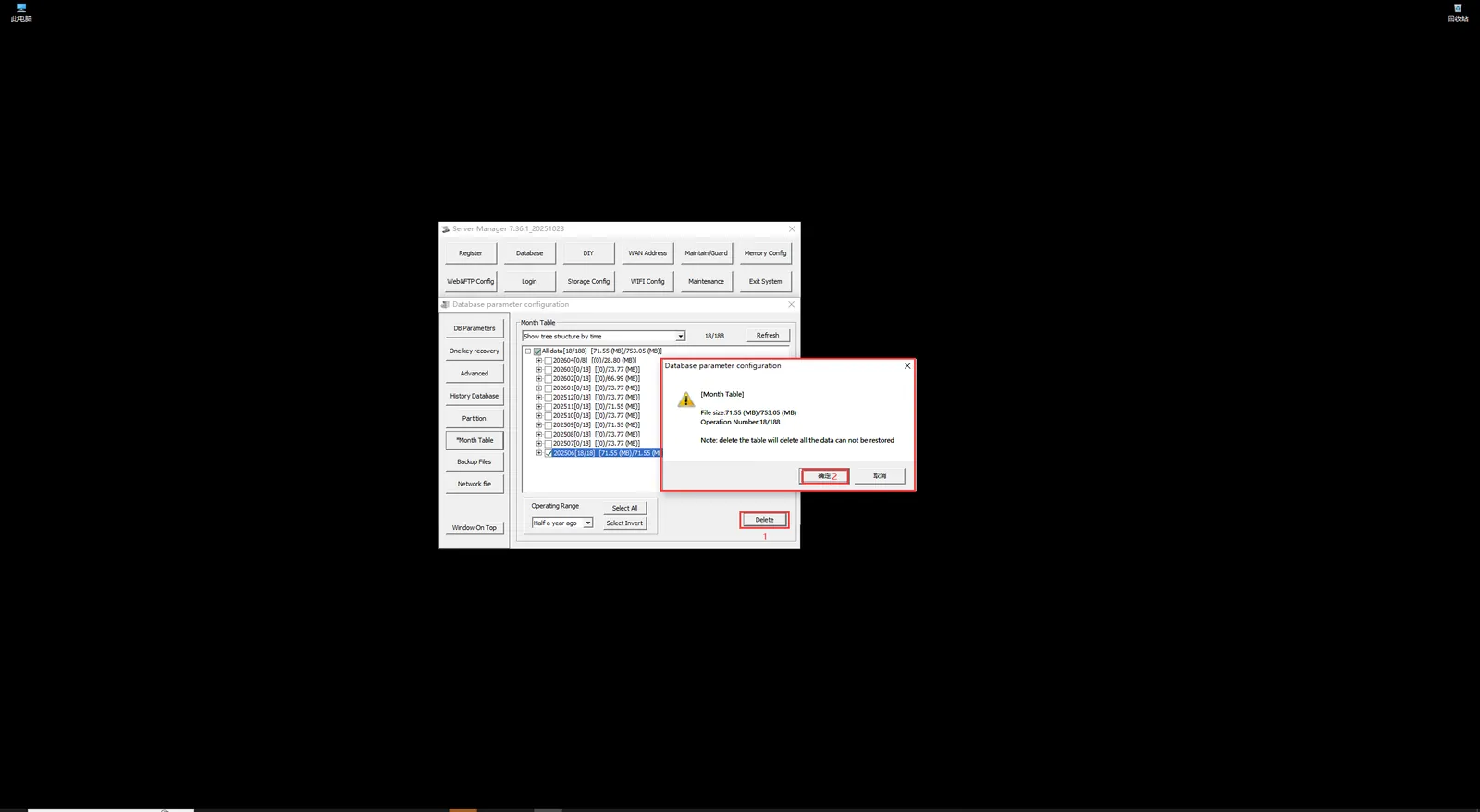
-
During the deletion operation, the operation will be prohibited
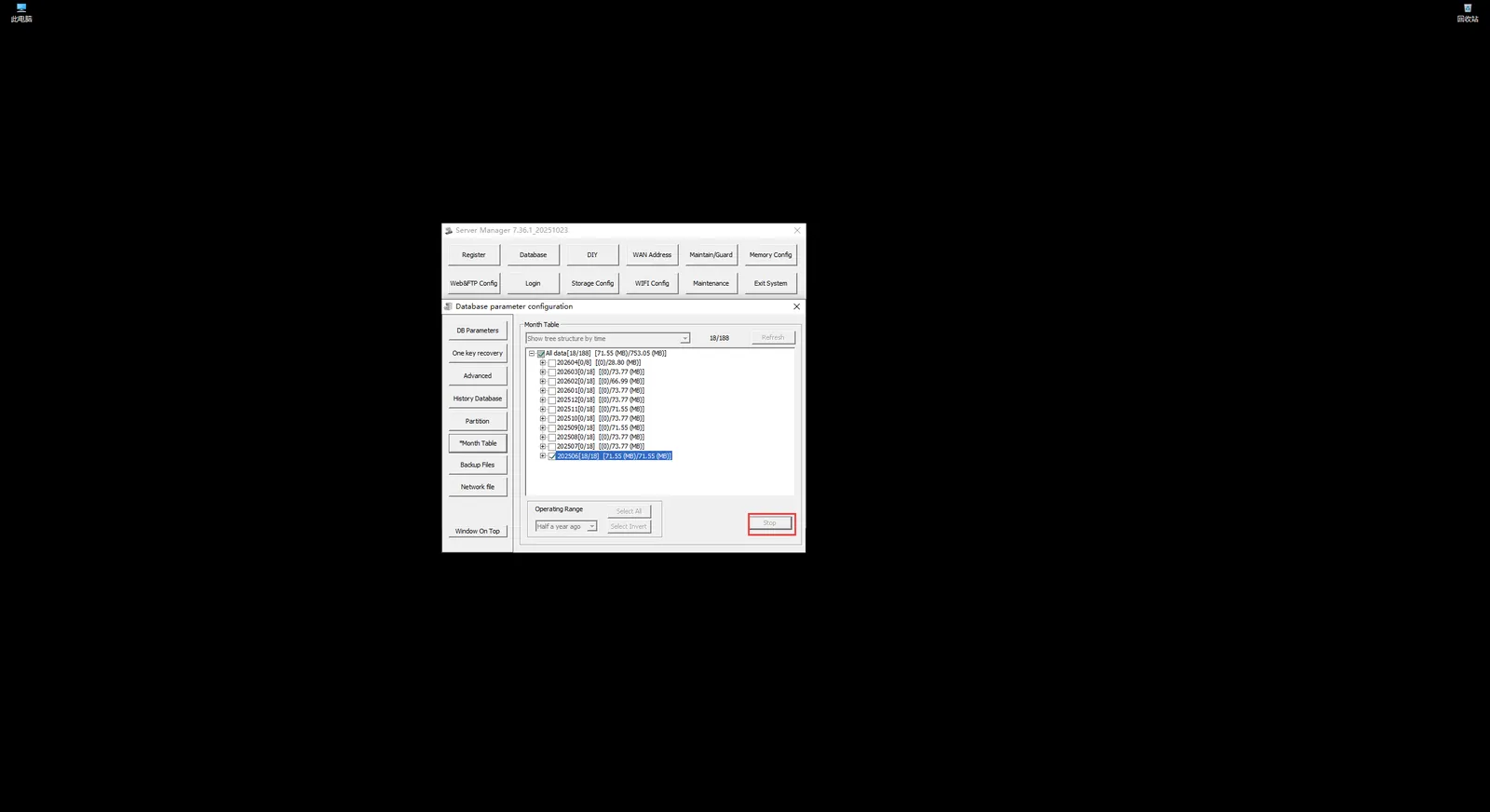
-
After the deletion is completed, there will be a prompt for relevant information.
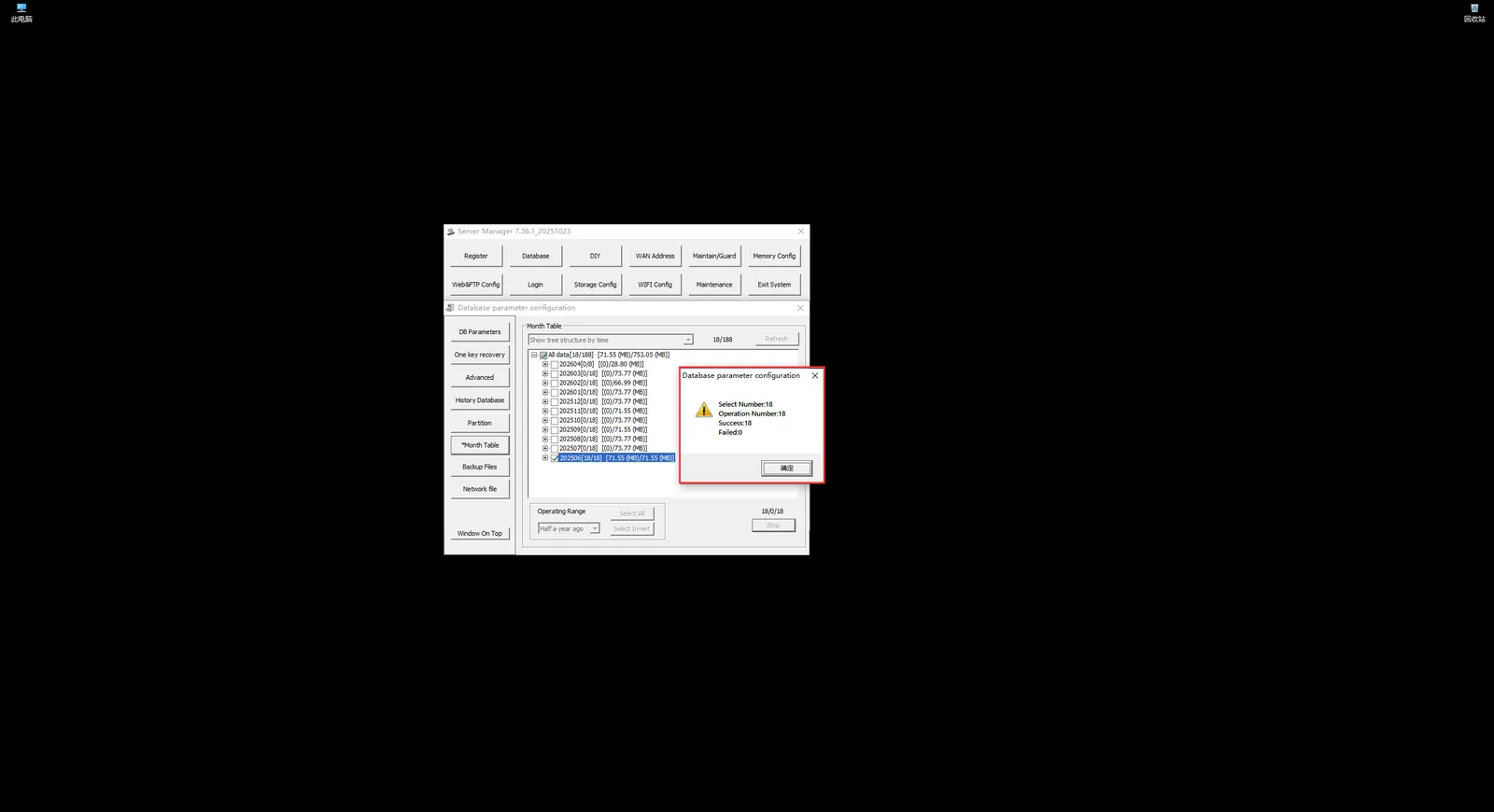
-
After clicking "OK", the prompt box will be automatically closed and refreshed automatically. The month in which the operation was selected just now is missing, which is deleted.