1. Function Description
- in some scenarios, you need to directly use database tools to directly access the mysql database.
- With the help of Navicat for MySQL tool, you can directly access the server database
2. Operating Instructions
2.1 obtain the database connection information, you can find the relevant information of the linked database in the file database.ini under the software installation path.
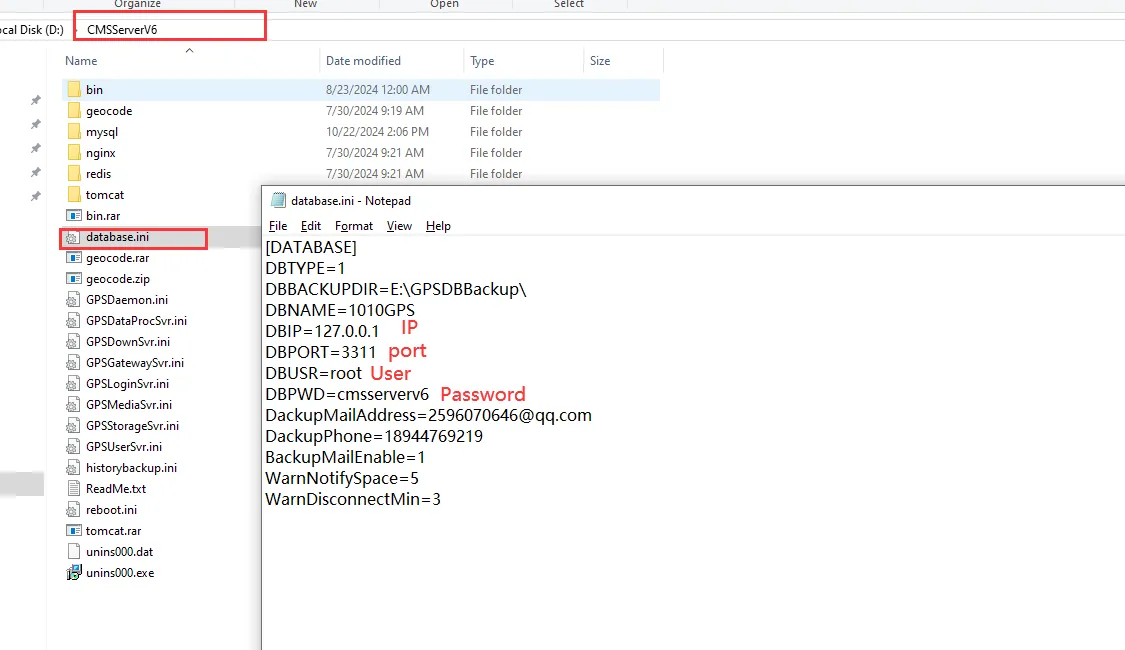
- The default user name is: root
- The default password is: cmsserverv6
- Default port modified to: 3311
- Access IP :127.0.0.1
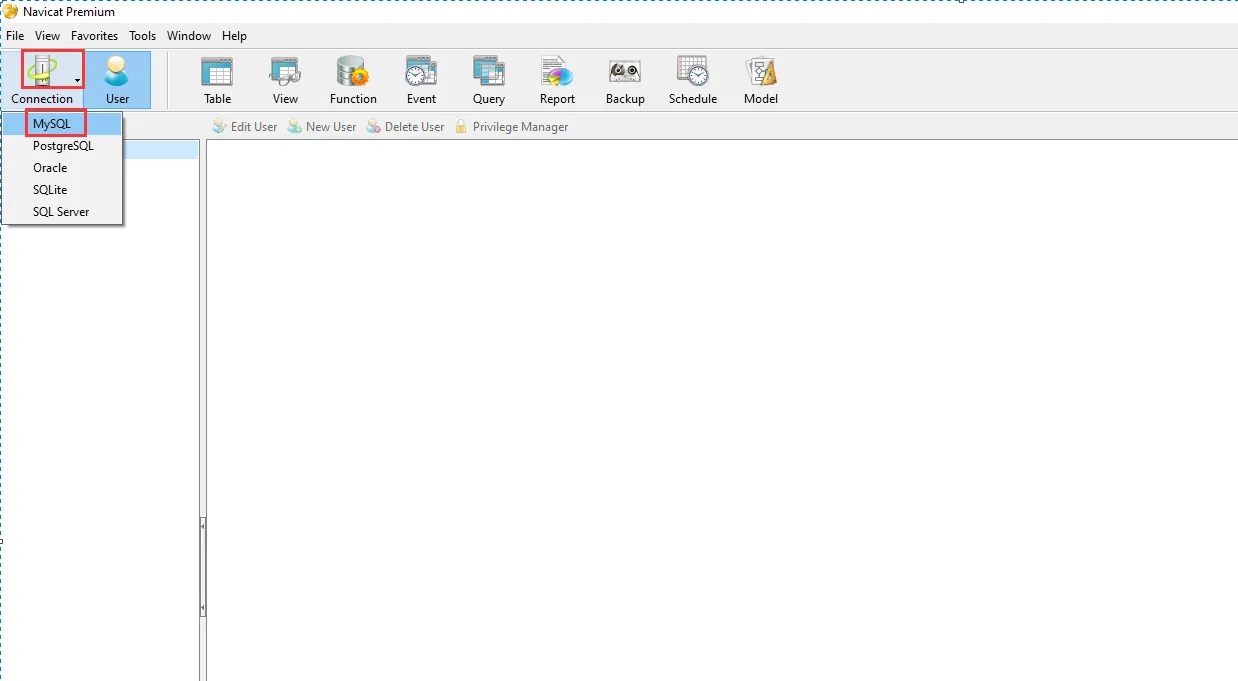
2.2 Use the Navicat for MySQL tool to connect and manage the mysql database, as shown in the figure below, and prepare to connect to the mysql database
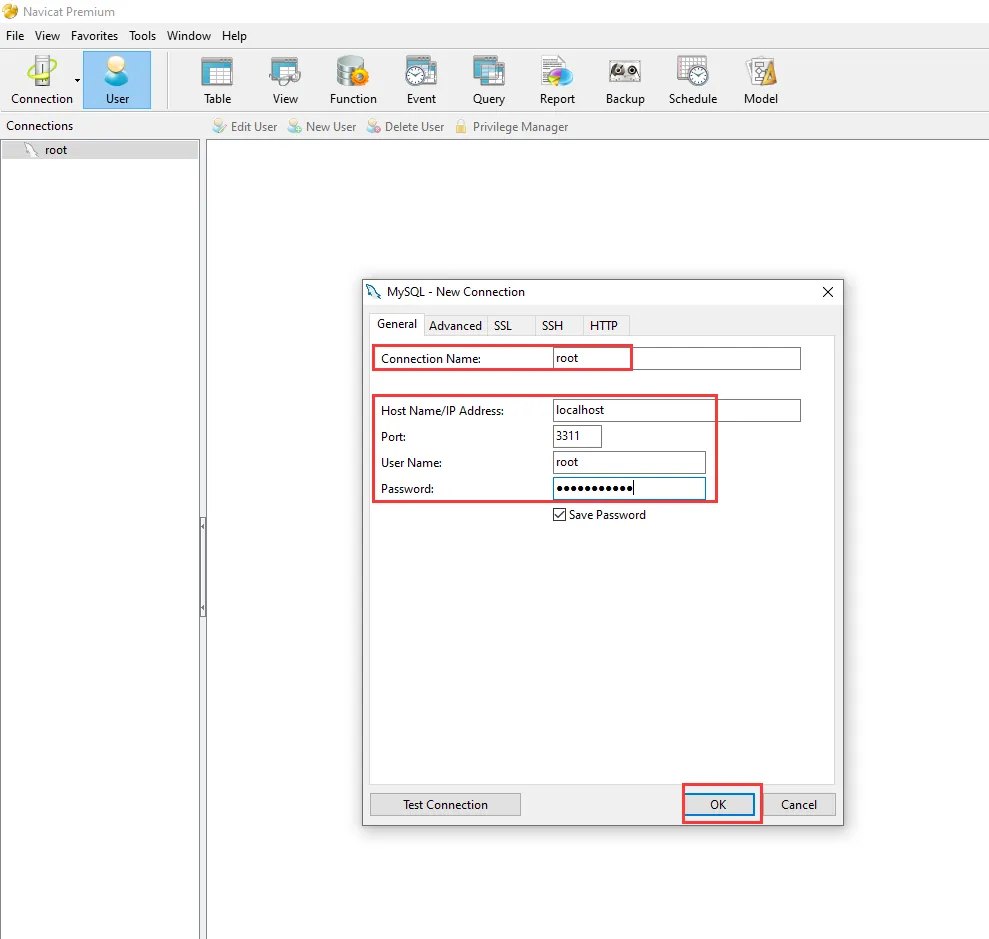
2.3 use this information to connect to the mysql database, as shown in the figure:
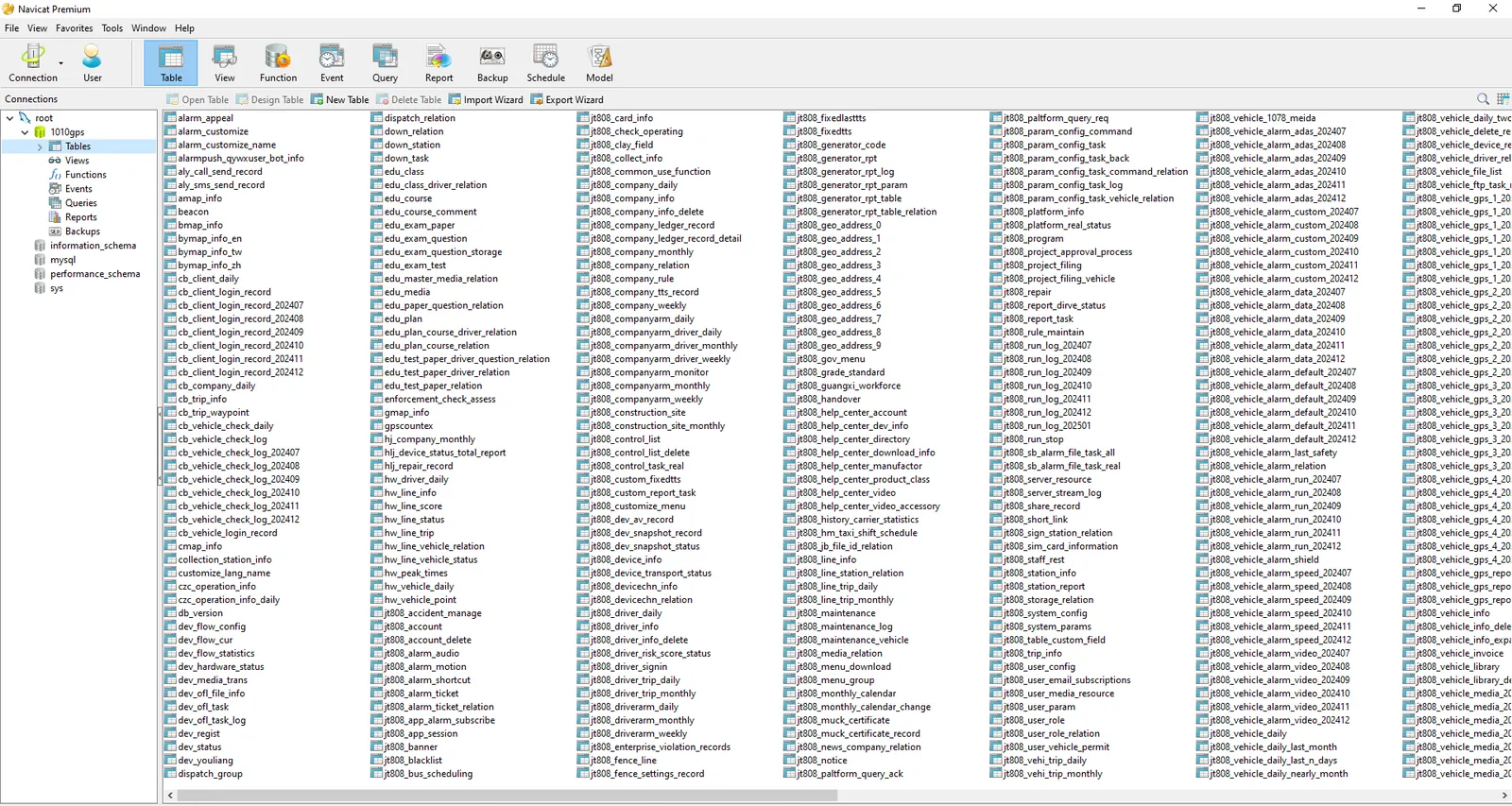
2.4 After the connection is successful, double-click to open the 1010GPS library, and you can view the information of the tables in the database on this machine, as shown in the following figure:
3. Notes
- this operation can only be accessed locally,
- If you need to access on other computers, please refer to the document : mysql database allows remote access
