1. Function description
When restoring the 1.1 database, the source files used for restoration can be used as backup files generated by automatic backup, manual backup and mail backup.
After the 1.2 database data is restored successfully, the data in the real- time database is subject to the data in the backup file.
1.3 When the database is damaged and rebuilt, or when the data from one server is restored to another server, you can use the functions described in this document to operate
2. operating instructions
2.1 to determine the source files used for database restore
Source files are: automatic backup generation, manual backup generation, mail backup generation
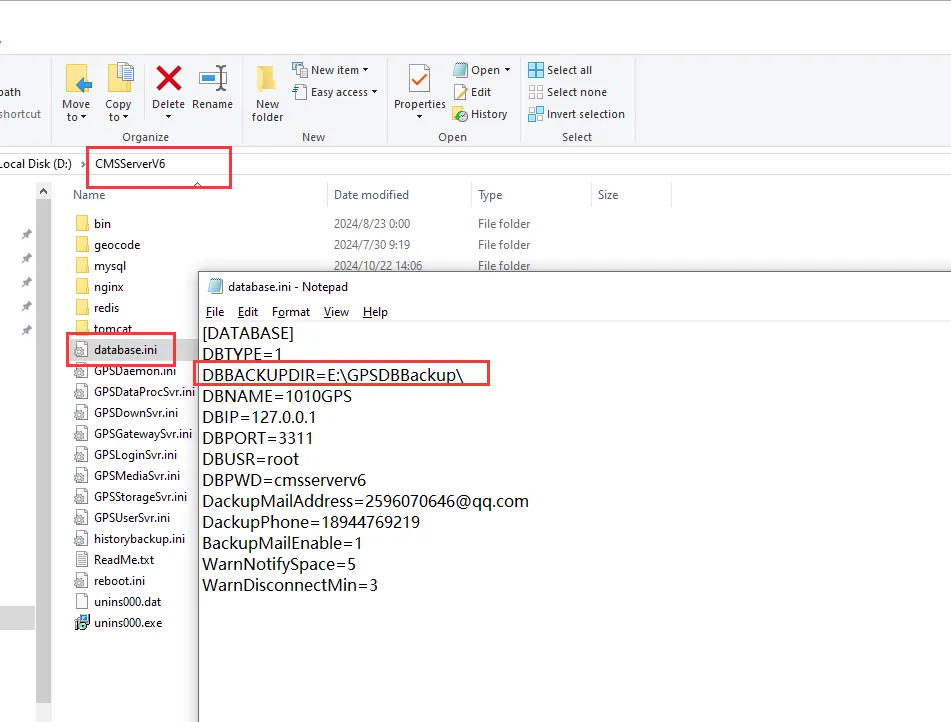
2.1.1 Automatic backup file (backup) storage path:
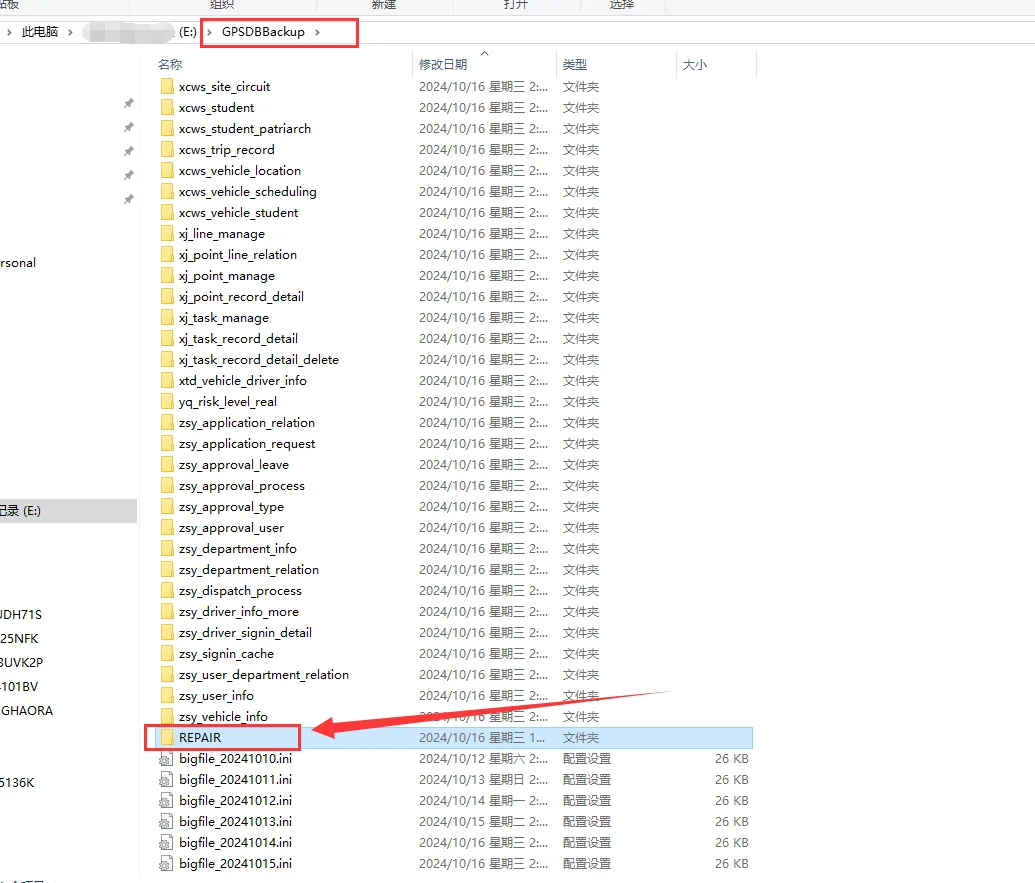
2.1.2 Storage path of manual backup files:
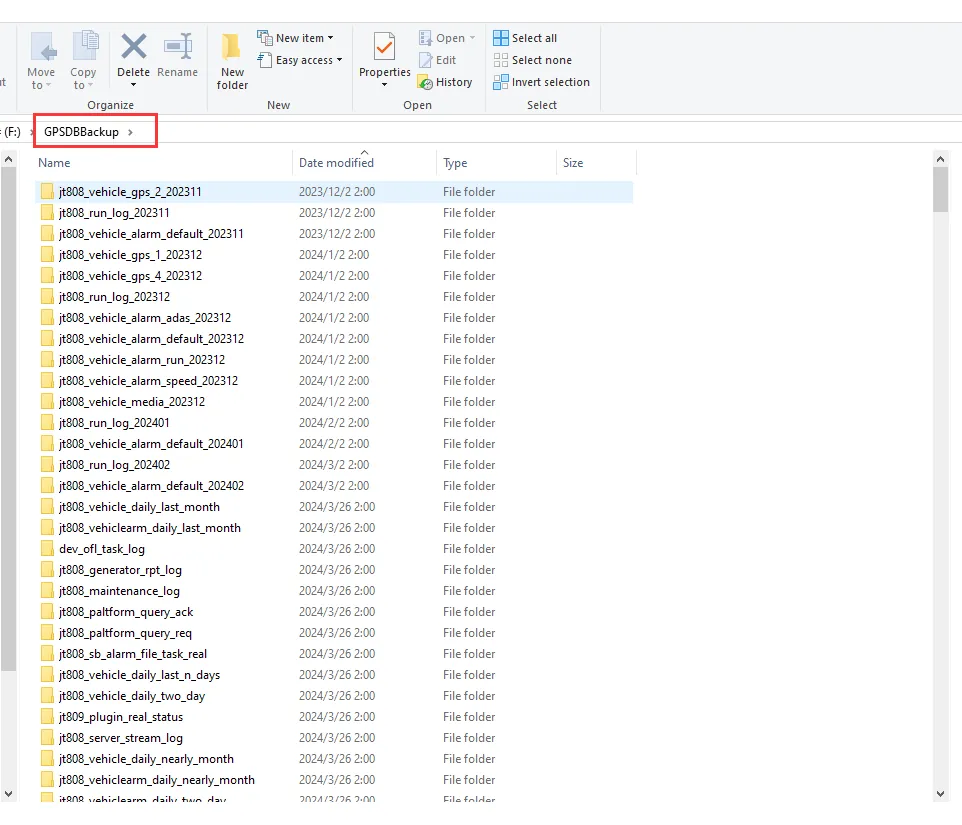
2.1.3 Mail Backup
To obtain the basic data of the mail backup first, put the compressed package of the backup data into the GPSDBBackup folder and use it after decompression.
2.2 database data restore:
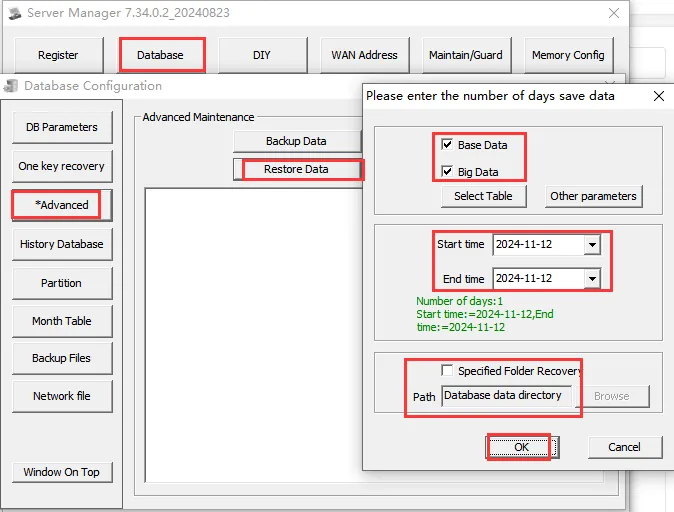
The start time and end time should be selected according to the backup file. When the file is under the GPSDBBackup folder, the path can be the default
If the amount of data is relatively large, it will take a little time.
3 Notes
3.1 restore data, the data in the REPAIR folder (manually backed up data) is preferentially selected for data restoration.
3.2 only if there is no REPAIR folder in the backup folder (that is, no manual backup is performed), the data automatically backed up in the backup folder will be selected for restoration.
3.3 if the REPAIR folder (manually backed up data) exists, you can rename the REPAIR folder (manually backed up data) to prevent the tool from reading the manually backed up data for restoration
