1. Functional Description
Database Upgrade Tool Exception Handling Scheme
2. Operating Instructions
2.1 prompt "apppath not exist"
Cause of the problem: The registry cannot find the CMSServerV6 installation path.
Problem Analysis: After the server operating system is reloaded, the registry information is lost.
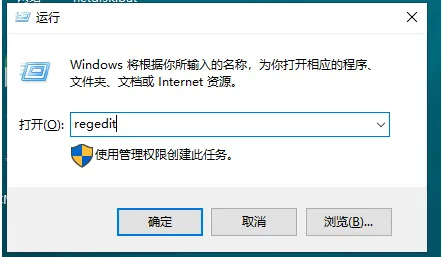
1. Press the Win R key combination to open the Run dialog box.
Enter the regedit in the dialog box, and then click OK or press Enter to open Registry Editor.
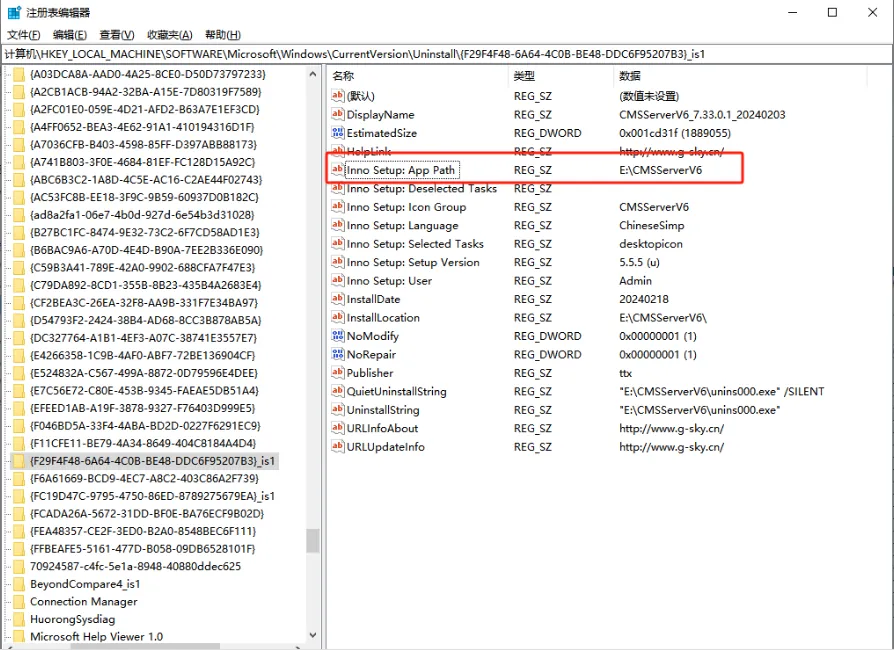
2. Visit the following path' HKEY_LOCAL_MACHINE\SOFTWARE\Microsoft\Windows\CurrentVersion\Uninstall{F29F4F48- 6A64- 4C0B- BE48- DDC6F95207B3}_is1' to check whether the string " Inno Setup: App Path " exists. The value data is the installation directory, for example: " E:\CMSServerV6 "
'Note 1: Manually create a new Item if it does not exist "'
'Note 2: Manually create "String Value" and "Numeric Data" if it does not exist "'
3. After confirming that it is correct, restart the upgrade.
2.2, prompt "mysql data directory not found in registry"
Cause: The registry cannot find the mysql real- time database directory.
Problem analysis: The real- time database path is migrated, or the registry information is lost after the server operating system is reinstalled.
Solution:
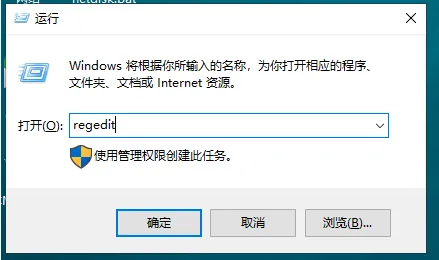
1. Press the Win R key combination to open the Run dialog box.
Enter the regedit in the dialog box, and then click OK or press Enter to open Registry Editor.
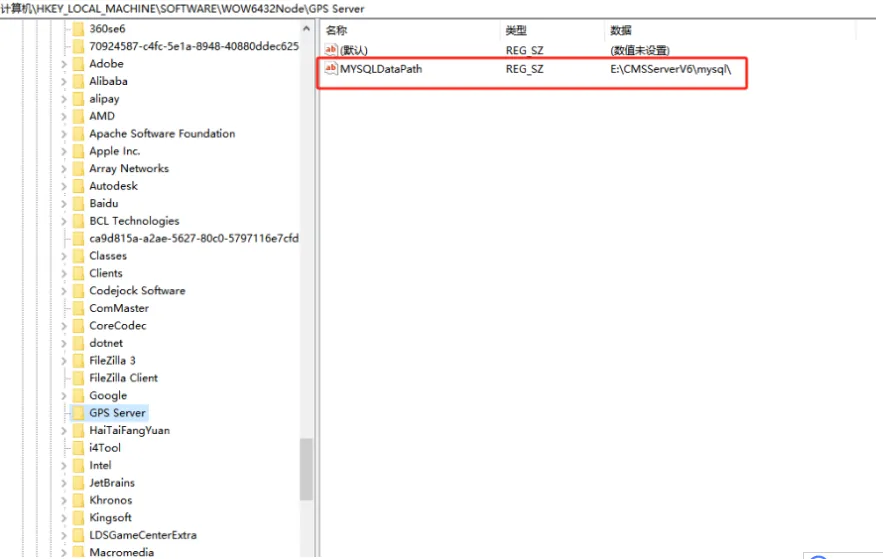
2. Access the following path " Computer \HKEY_LOCAL_MACHINE\SOFTWARE\WOW6432Node\GPS Server " to check whether the string " MYSQLDataPath " exists. The value data is the path where the real- time database directory is located, for example: " E:\CMSServerV6mysql "
'Note 1: Manually create a new Item if it does not exist "'
'Note 2: Manually create "String Value" and "Numeric Data" if it does not exist "'
3. After confirming that it is correct, restart the upgrade.
