1. Functional Description
Resolve server software upgrade, database update failed
2. Operating Instructions
-
How to confirm whether the database update was successful:
Install navicat tools

After installation, open the navicat tool and add the server software database connection.
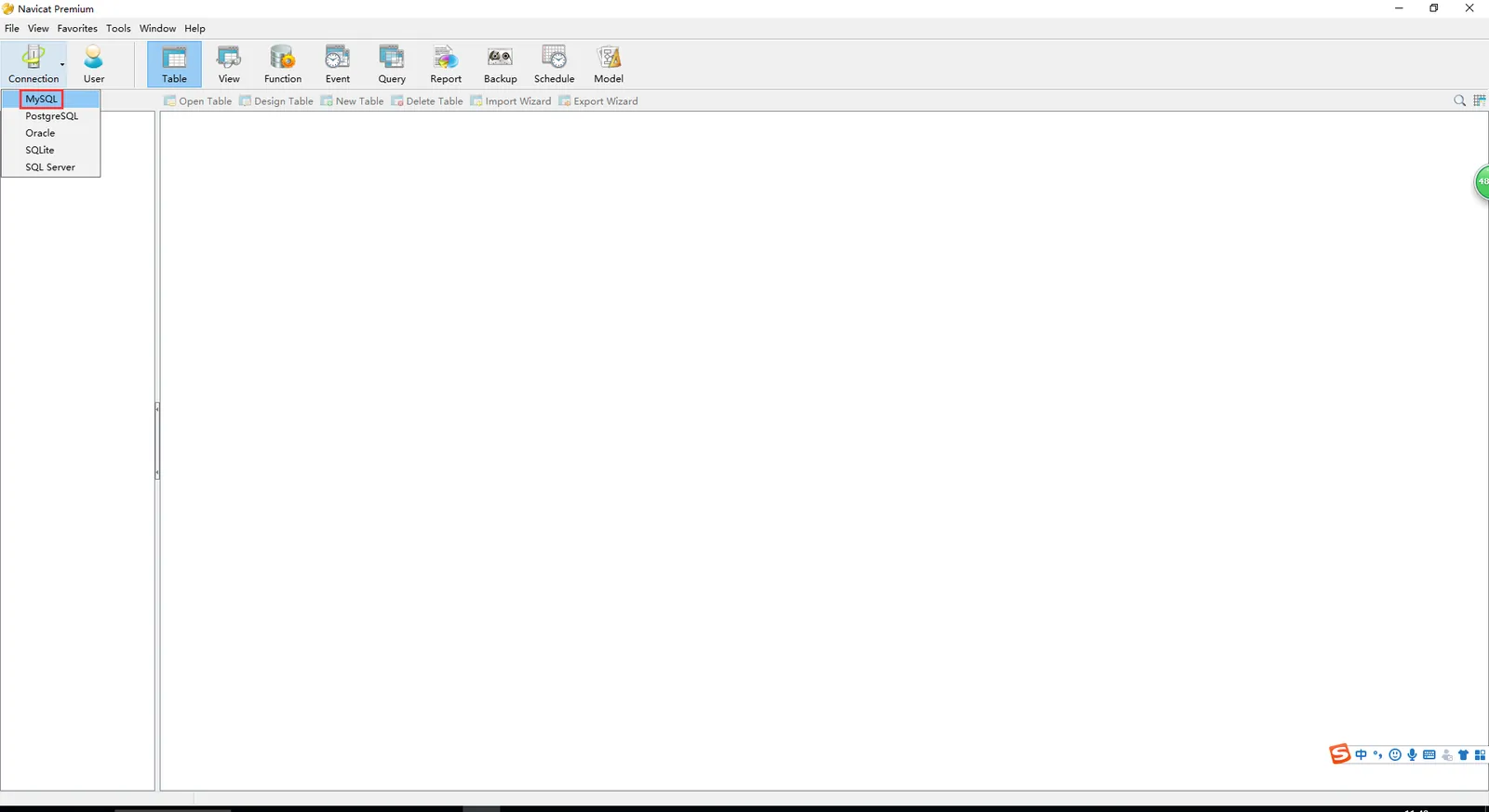
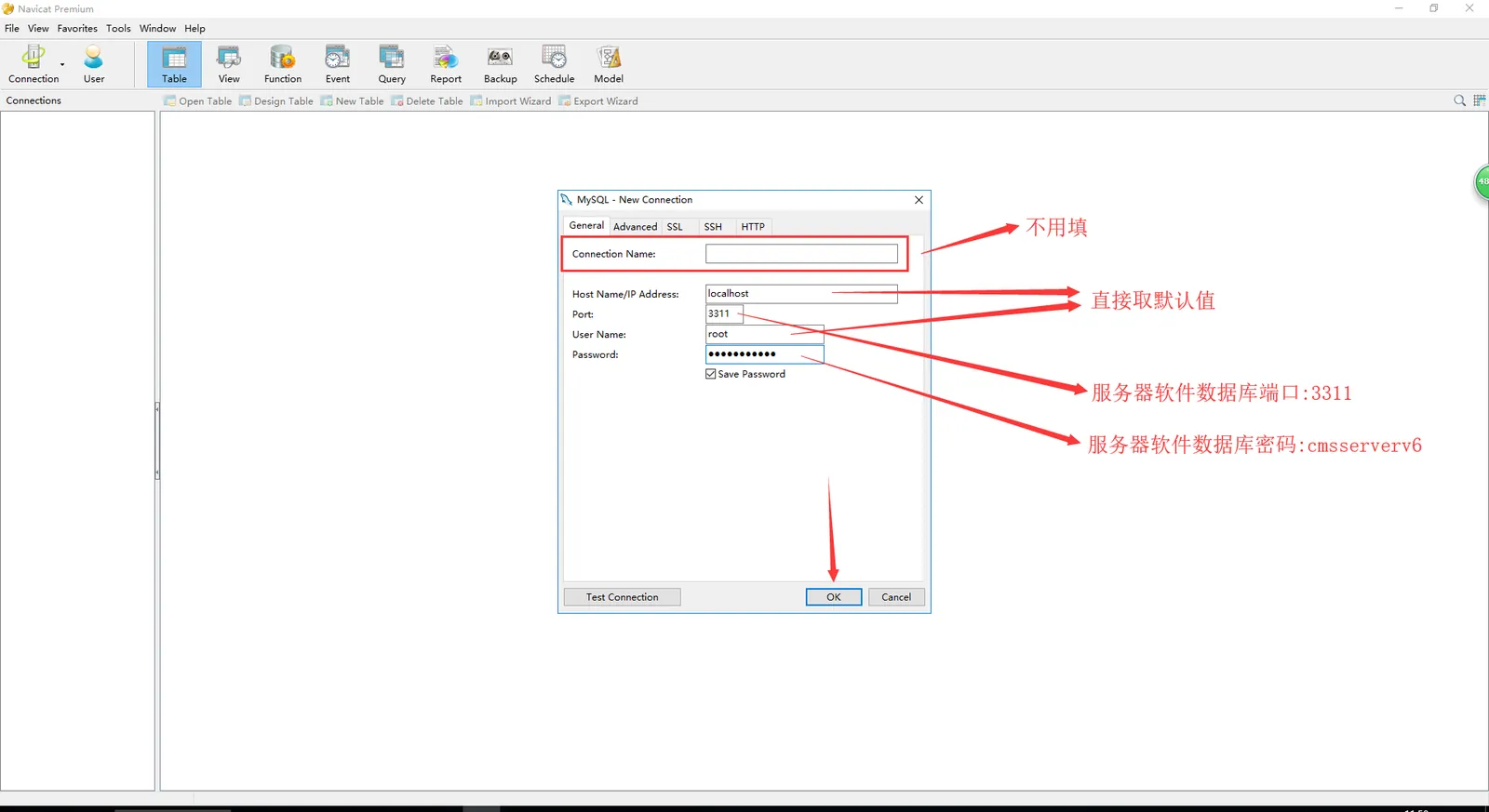
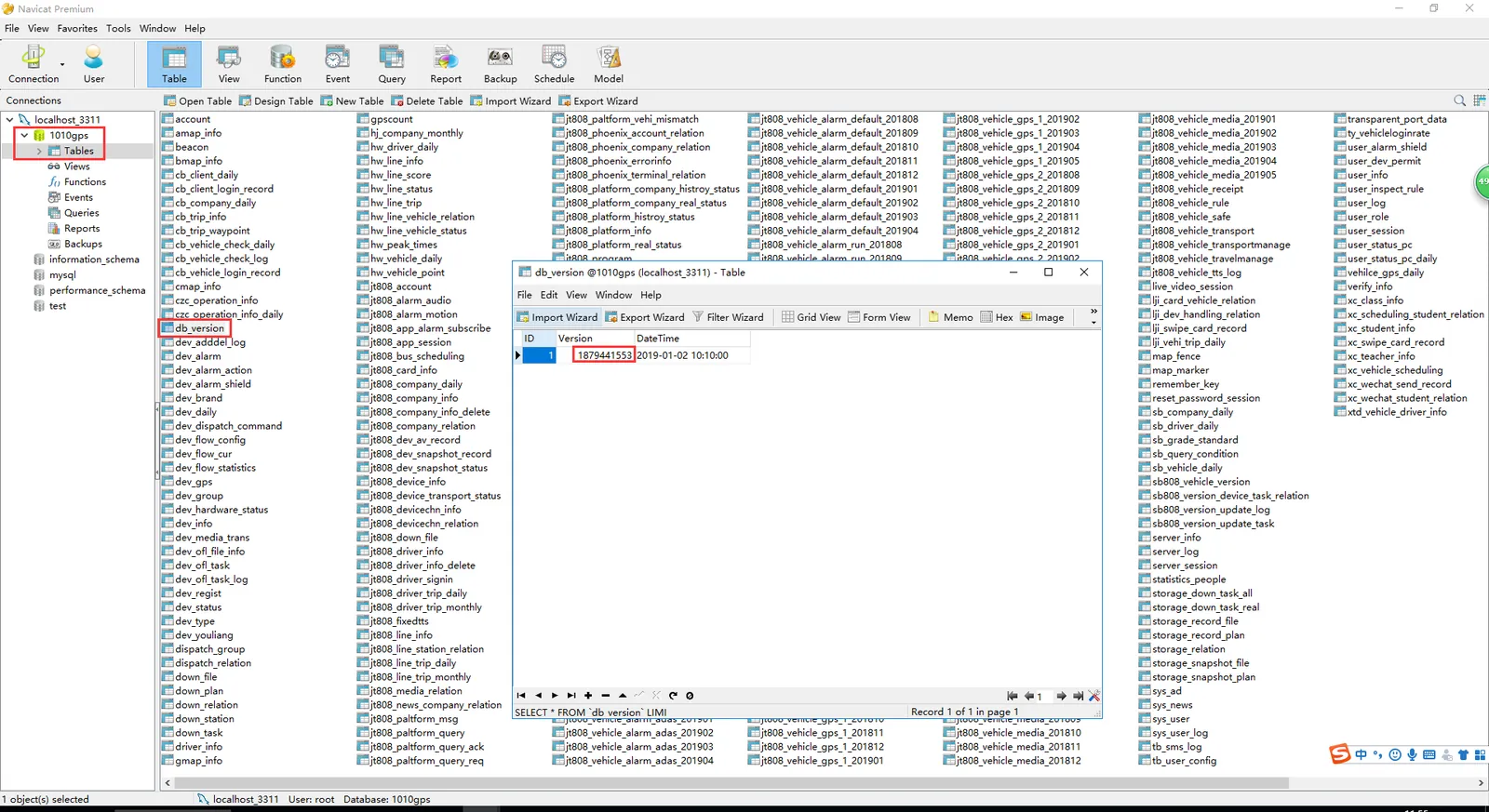
Click to view the Realtime Database version in the db_version table
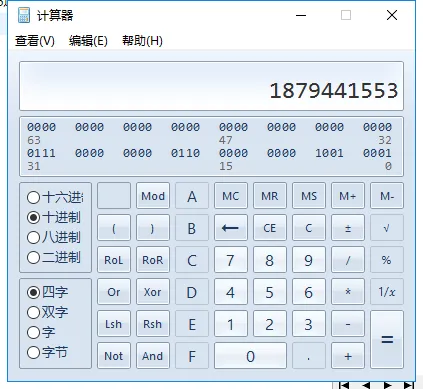
Then use the calc calculator to convert the real- time database version- related values from decimal to hexadecimal.

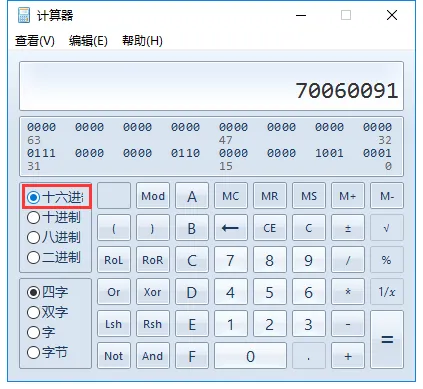
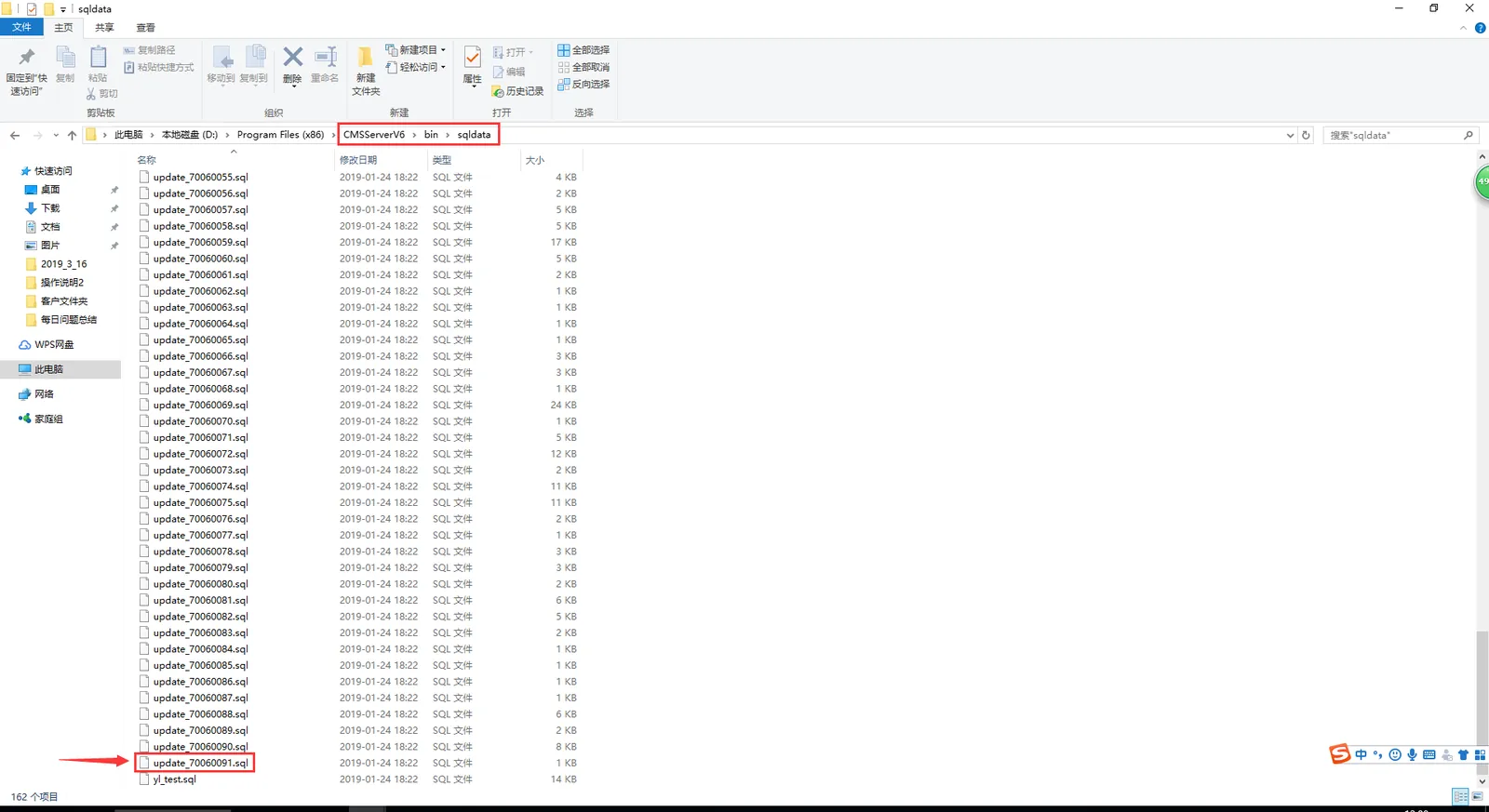
Then compare with the latest database version in the sqldata folder to determine whether the real- time database running on the server software is the latest version.
(The real- time database version run by the server software is consistent with the latest database version in the sqldata folder, which indicates that the database update is successful)
-
You can also directly view the log to confirm whether the database update was successful:
Search and view the gpsloginsvr- GPSLoginSvr log file directly in the log folder of the bin directory.
gpsloginsvr - - - - GPSLoginSvr log files contain relevant database version update records, through which you can determine whether the real- time database running on the server software is the latest version. -
Example of the problem:
Example 1
The database version is updated to 70060077, and the 70060078 cannot pass. At this time, go directly to the sqldata folder to find the 70060078 version of the SQL file, open the file with text, and copy all the text information in the file to the navicat tool for execution: (the execution result is shown in the following figure)
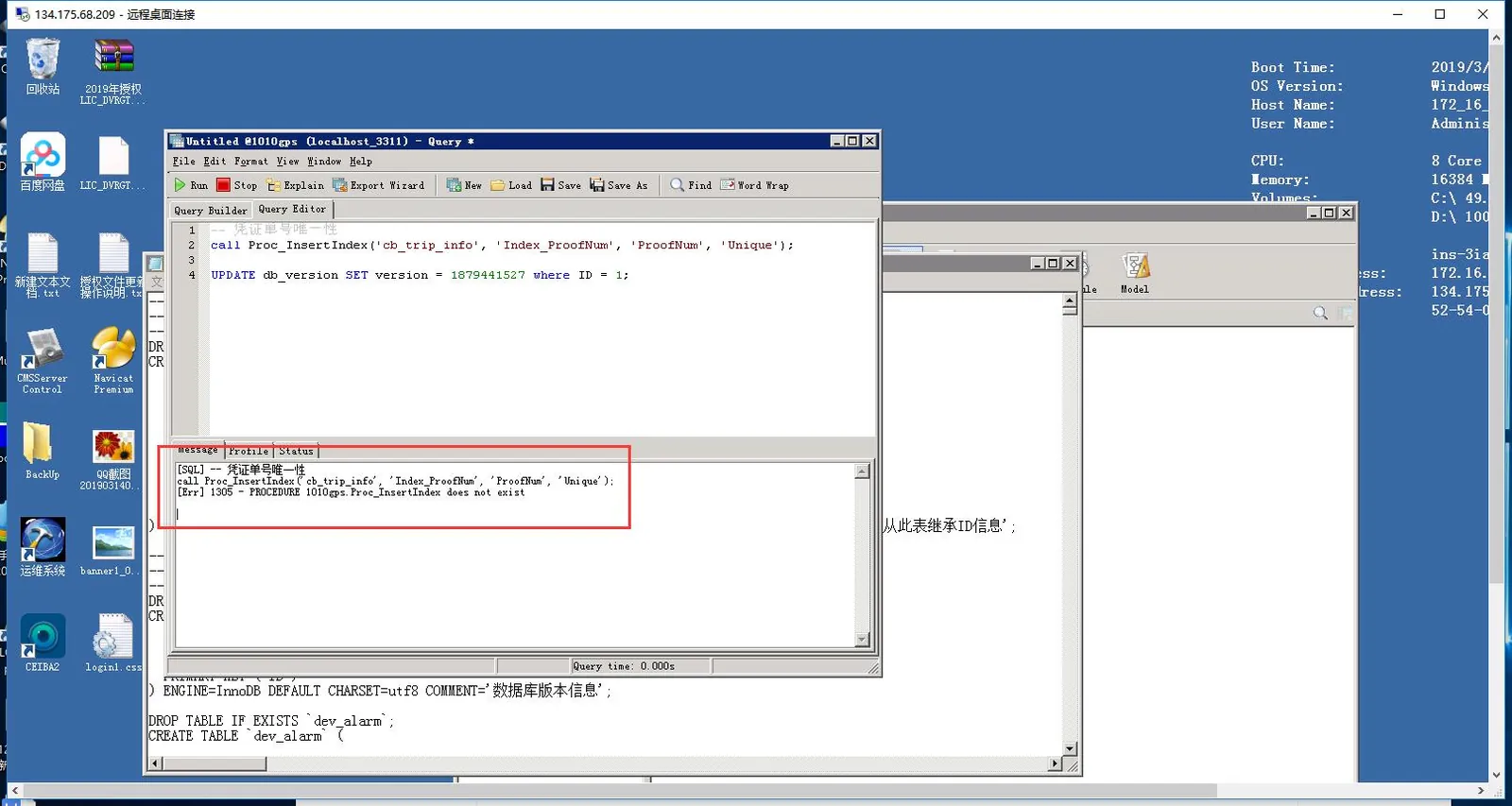
Resolve statements:
-- ----------------------------
-- Procedure structure for `Proc_InsertColumn`
-- ----------------------------
DROP PROCEDURE IF EXISTS `Proc_InsertColumn`;
DELIMITER ;;
CREATE   PROCEDURE `Proc_InsertColumn`(P_TableName VARCHAR(40) CHARSET `utf8`,
    P_ColumnName VARCHAR(128) CHARSET `utf8`,
    P_ColumnType VARCHAR(512) CHARSET `utf8`)
BEGIN
    IF NOT EXISTS ( select * from information_schema.columns where table_schema=DATABASE() and table_name=P_TableName and column_name=P_ColumnName )
    THEN
        SET @SQL = concat( 'ALTER TABLE ', P_TableName, ' ADD ', P_ColumnName, ' ', P_ColumnType);
        prepare stmt from @SQL;
        execute stmt ;
        deallocate prepare stmt;
    END IF;
END
;;
DELIMITER ;
