1 Function Description
1.1 Unified modification of device types requires navicat tools to execute SQL statements and batch modification of device attributes.
1.2 currently V6 involves only two types of terminals:
- 5: Location terminal
- 7: Video Terminal
2 Operating Instructions
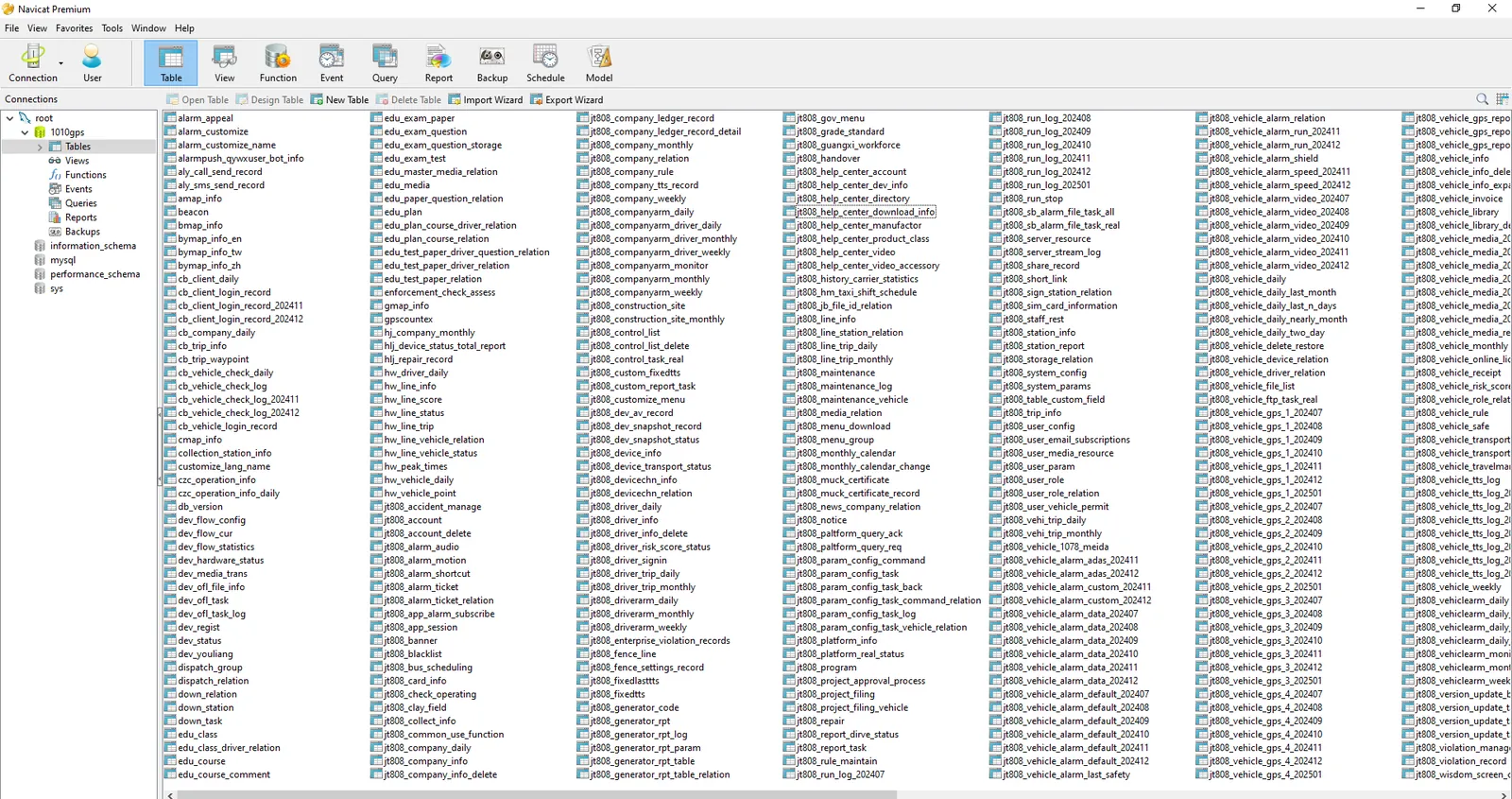
2.1 Open the Navicat for MySQL tool
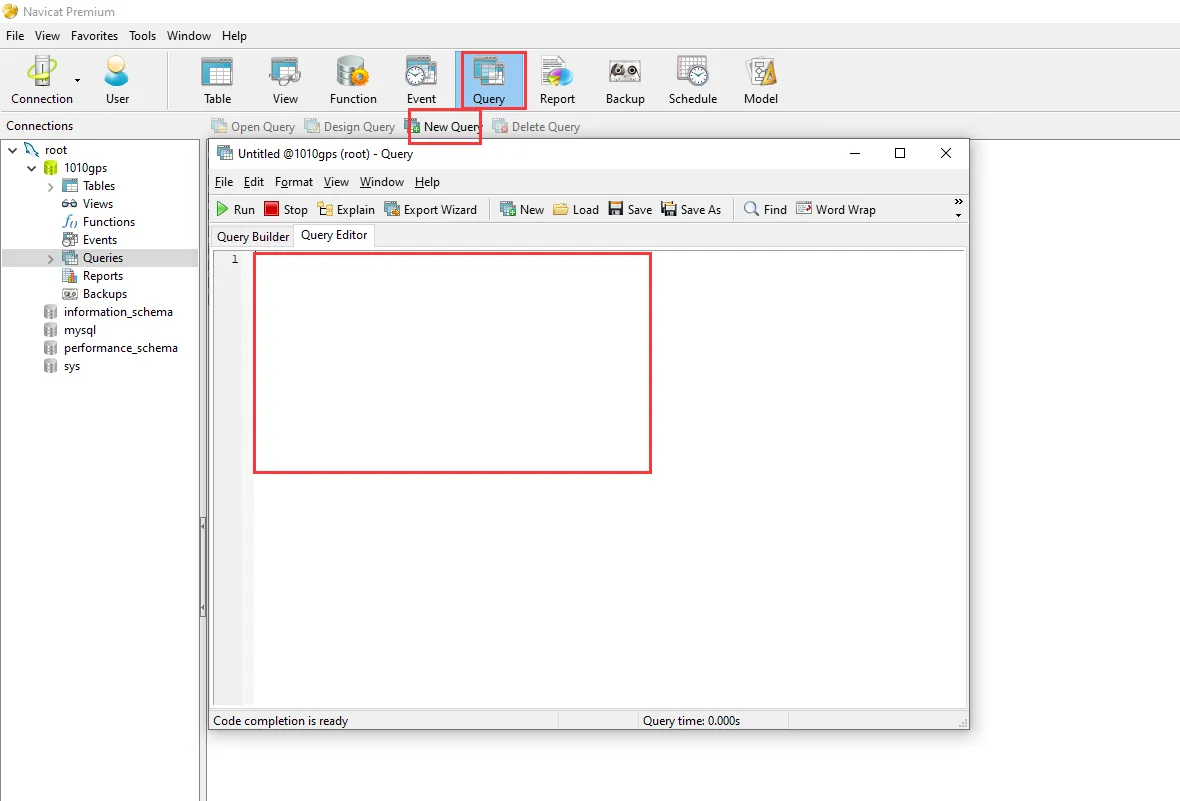
2.2 New Query, Prepare to Modify Device Properties Using Statements
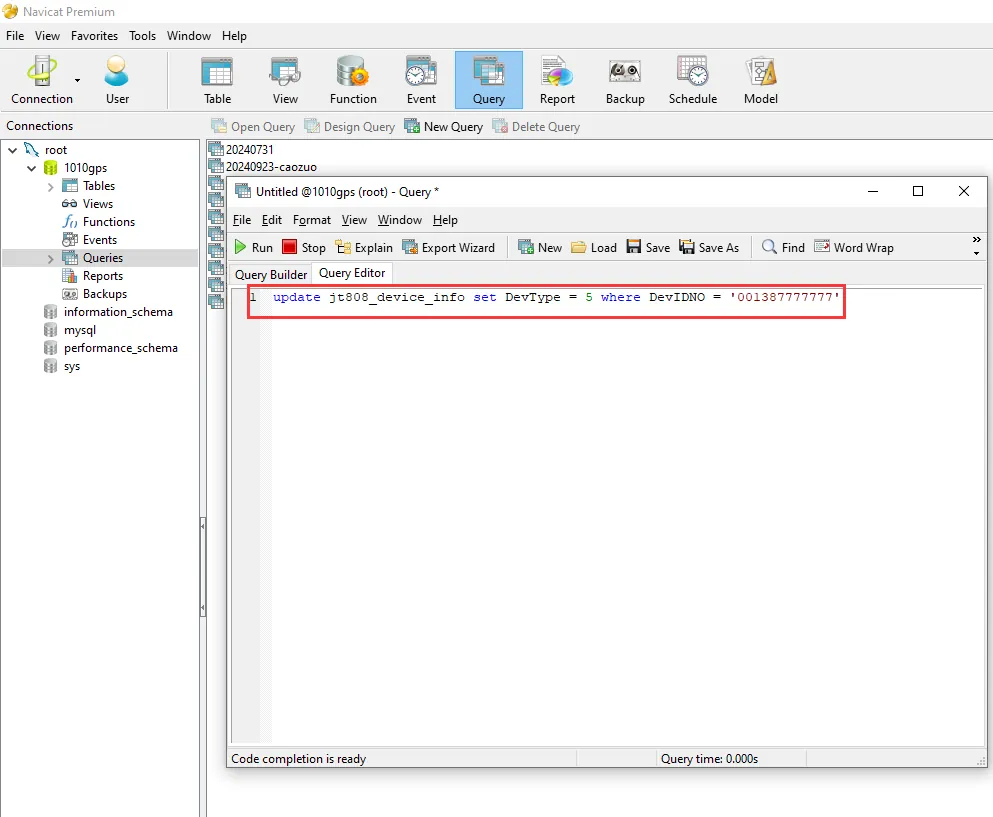
2.3 Use SQL statements to modify the device type, the device information is stored in the database table "jt808_device_info", the device properties correspond to the "DevType" field in the table, modify the device properties, just modify the value of the DevType field of the corresponding device.
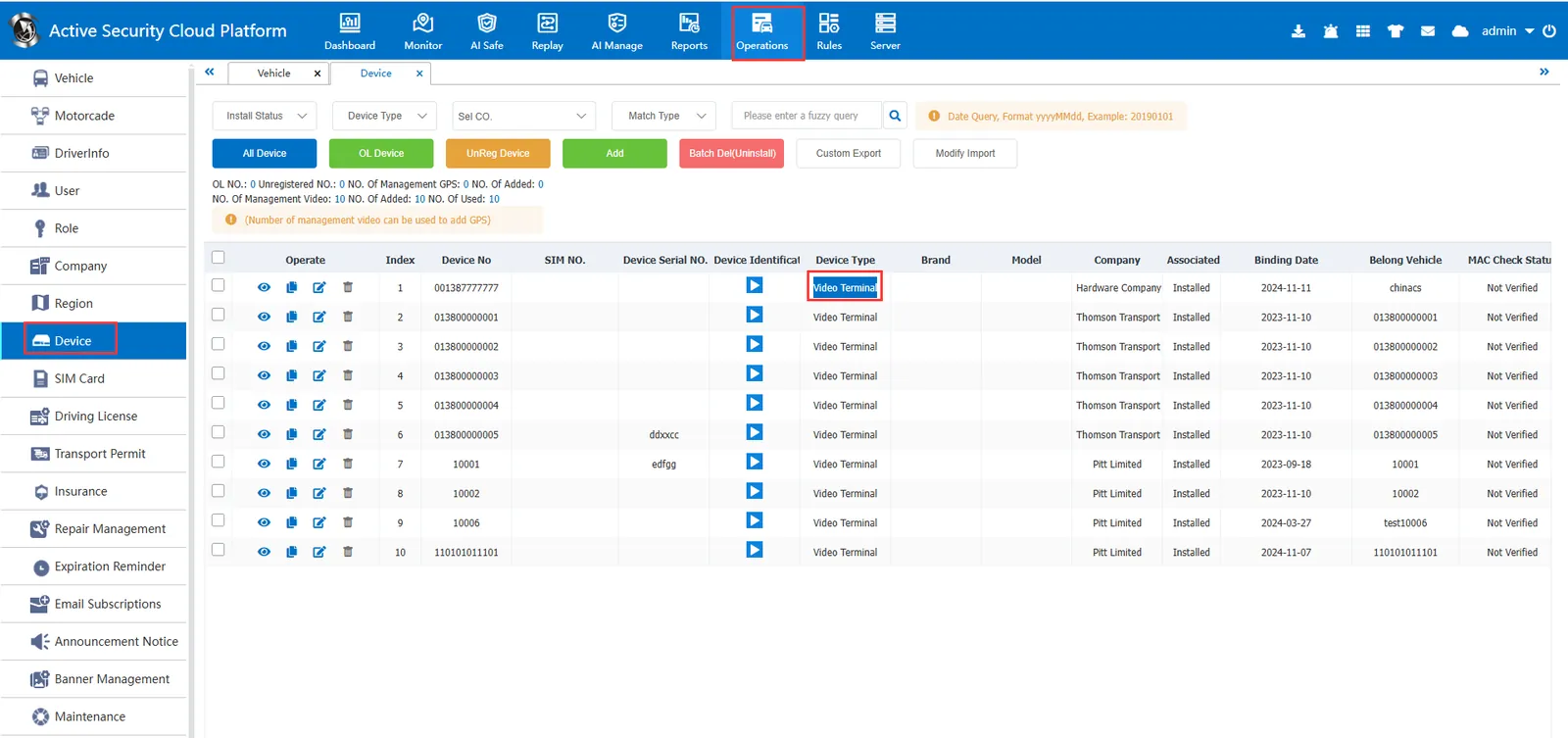
2.3.1 Before modification, the attributes of the device are shown in the following figure:
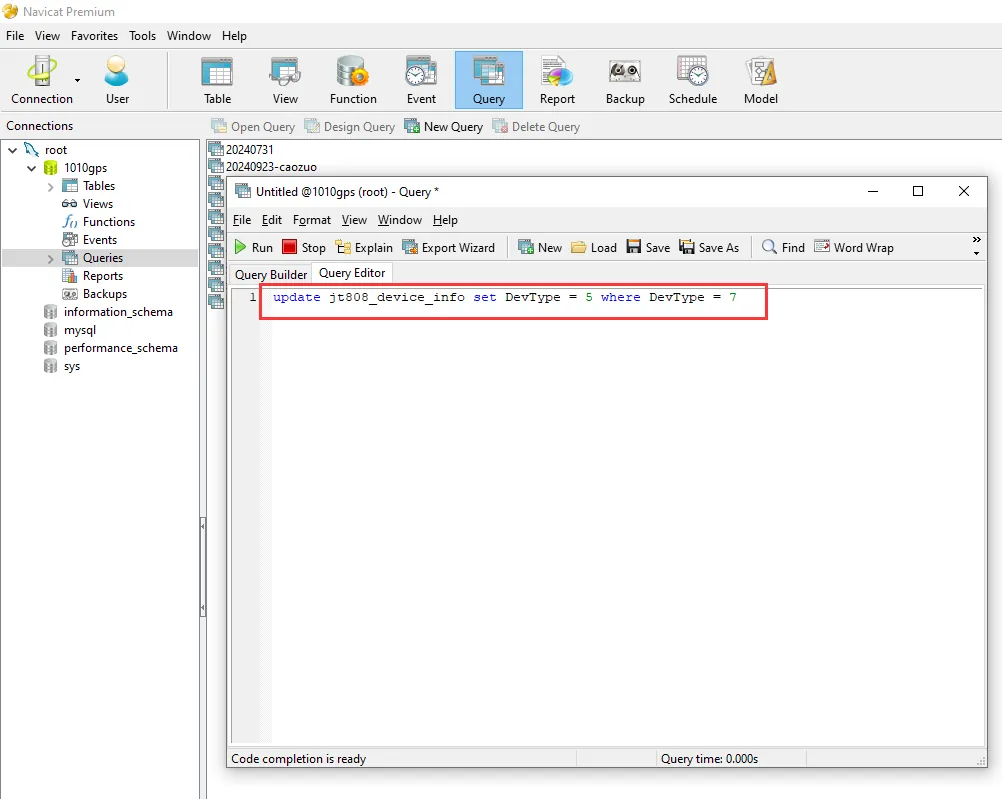
2.3.2 Use the statement "update jt808_device_info set DevType = 5 where DevIDNO = '000000000000'" to modify, as shown in the following figure:
2.3.3 After the modification is completed, view the attributes of the corresponding equipment through the platform, as shown in the following figure:
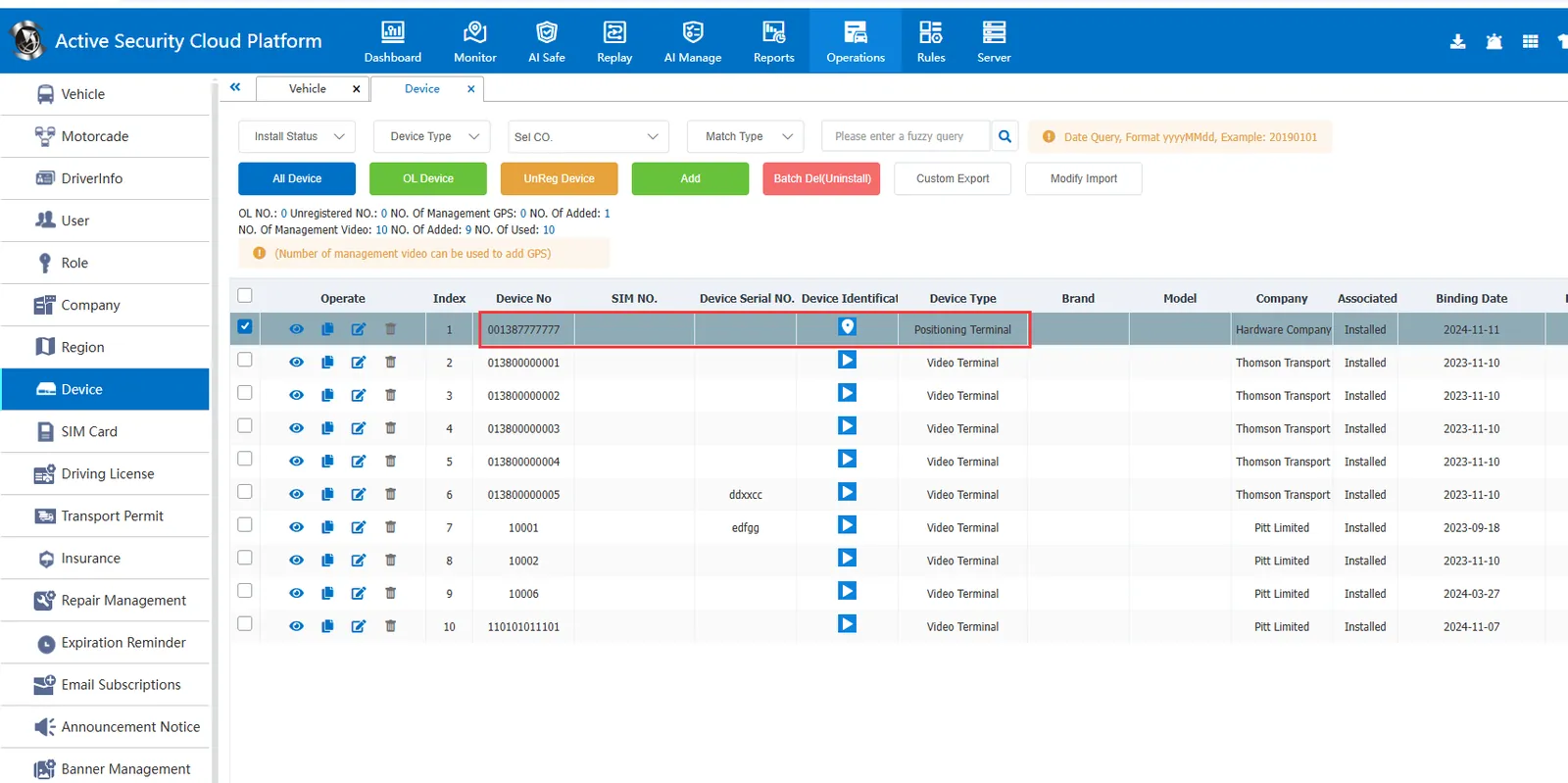
2.4 batch modification, you only need to modify the corresponding SQL statement conditions,
For example, "update jt808_device_info set DevType = 5 where DevType = 7", you can change the video terminal to a positioning terminal in batches, as shown in the following figure:
2.5 can go to the platform to check the relevant situation and verify whether the modification is successful, as shown in the following figure:
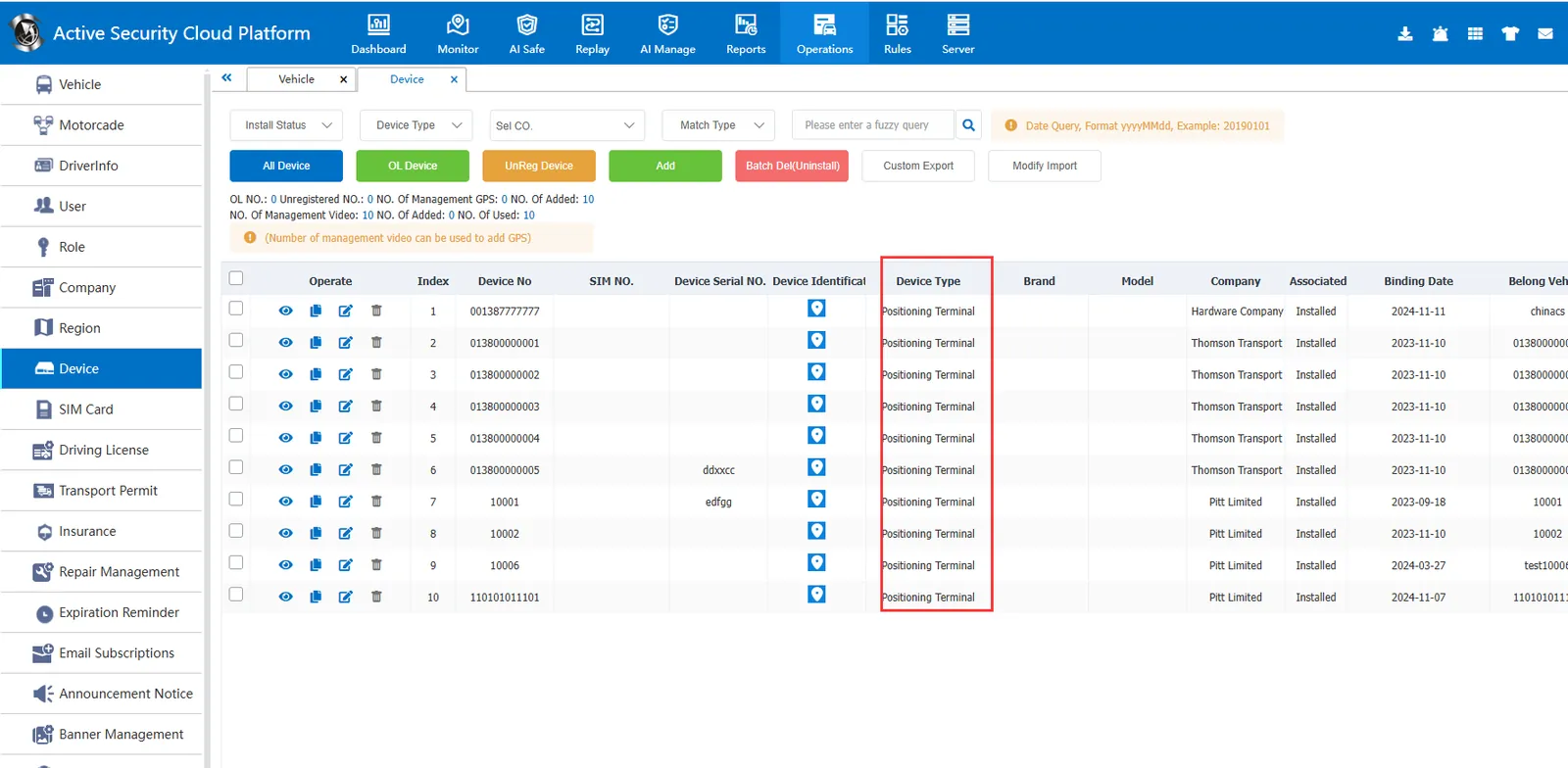
Prove that the batch modification of device properties is successful.
3 Notes
3.1 directly operate the database, it will be directly reflected in the query results of the platform.
3.2 Please operate with caution and check the backup status.
3.3 Found issues, use backup data for recovery.
