1. Function description
1.1 server software does not have data backup and no historical database
1.2 the real- time database has been damaged, mysql service can not start. In this case, you can try to use this method to save.
2. operating instructions
2.1 modify the innodb_force_recovery parameters to make the mysql service skip the recovery step and start the mysql service.
Set innodb_force_recovery = 6 (if there is no innodb_force_recovery = 6 in my.ini configuration file, it can be added directly in my.ini file, as shown in the following figure)
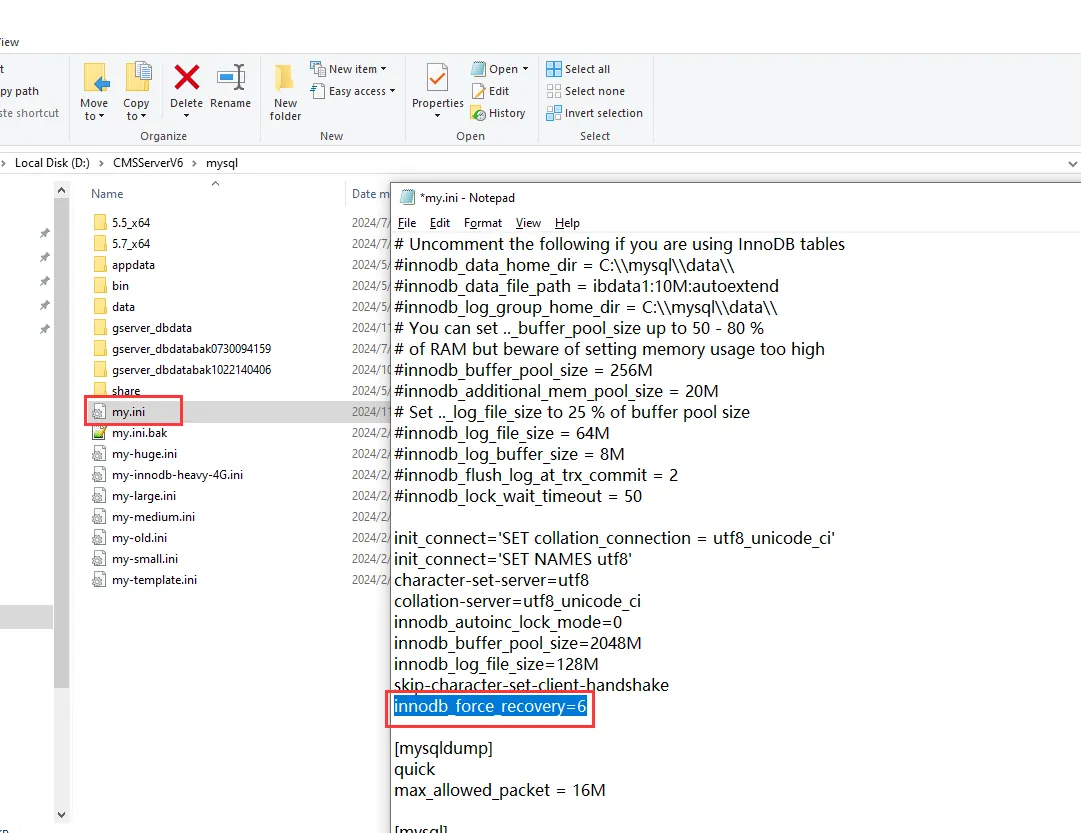
After adding the configuration, save it, and then restart the MySQL service, MySQL service can run normally.
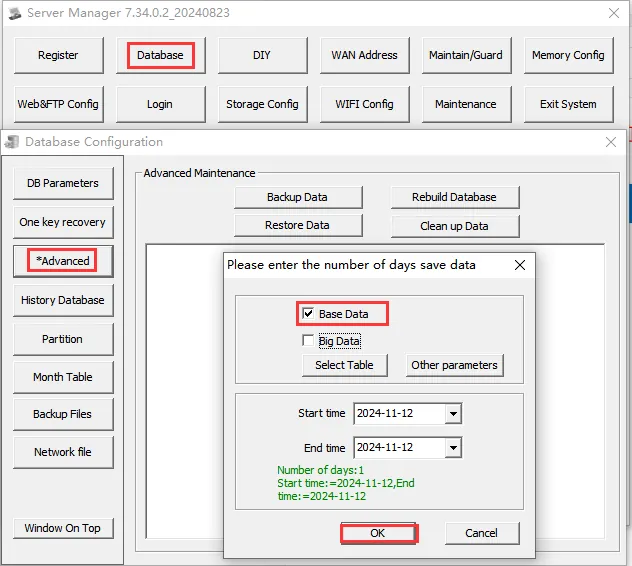
2.2 use the database configuration tool of the server software console to back up data
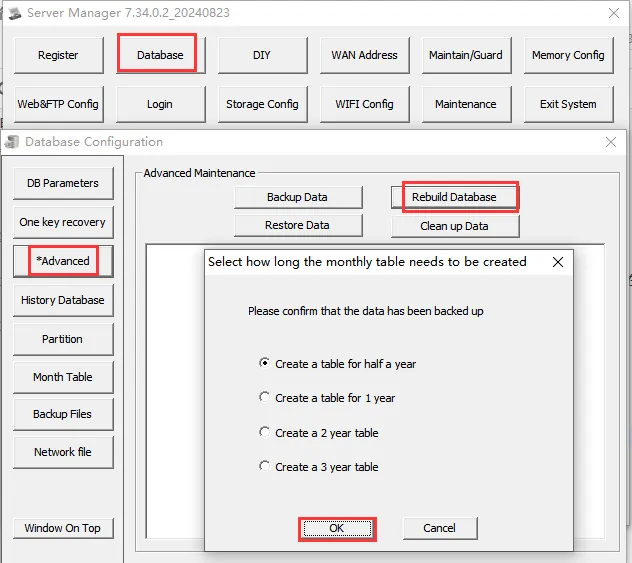
2.3 Rebuild the database using the database configuration tool of the server software console
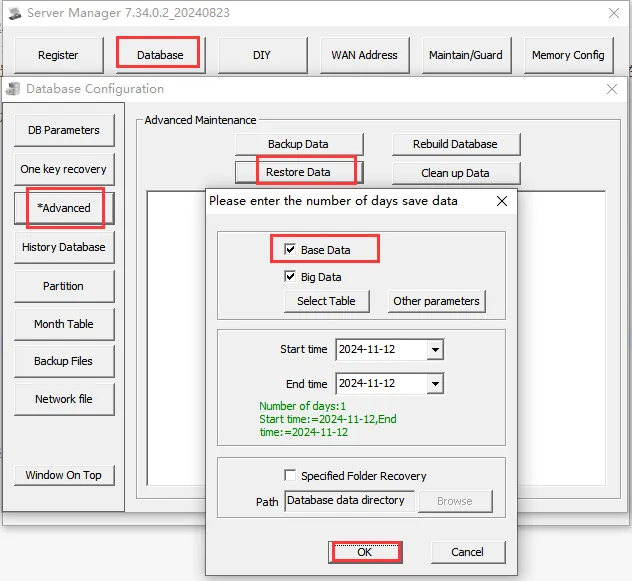
2.4 use the database configuration tool of the server software console to restore data
3. Notes
3.1 data is restored successfully, confirm whether the server software is running normally and log on to the platform to confirm whether the data is back to normal.
3.2 it is recommended to check the automatic backup frequently to see if it is normal.
If necessary, 3.3 can save another copy of the automatically backed up files at regular intervals.
