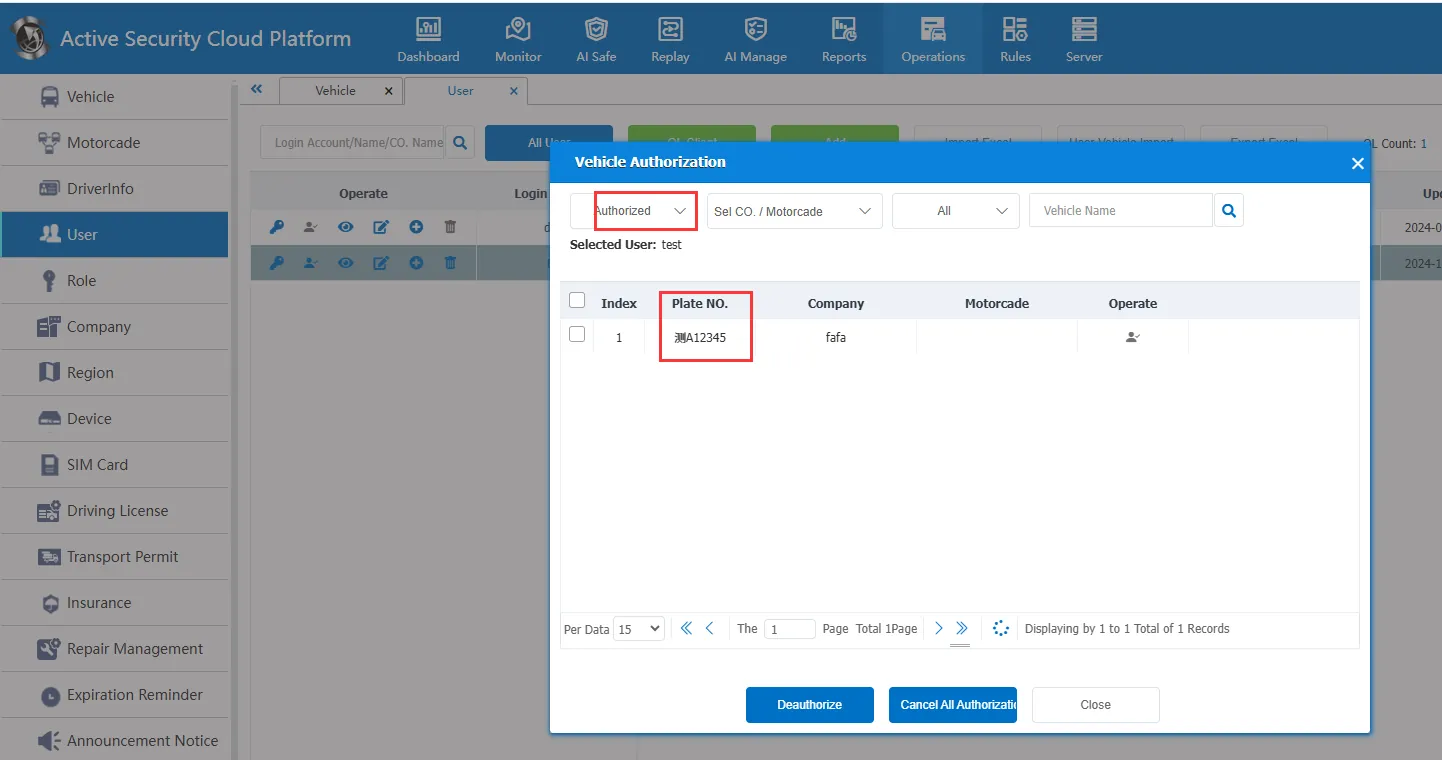
Instructions for use:
1 Function Description
1.1 from the database to assign vehicles to ordinary users
1.2 more recommendations directly from the front- end interface
2 Operating Instructions
2.1 Use the Navicat for MySQL tool [see: Database Access Information and Access Operations] to connect to the mysql database
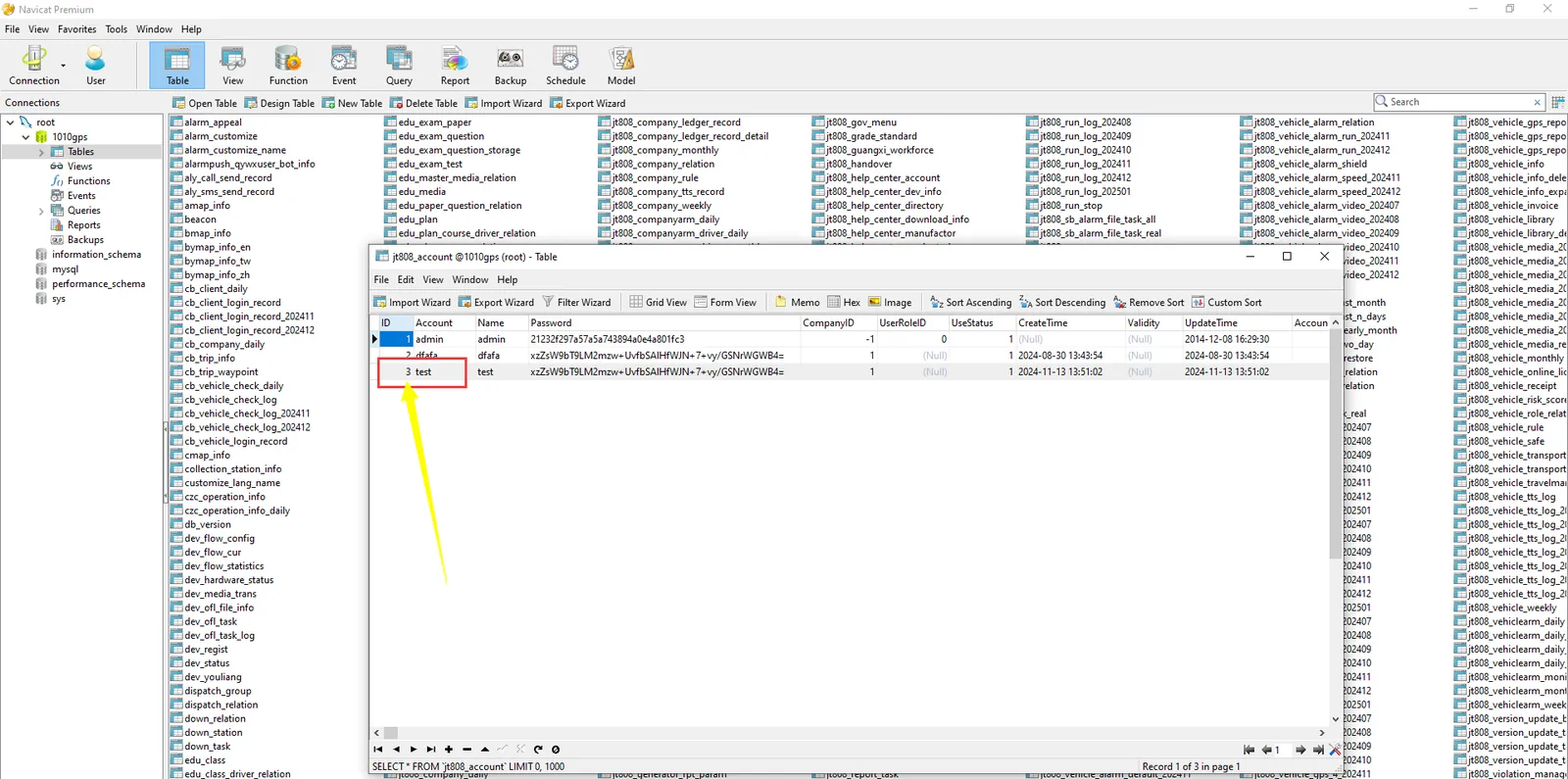
2.2 Access the database user table jt808_account to view the user ID;
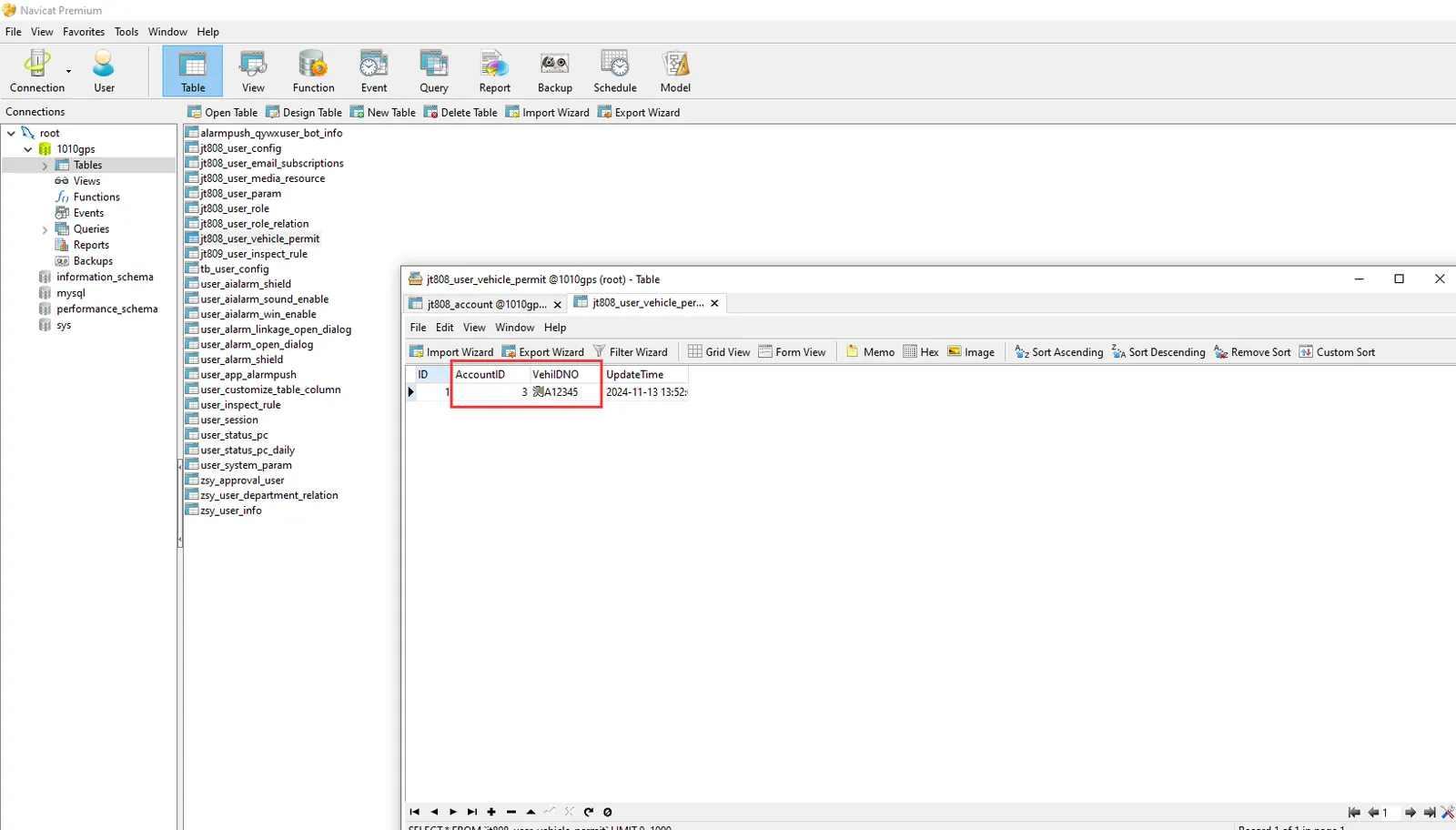
2.3 access to the database ordinary user and vehicle association table, according to the second step to find the user ID to add the allocation of vehicles;
2.4 the client to view the vehicle authorization of ordinary users, click on the authorized vehicle to see that the vehicle allocation is successful.