1. Function Description
- admin account is the only super administrator account
- admin account forgets the password, the front end cannot be modified. You can only use database tools to directly modify the password in the database.
2. Operating Instructions
2.1 to use to navicat this database management tool
Operating instructions see: #1866
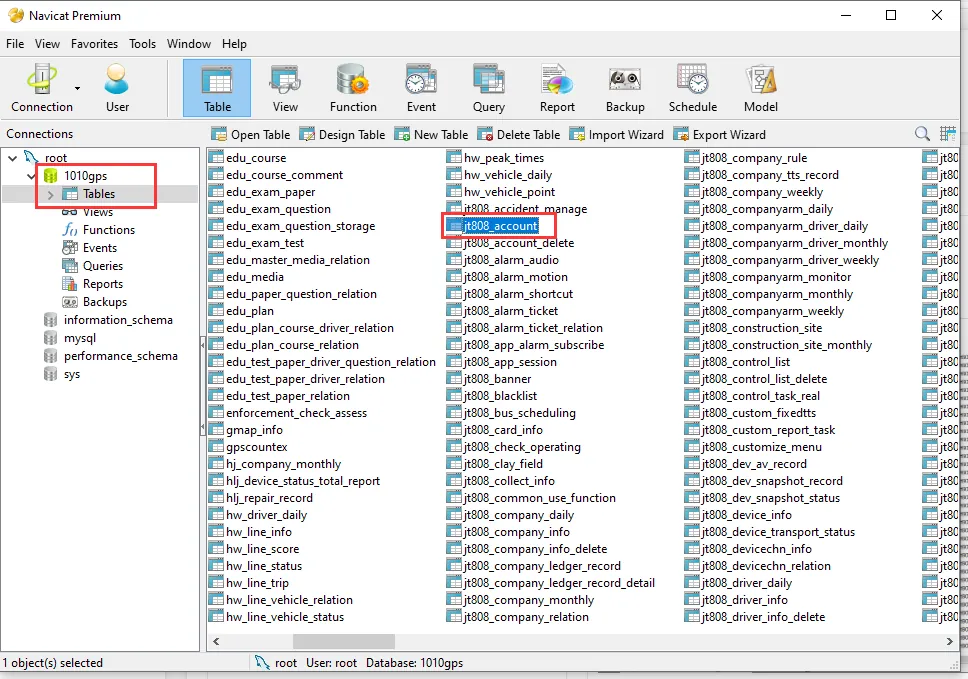
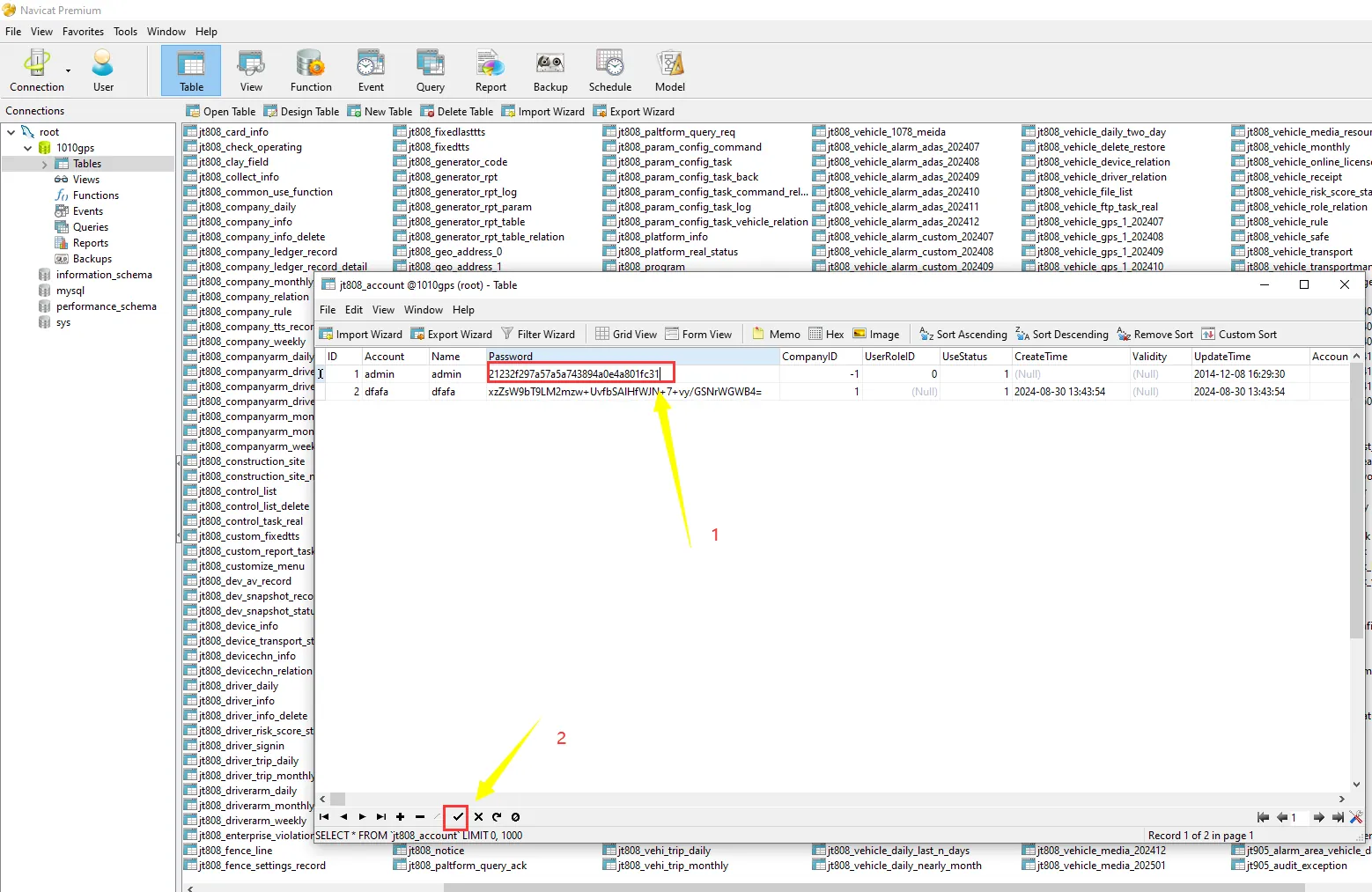
2.2 Use database management tools to find the jt808_account table
2.3 Double- click to open the jt808_account table, select the "admin" item, drag the progress bar, find the "is_aes_encrypt" field, and check whether the corresponding value is 0 or 1
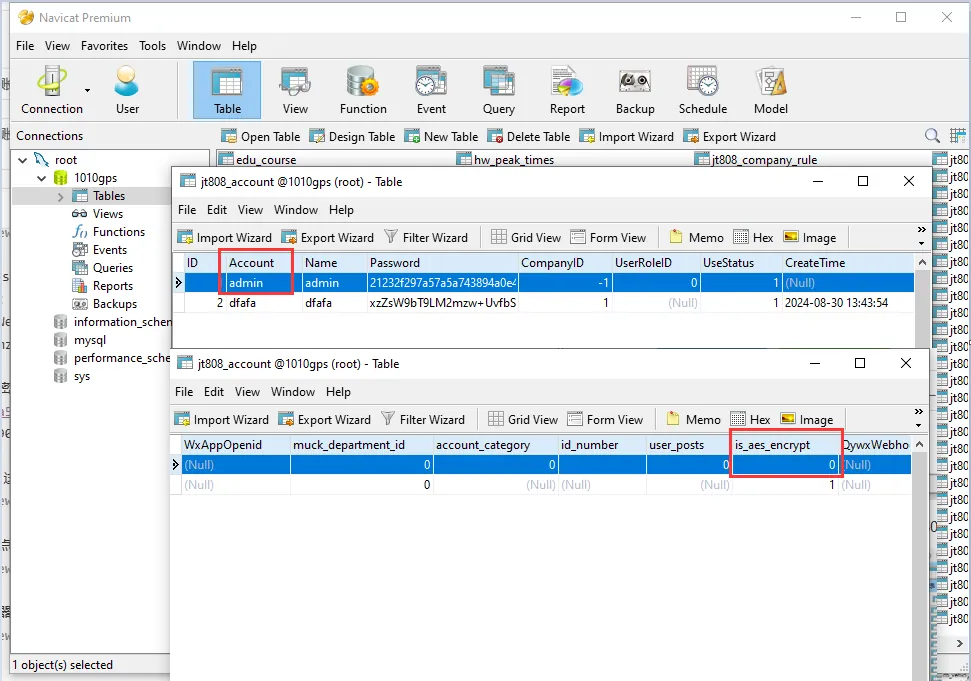
2.4 "is_aes_encrypt" A value of 0 indicates that AES encryption is not enabled, and a value of 1 indicates that AES encryption is enabled
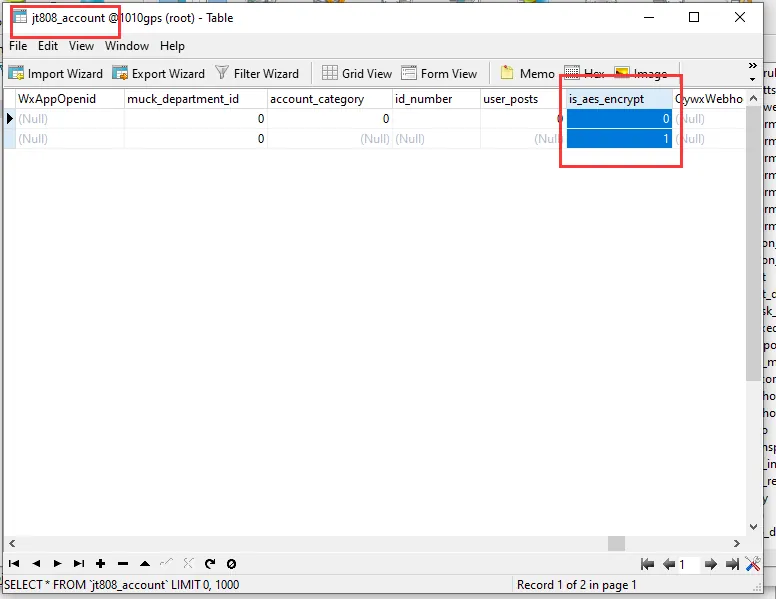
2.5 determines the value of "is_aes_encrypt", the "Password" field is filled with the corresponding value according to whether AES encryption is enabled or not.
AES encryption enabled:
YDNBNIo10jBmWezMy11GuMoSURSb9mb4UqhQzgpGjVA1MMFeHX8NlnV6dAvCYnUi the password this code refers to is (admin)
xzZsW9bT9LM2mzw UvfbSAlHfWJN 7 vy/GSNrWGWB41MMFeHX8NlnV6dAvCYnUi This code refers to the password (000000)
AES encryption is not enabled:
21232f297a57a5a743894a0e4a801fc3 This code refers to the password (admin)
670B14728AD9902AECBA32E22FA4F6BD This code refers to the password (000000)
2.6, the value corresponding to 'Password' of 'admin' is replaced with the corresponding value according to whether AES encryption is enabled in the 2.5 (directly copy and paste)
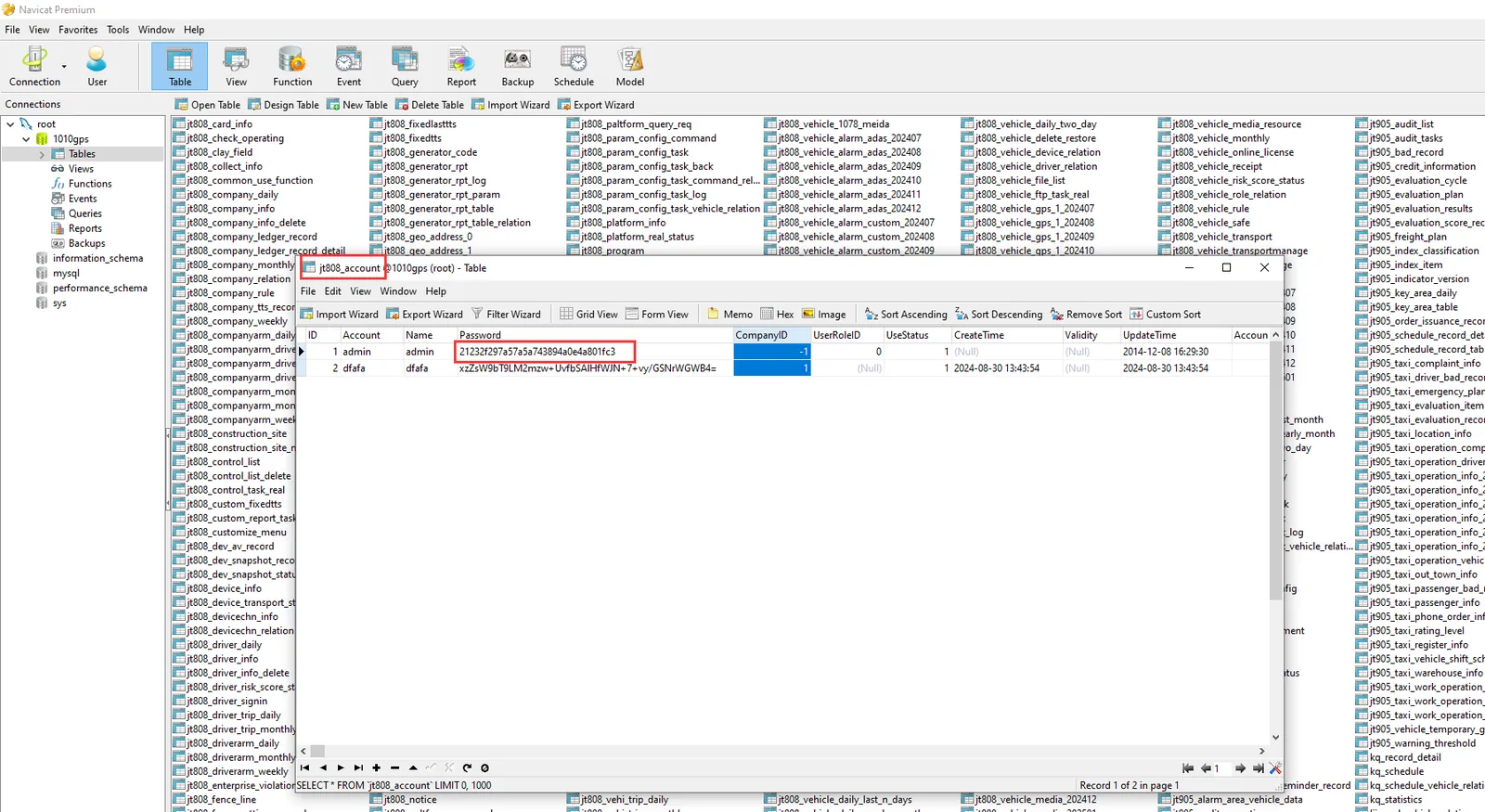
2.7 is changed, click on the icon in the lower left corner as shown in the figure.
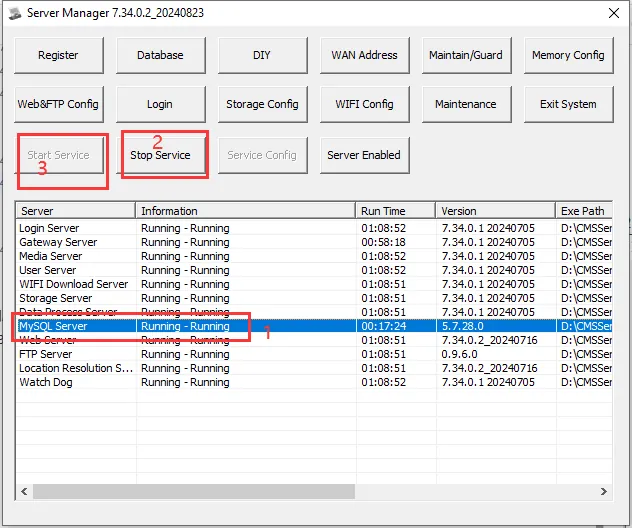
2.8 on the service controller, restart the WEB service.
3 Notes
3.1 the value to be filled in by 'Password', you need to first determine whether AES encryption is enabled.
3.2 service is restarted, use the password "admin" or "000000" to log in to the system, and then use the functions provided by the front- end interface to modify the password.
