Function description
- Batch modify the initial passwords of platform users and change the original weak passwords to complex passwords to improve the security of user accounts.
- Mainly for 000000 and 123456 two common weak password modified to complex password.
Operation instructions
- The passwords of multiple accounts on the platform are '000000' or '123456'. You need to change the passwords to complex passwords in batches.
- Scenario 1 and Scenario 2 are for the modification of the platform account; Scenario 3 is for the modification of the license plate number login password
Scenario 1 MD5 encrypted password
-
Example: If the original password is 000000 or 123456, change the password to G- sky.1973'
-
1.1. First, encrypt the password 'G- sky.1973' with MD5 to get the password'
MD5 online encryption: https://cmd5.com/hash.aspx - 1.2. The navicat tool on the server executes the following SQL statement to modify the Password to the MD5 encrypted password.
update jt808_account set Password = '4bbdc22db7cf300f0b2ad863c25f0937' where (is_aes_encrypt != 1 or is_aes_encrypt is null) and (Password = '670B14728AD9902AECBA32E22FA4F6BD' or Password = 'E10ADC3949BA59ABBE56E057F20F883E');
- 1.3, test and verify whether the new password can be logged in
Scenario 2 AES Encrypted Password
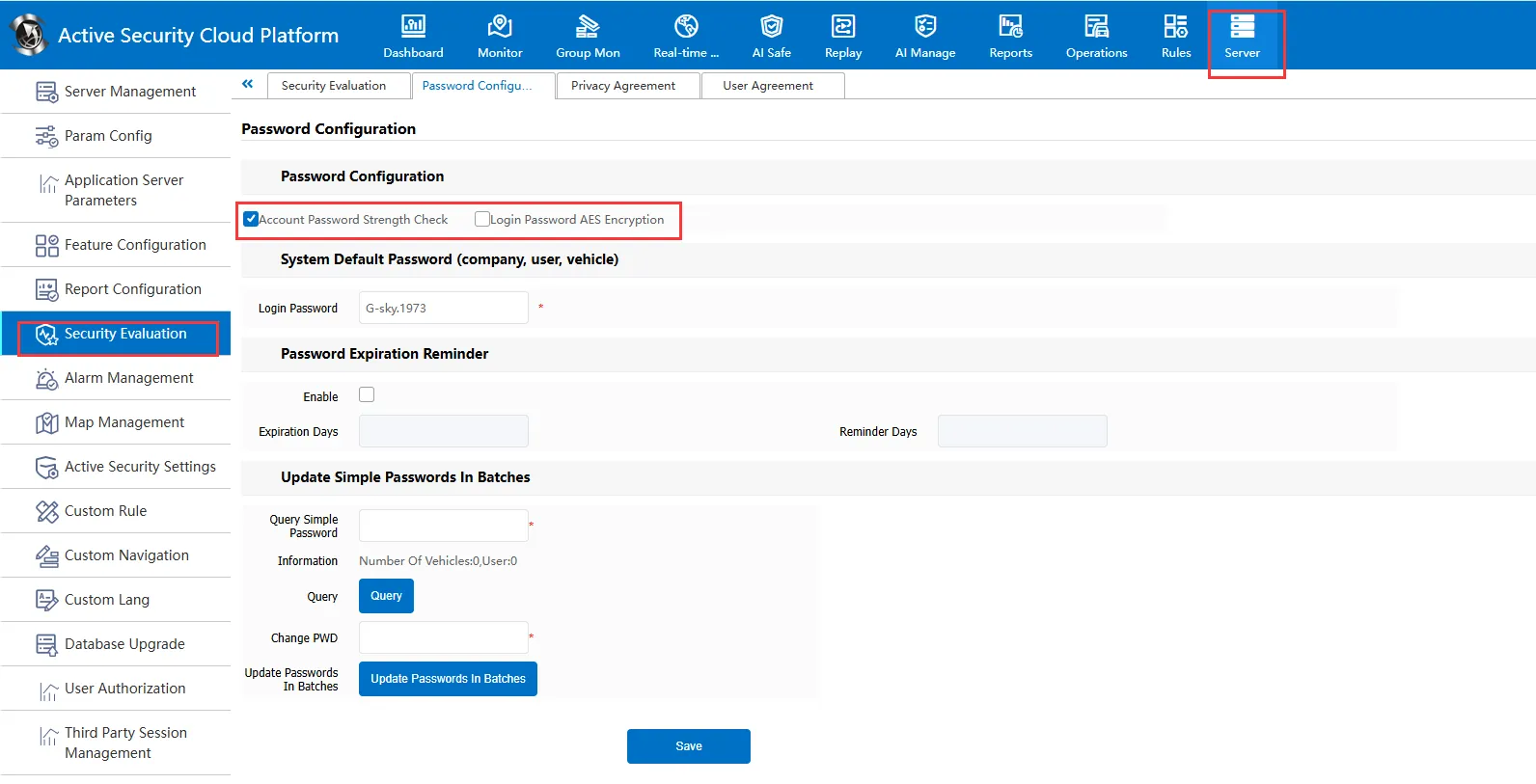
- 2.1, in server management- security evaluation, check password strength check and login password AES encryption
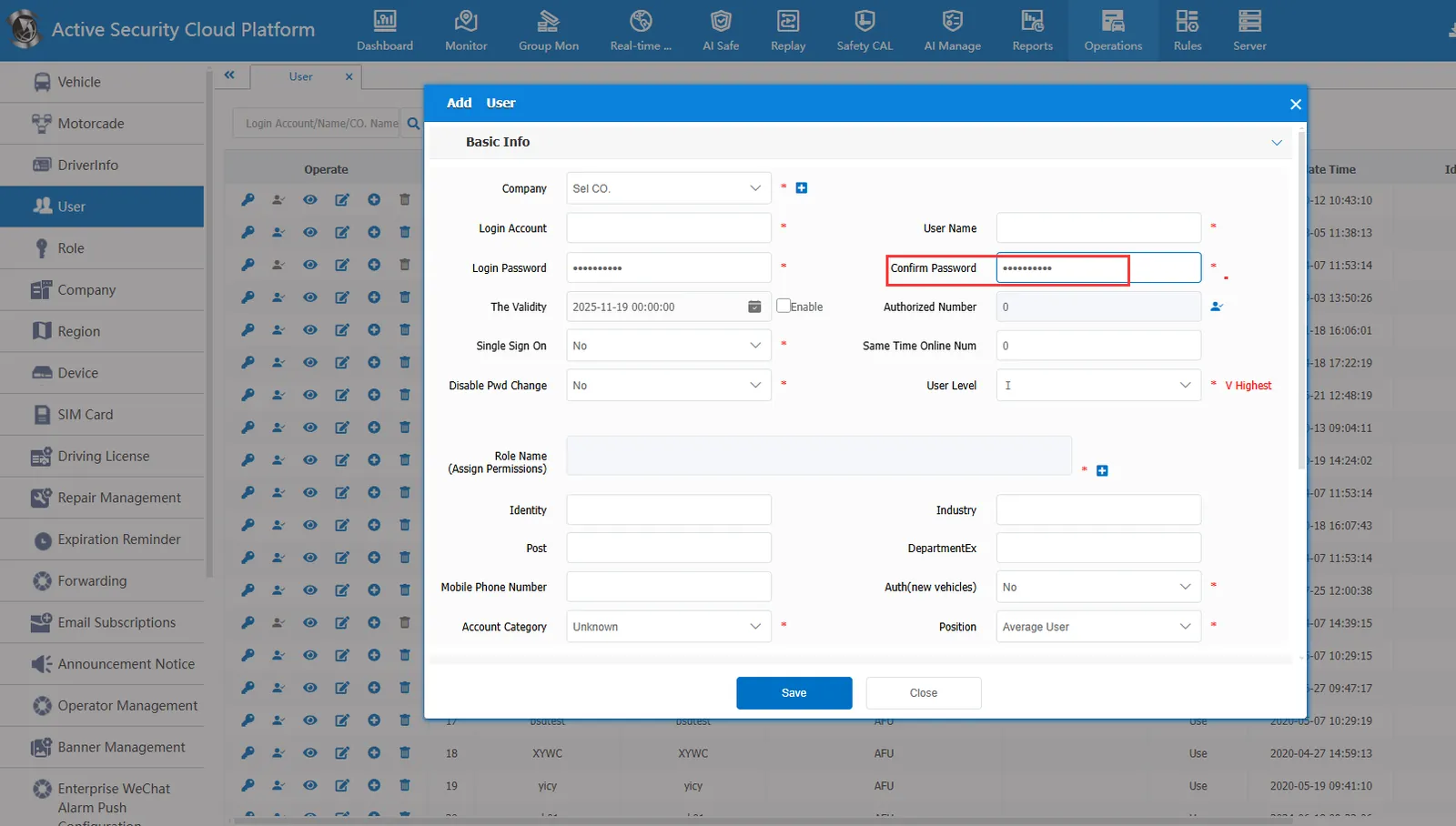
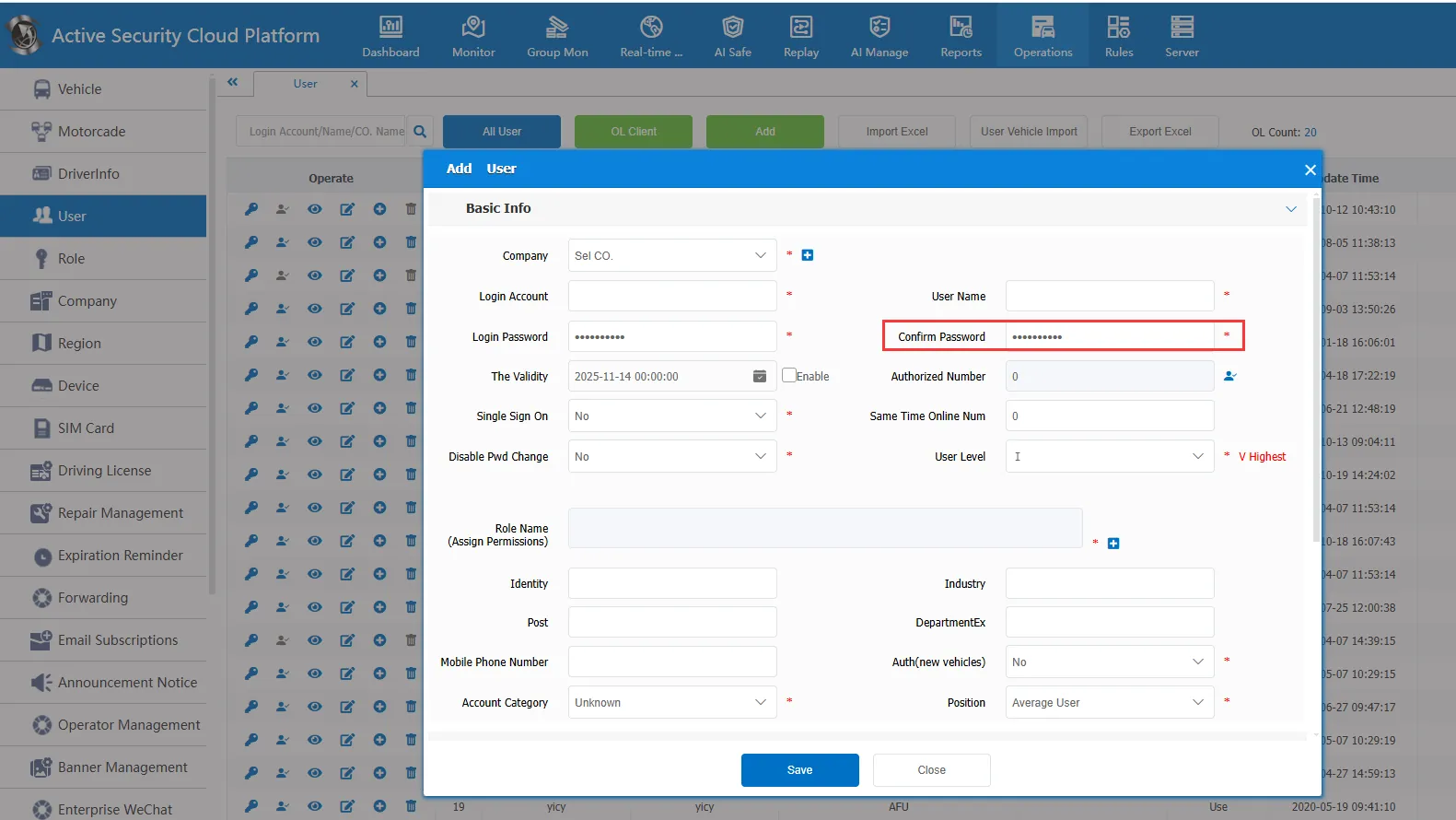
- 2.2. Create a new user on the platform and set the password to the complex password that needs to be used.
- 2.3. The navicat tool on the server executes the following SQL, which Account the newly created user account for 2.2
SET @target_password = (SELECT Password FROM jt808_account WHERE Account = 'abc');

UPDATE jt808_account
SET Password = @target_password
WHERE is_aes_encrypt = 1
AND (
Password = 'xzZsW9bT9LM2mzw UvfbSAlHfWJN 7 vy/GSNrWGWB4='
OR Password = 'PEa7l XFXD9qK0sWZ5jYewih BZ37gyP1oWsPqjZ6lo='
);
- After the 2.4 is executed, wait about 5 minutes or restart the web server for the changed password to take effect.
Scenario 3 License Plate Number Login Password Modification
- 3.1 With the help of navicat tools, find out the existing password of the license plate number jt808_vehicle_ino the data sheet for which the login password needs to be modified,
This example is:
- 3.2 the 1.1 method to get the encrypted parameters of the new password
- 3.3 execute the batch update statement, and the modification is completed after success. Try to log in with the new password.
update jt808_vehicle_info set Password = '4bbdc22db7cf300f0b2ad863c25f0937' where Password = '670B14728AD9902AECBA32E22FA4F6BD ';
Notes
- MD5 encryption:
000000:
123456:E10ADC3949BA59ABBE56E057F20F883E
- AES encryption:
000000:xzZsW9bT9LM2mzw UvfbSAlHfWJN 7 vy/GSNrWGWB4=
123456:PEa7l XFXD9qK0sWZ5jYewih BZ37gyP1oWsPqjZ6lo =
Frequently Asked Questions
- navicat tool can be downloaded online
- After the operation of scenario 2, the old and new passwords cannot log in and restart the web server.
