1 Function Description
1.1 batch processing of alarms in the database (change the alarm processing status to processed)
1.2 it is recommended to operate alarm processing directly in the front- end interface.
1.3 directly in the database operation, requires a certain knowledge of database use
2 Operating Instructions
2.1 For connecting to the database, see database access information and access operations.
2.2 determine the need to process the alarm stored in which table;
Consulting Tongtian Star technical support;
For example: into and out of the area alarm;
The alarm is stored in the database table jt808_vehicle_alarm_speed;
The data is for October, so it is specifically table jt808_vehicle_alarm_speed_202410;
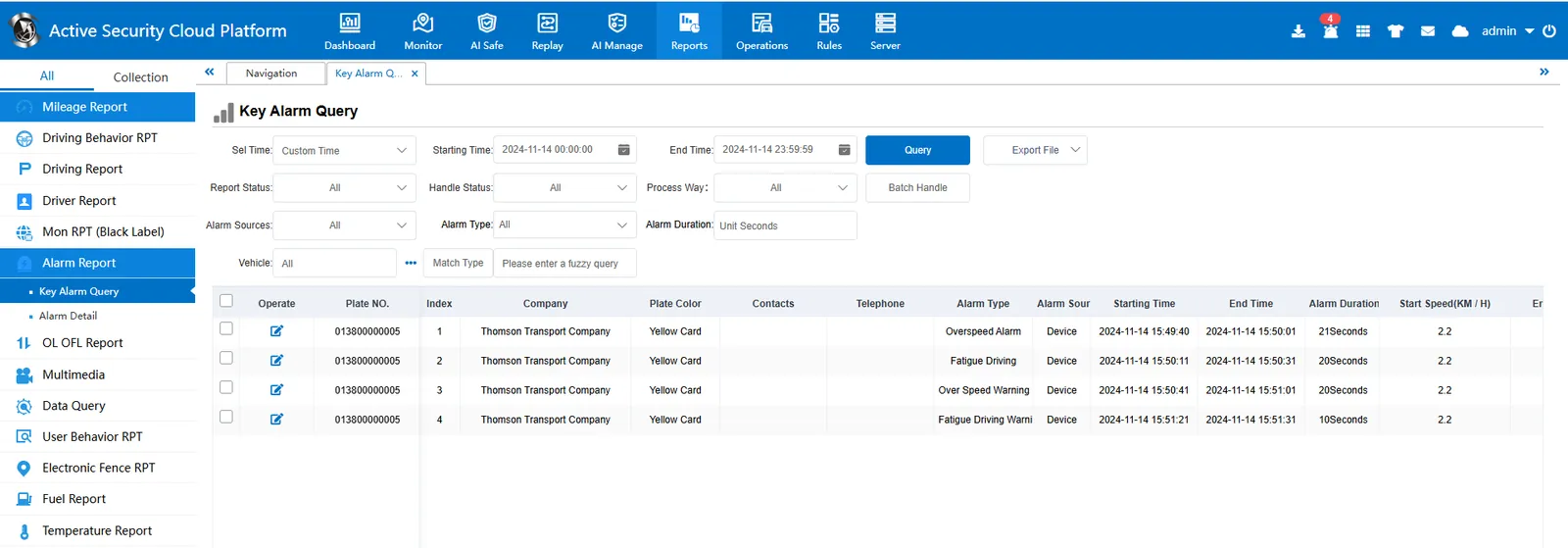
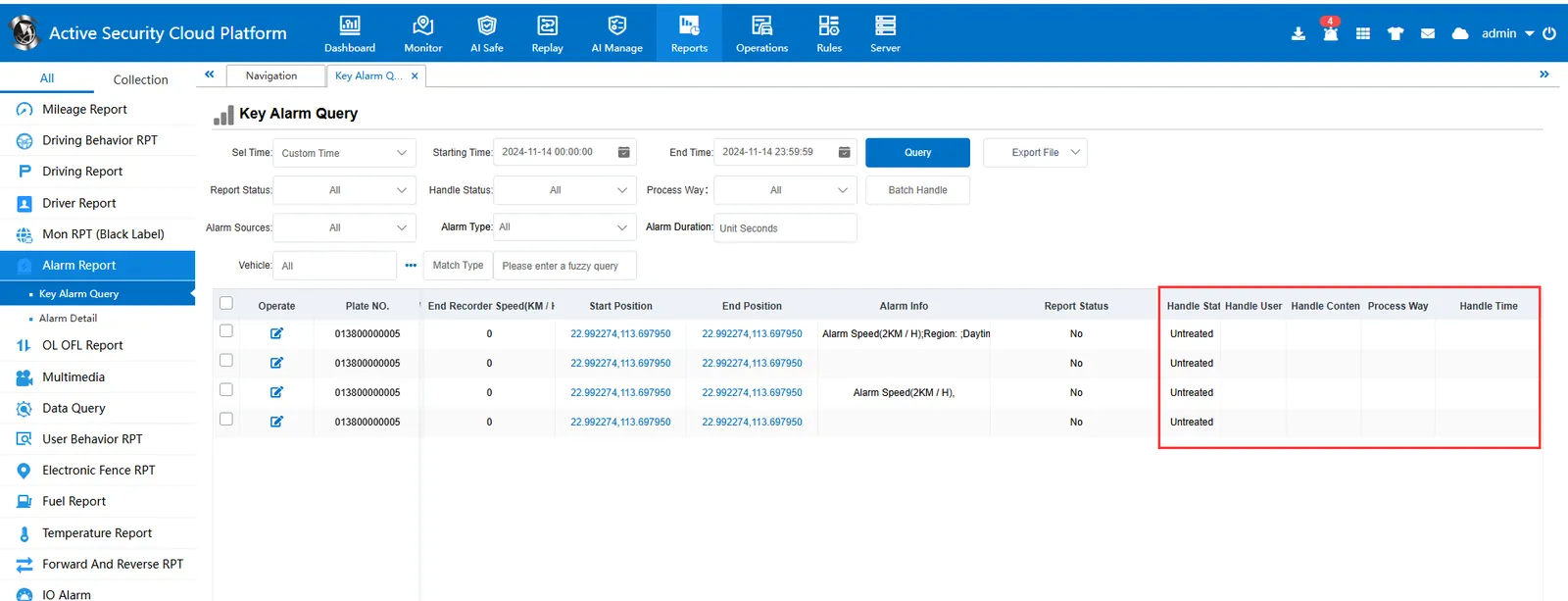
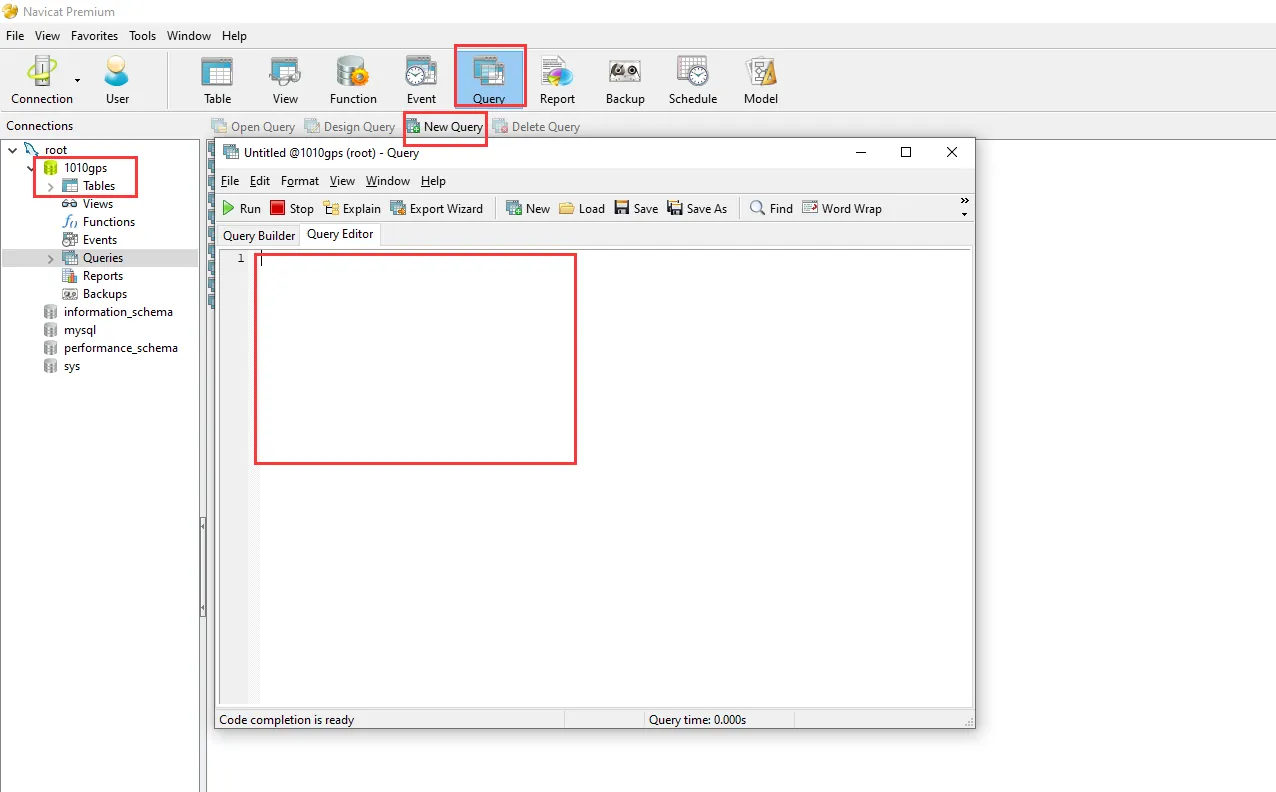
2.3 in the database tool to create a new query;
2.4 execute the modification statement;
UPDATE table name set HandleStatus = 1, HandleInfo = 'admin | 2024- 10- 21 16:24:44 | 'where HandleStatus! = 1 limit 100;
- -  limit 100 is the number of one- time modifications. If you don't want to modify the whole table, it will be very slow;
- The user and time in the HandleInfo can also be modified;
- admin | 2019- 11- 19 11:24:44 | = user name | time | processing content (if the processing content is not filled in, it is empty)
2.5 Apply the above SQL statement. This is to modify the alarm processing status of the entire jt808_vehicle_alarm_speed_202410 table. If you need to specify the vehicle/alarm time, you can add relevant conditions to the SQL statement;
UPDATE jt808_vehicle_alarm_speed_202410 set HandleStatus = 1, HandleInfo = 'admin | 2024- 10- 21 16:24:44 | Alarm Processed 'where HandleStatus! = 1;
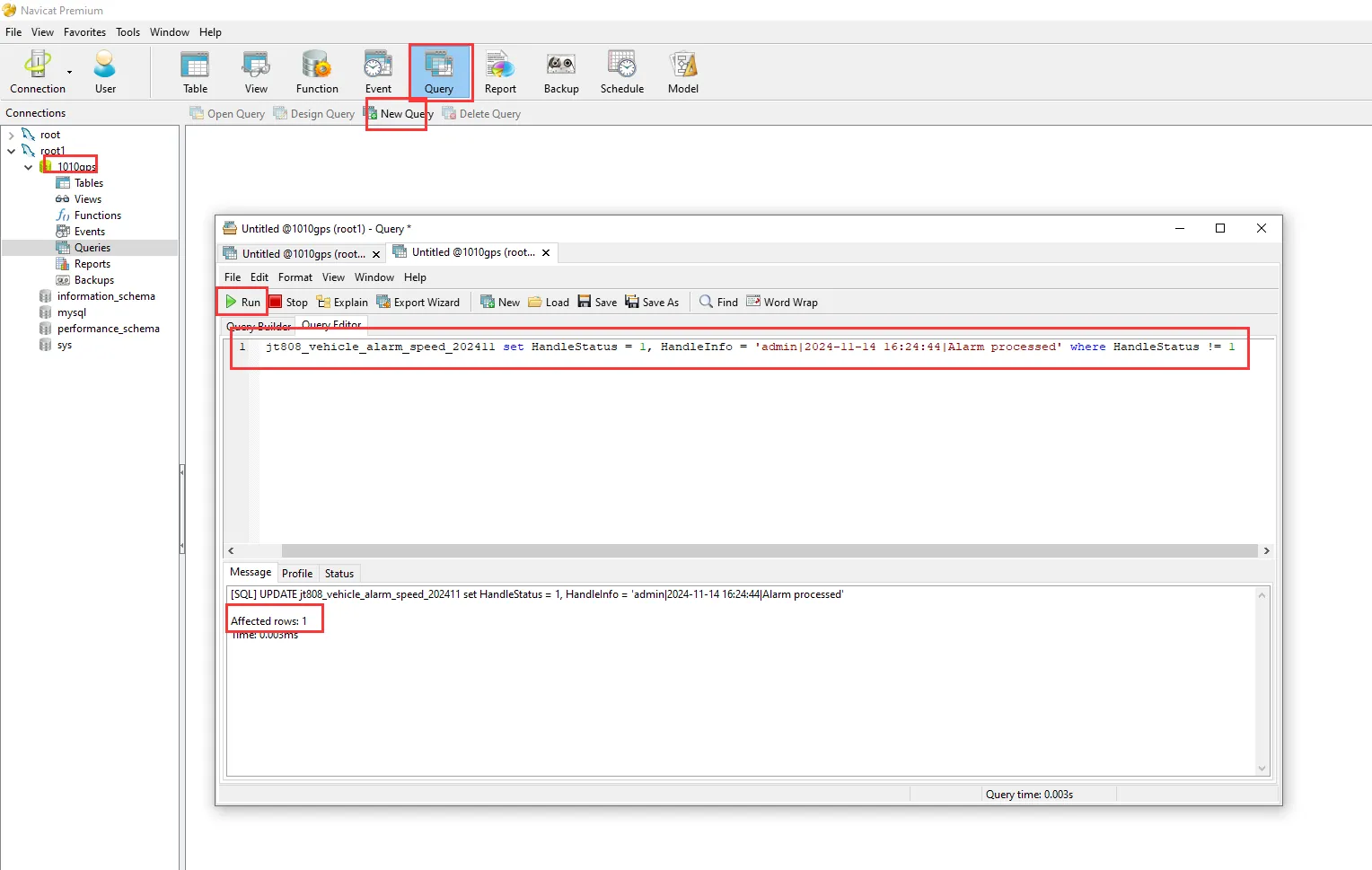
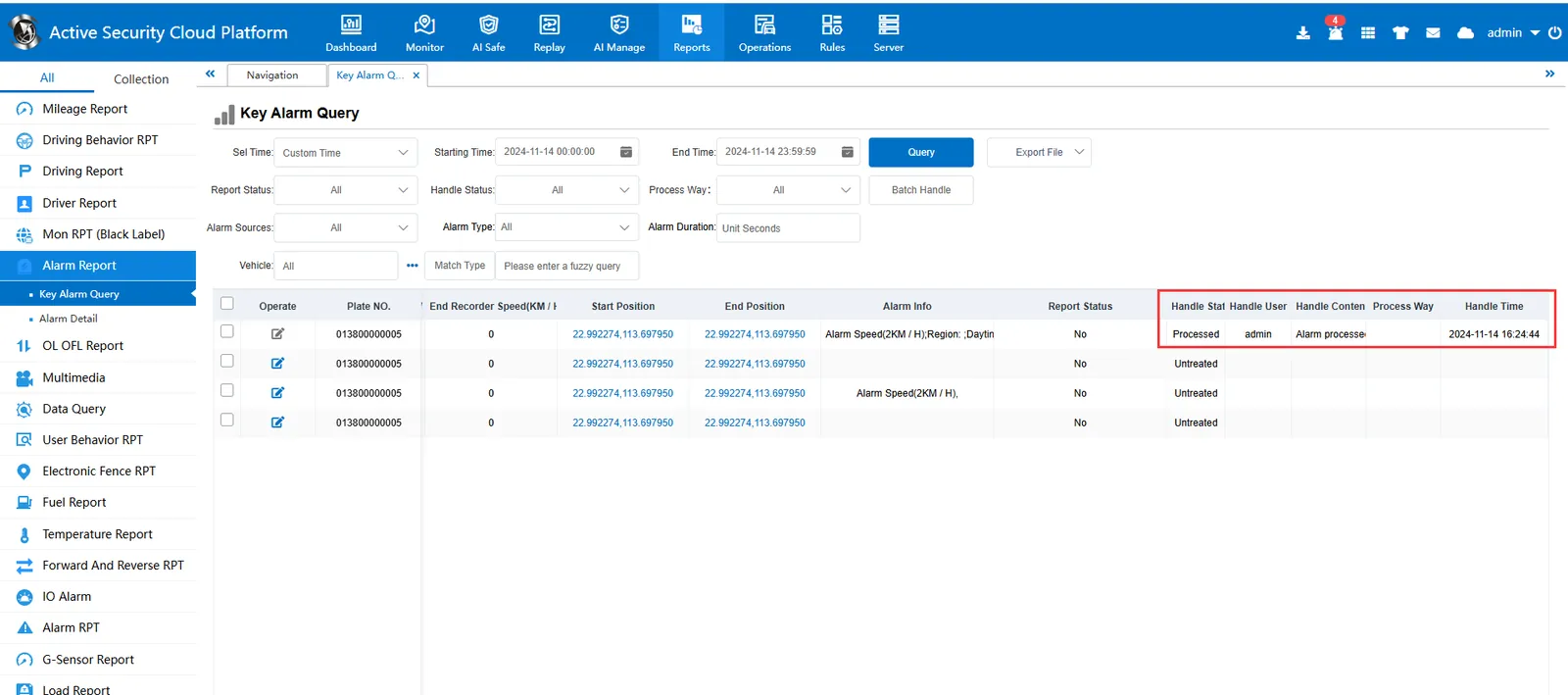
3. Precautions;
3.1 Note: There will be problems in modifying the table of the current month. The table may be locked. It is possible to modify the table of other months;
3.2 The number of affected rows after executing the modification statement in the example is inconsistent with the number of alarms in the query result;
3.3 The alarm generated by different query conditions/vehicles added and deleted on the platform will not be deleted in the database, and this phenomenon will occur;
3.4 It does not affect the modification of the existing alarm processing status;
