Mysql allows remote access
1 Function Description
1.1 If you want the database to be deployed separately on a server, you need to enable mysql to allow remote access.
1.2 this function is used in the case of distributed deployment
2 Operating Instructions
2.1 Modify the configuration [my.ini] file
Path: [CMSServerV6/mysql/my.ini]];
Change "bind- address = 127.0.0.1" in the configuration file to "# bind- address = 127.0.0.1"; comment out;
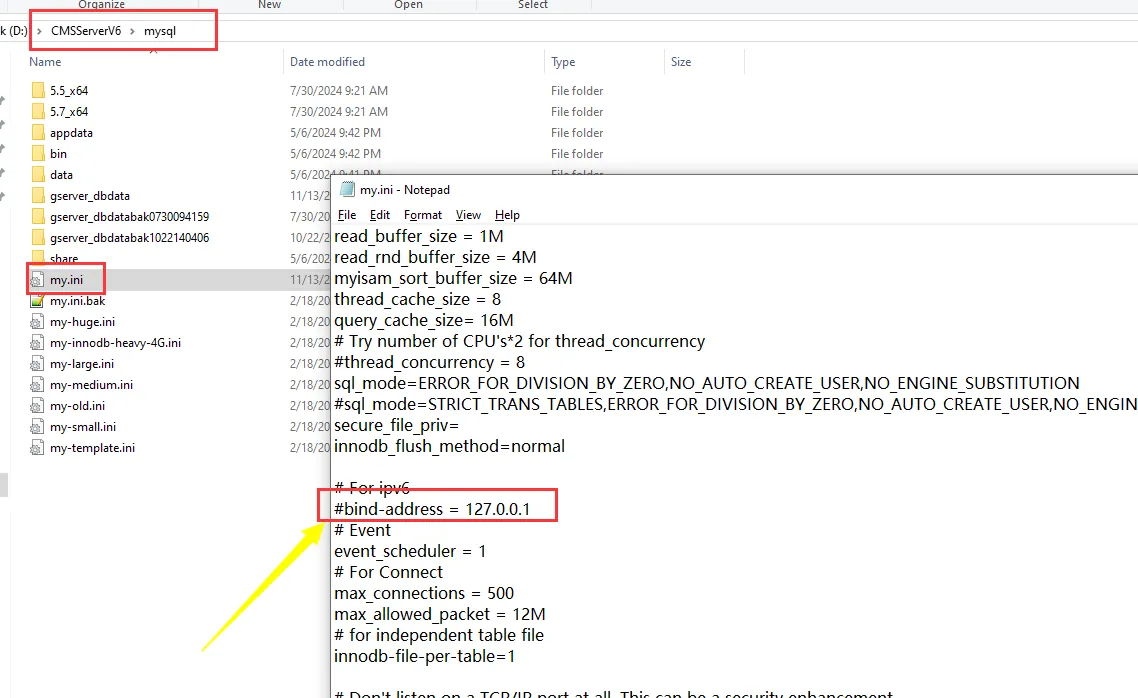
2.2 Modify the user table to allow users to access remotely;
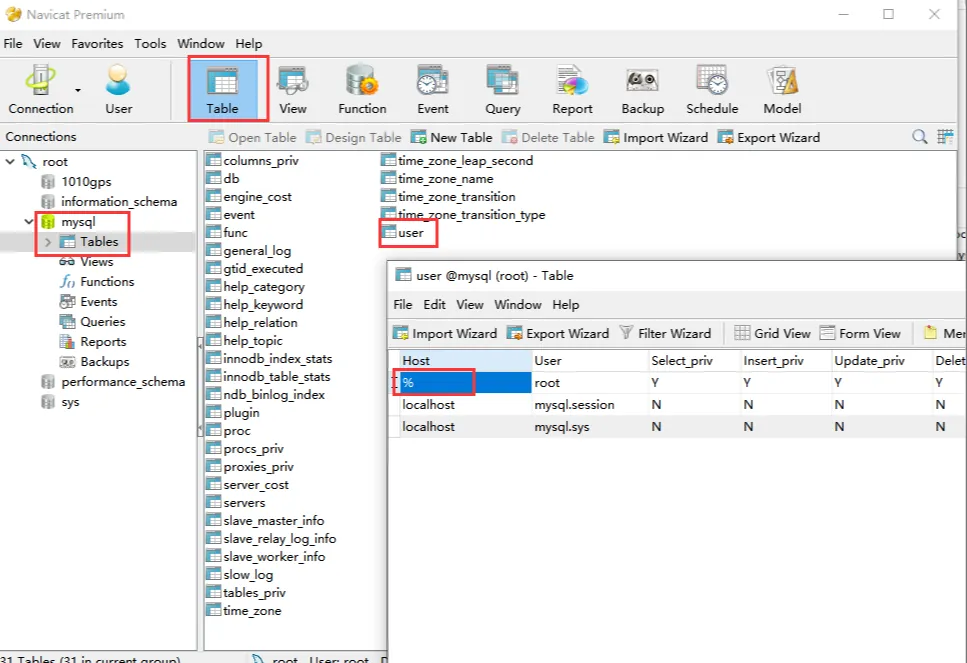
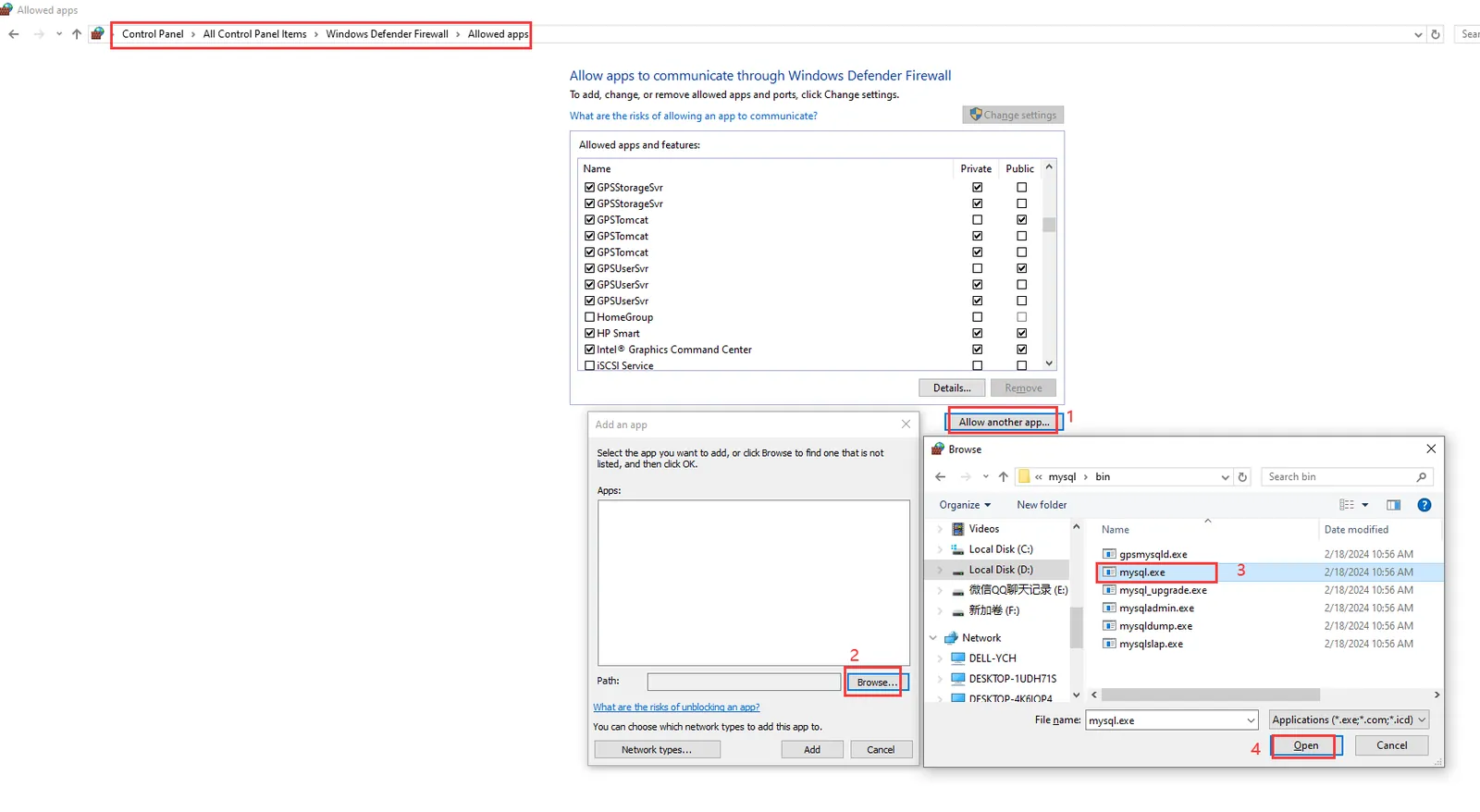
2.3 set up a firewall;
Operation: control panel >>> all control panel items >>> Windows firewall >>> allow applications or functions to pass through Windows firewall >>> allow other applications >>> browse (path [CMSServerV6/mysql/bin/mysqld.exe]) >>> add >>> find mysqld process from the list, and check "domain, private, public;
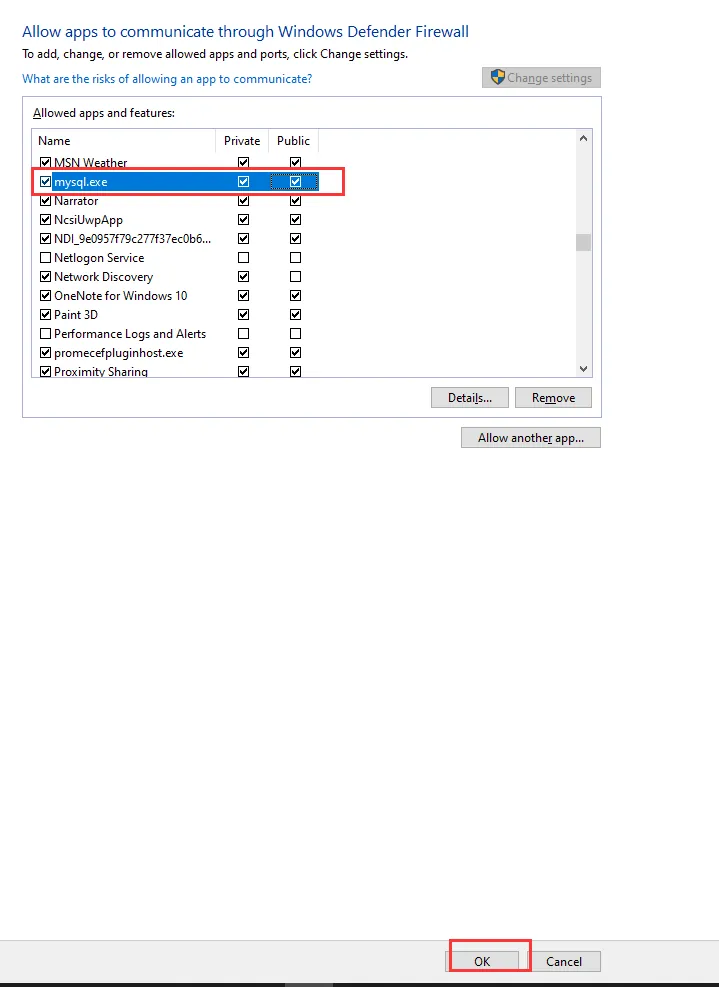
2.4 Restart mysql server;

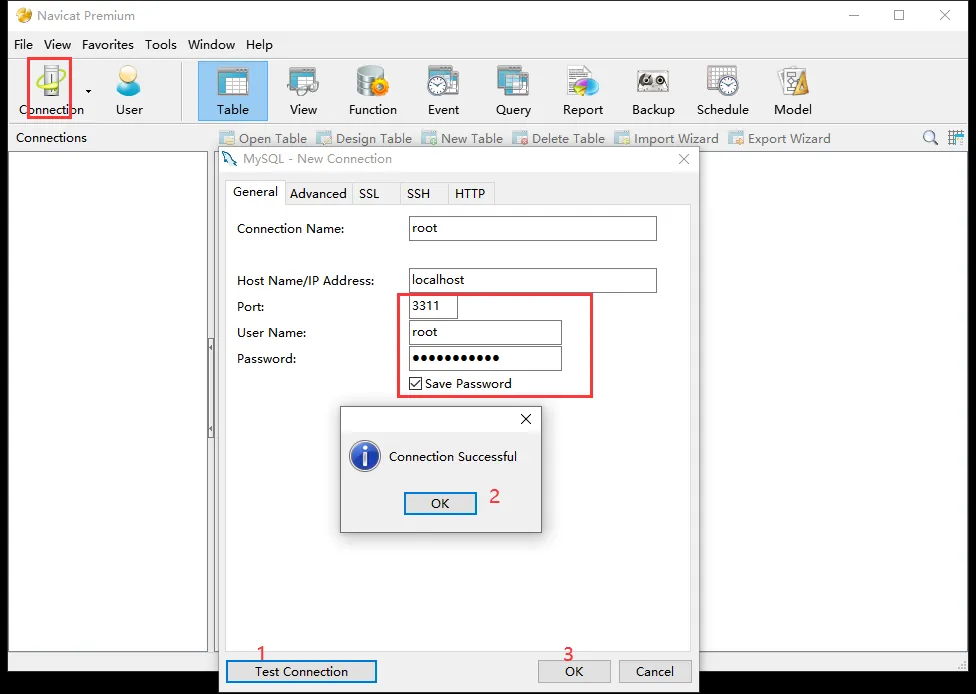
2.5 Use the tool "Navicat for MySQL" to connect to the database;
Host name or IP address: Server IP;
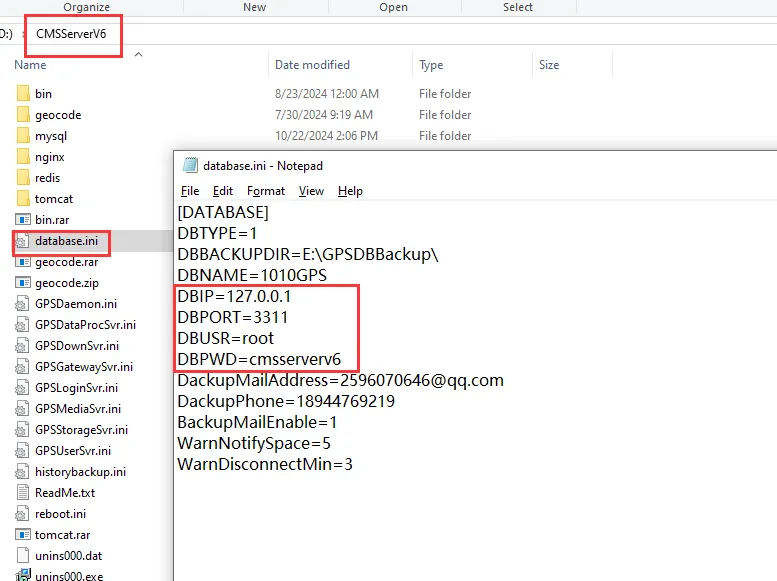
Port: 3311
User name: root
Password: cmsserverv6
(Note: Path: [CMSServerV6/database.ini])
3 Notes
3.1 distributed deployment is involved, mysql needs to be enabled to allow remote access.
