1. function description
A method of backing up data from a historical real- time database.
2. operating instructions
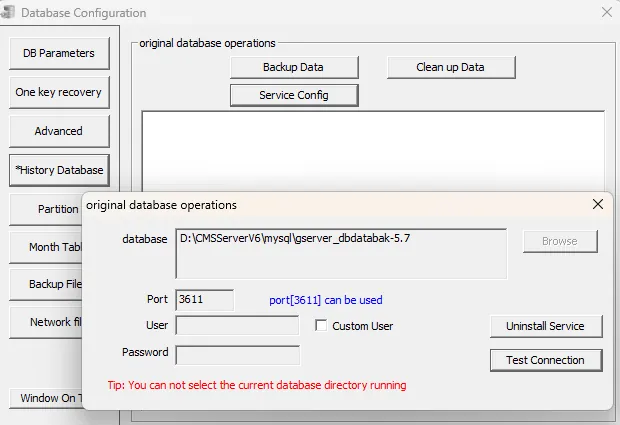
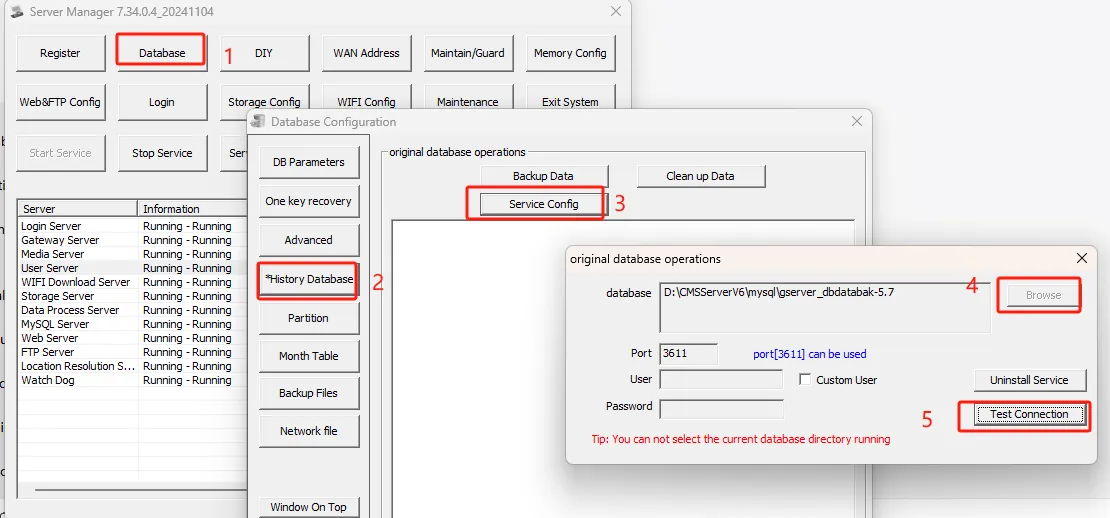
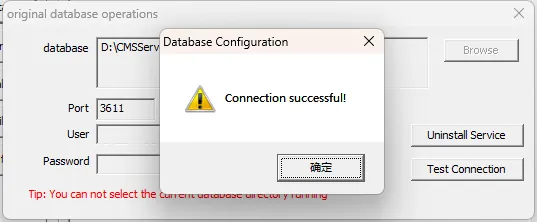
2.1 open the console "database configuration" - - > "historical data" - - > "service configuration" - - > "browse" select the historical real- time database - - >> "install service";
Tip: Do not close the window after installation
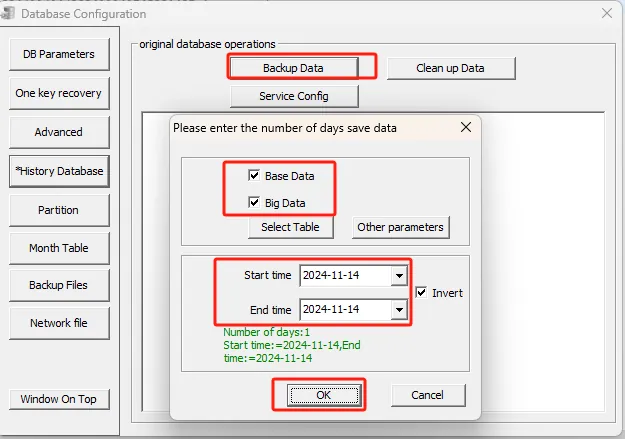
2.2 click "backup data"- >> check the data type and time period backup to be backed up;
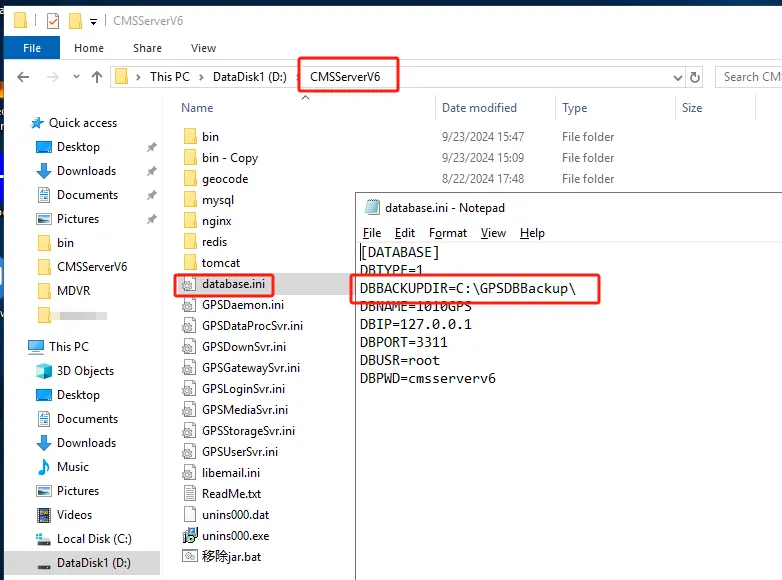
2.3 The backup data storage location is consistent with the manual backup path of the real- time database.
C:GPSDBBackupREPAIR (this path should exist)
3. Precautions
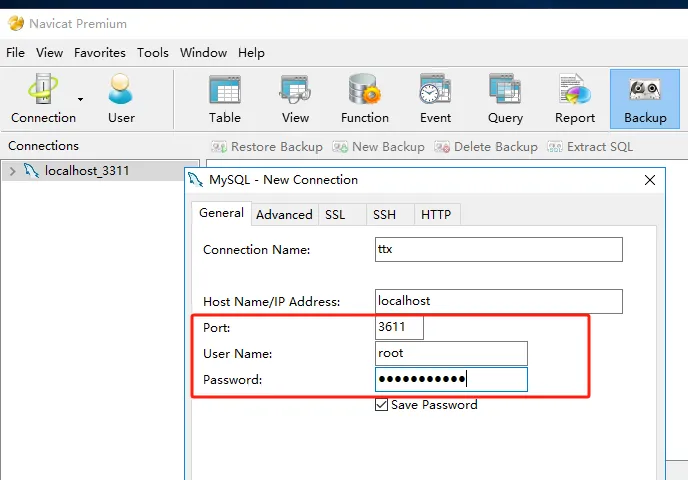
navicat method of connecting historical real- time database:
Do not close the window after installing the service, and then navicat enter IP, port (default 3611), account number, and password to connect.