1. function description
the on- board device transmits the obd data to the ttx server, and the platform monitoring map displays the obd status information in real time
applicable to the obd data of the part standard protocol and ttx protocol. data in string format starting with $OBD- RT
2. docking process
The device transtransmits the data received by obd directly to the server, which stores the data directly into the database.
platform to obtain data from the database, according to the analysis of the obd protocol display
3. Docking Description of Ministry Standard Agreement
3.1 Data Flow Description
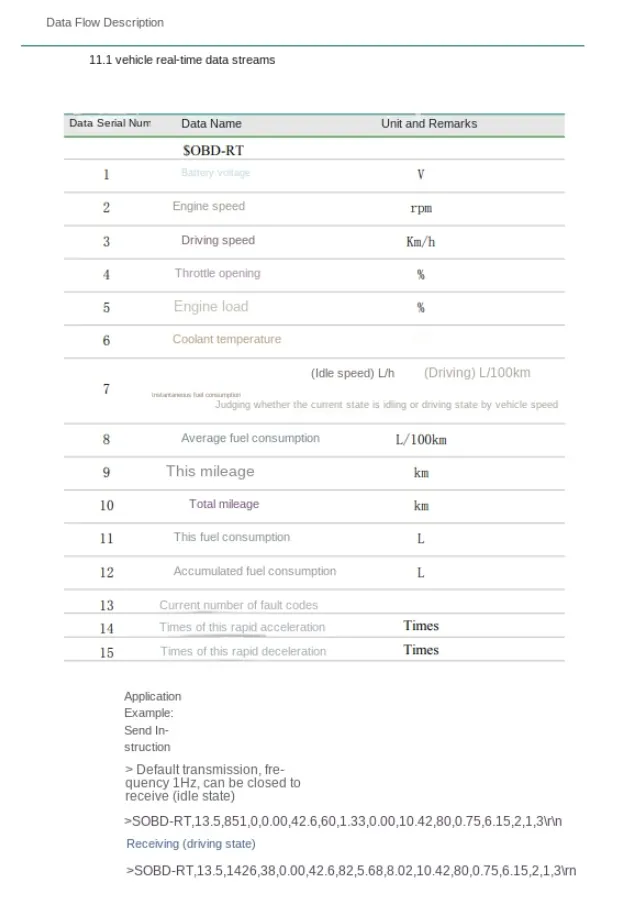
3.2 Agreement Reporting Instructions
0x 0900 data uplink pass- through instruction using 808 protocol, message type 0x41.
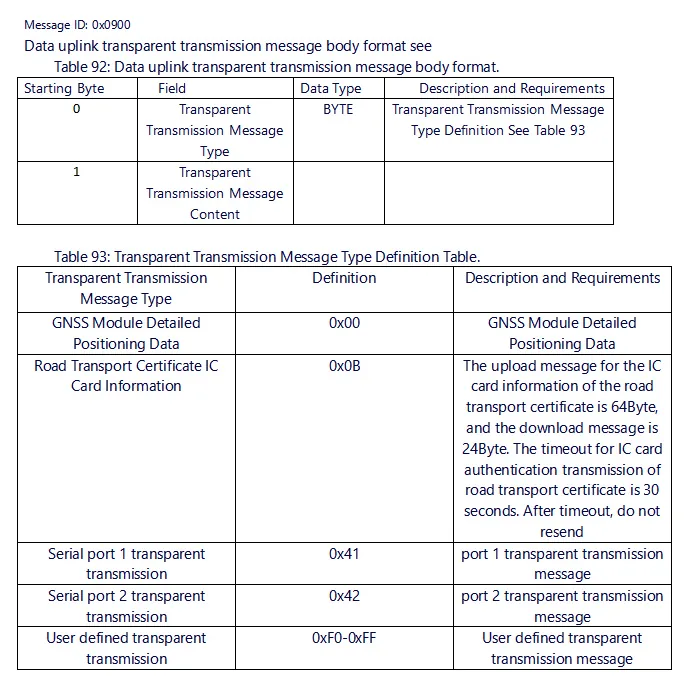
Example of a correct packet
7E 09 00 40 4A 01 00 00 00 90 12 34 56 78 96 00 79 41 24 4F 42 44 2D 52 54 2C 31 32 2E 33 2C 30 2C 32 30 2C 30 2E 30 30 2C 30 30 2C 30 30 30 2C 31 30 2E 38 39 2C 33 31 2E 31 35 2C 31 38 31 2E 36 38 2C 31 38 31 2C 35 34 2E 32 36 35 2E 39 36 2C 30 2C 30 2C 30 0D 0A 6F 7E
4. ttx protocol docking description
4.1 Data Flow Description
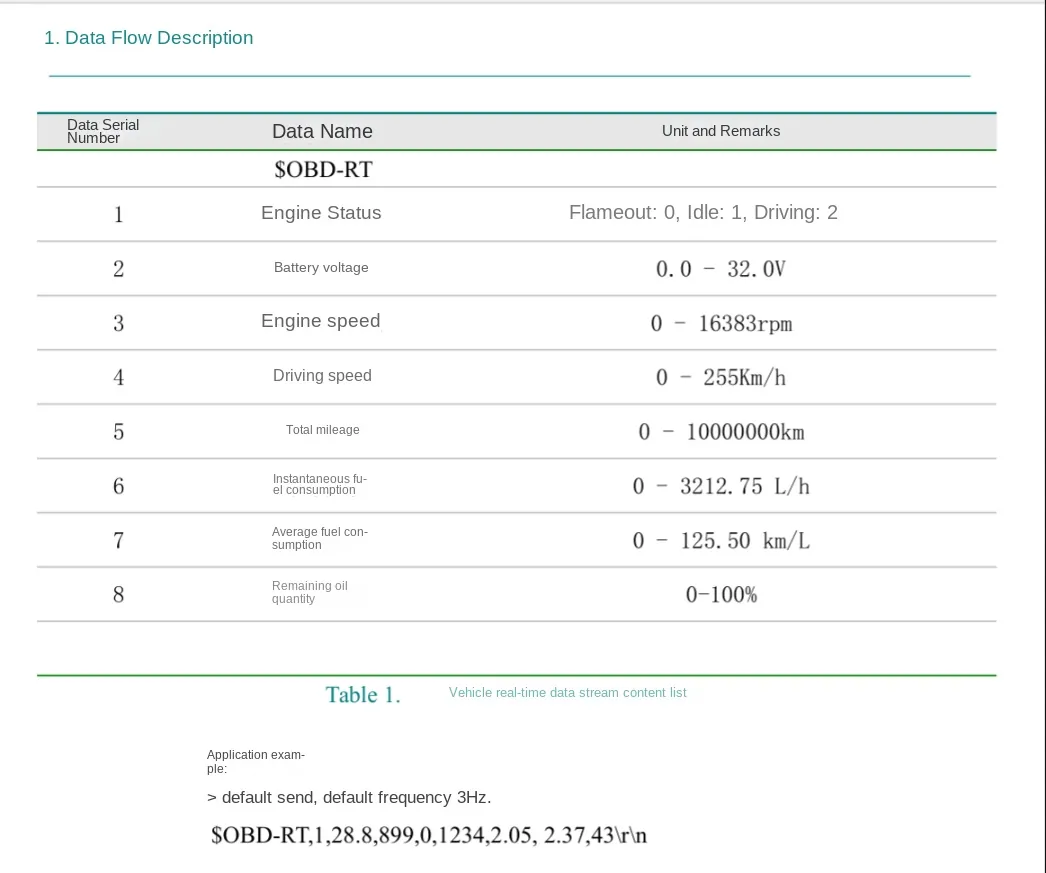
4.2 SDK Integration
/**
* @ Description: Transparent data transmission through the serial port
* @ param: nType: data type
pBuffer: Data Content
nLength: data length
bReliable: indicates whether the transmission is reliable, and true indicates that the transmission to the server will be guaranteed to the greatest possible extent.
* @ return: 0 indicates success
* @Author: afu 2011- 06- 30
*/
LIBDVRNET_API int TTXNET_SendTransparentSerial(int nType, const char* pBuffer, int nLength, bool bReliable = false);
call the TTXNET_SendTransparentSerialte pass- through interface to report obd data
Call example:
char szObdInfo[] = "$OBD- RT,1,28.8,899,0,1234,2.05, 2.37,43";
TTXNET_SendTransparentSerial(65, szObdInfo, strlen(szObdInfo), false);
Note: nType = 65 (fixed at 65), the pBuffer is obd data, and the nLength is obd data length. OBD data must end with \r\n, otherwise the OBD detail table cannot query the data.
5. Platform description
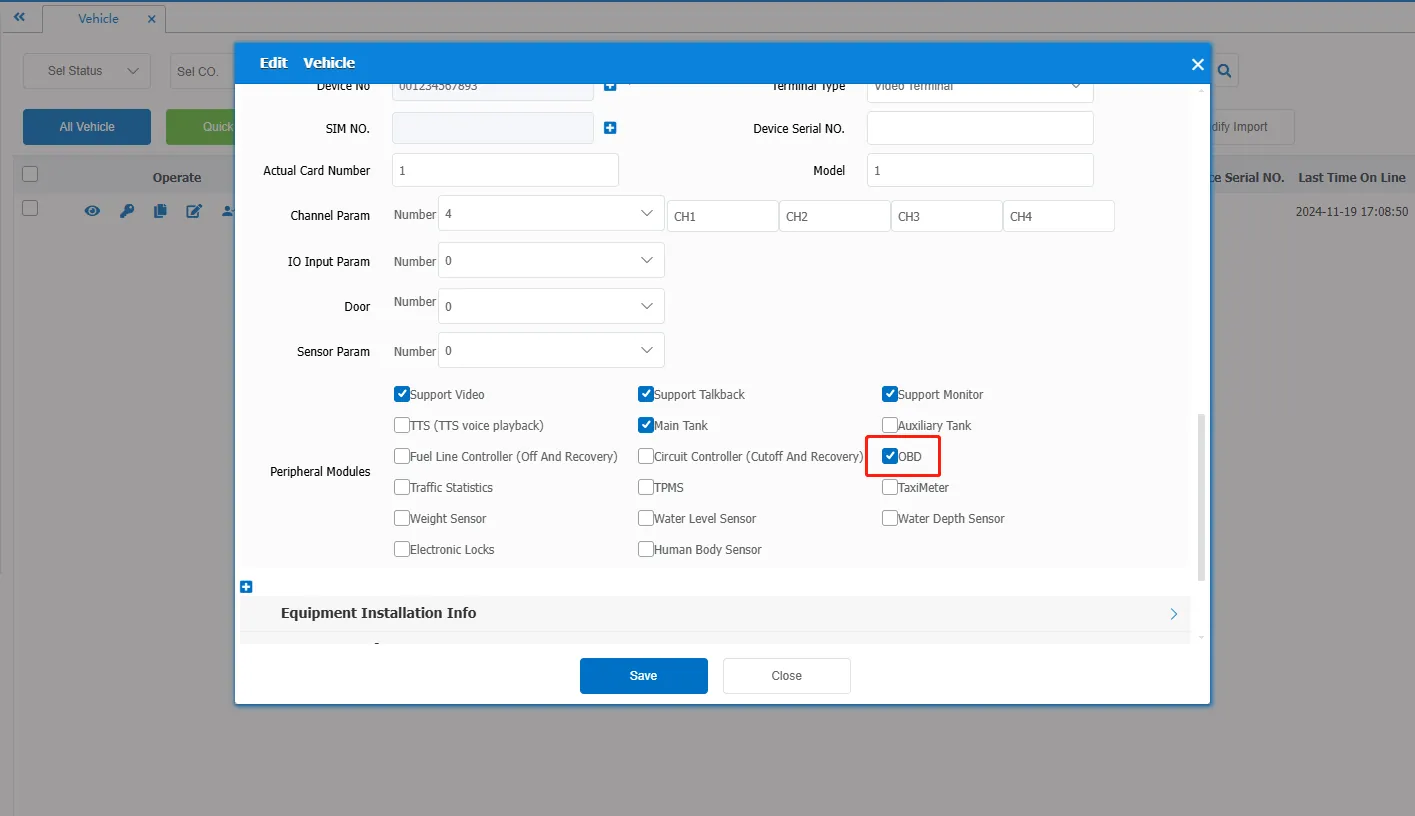
5.1 edit vehicle information- > peripheral module check "OBD" peripheral
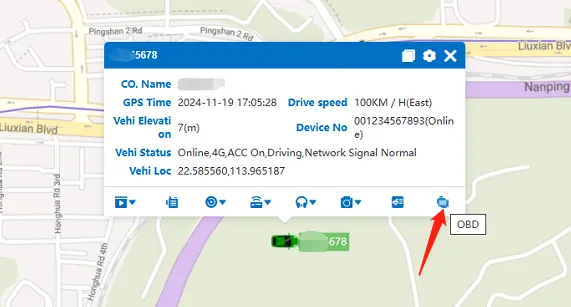
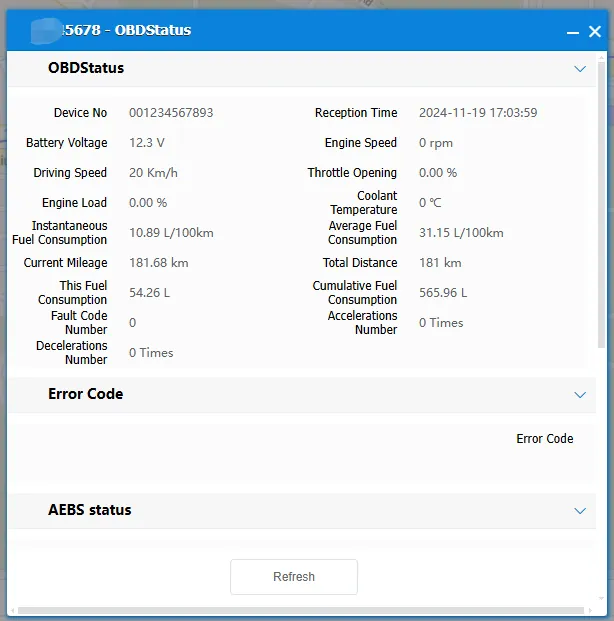
5.2 bubble in the map to open the "OBD" menu, pop- up window to display OBD status information
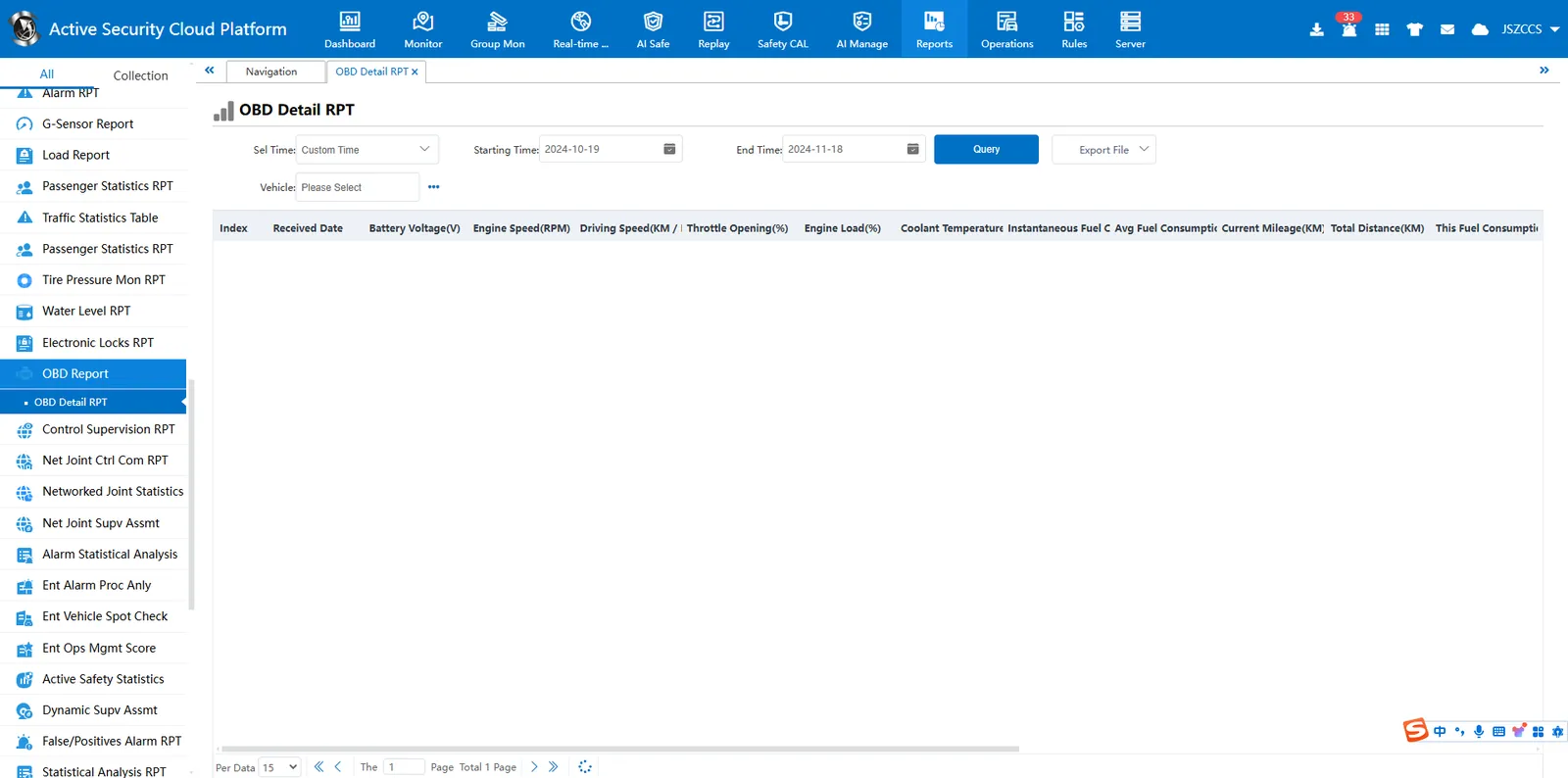
5.3 OBD Report
6. Precautions
6.1 server must be a server of version 7.19 or above, and the file needs to be partially updated (ttx processing)
6.2 client must be a version after 191120 (inclusive)
7. Frequently Asked Questions
Question 1: Real- time monitoring of OBD page has data, OBD report cannot query data
Answer: The data should end with carriage return and line feed characters:\r\n
Department standard protocol hexadecimal carriage return (0x0D), line break (0x0A)
