1. Function description
The total number of platform reports reaches 500, and customers only need to use some of them on a daily basis. The document describes how to block redundant reports and keep the reports required by customers.
2. operating instructions
2.1 server configuration
Go to [Server Management]> [Report Configuration]> [Report Configuration]. Select to enable the report, and uncheck to disable the report. Save takes effect.
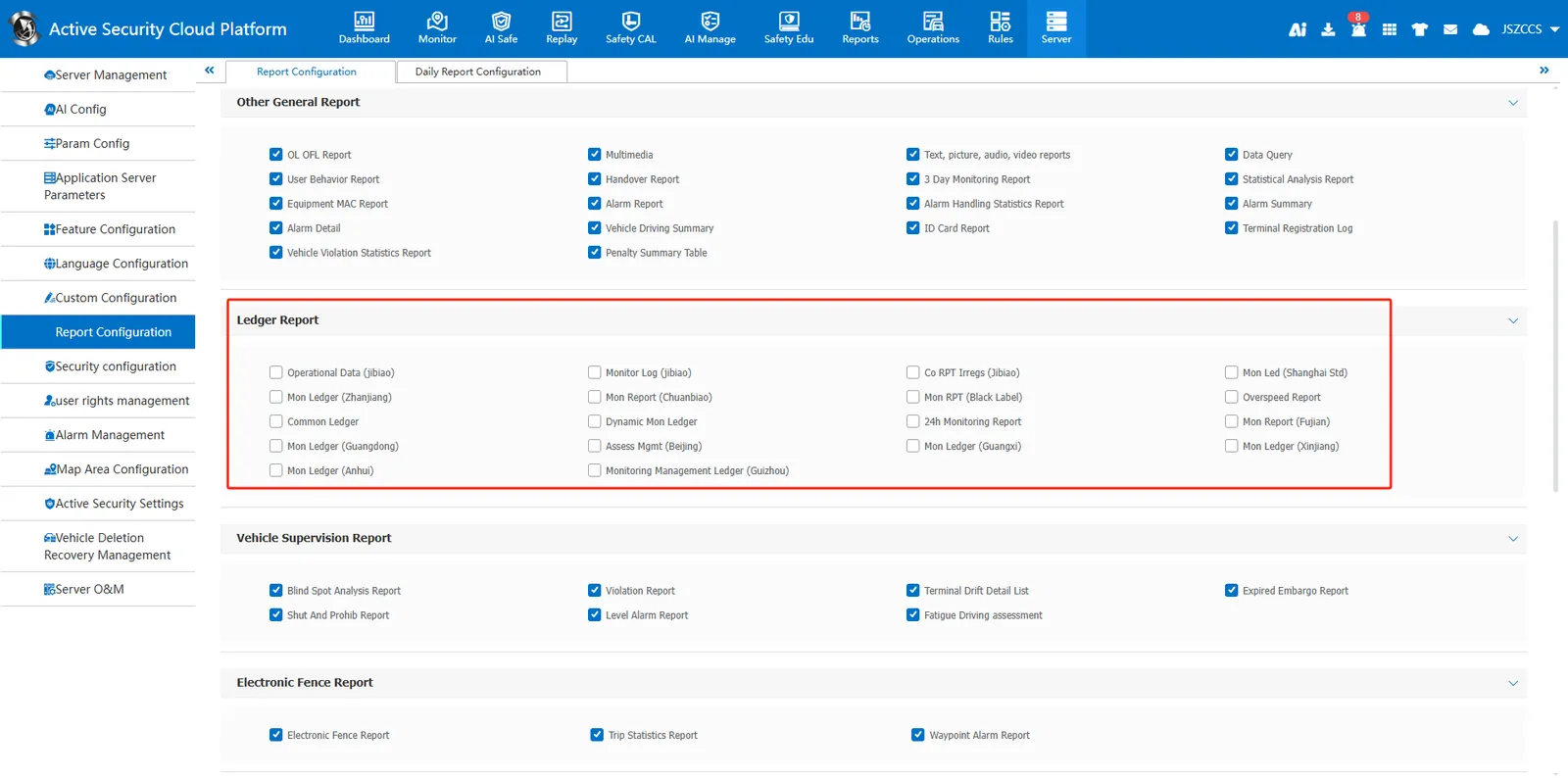
- Before shielding:
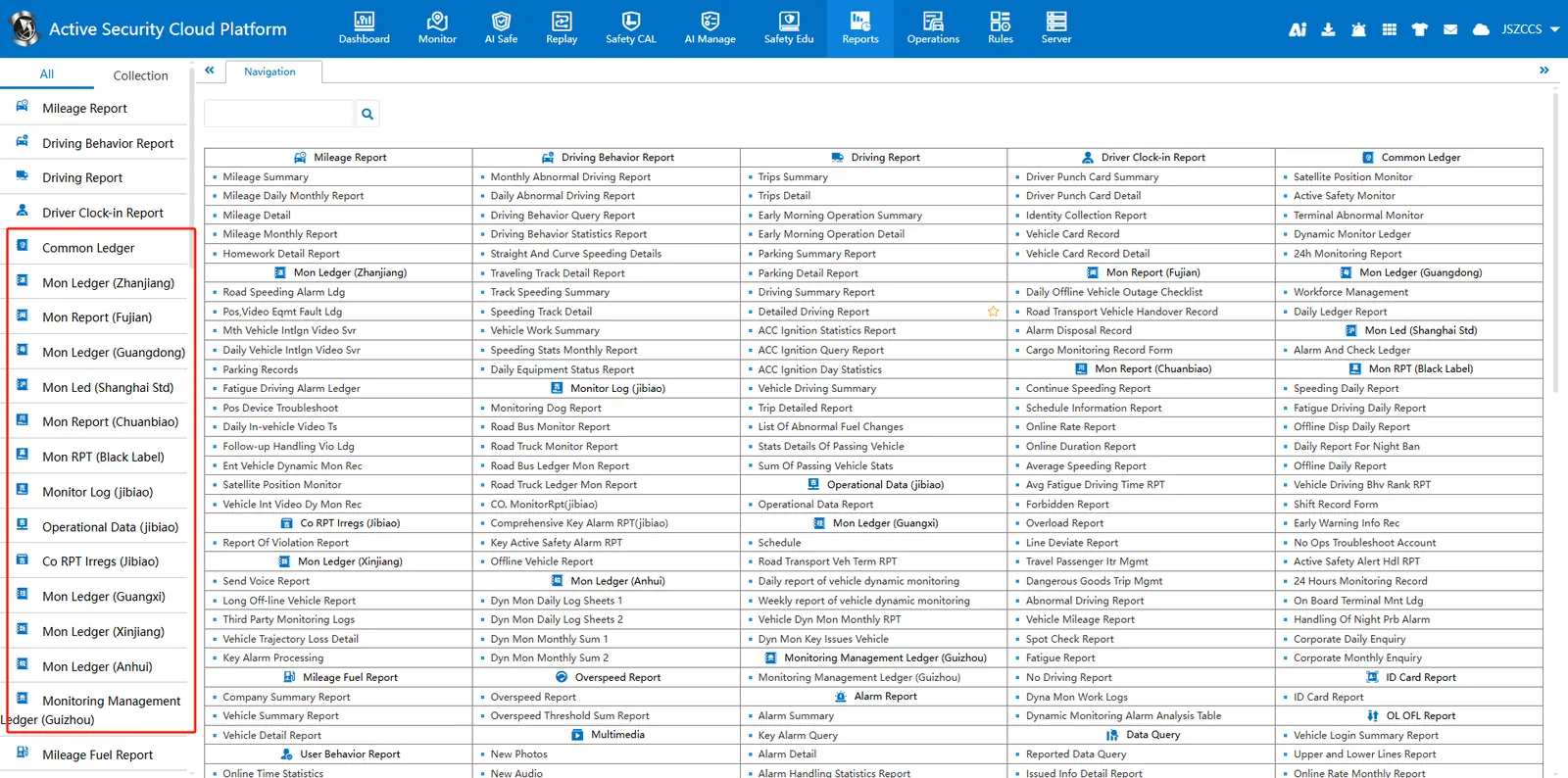
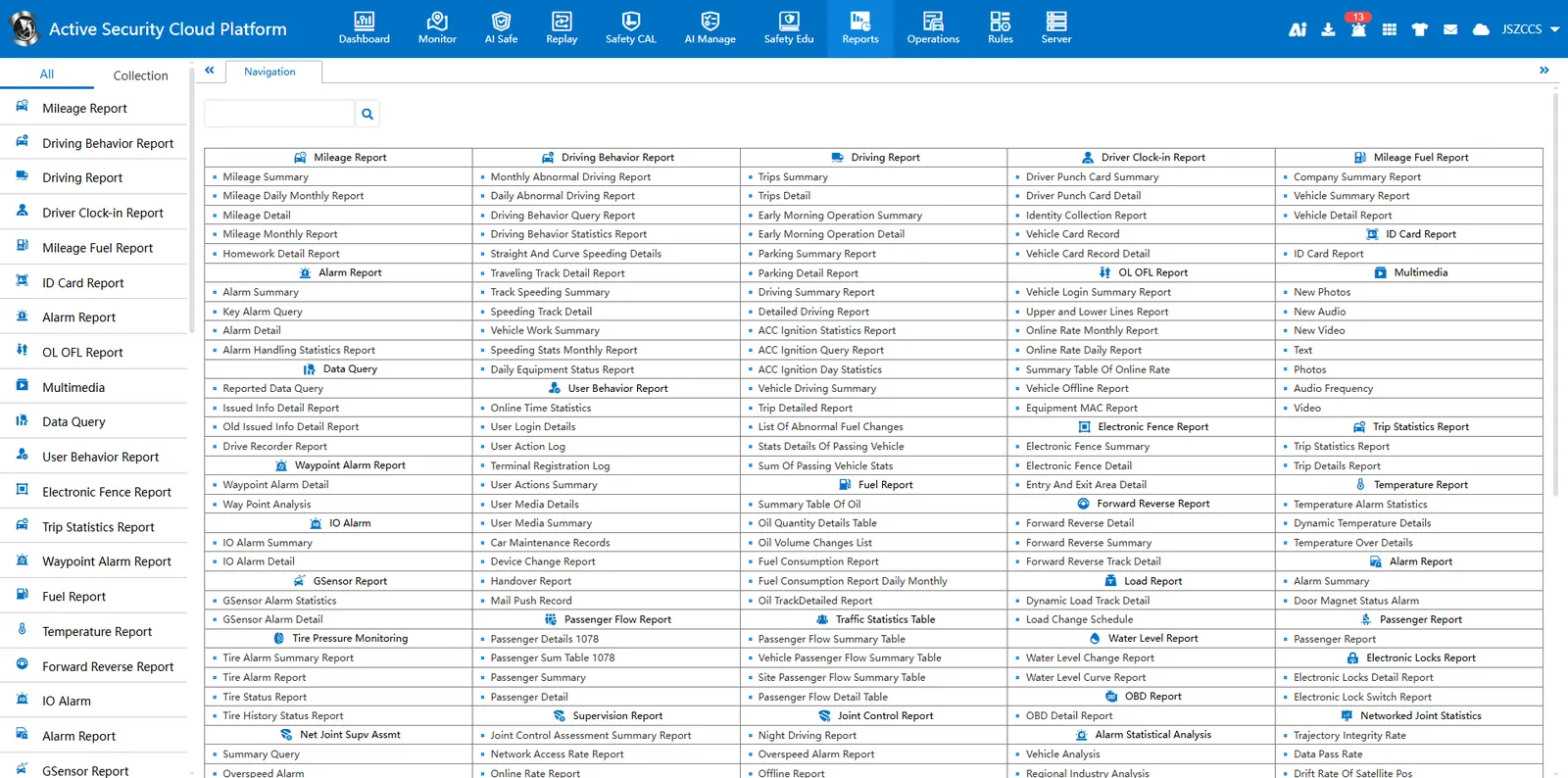
- After shielding:
2.2 considerations
a. This setting is valid for all users