1. Function description
Users can collect common statistical reports and quickly access the report page in Favorites.
2. operating instructions
2.1 Open “Reports”
Enter the “Reports” function page.

2.2 collection report
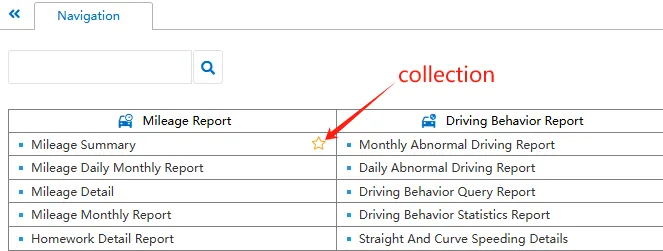
In the report navigation page, In the report navigation page, hover the mouse over the report name column. Click complete the collection.
2.3 view collection
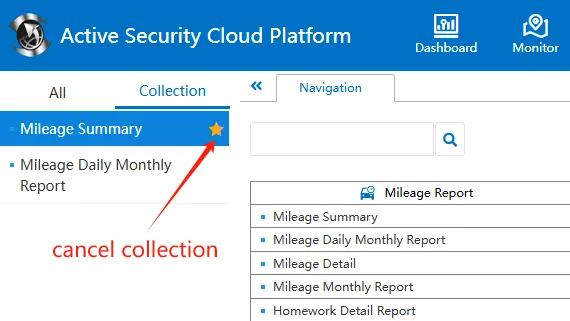
View the saved reports on the "collection" page, and click again cancel collection.