1、 function description
Statistical Principle of Alarm Disposal Statistical Report
2、 operating instructions
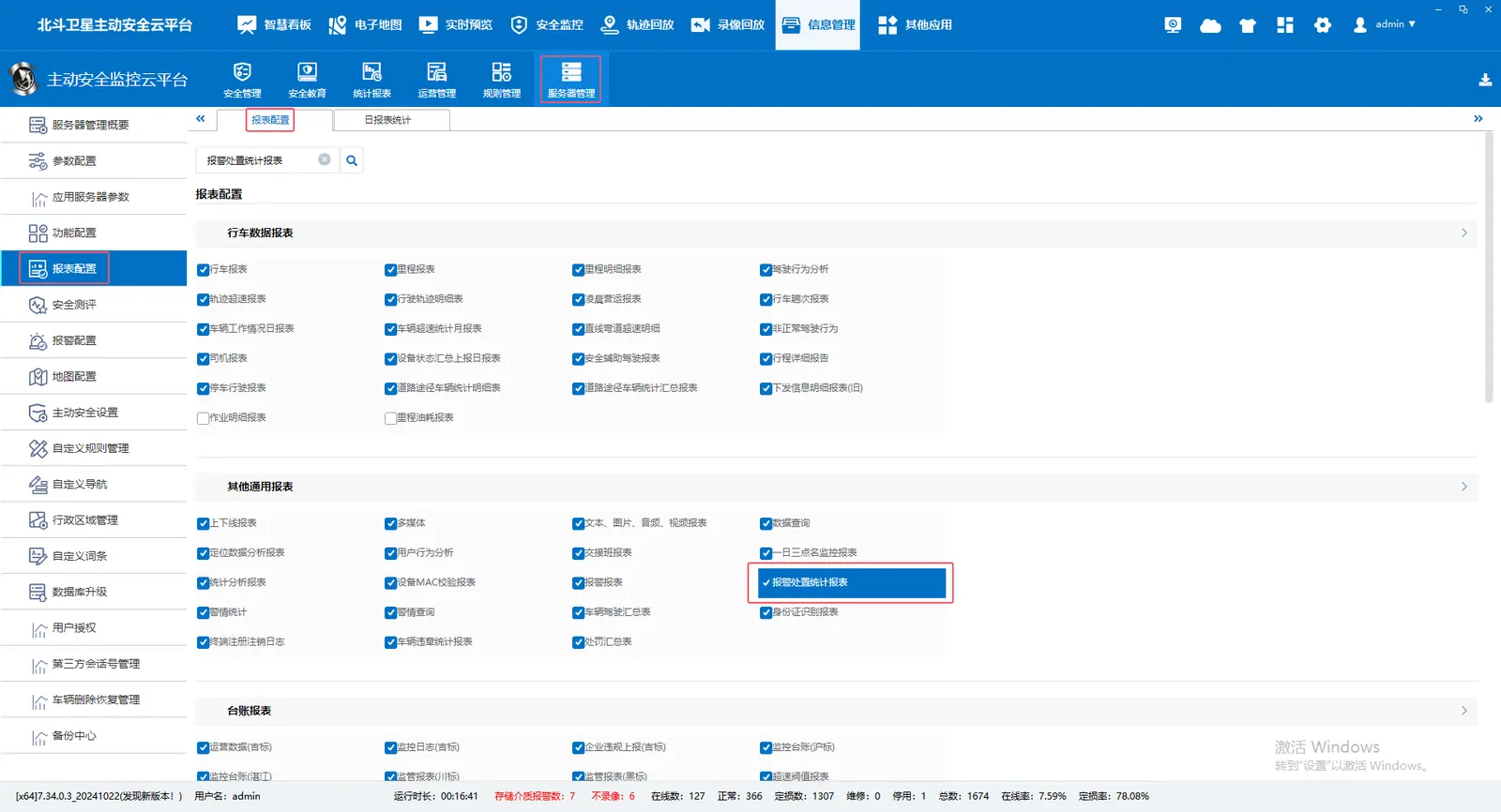
2.1 Server Management- Report Configuration- Report Configuration- Other General Reports- Check the Alarm Disposal Statistics Report
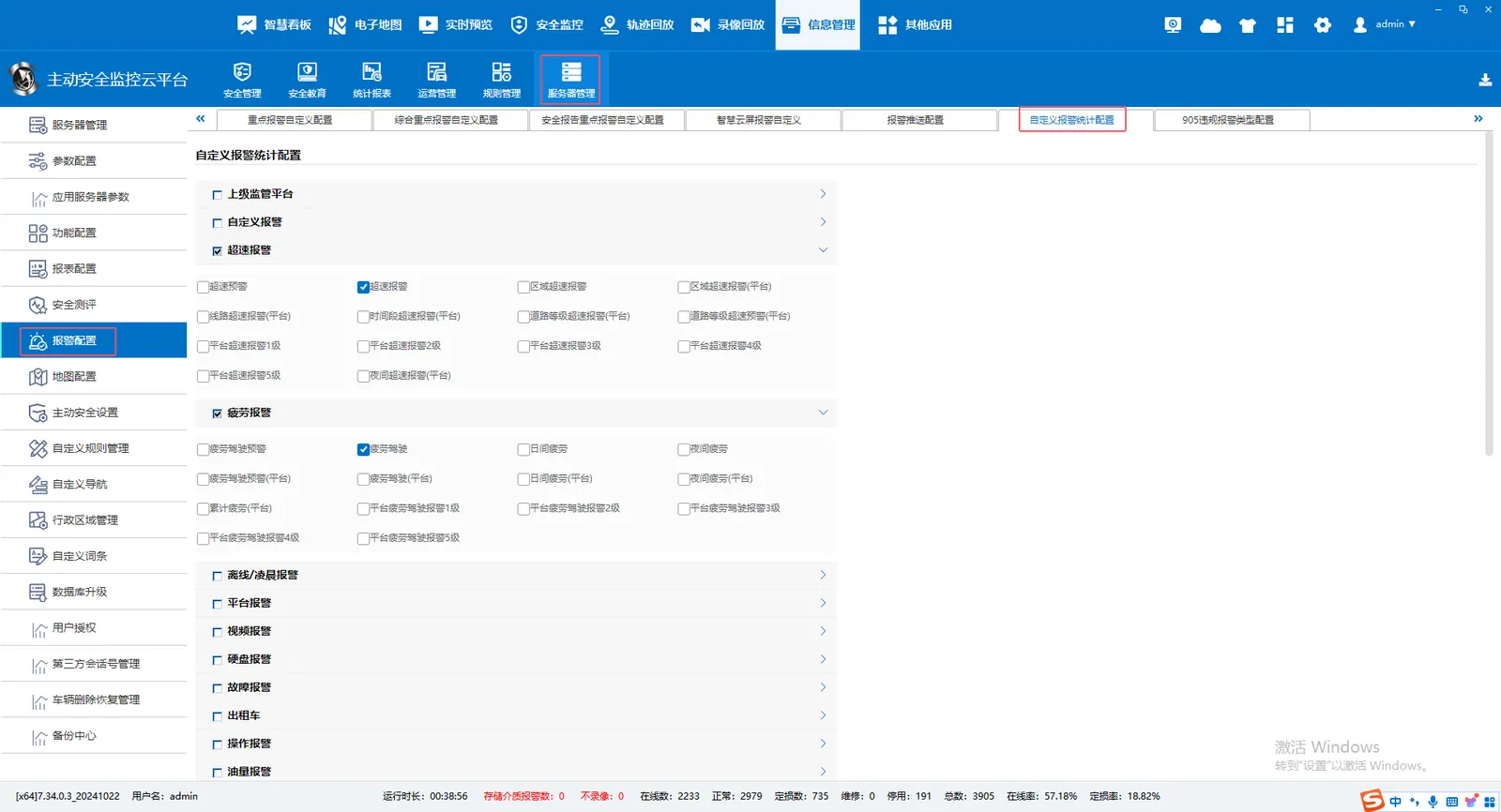
2.2 Server Management- Alarm Configuration- Custom Alarm Statistics Configuration Check Related Alarm Items
2.3 Statistics Report- Alarm Report- Alarm Disposal Statistics Report Query Related Data
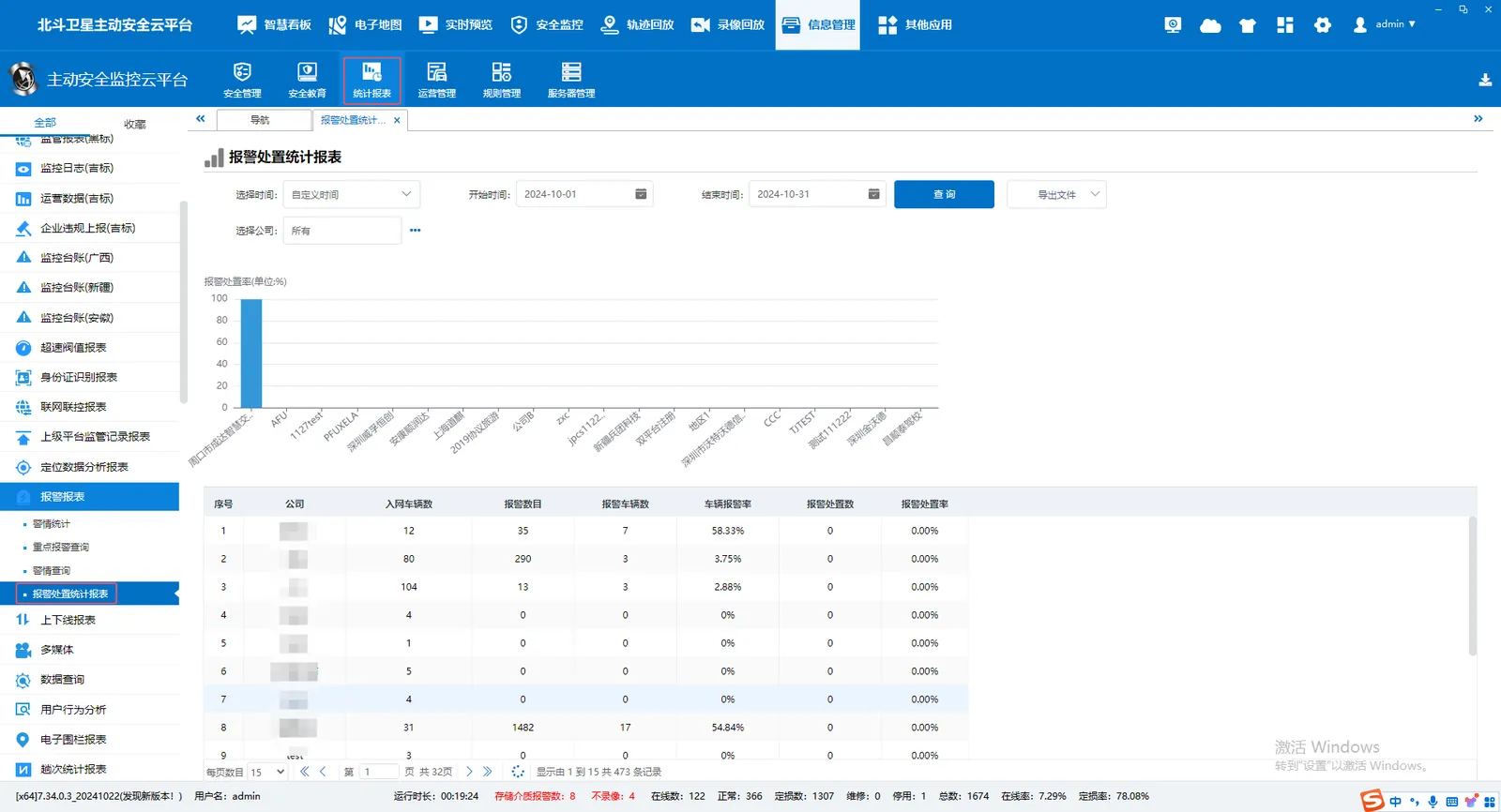
- Number of vehicles connected to the network: query the number of vehicles owned by the company (take the latest real- time number of vehicles that have reported gps data)
- Number of alarms: within the query time range, the number of alarms generated per day by the relevant alarm items selected in the custom alarm statistics configuration is added up.
- Number of Alarm Vehicles: within the query time range, the number of vehicles that generate alarms in the relevant alarm items checked in the user- defined alarm statistics configuration.
- Vehicle alarm rate: (number of alarm vehicles/number of vehicles connected to the network) * 100
- Alert Handling Count: within the query time range, the alarms generated by the relevant alarm items selected in the custom alarm statistics configuration on each day, and the number of alarms that have been processed on that day are added up.
- Alarm disposal rate: (number of alarm disposal/number of alarms) * 100
- Database table corresponding to query: jt808_company_daily;AlarmTotal field is alarm number, AlarmHandleTotal field is alarm disposal number