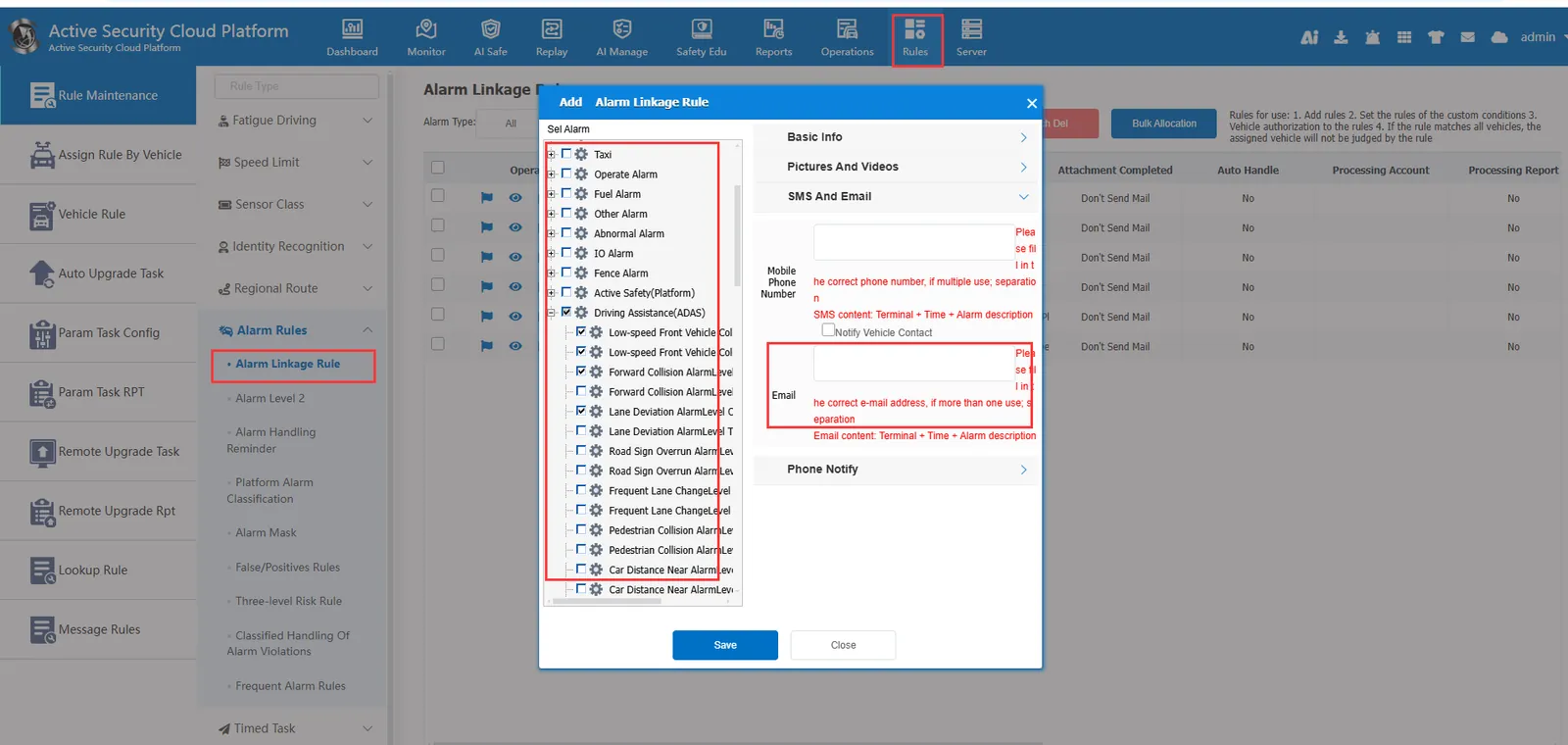
1, function description
In report subscription and platform alarm linkage rules, use Outlook as the sending mailbox.
2, operating instructions
Preparation before 2.1 operation
- You need to subscribe to the account number of Microsoft365 Education Edition, Business Edition and Enterprise Edition.
- outlook email account
2.2 Register oauth2 application Azure and configure permissions
- 2.2.1 Log in to the Azure website and click on the management Microsoft Entra ID
azure website: https://portal.azure.com/
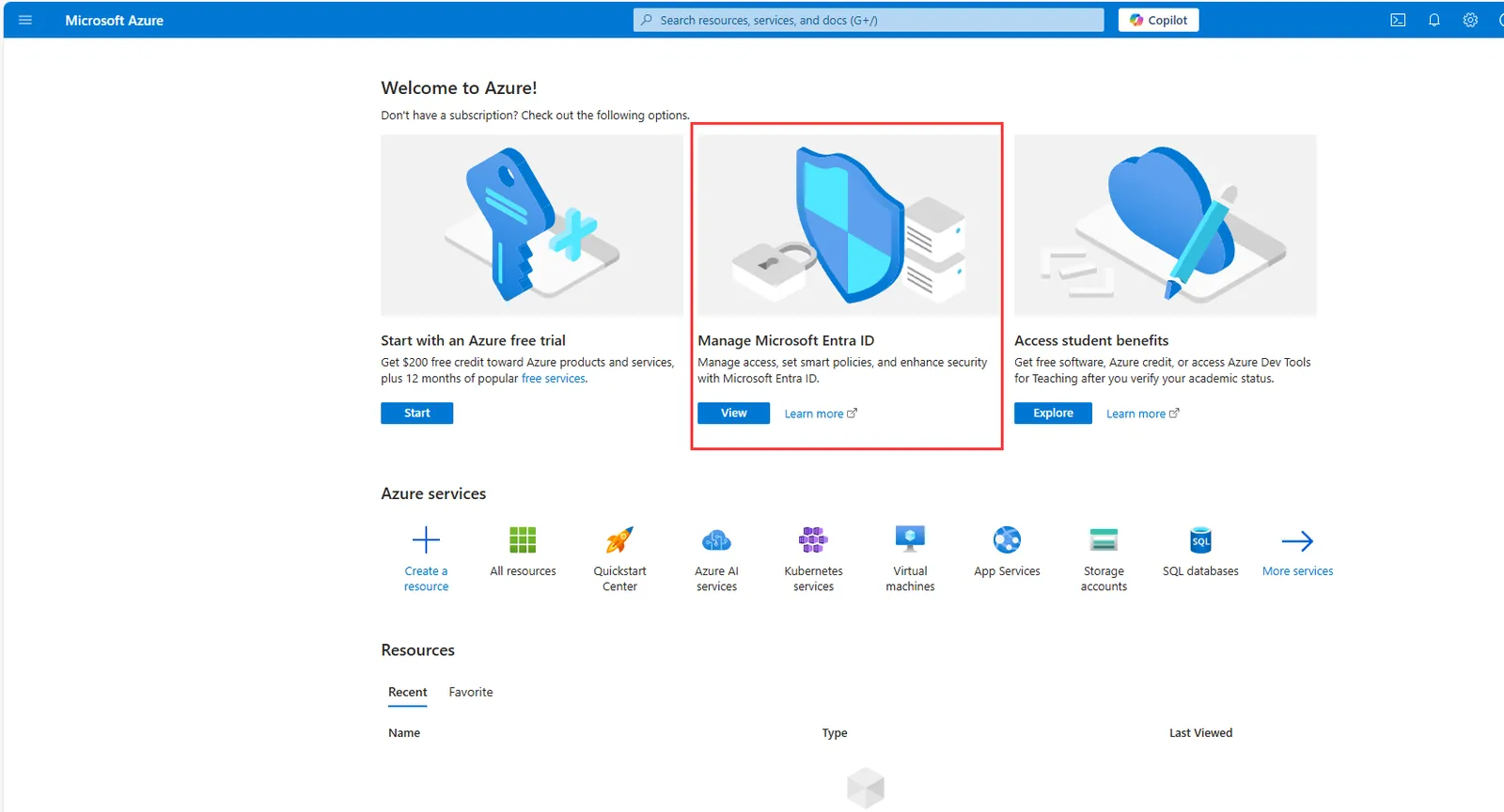
- 2.2.2 Register the application and the web callback address. The default configuration is https:// localhost
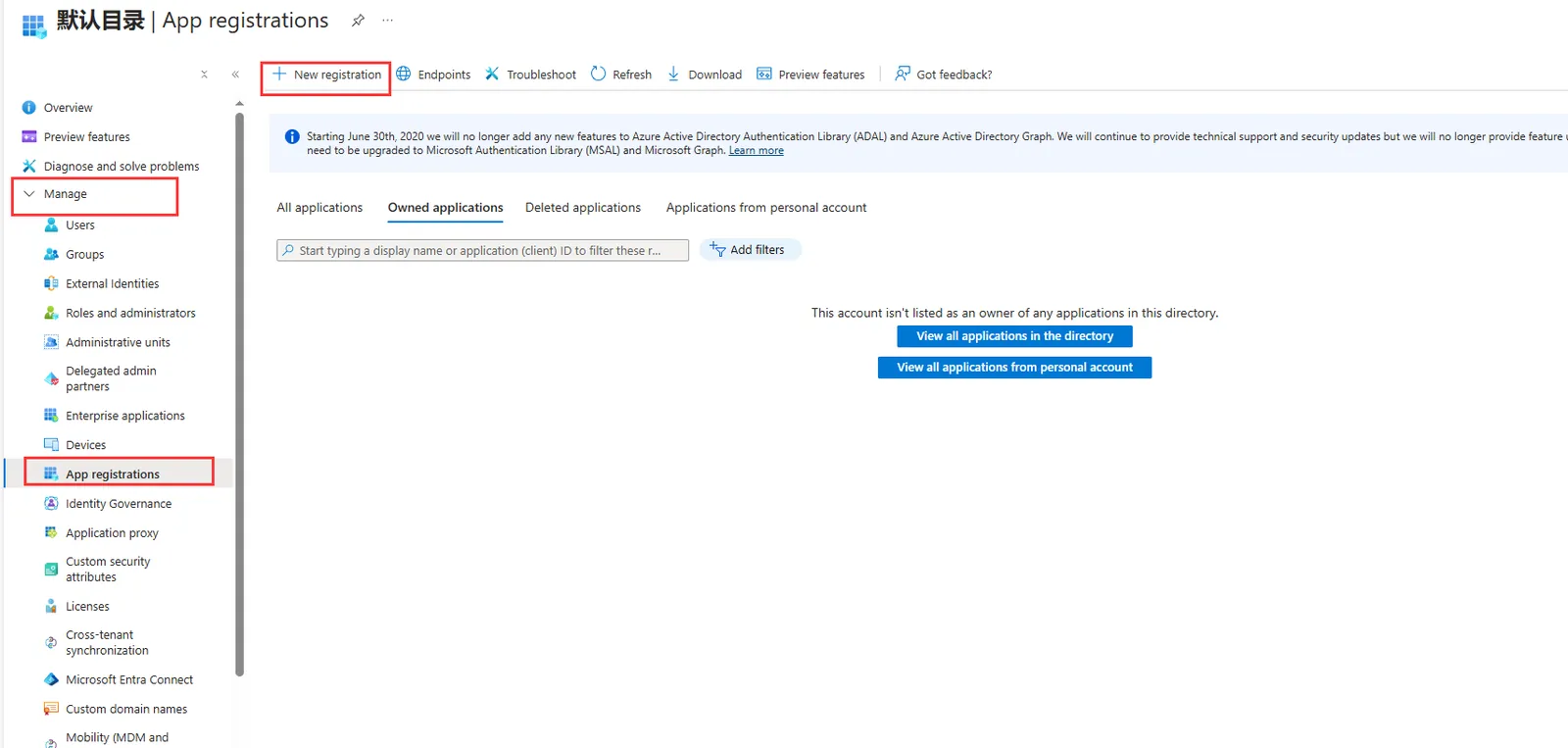
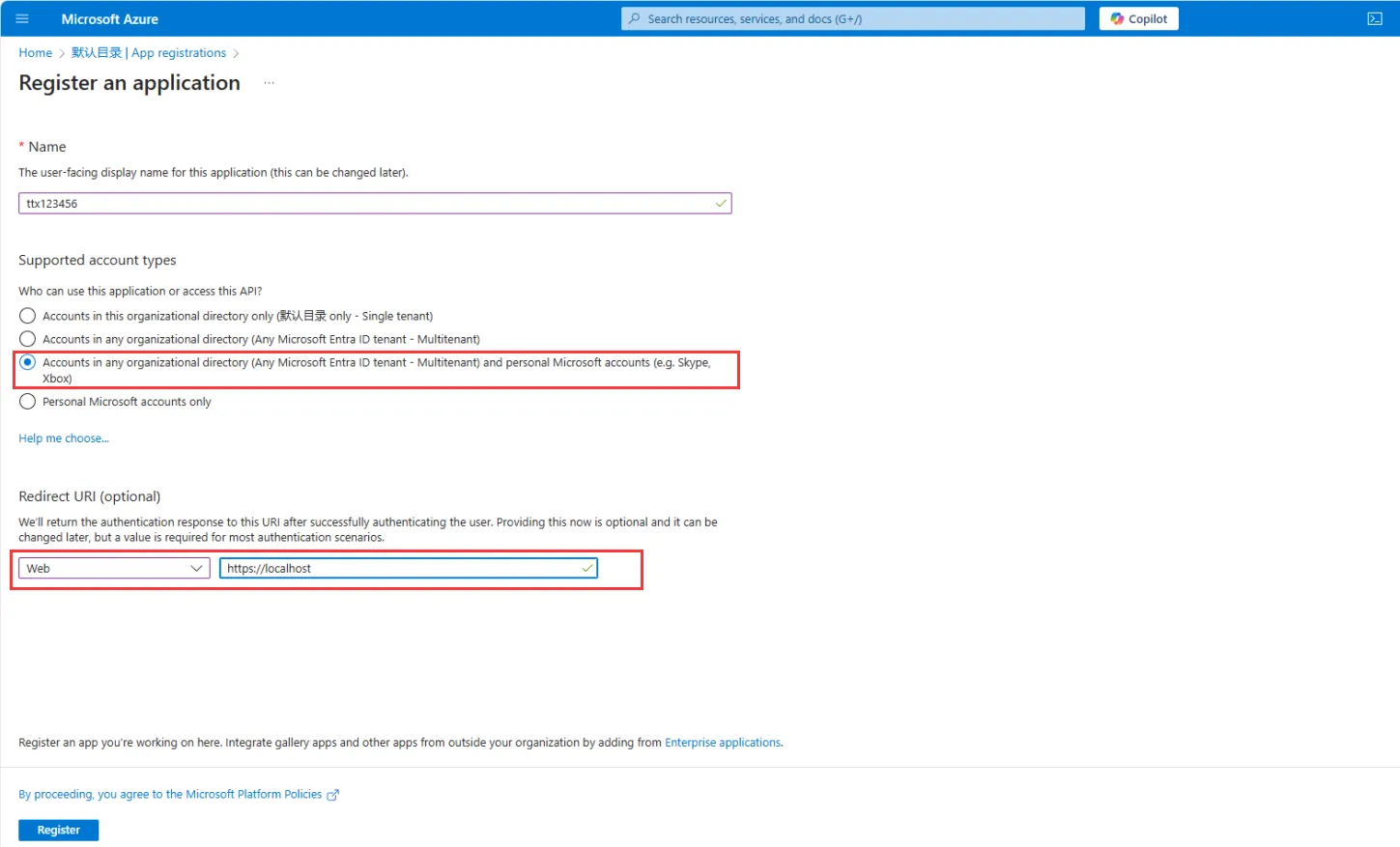
- 2.2.3 Save Application (client) ID after registration
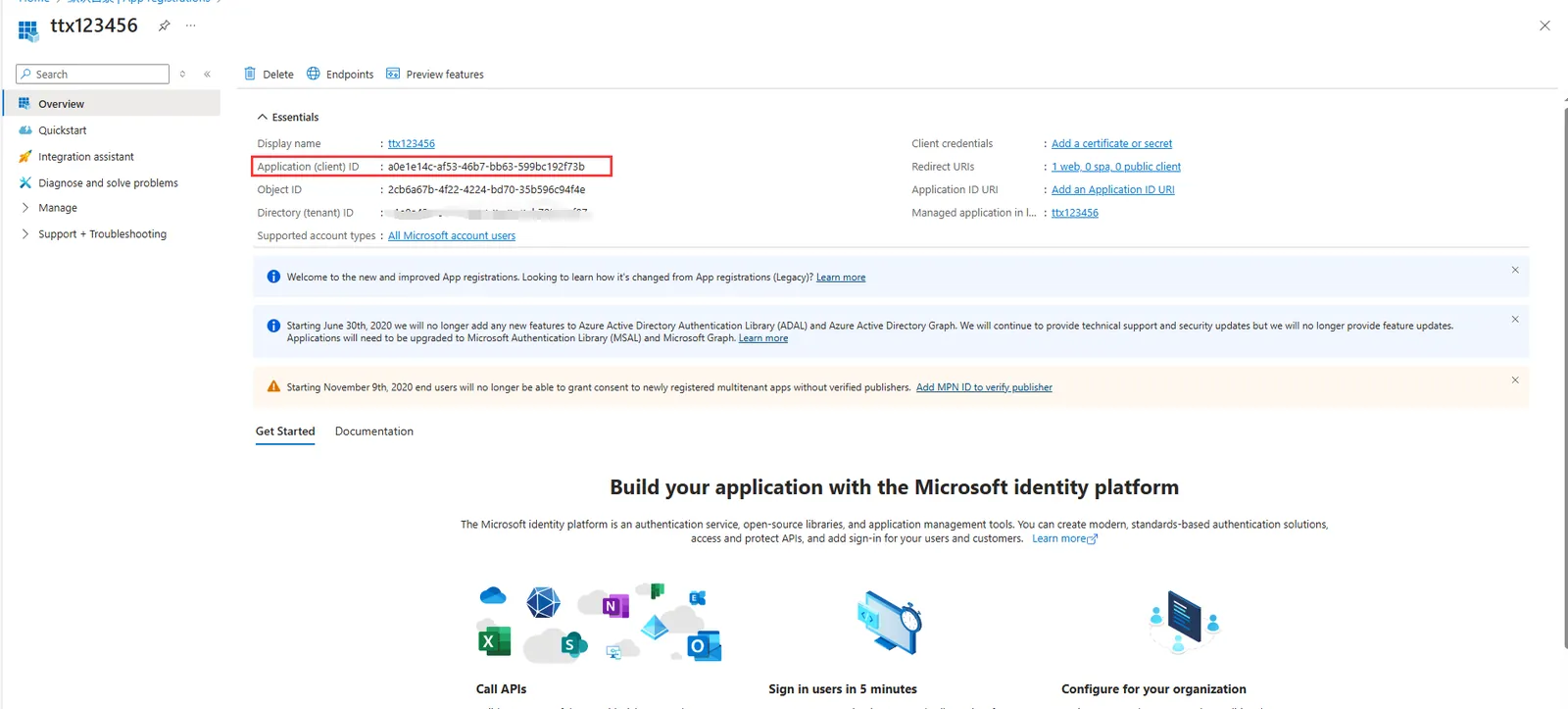
- 2.2.4 Configure the password of the application. After configuration, be sure to copy and save the password value of the client (it will only be displayed once)
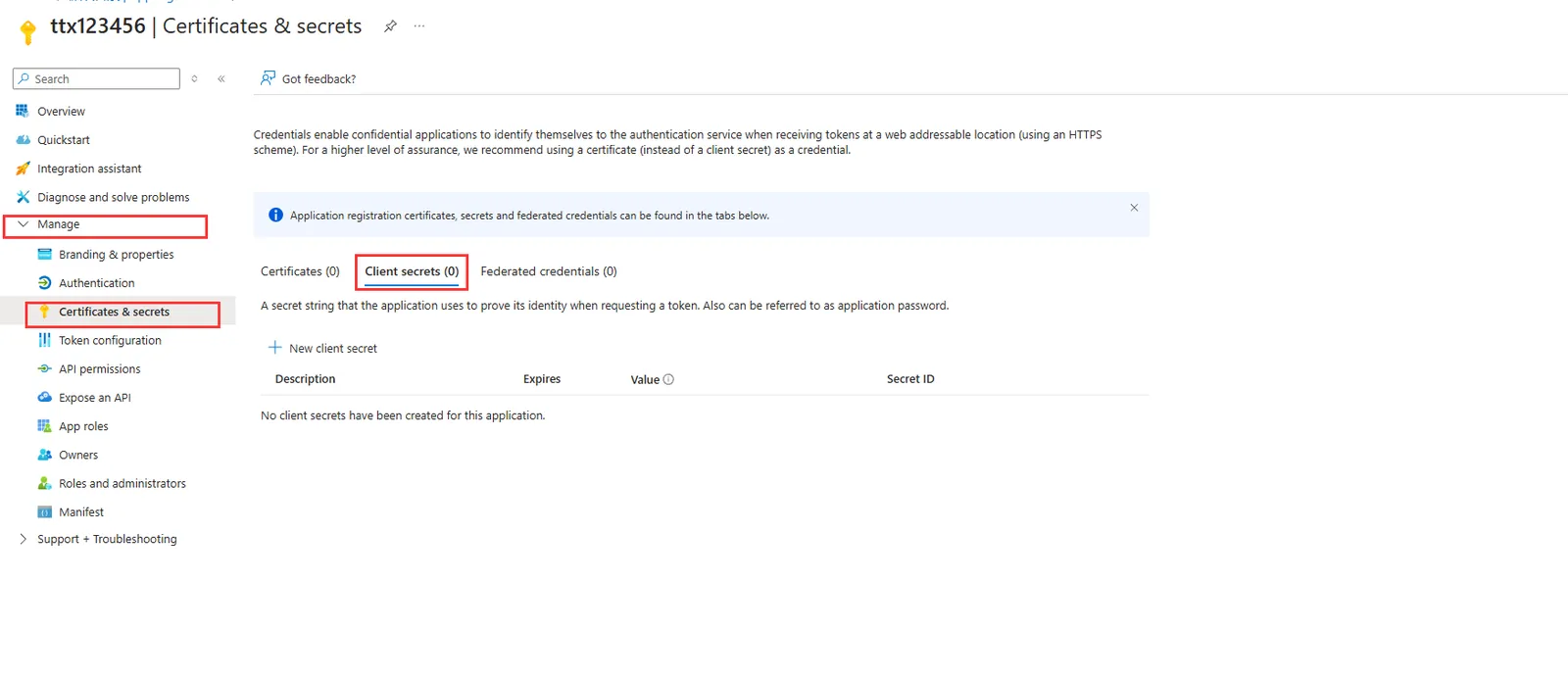
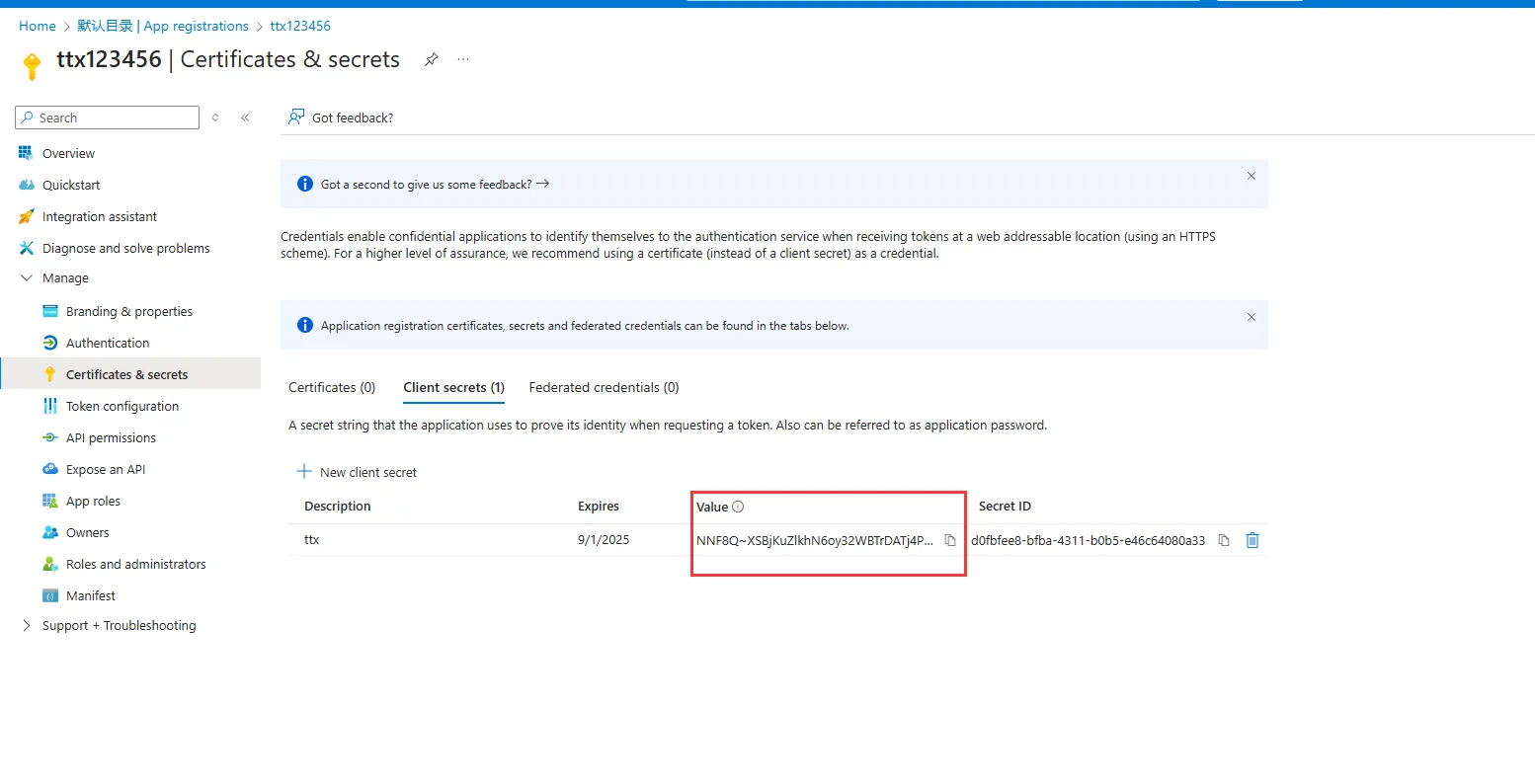
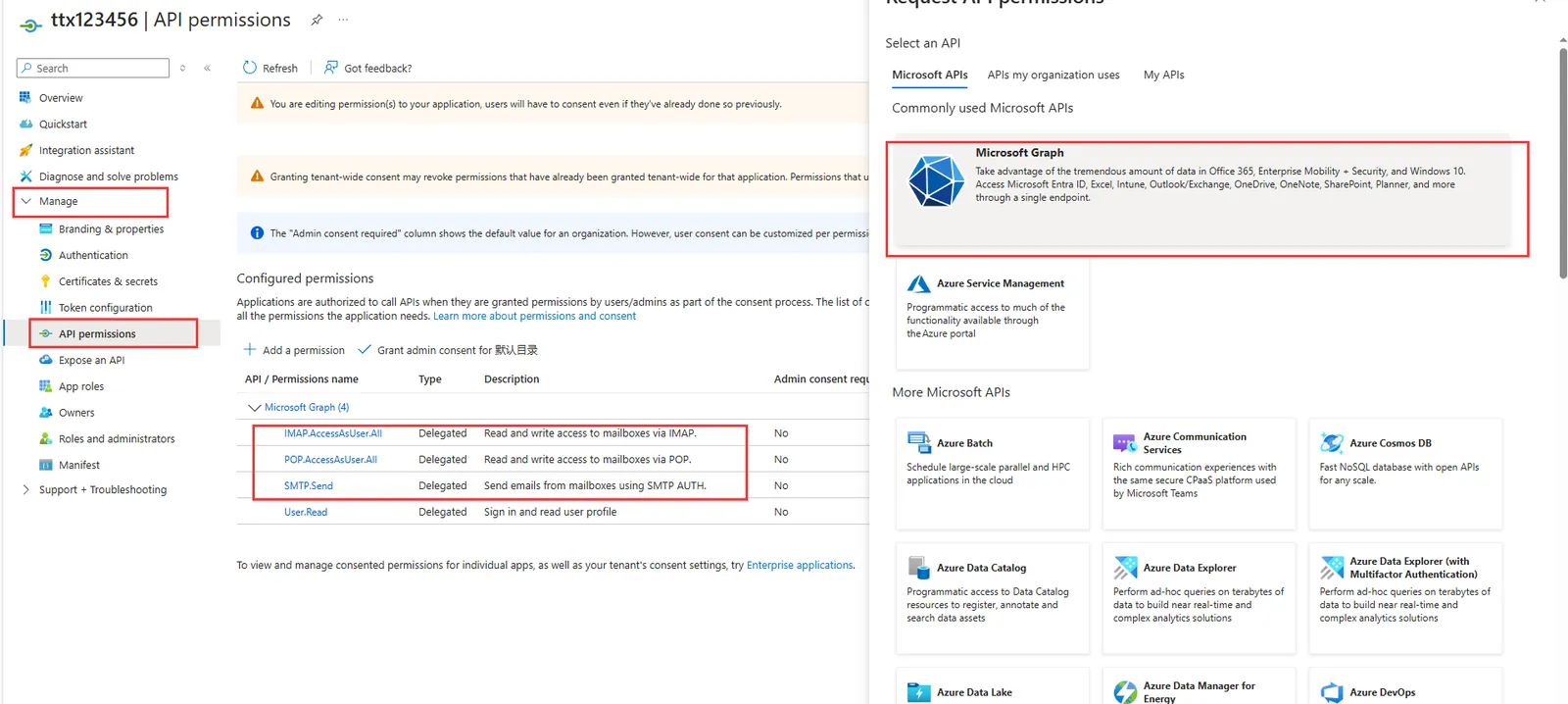
- 2.2.5 configure the api permissions of the application, click Microsoft Graph on the right, click delegate permissions, search separately, IMAP, SMTP, POP add permissions under the drop- down folder, that is, permissions: IMAP.AccessAsUser.All, SMTP.Send, POP.AccessAsUser.All, add permissions to complete all settings of the application
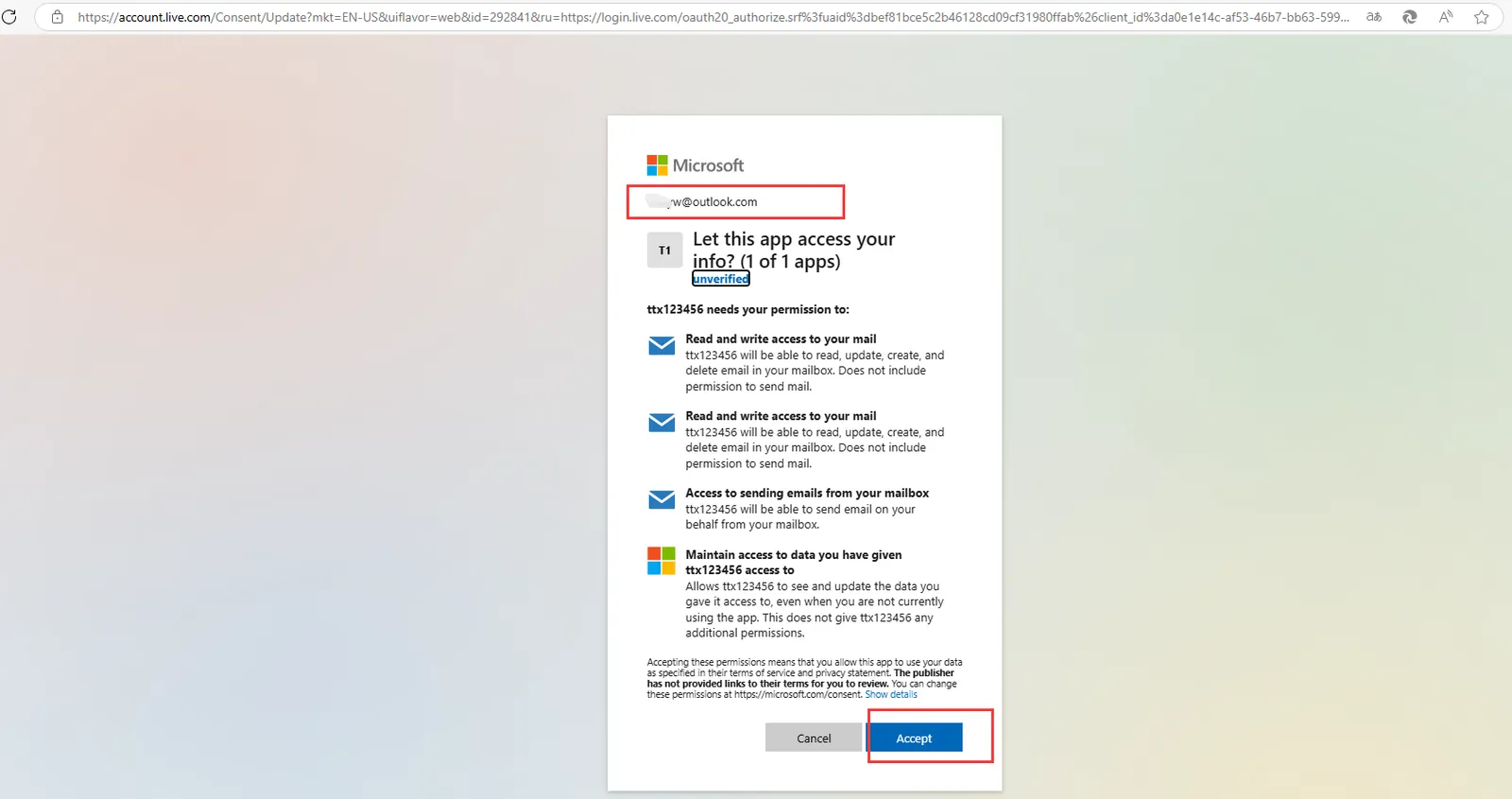
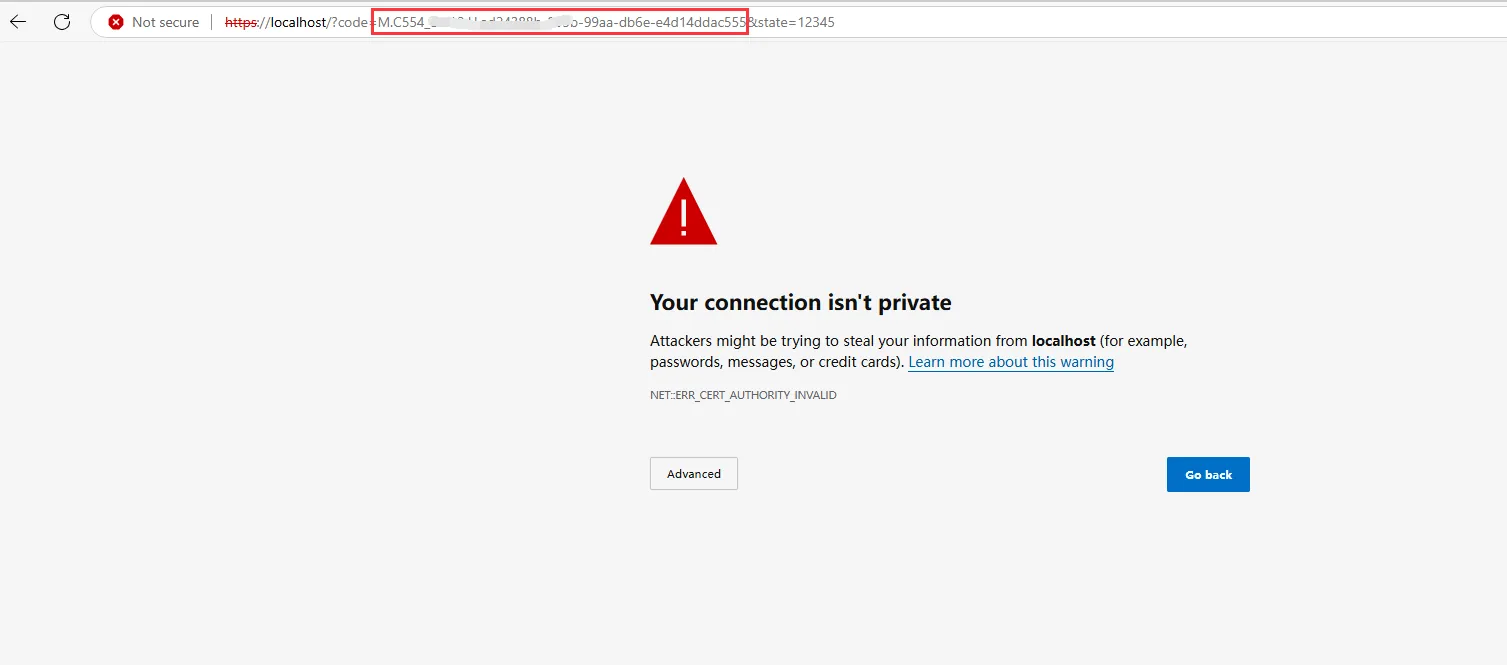
2.3 use the authorization link address to obtain the email account authorization, and save the one- time code value (authorization code), which can be obtained repeatedly.
https://login.microsoftonline.com/common/oauth2/v2.0/authorize?client_id= application (client) ID &response_type=code&redirect_uri= callback URL filled in the registration application&response_mode=query&scope=https%3a%2f%2foutlook.office.com%2fIMAP.AccessAsUser.All+https%3a%2f%2foutlook.office.com%2fPOP.AccessAsUser.All+https%3a%2f%2foutlook.office.com%2fSMTP.Send+offline_access&state=12345
Application (Client) ID: 2.2.3 Saved Application (Client) ID
callback URL filled in the registration application: consistent with the 2.2.2web callback address: the default is https:// localhost
Example: https://login.microsoftonline.com/common/oauth2/v2.0/authorize?client_id=a0e1e14c-af53-46b7-bb63-599bc192f73b&response_type=code&redirect_uri=https://localhost&response_mode=query&scope=https%3a%2f%2foutlook.office.com%2fIMAP.AccessAsUser.All+https%3a%2f%2foutlook.office.com%2fPOP.AccessAsUser.All+https%3a%2f%2foutlook.office.com%2fSMTP.Send+offline_access&state=12345
- Save the value (authorization code) of the one- time code obtained from the following figure
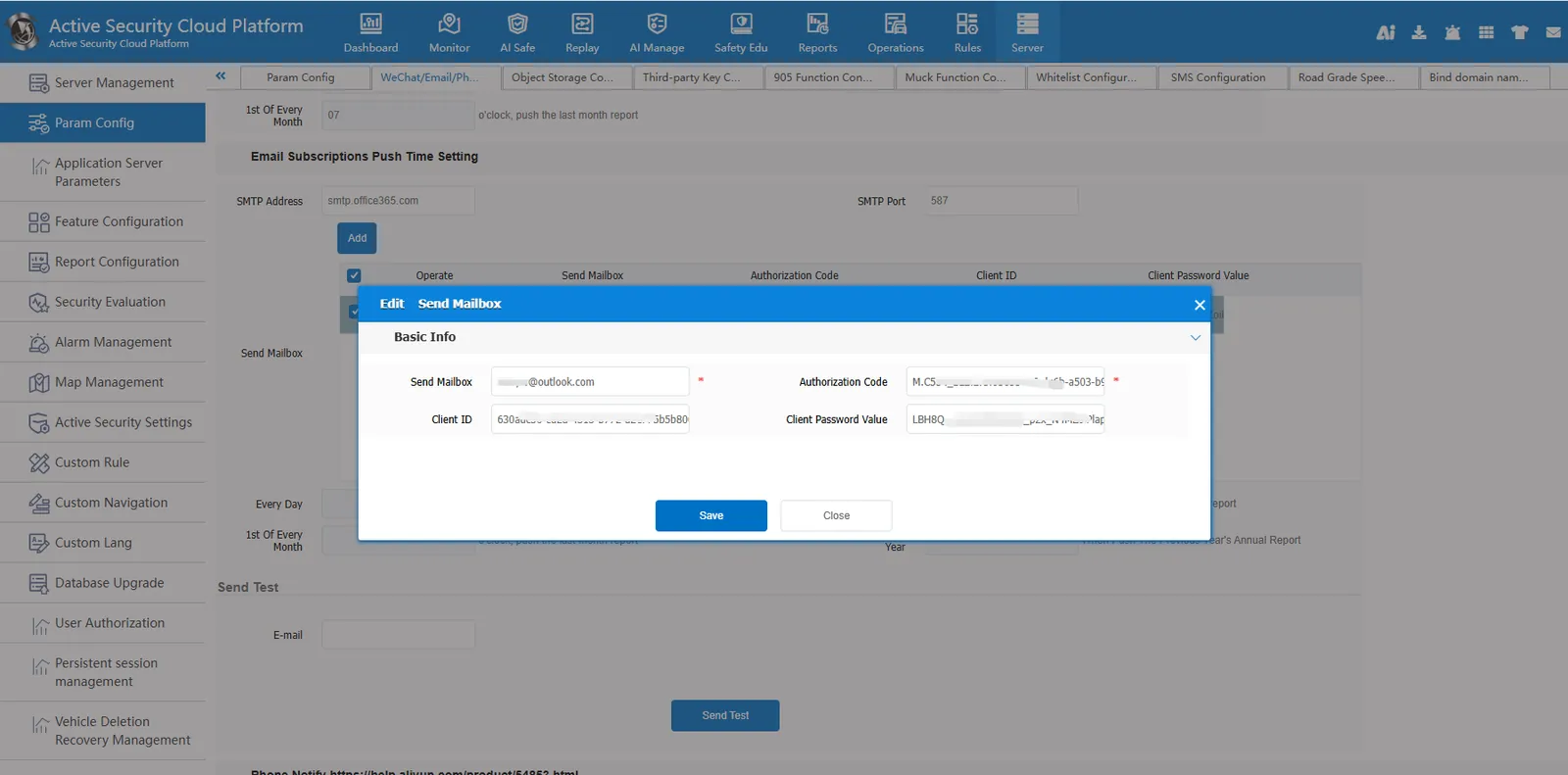
2.4 Configure web Mail Parameters STMP Address Port, Sender Mailbox, Authorization Code, Client ID, Client Password Value
STMP Address Port: smtp.office365.com 587
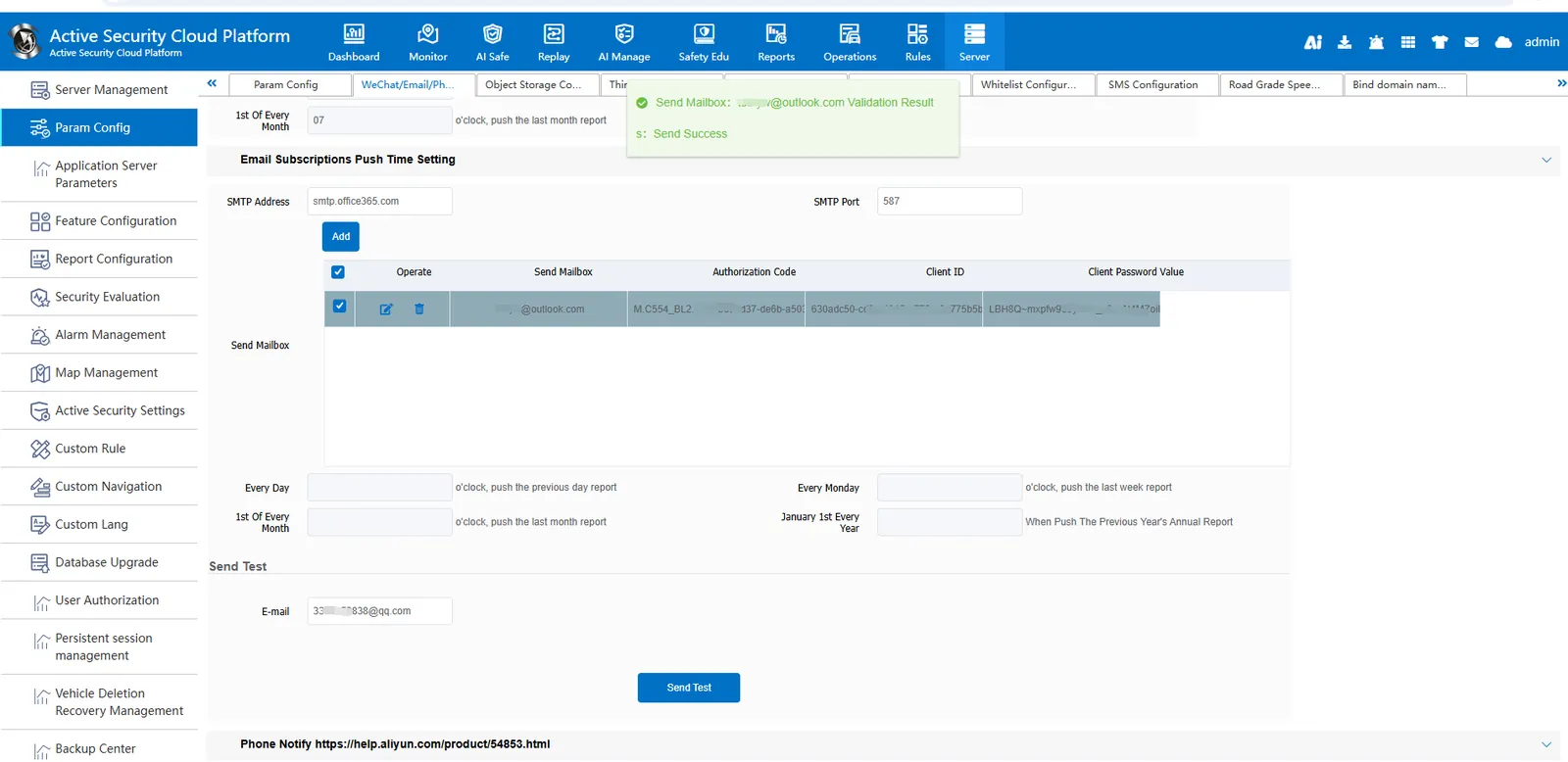
2.5 Send Test
Check the sending mailbox → configure the email address for receiving the test mail → send the test, and prompt that the sending is successful, then the configuration is successful.
2.6 Add Receiving Mailbox to Alarm Linkage Rule