1. Function description
Obtain the authorization code for the mailbox
The authorization code of the mailbox is an important certificate for sending the mailbox. You need to enter the authorization code of the sending mailbox in the corresponding position of the platform to send the mail.
2, operating instructions
2.1, QQ mailbox authorization code application
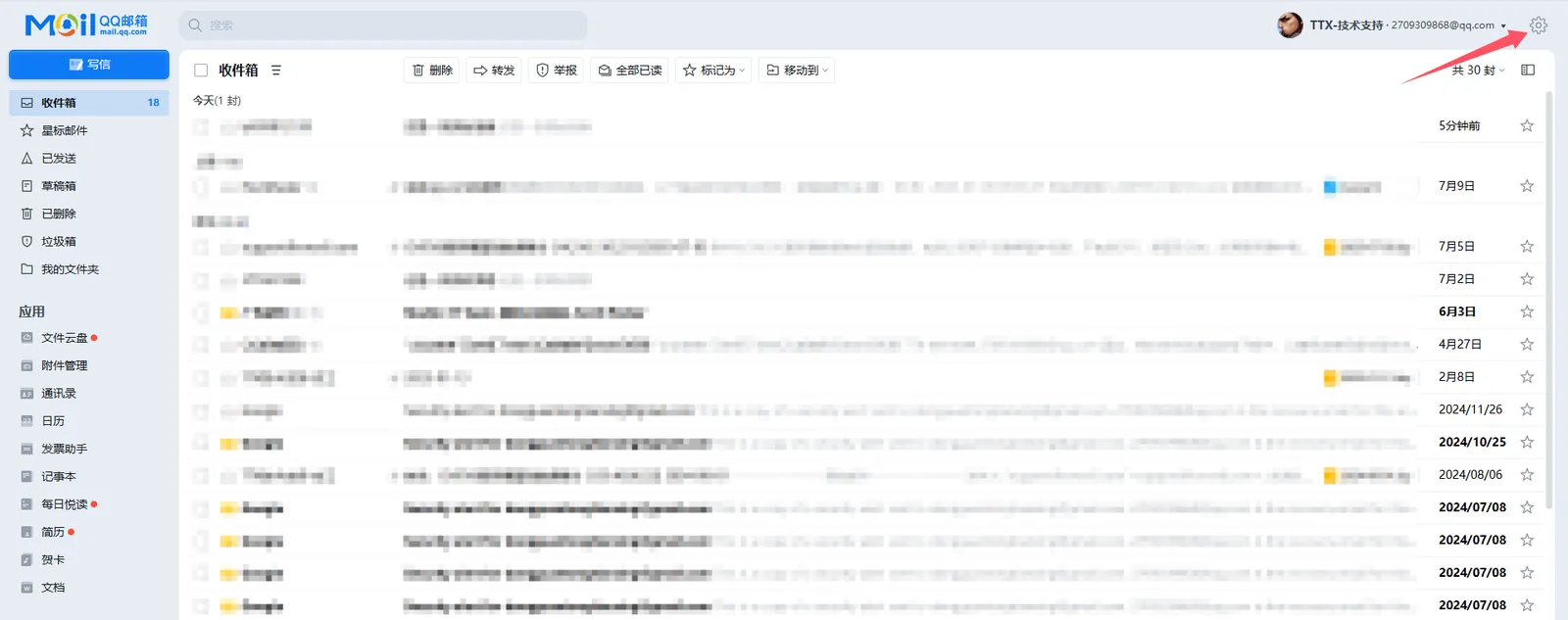
2.1.1, Log in to QQ Mailbox of Web Page (https://wx.mail.qq.com)
After logging in qq mailbox, click the icon of pinion in the upper right corner.
2.1.2, Generate Authorization Code
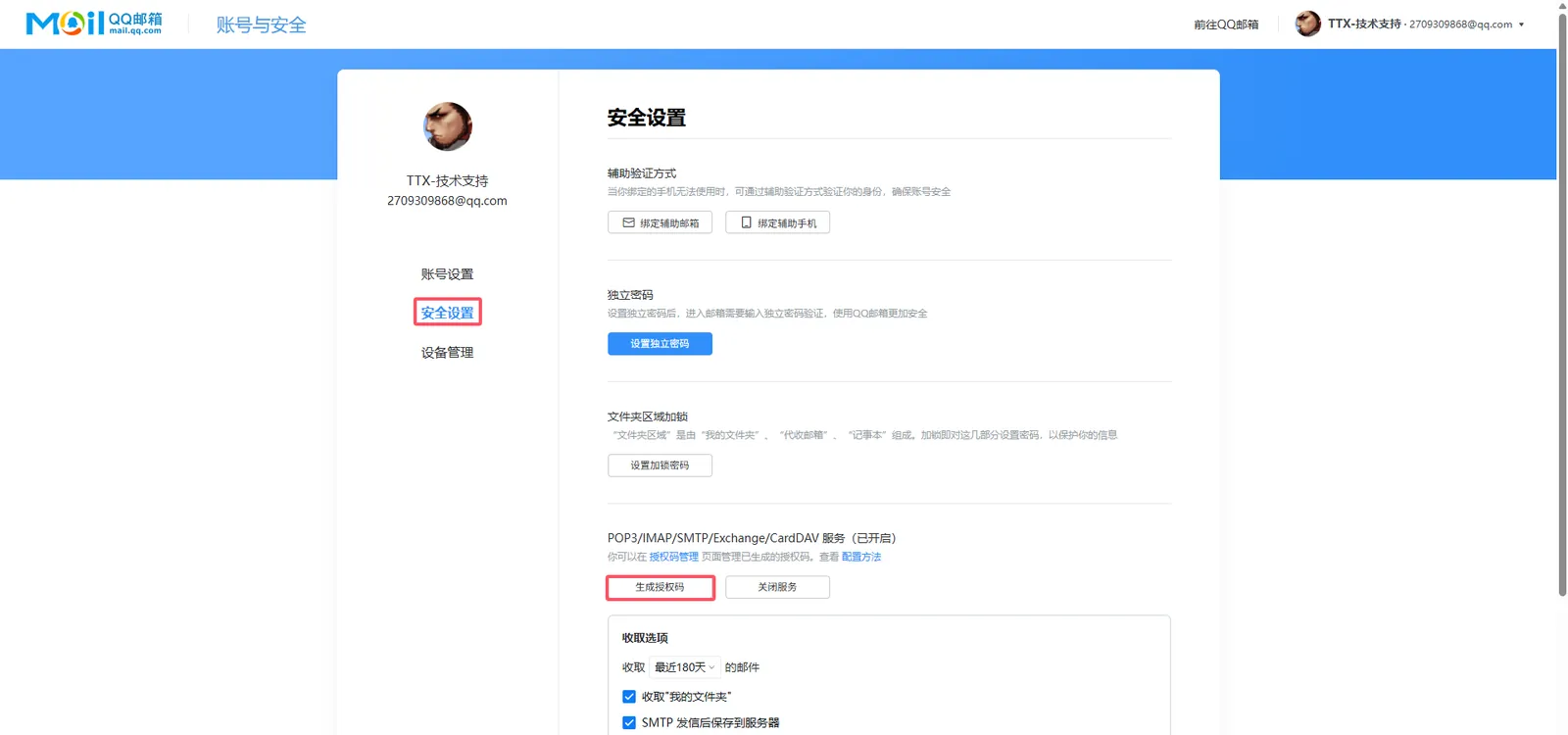
After clicking [Security Management]> [Generate Authorization Code], you will need to verify your identity.
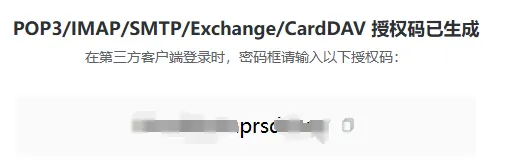
After the verification is successful, a string of authorization codes will be generated, which can be copied and saved.
2.2, 163 email authorization code application
2.2.1, Login to Webpage 163 Mailbox (https://mail.163.com/)
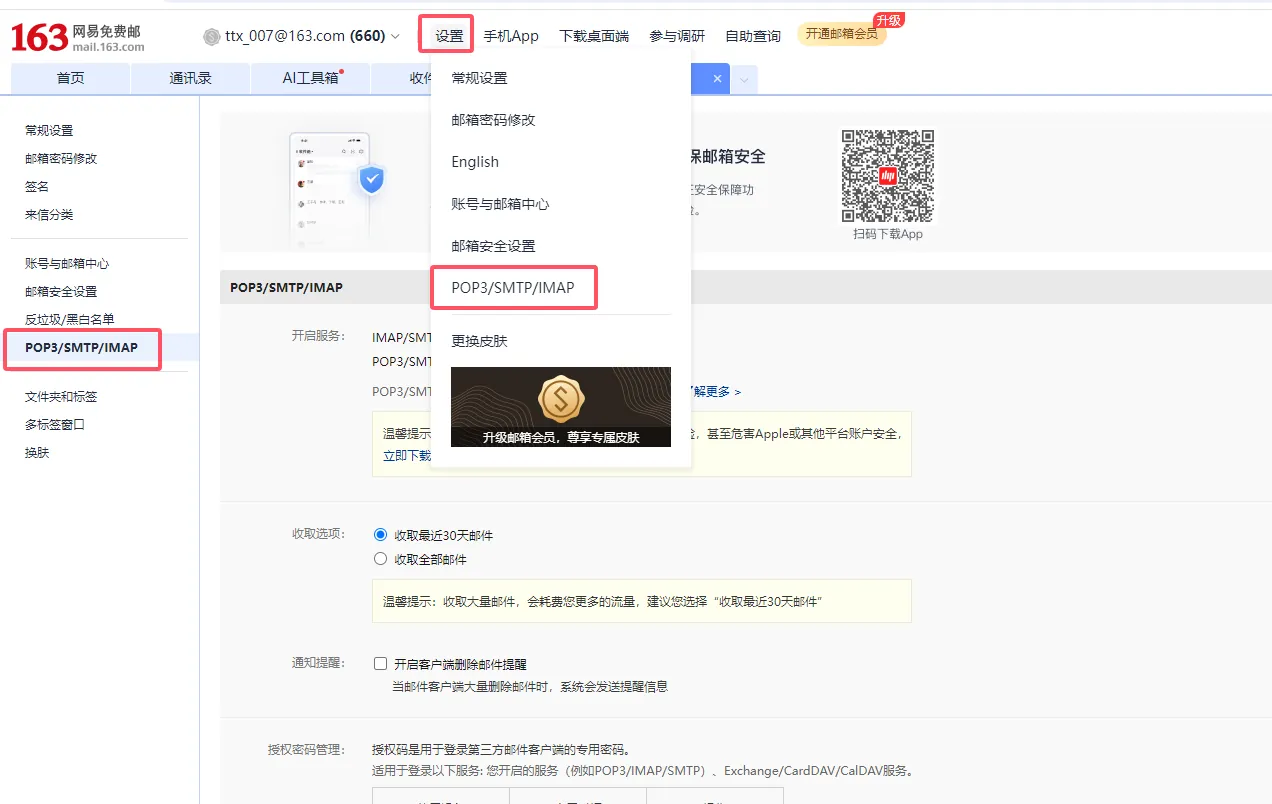
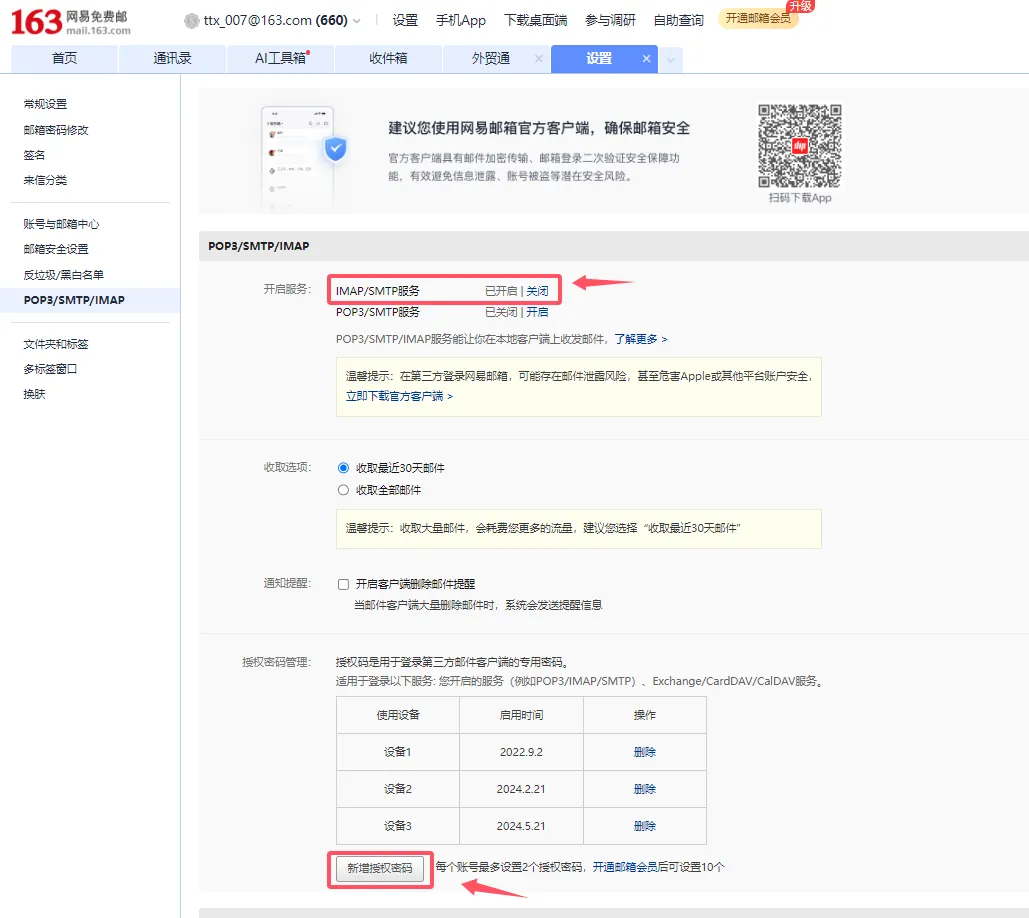
Login to 163 mailbox → Settings → POP3/SMTP/IMAP
2.2.2, Generate Authorization Code
Enable the IMAP/SMTP service and add an authorization password
3. Precautions
After the authorization code is generated, it must be saved immediately. You cannot view the authorization code again later.
