1、 function description
In the report subscription and platform alarm linkage rules, send mail to the specified mailbox as the sending mailbox.
2、 operating instructions
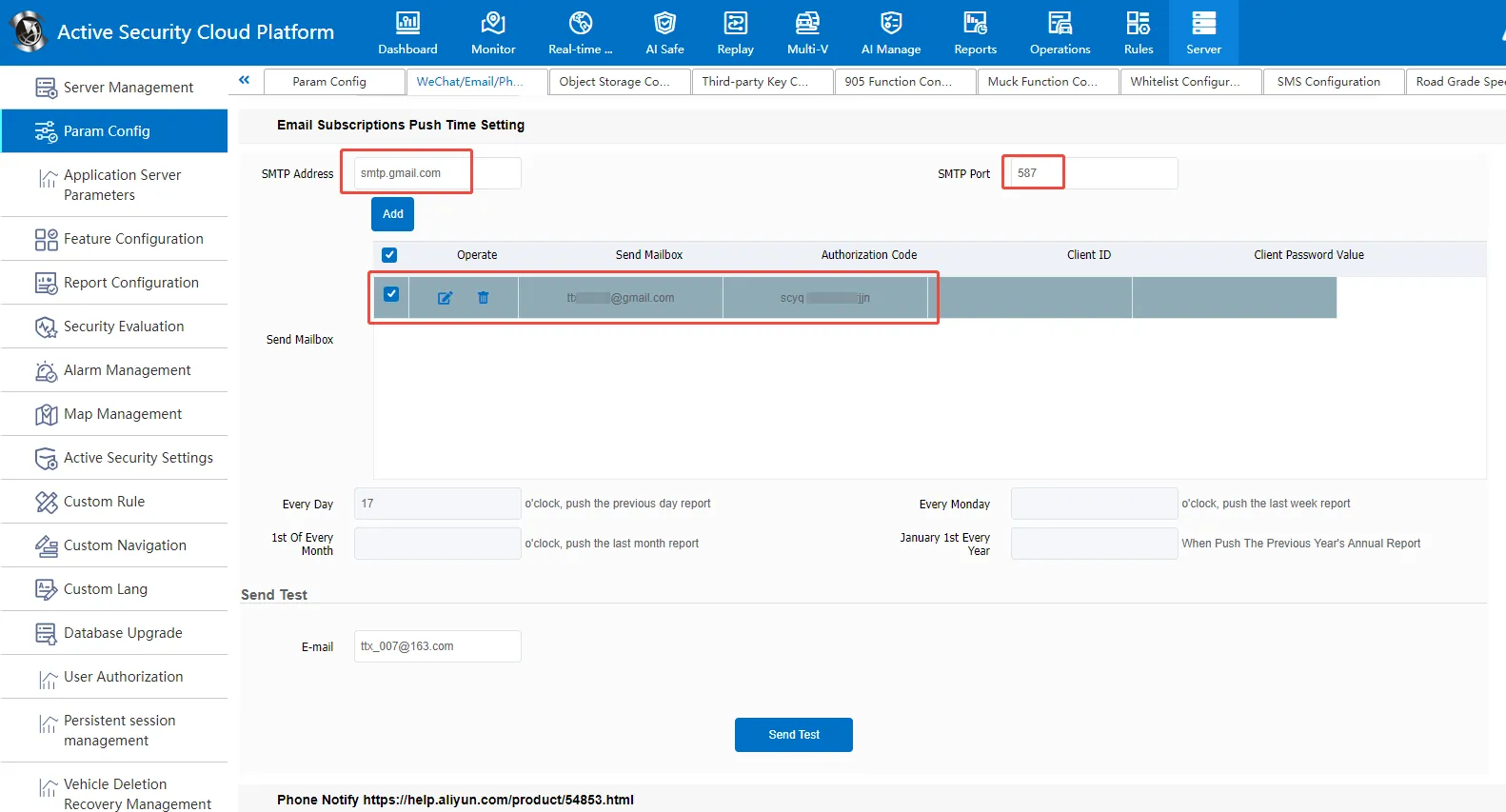
2.1 Add Sending Mailbox
Fill in the SMTP address and port corresponding to the mailbox, and add the sending mailbox and authorization code.
2.2 Send Test
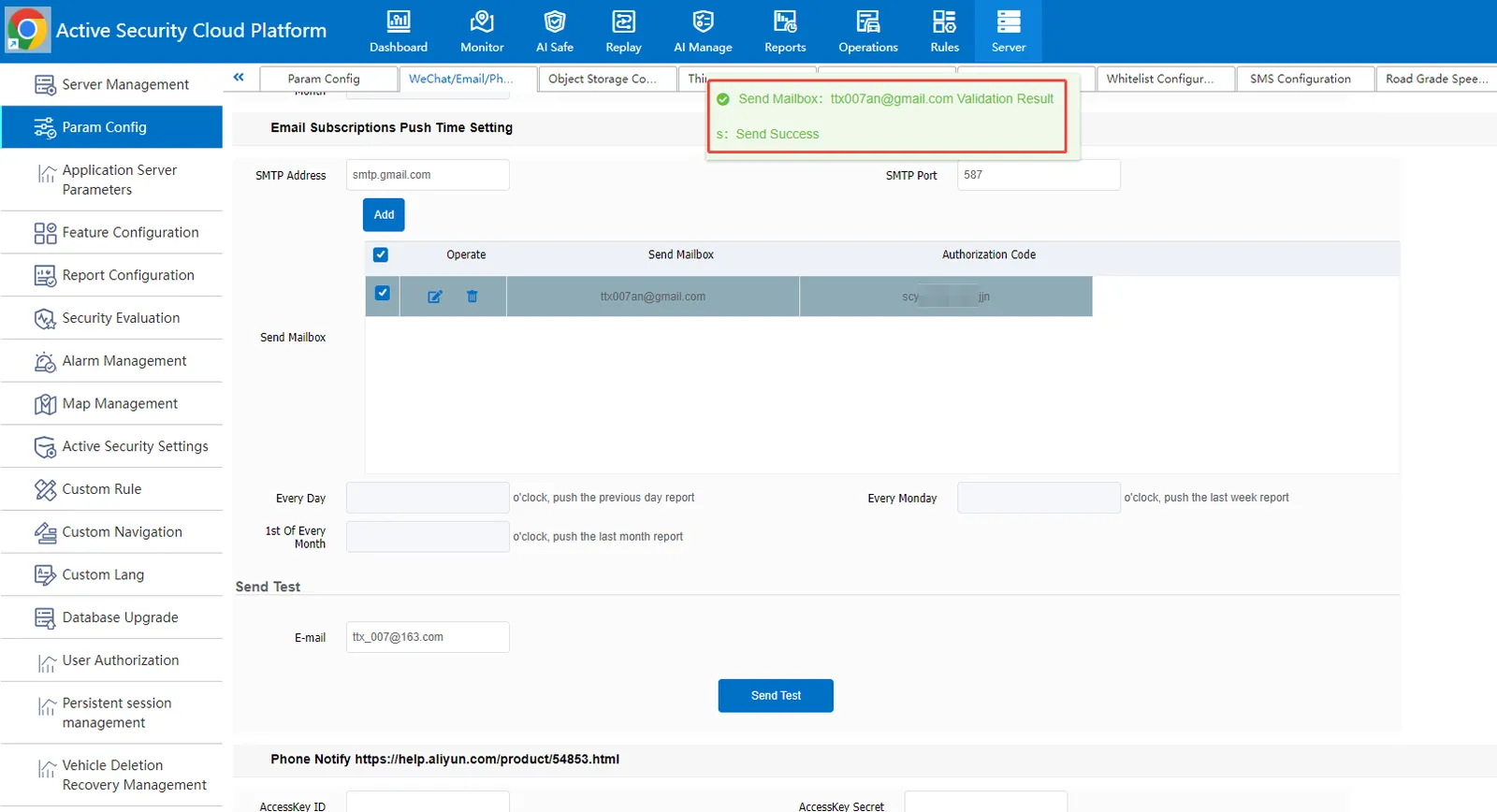
Check the sending mailbox → configure the email address for receiving the test mail → send the test, and prompt that the sending is successful, then the configuration is successful.
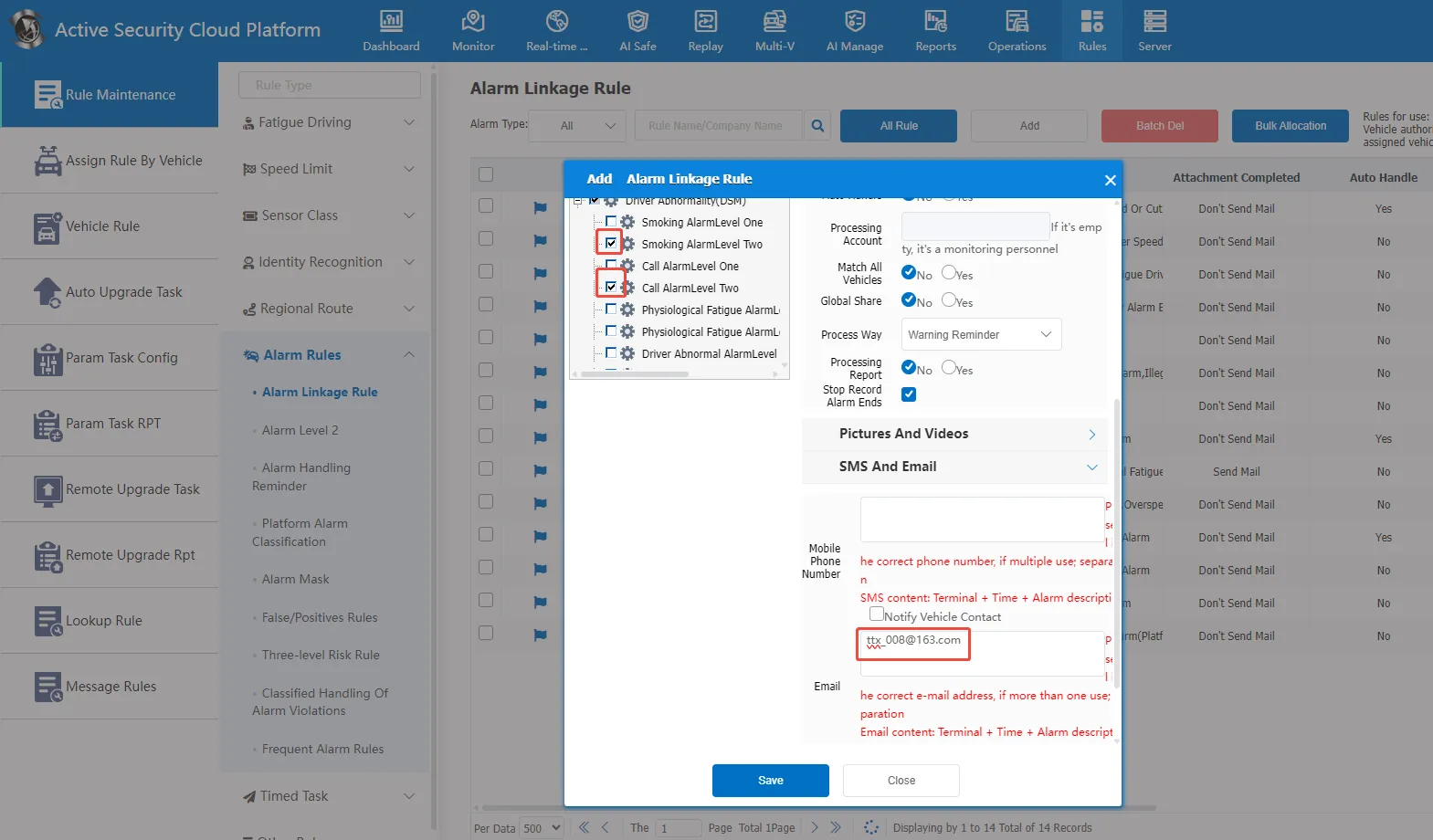
2.3 Add Receiving Mailbox to Alarm Linkage Rule
3、 Frequently Asked Questions
Question 1: How do I activate the Outbox SMTP function?
Answer:
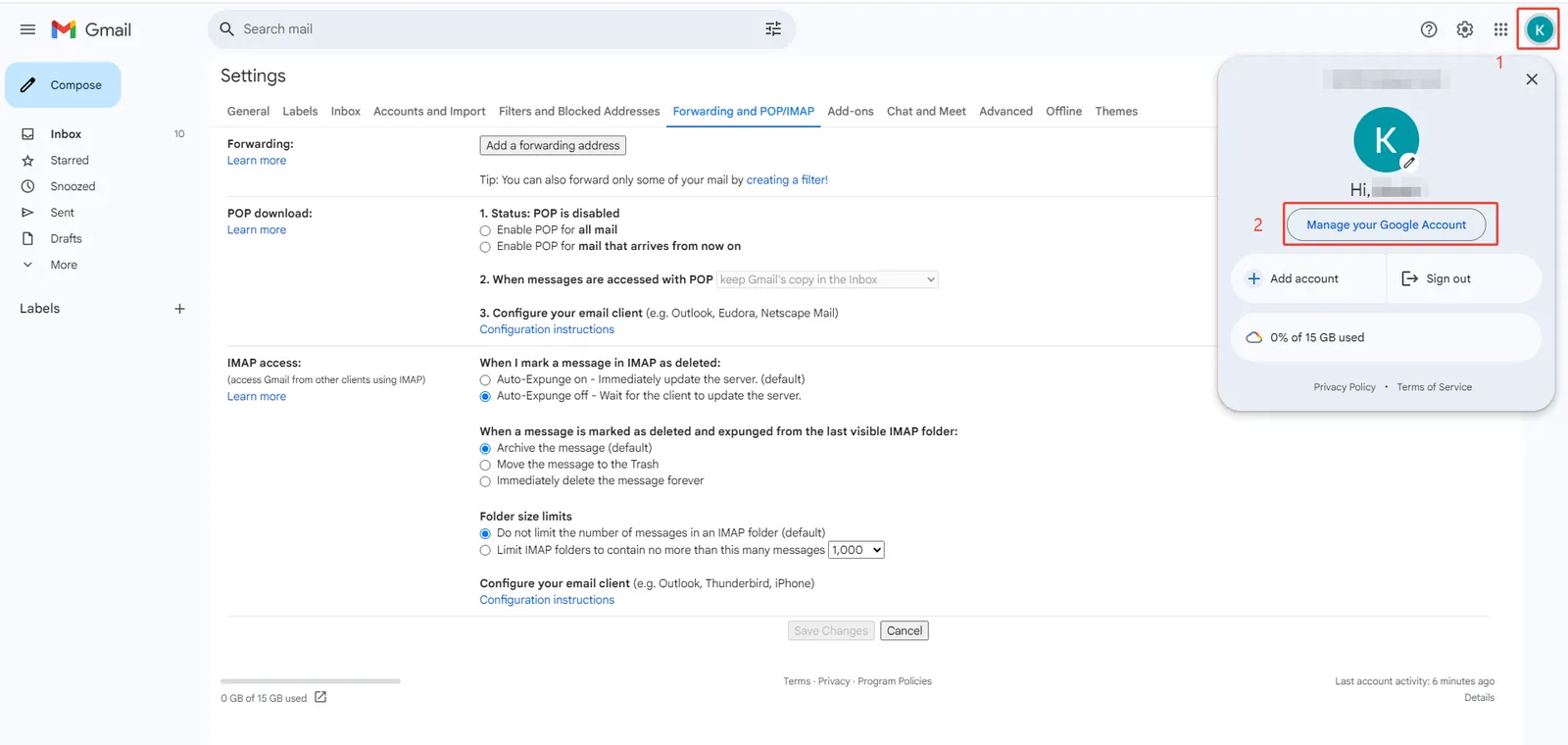
1. Log into Gmail and access account management;
2. Turn on"2-Step Verification";
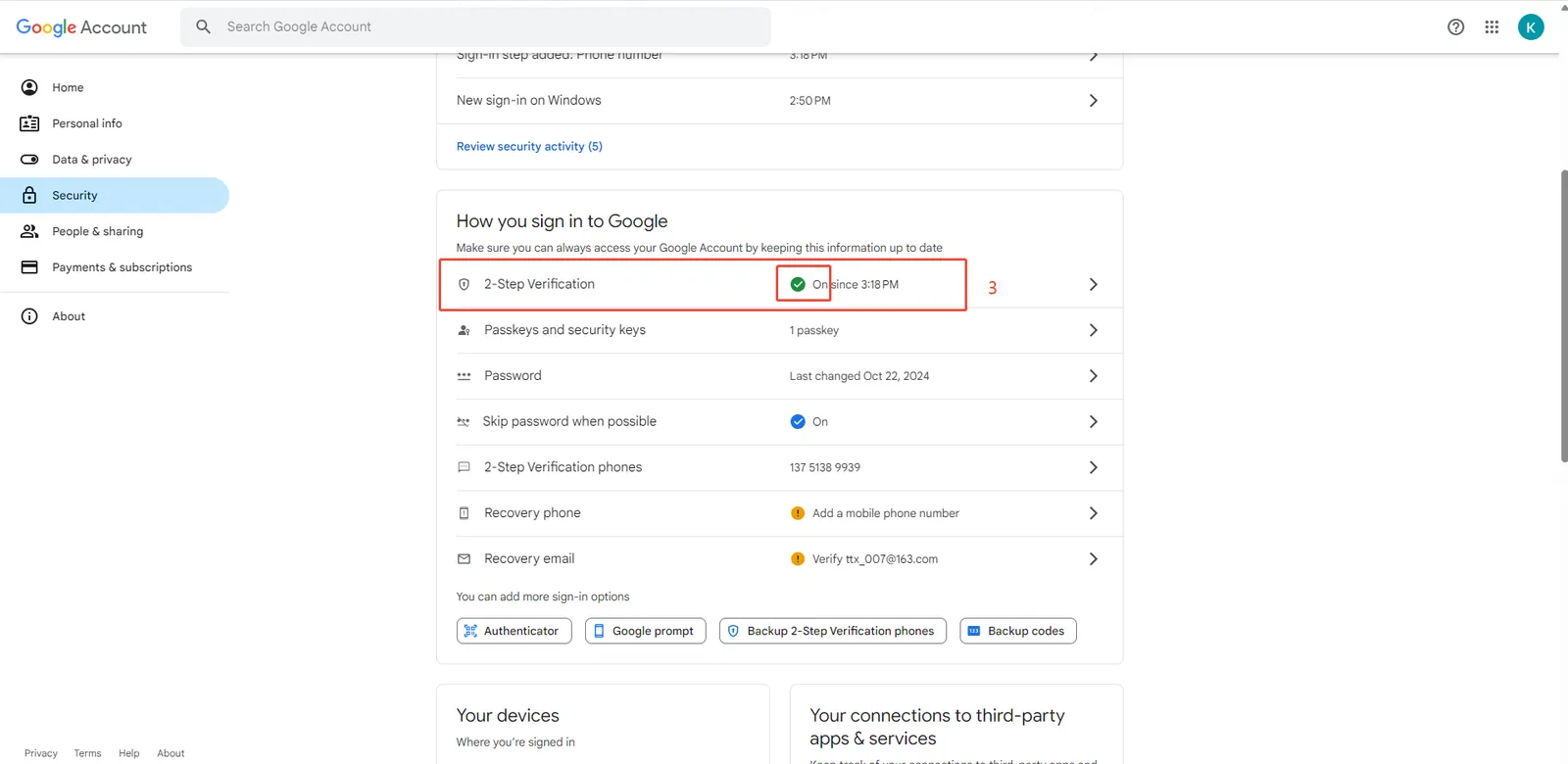
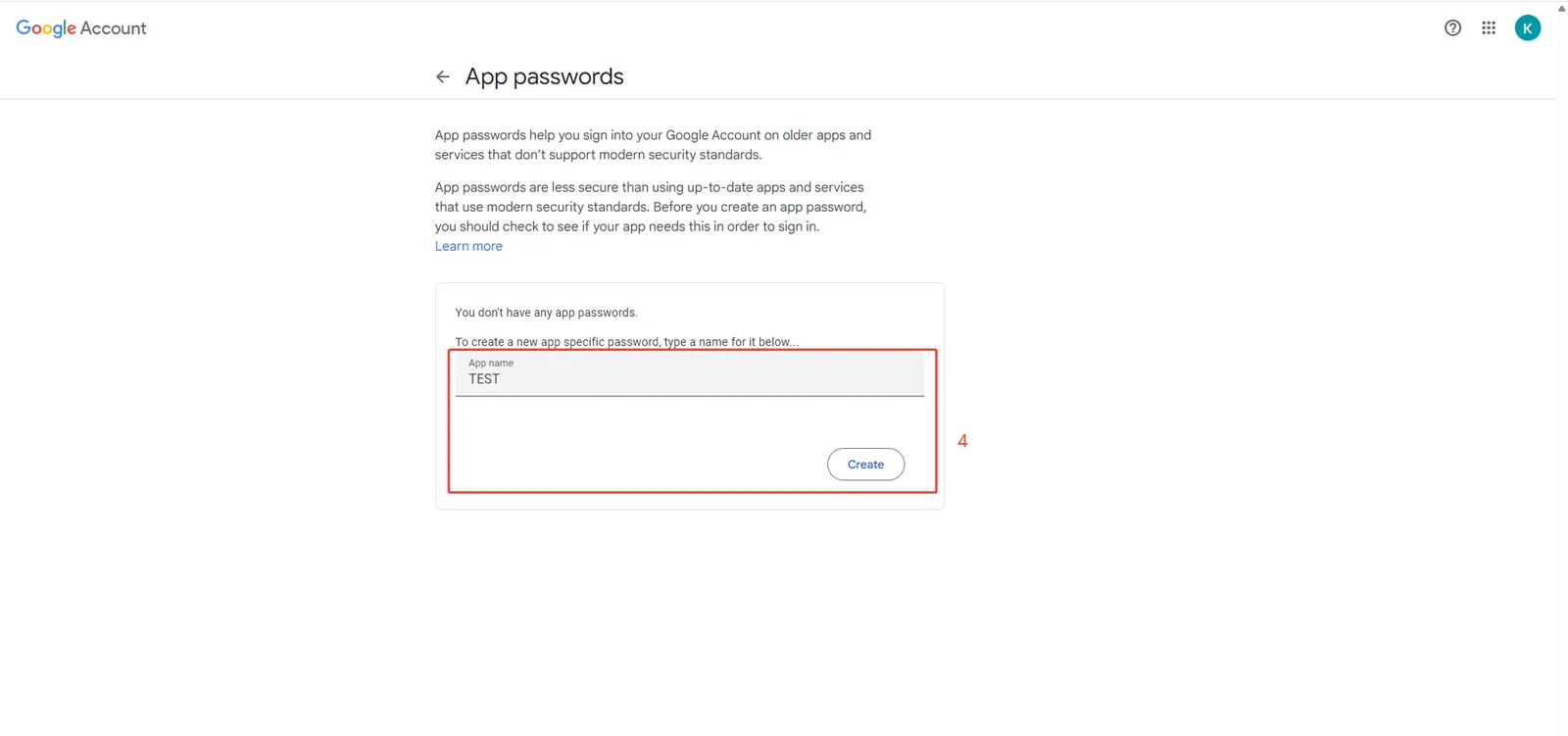
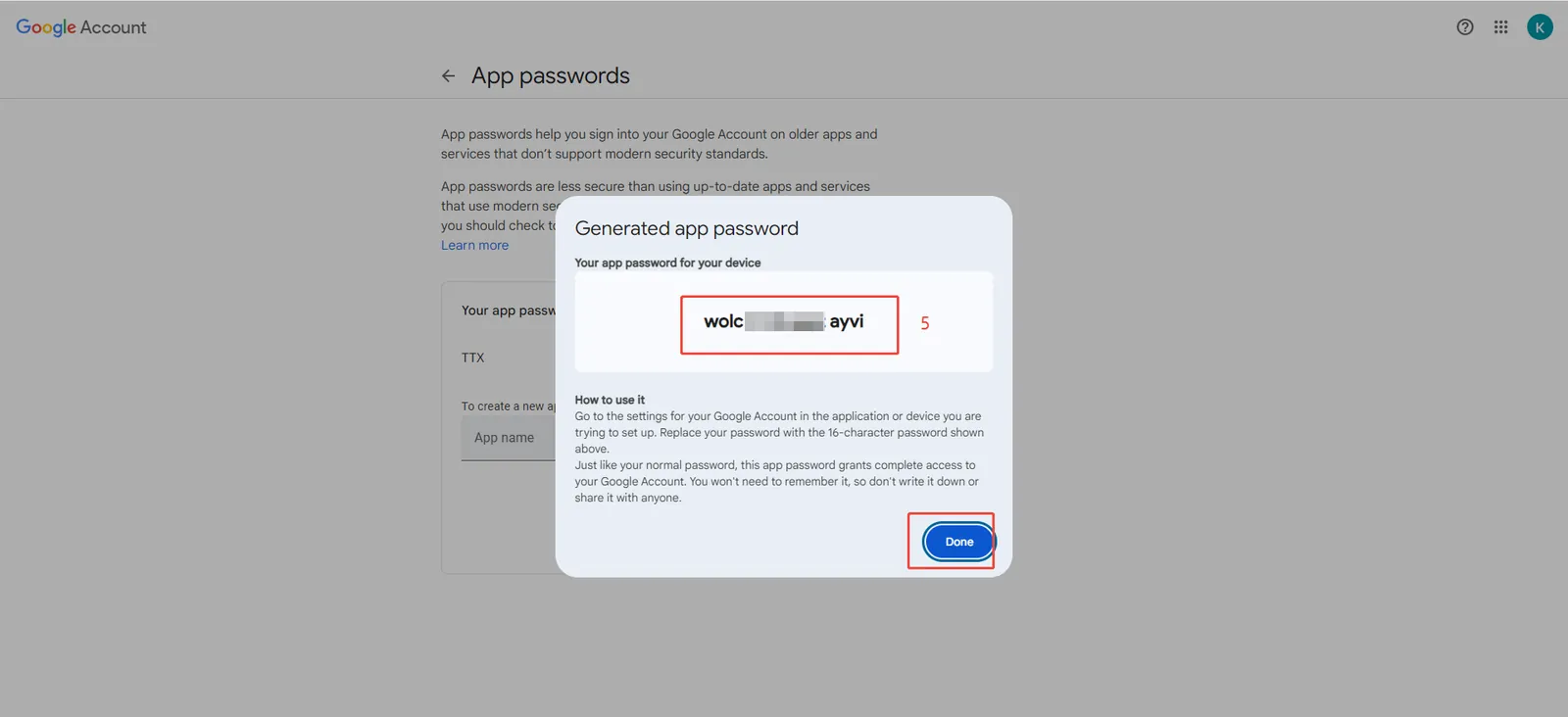
3. Access this address and set the application password.
https://myaccount.google.com/apppasswords
Question 2:QQ mailbox cannot receive push mail.
Answer: Frequent sending of mail will be blocked by QQ mailbox. It is suggested to change to other receiving mailboxes, such as 163 mailbox, etc.
