1. Function description
Push reports to customers by email, including daily reports, weekly reports, monthly reports, etc.
2. operating instructions
2.1 mail subscription push configuration
Configure email subscription information in Server Management- Parameter Configuration- WeChat/Email/Phone. To configure the sending mailbox, you need to configure the SMTP address, SMTP port, sending mailbox, and authorization code of the mailbox, and then configure the mail sending time every day, every Monday, and the first day of each month. (Note: The sending mailbox has a limit on the daily sending volume and concurrency. You can configure multiple sending mailboxes of the same type. When the mail fails to be sent, use the second mailbox to continue sending)
163 mailbox SMTP address Default: smtp. 163.com
QQ mailbox SMTP address default: smtp.qq.com
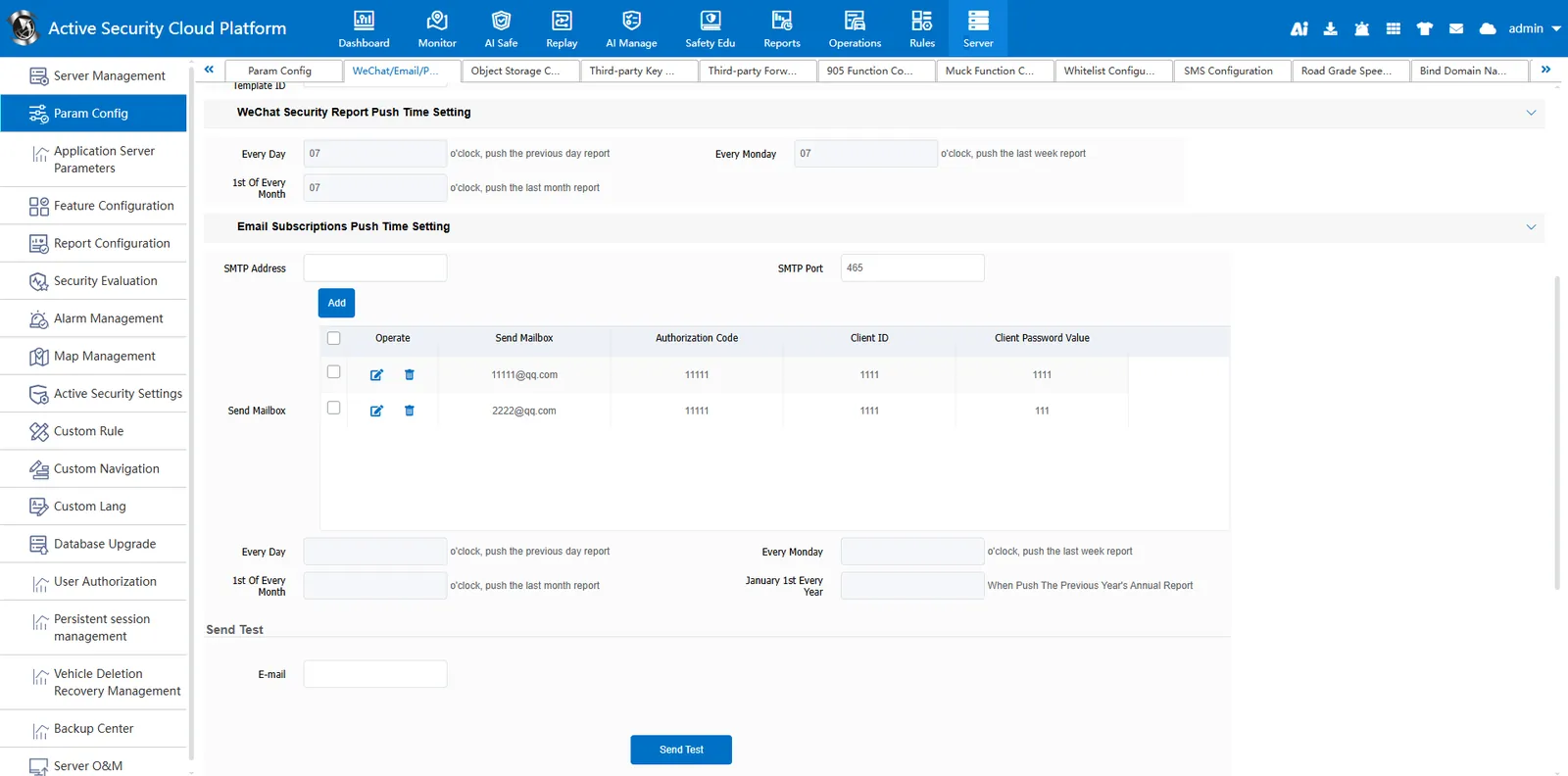
Attention: Apply for email authentication code
https://help.cmsv8.com/helpCenter/doc/index.html?isStudy=1&pageType=1&docId=575&type=1&lang=zh
2.2 add email subscription
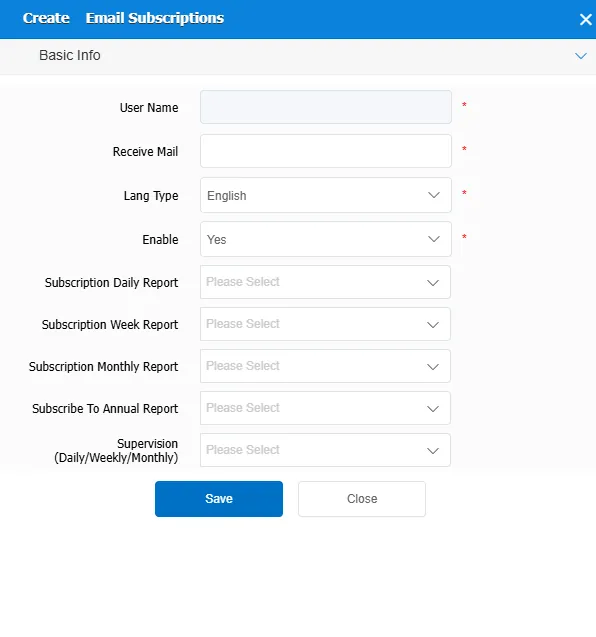
Click the Add button, fill in the user name and email box in the New Email Subscription dialog box, and select the report to be subscribed.
2.3 search function
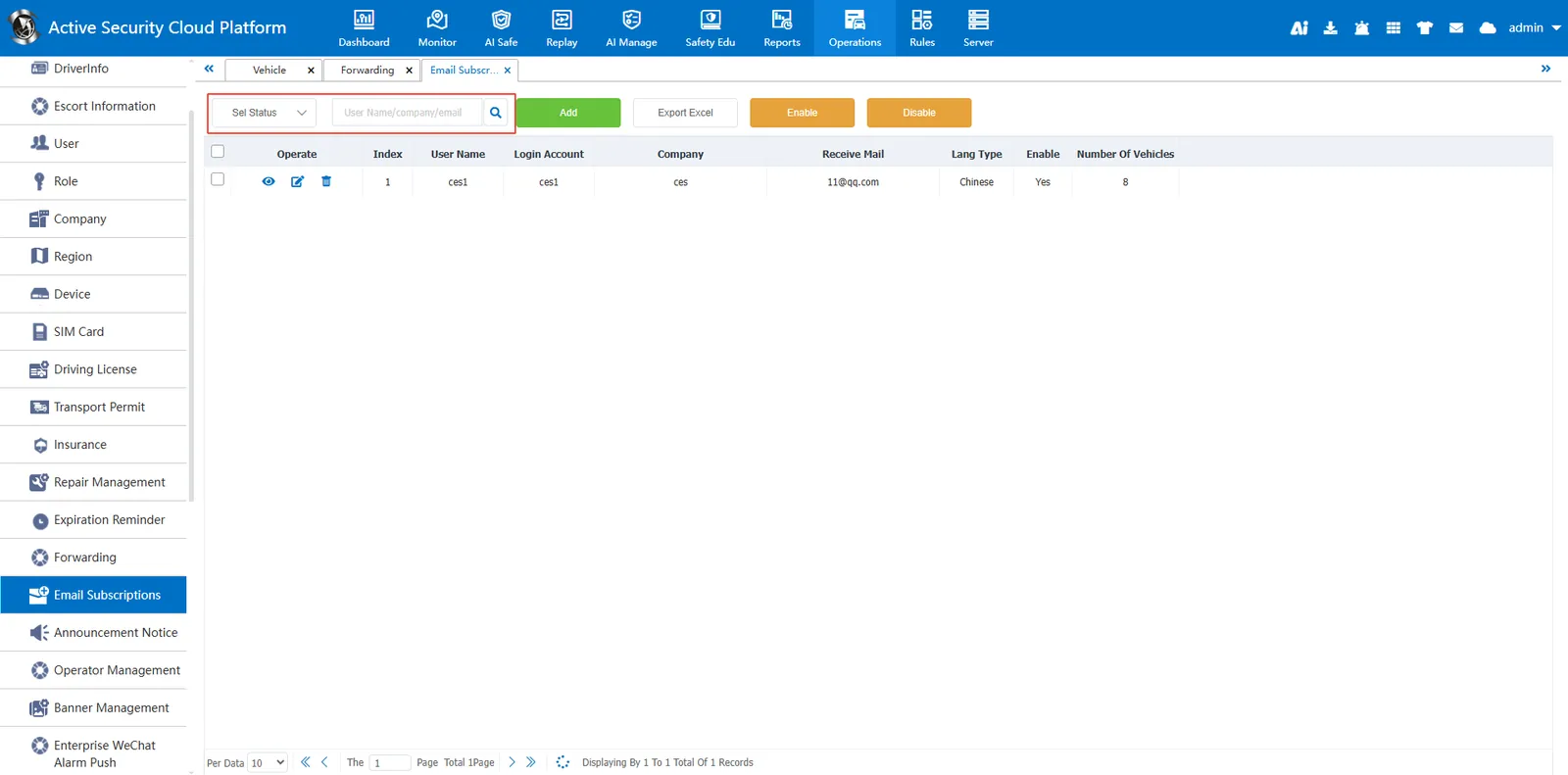
Can be searched by status, user name, company and mailbox
2.4 button introduction
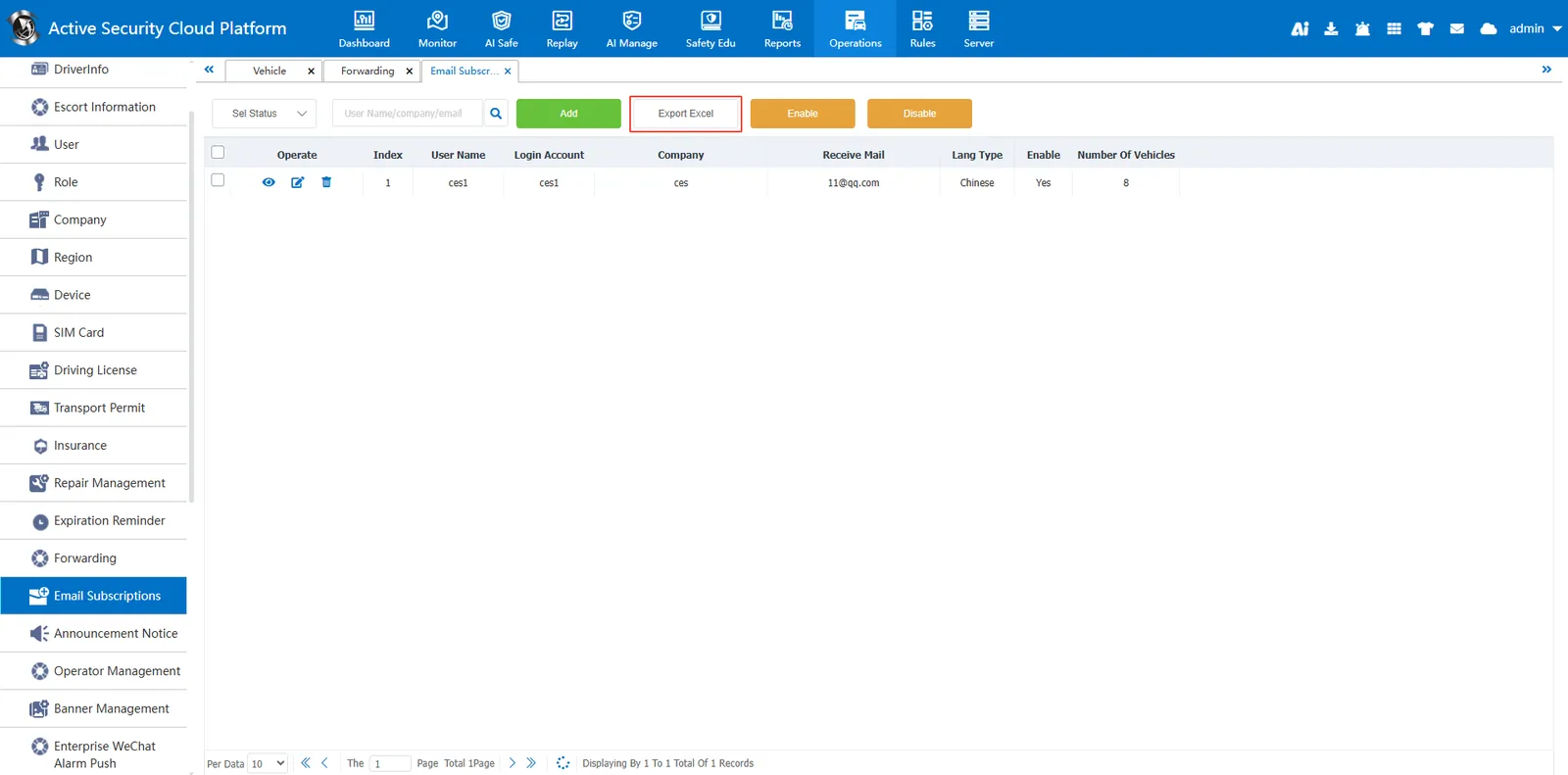
2.4.1 Export to Excel
Click Export to Excel to export the email subscription information under the current filtering criteria to an Excel file.
2.4.2 Enable

Change the status of the selected mail subscription information to Yes
2.4.3 Deactivation

Change the status of the selected mail subscription information to No
