1、 function description
2、 operating instructions
2.1 Configure Sending Mailbox
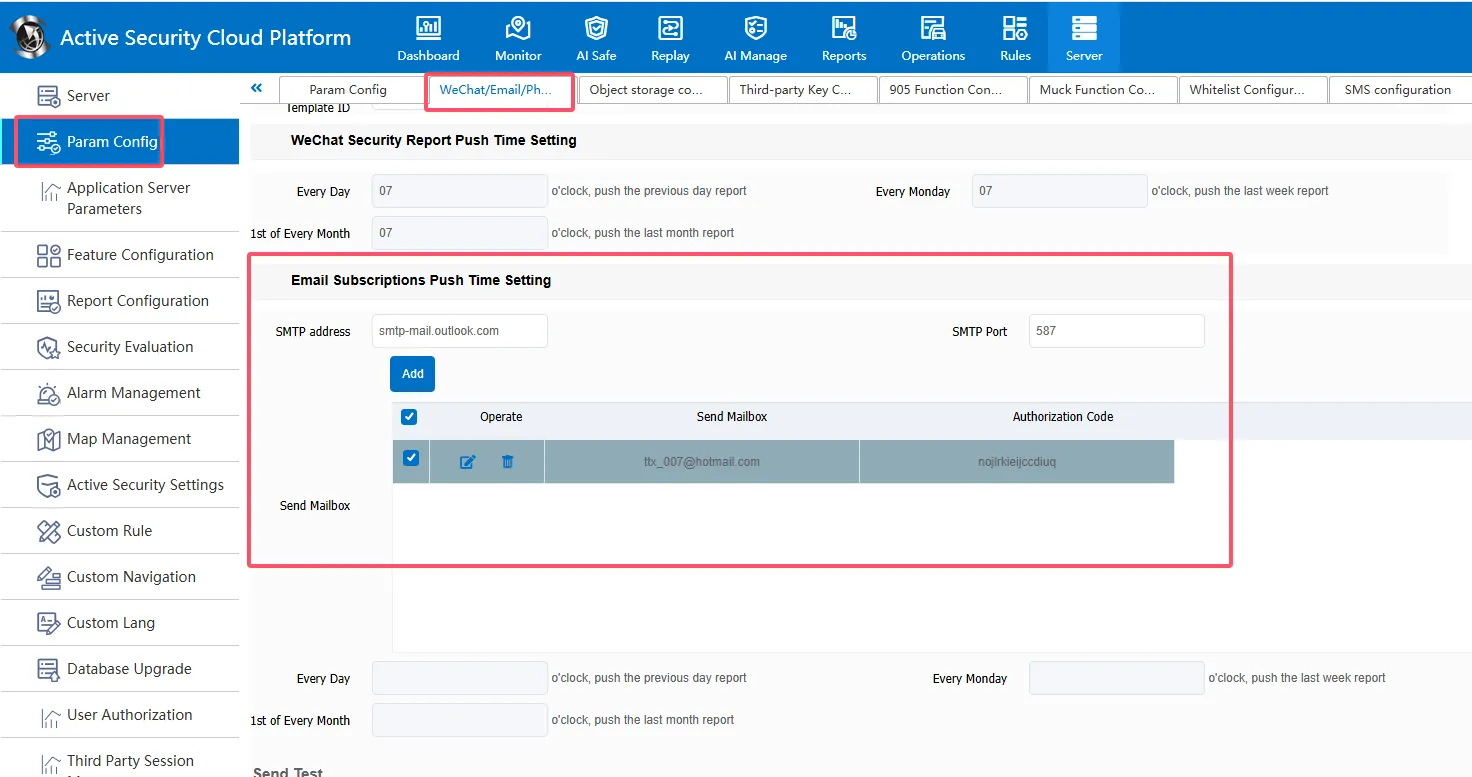
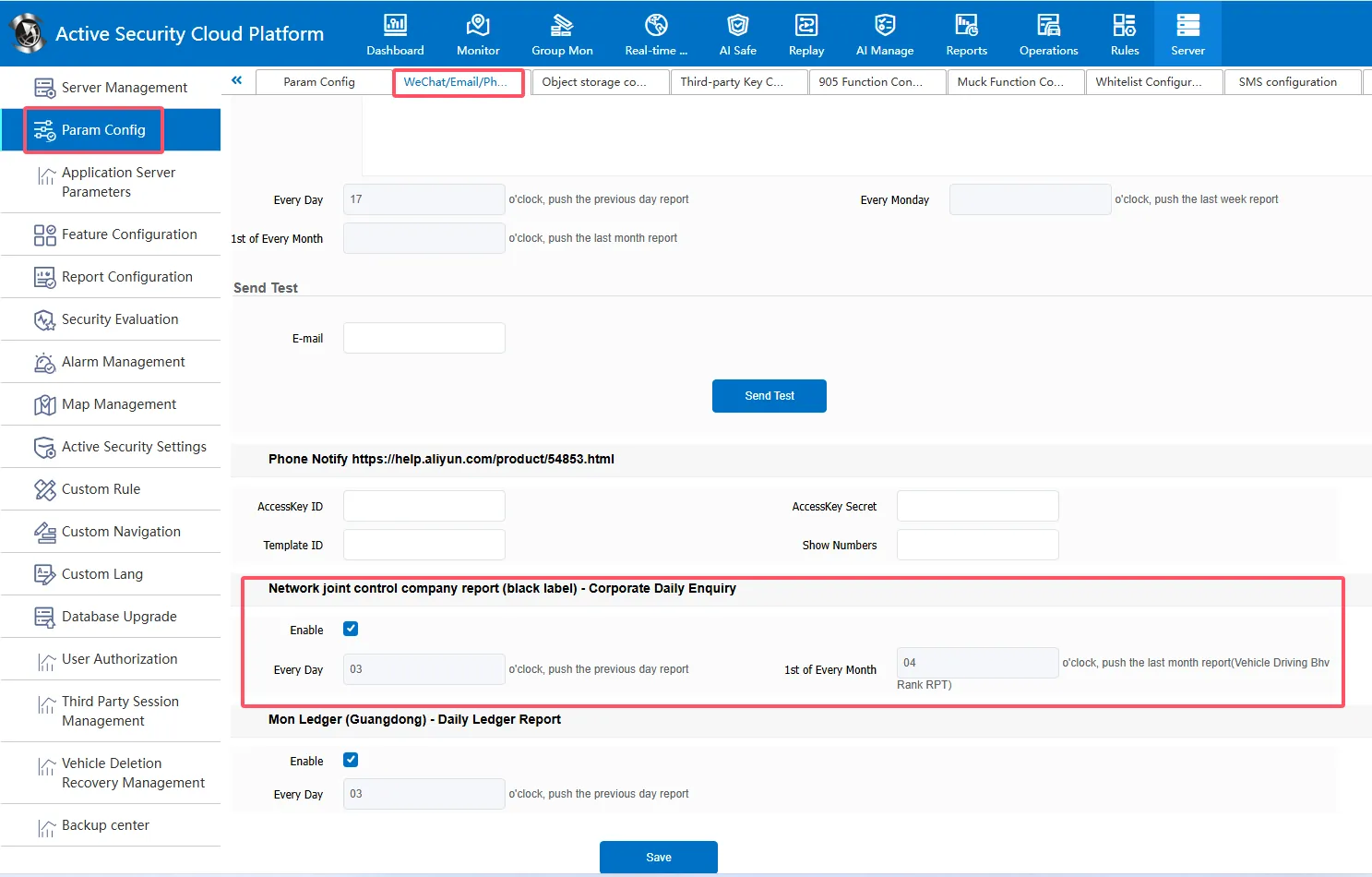
Server Management- Parameter Configuration- WeChat/Email/Phone. First, configure the sending mailbox. You need to configure the SMTP address,SMTP port, sending mailbox, authorization code, and then configure the mail sending time on the first day of each month at the bottom of the **Networking Joint Control Company Report (Black Label). (Note: The sending mailbox has a limit on the daily sending volume and concurrency. You can configure multiple sending mailboxes of the same type. When the mail fails to be sent, use the second mailbox to continue sending)
163 mailbox SMTP address Default: smtp. 163.com
QQ mailbox SMTP address default: smtp.qq.com
2.2 configuration to receive mail information and report selection
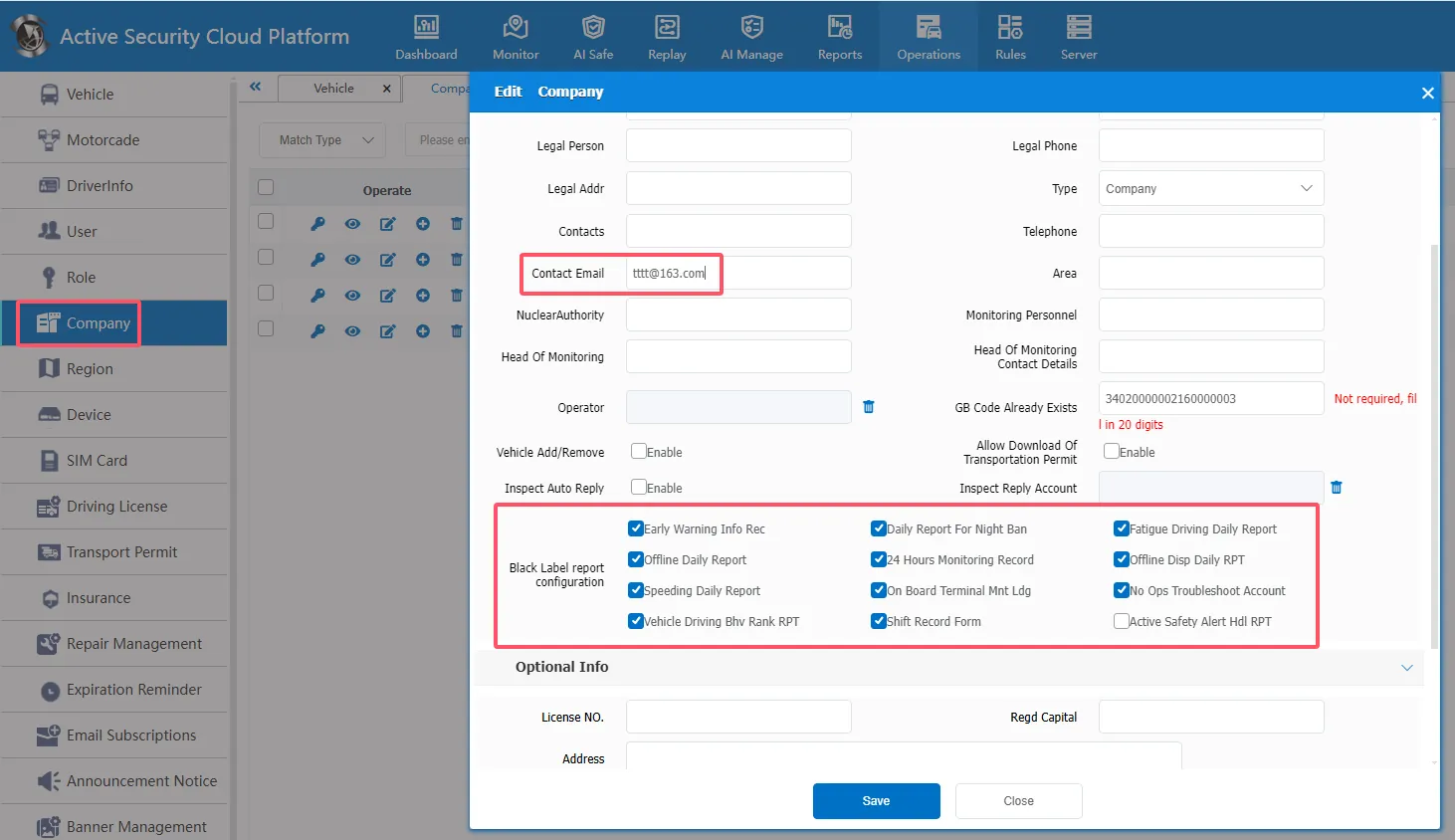
Operations Management- Company Information, you need to configure the mailbox to receive mail in the company information, and you need to check the report in the "Black Label Report Configuration" in the company information. Reports that are not checked cannot send data to the mailbox.
2.3 Black Label Report Email Test Sending
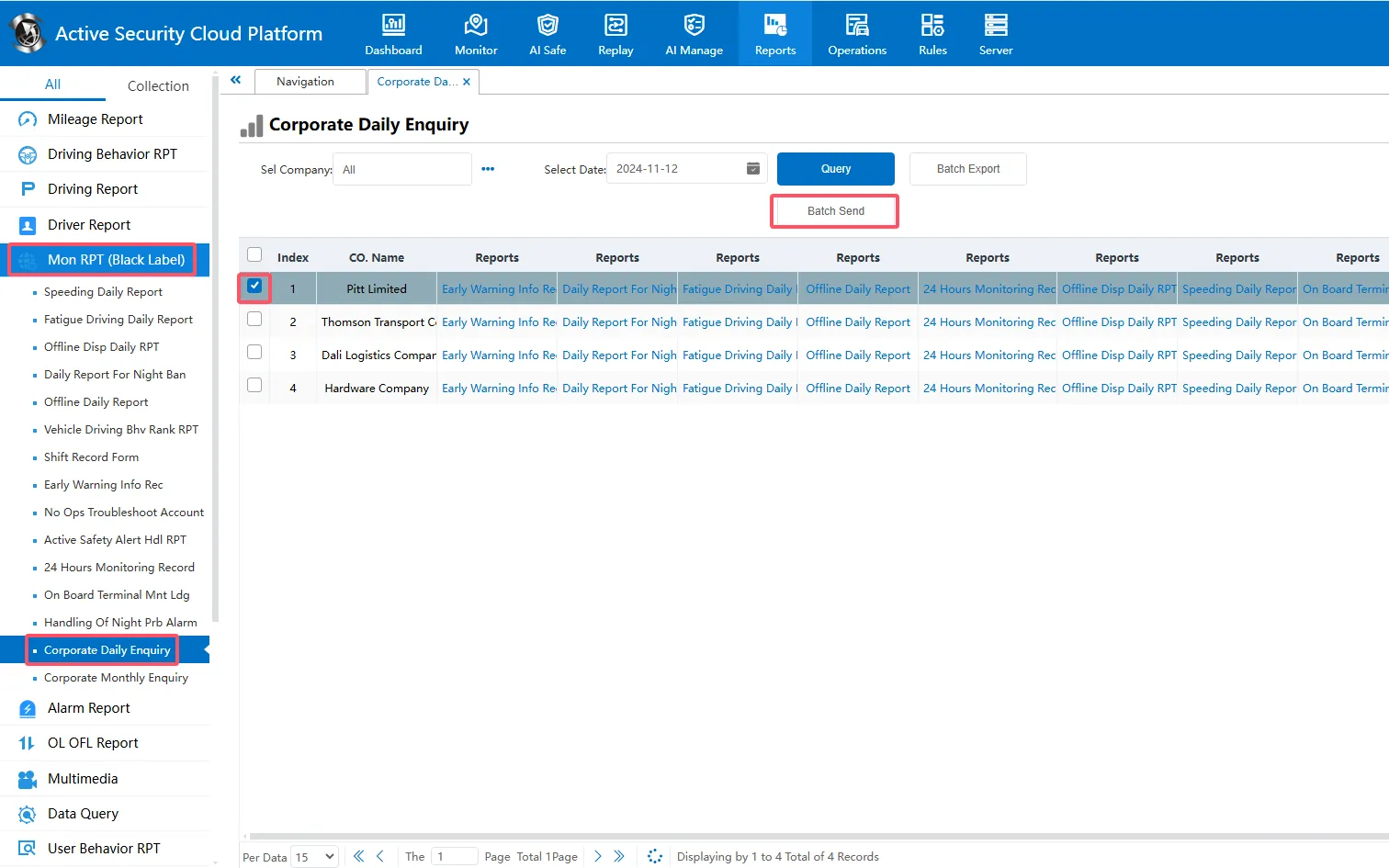
You can check the enterprise directly from the statistical report- supervision ledger report- enterprise daily inquiry and click to send email manually.
