1. Function description
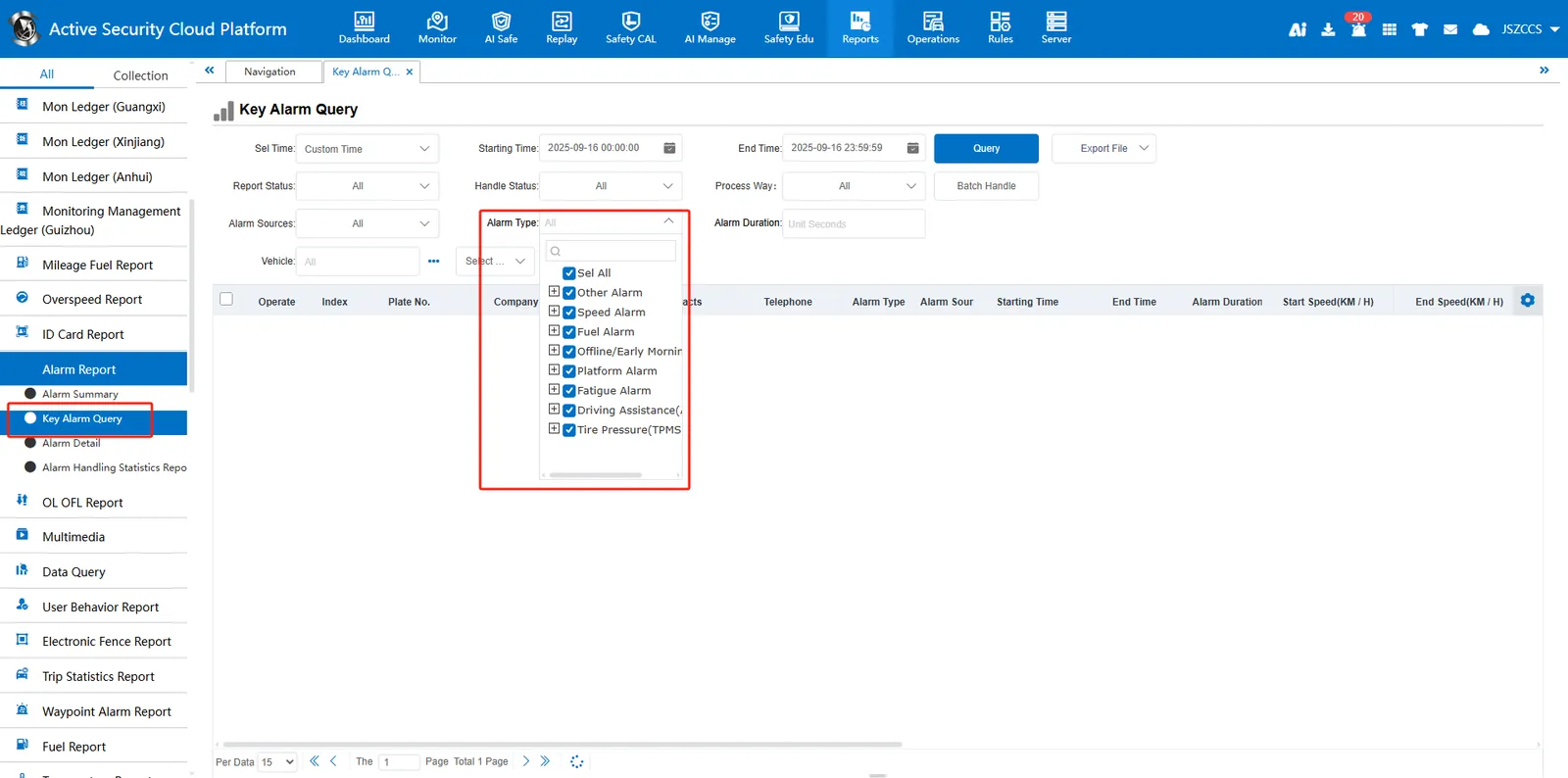
Used for alarm type query of **[Reports]> [Alarm Report]> [Key Alarm Query]. **
2. operating instructions
2.1 function entrance
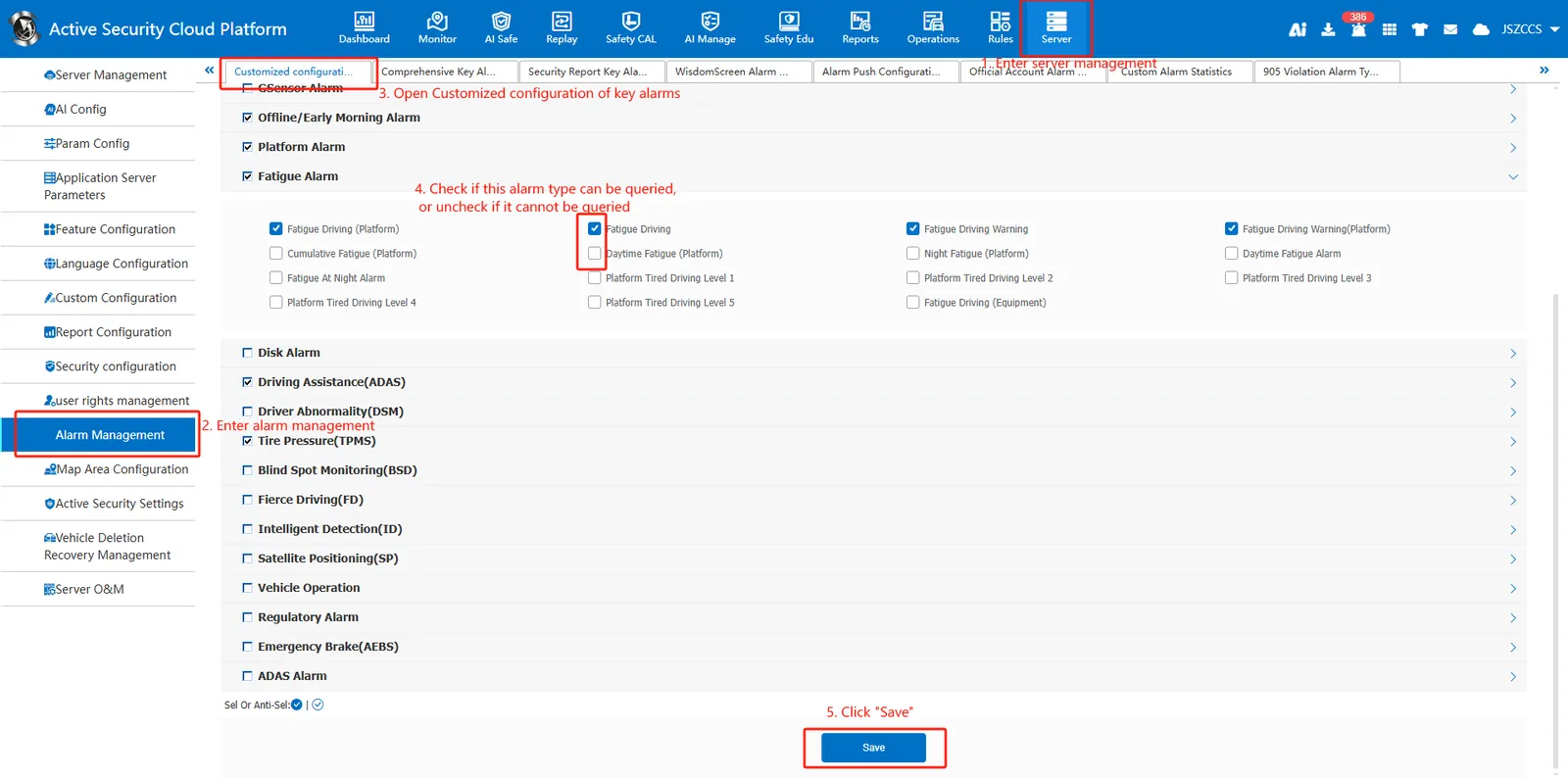
Log in to the admin administrator account and open **[Server Management]> [Alarm Management]> [Customized configuration of key alarms]. **
2.2 configure alarm query type
On the configuration page, Check if this alarm type can be queried, or uncheck if it cannot be queried. Click Save to refresh the page.