1. Function description
Used for alarm type statistics of **[Reports]> [Alarm Report]> [Alarm Handling Statistics Report]. **
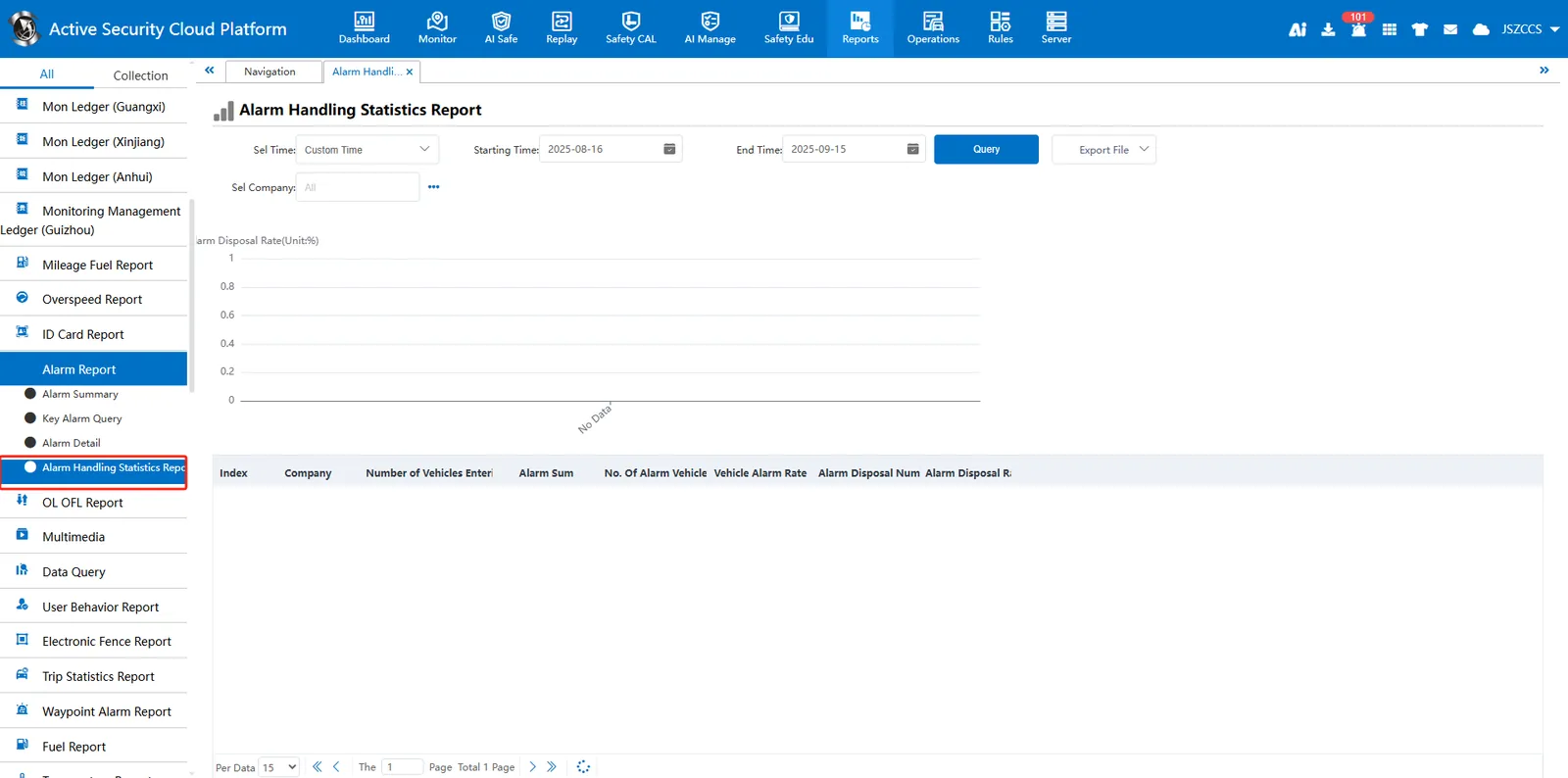
2. operating instructions
2.1 function entrance
Log in to the admin administrator account and open **[Server Management]> [Alarm Management]> [Custom Alarm Statistics]. **
2.2 configure alarm statistics type
On the configuration page, Checking the box indicates that this alarm type will be counted, while not checking the box indicates that this alarm type will not be counted. Click Save to refresh the page.
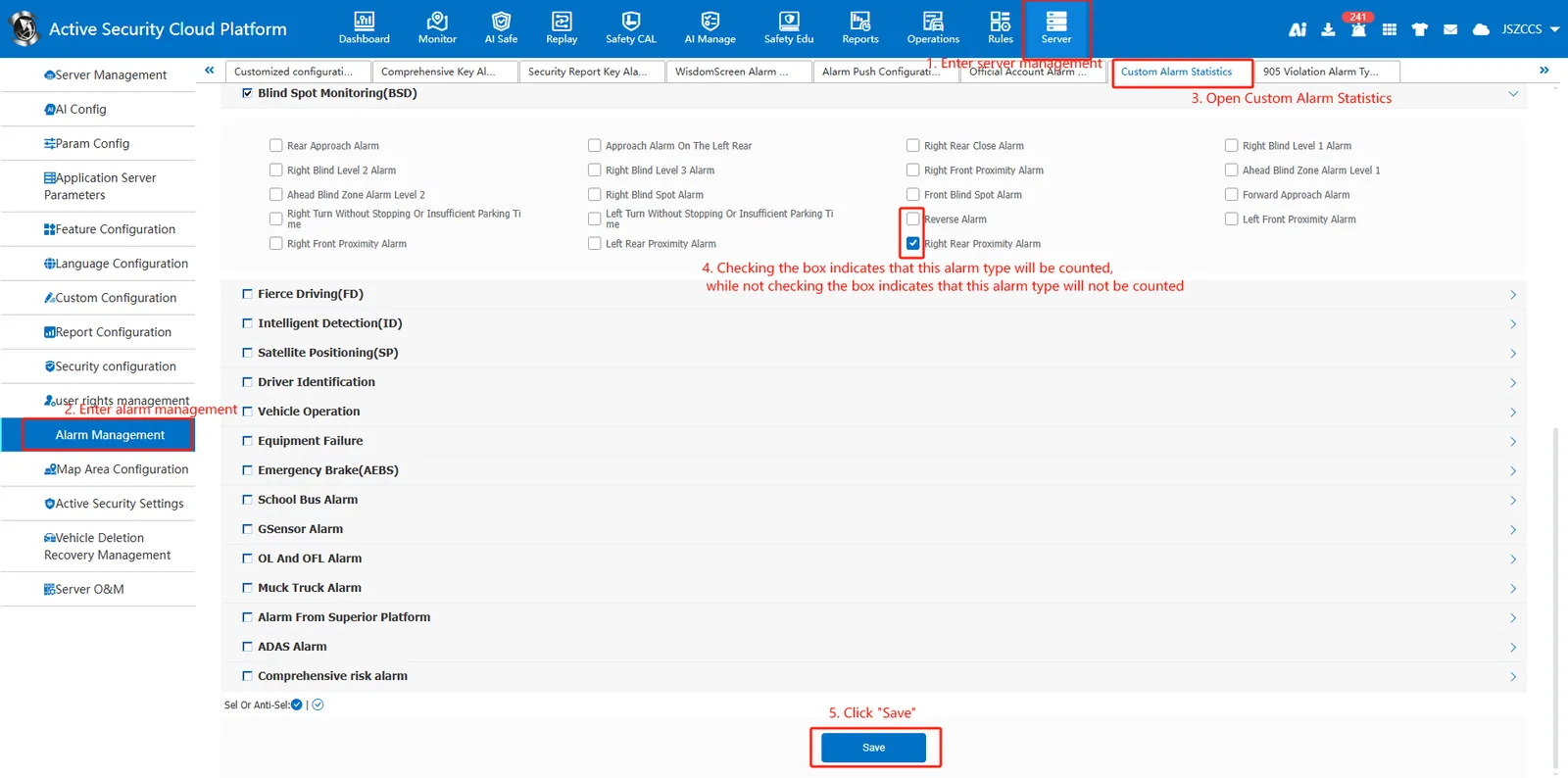
Note: The current modification configuration will not change the historical statistical disposal rate.
