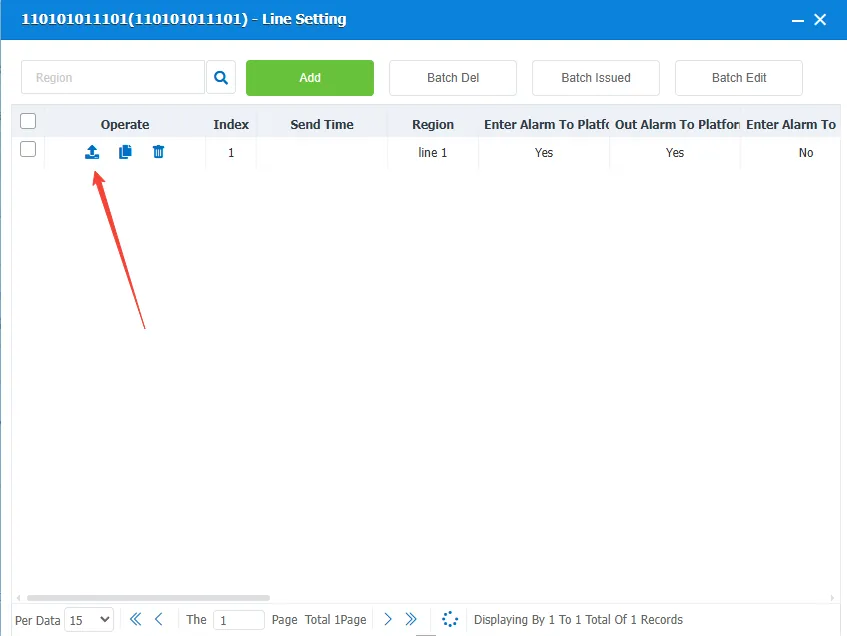
1 Function description
The platform performs line setting on the terminal by sending a line setting message. The terminal judges whether the alarm condition is satisfied according to the line attribute. Alarms include overspeed alarms, incoming and outgoing route alarms, and alarms for insufficient or excessive travel time on road sections.
2 operating instructions
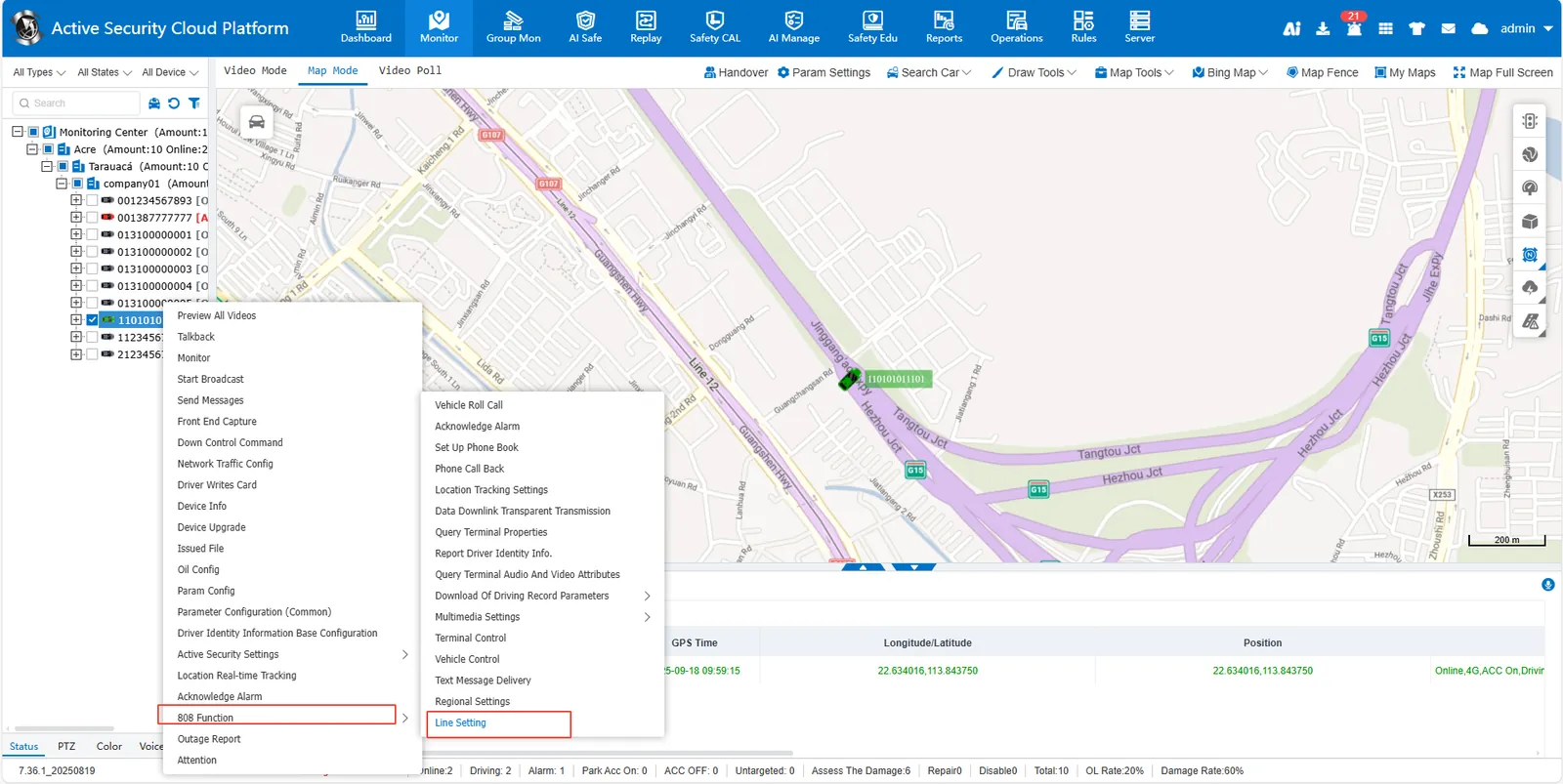
2.1 right- click the target license plate number in the monitoring center list, [808 function]> [Line Setting]
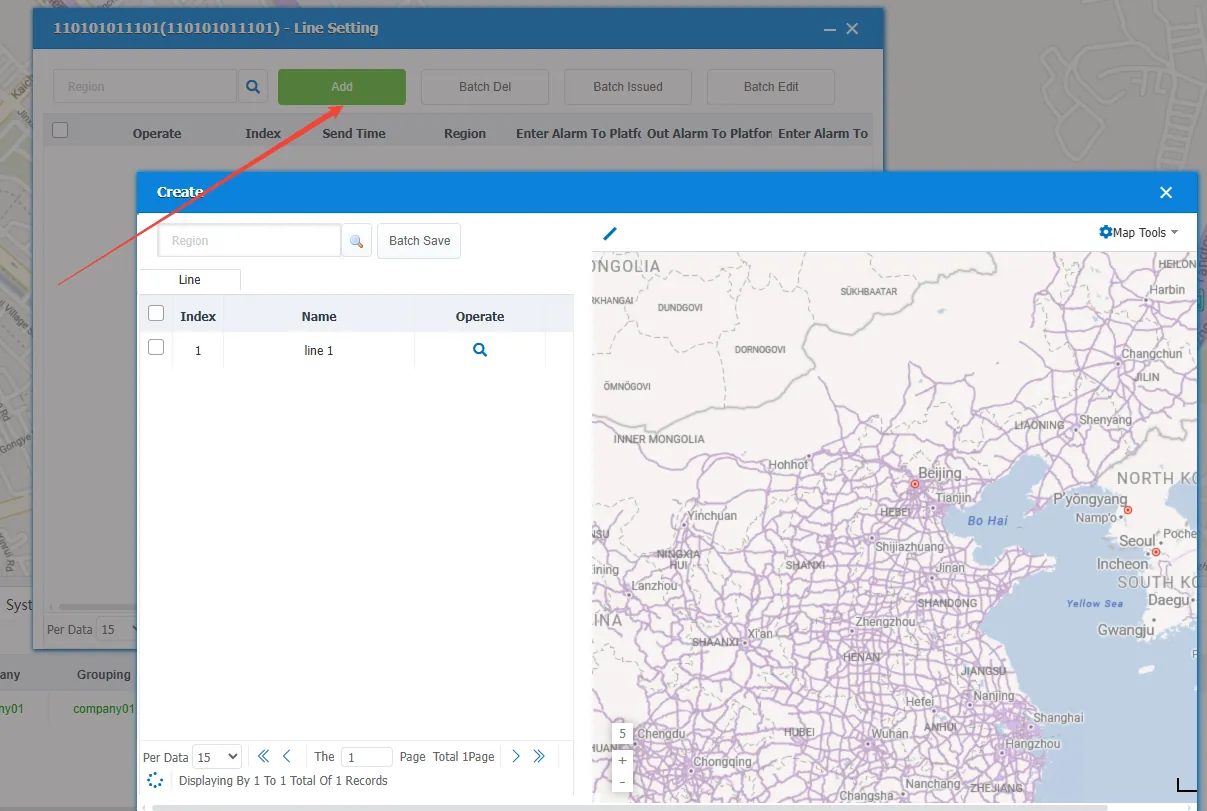
2.2 add line
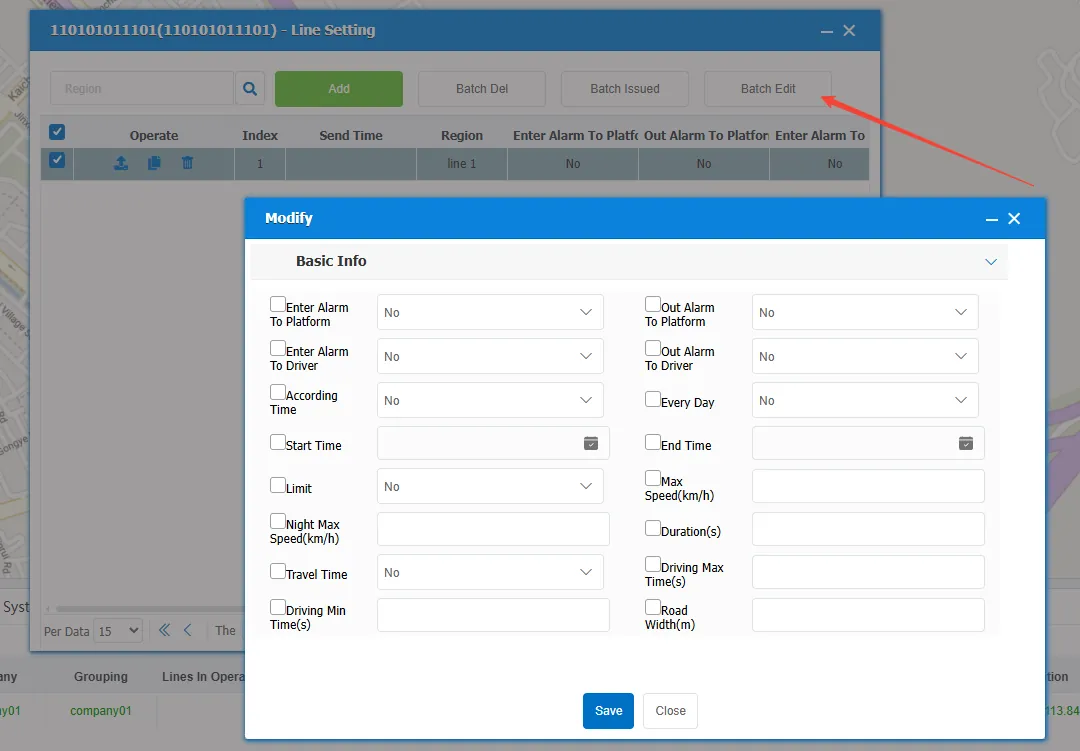
2.3 setting line properties
2.4 Send the line to the device
 : issue to the current device
 : issue to other vehicles in bulk
 : Delete the line saved on the device