1 Function description
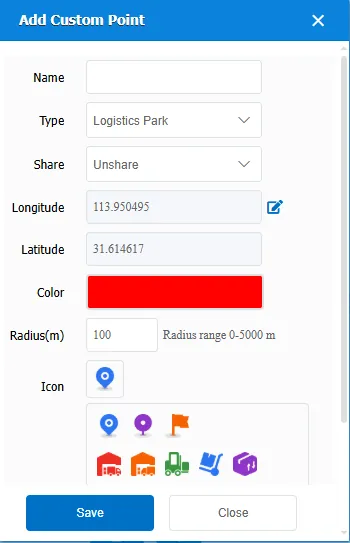
Add custom points to the system as needed, which can be used as related electronic fences later.
2 operating instructions
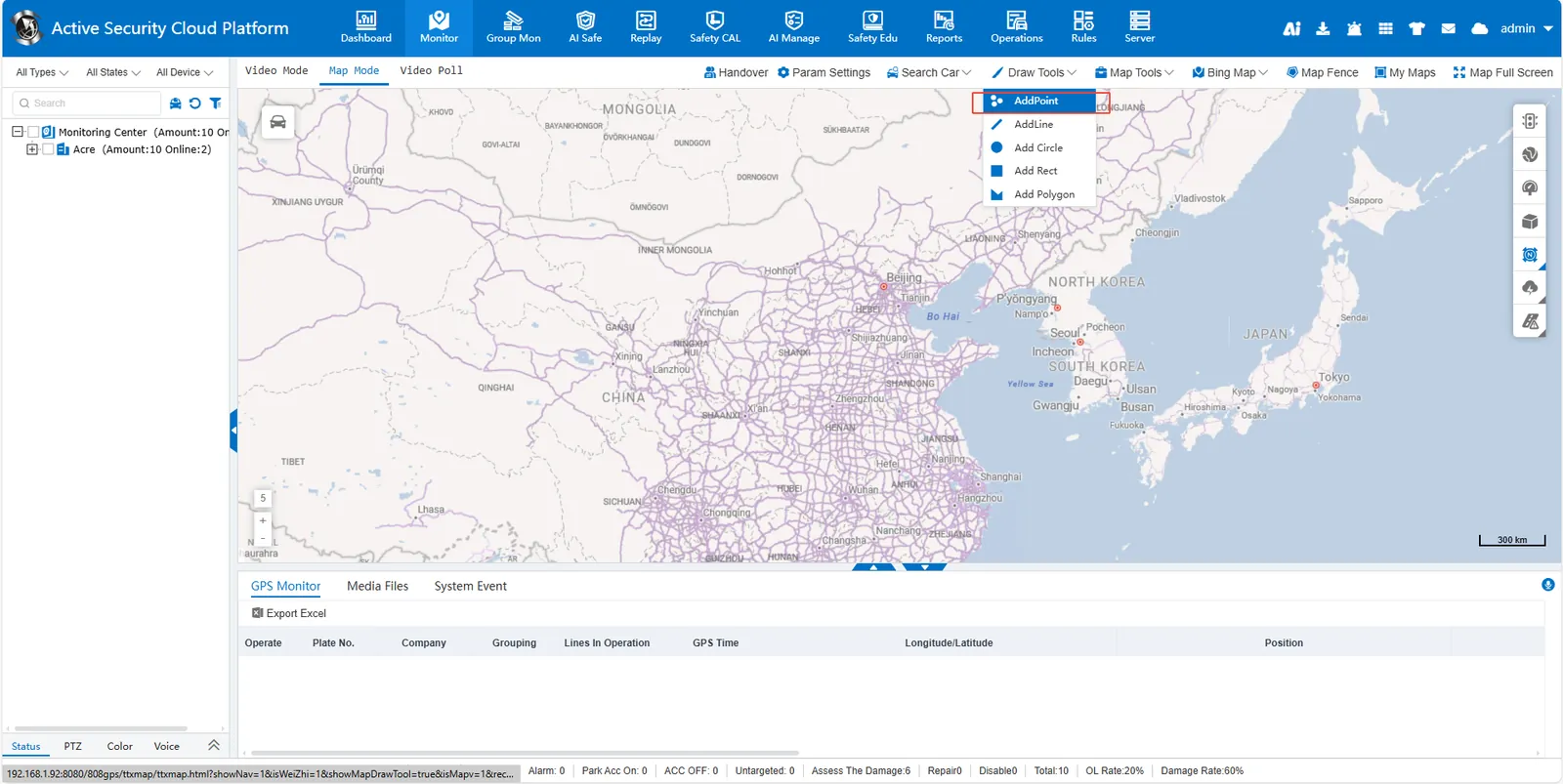
Click ** [Draw Tools]> [AddPoint] ** at the top of the map to calibrate the position on the map. in the pop- up small window, follow the prompt to complete the corresponding content. The saved points can be viewed and edited in my map.