1 Function description
- The platform is provided with circular area, rectangular area and polygonal area electronic fence, and the area is distributed to the terminal to set the terminal area. The terminal determines whether to trigger an alarm according to the area attribute.
- Alarm type: area overspeed alarm, entry and exit area alarm.
2 operating instructions
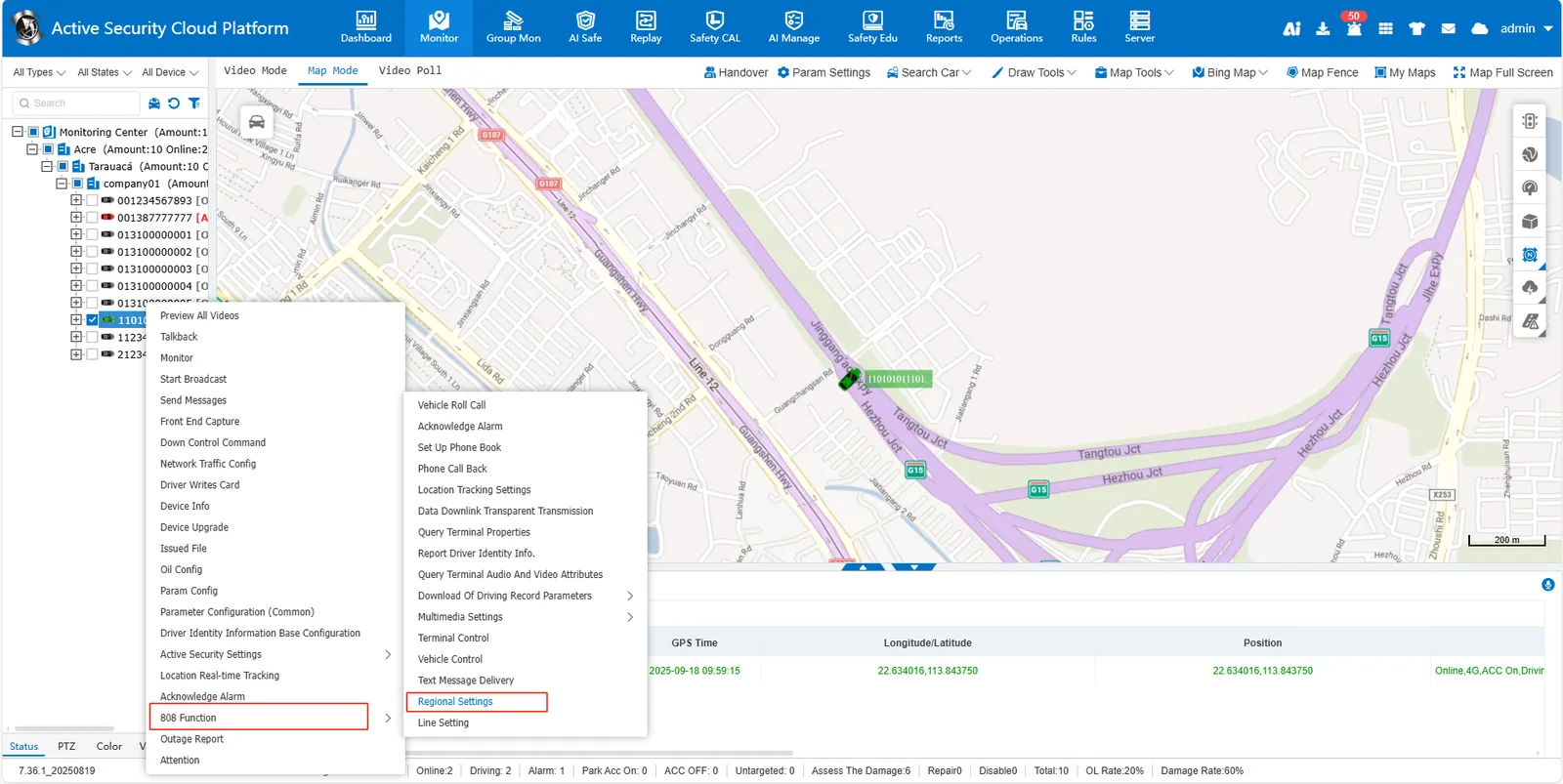
2.1 right- click the target license plate number in the monitoring center list, [808 Function]> [Regional Setting]
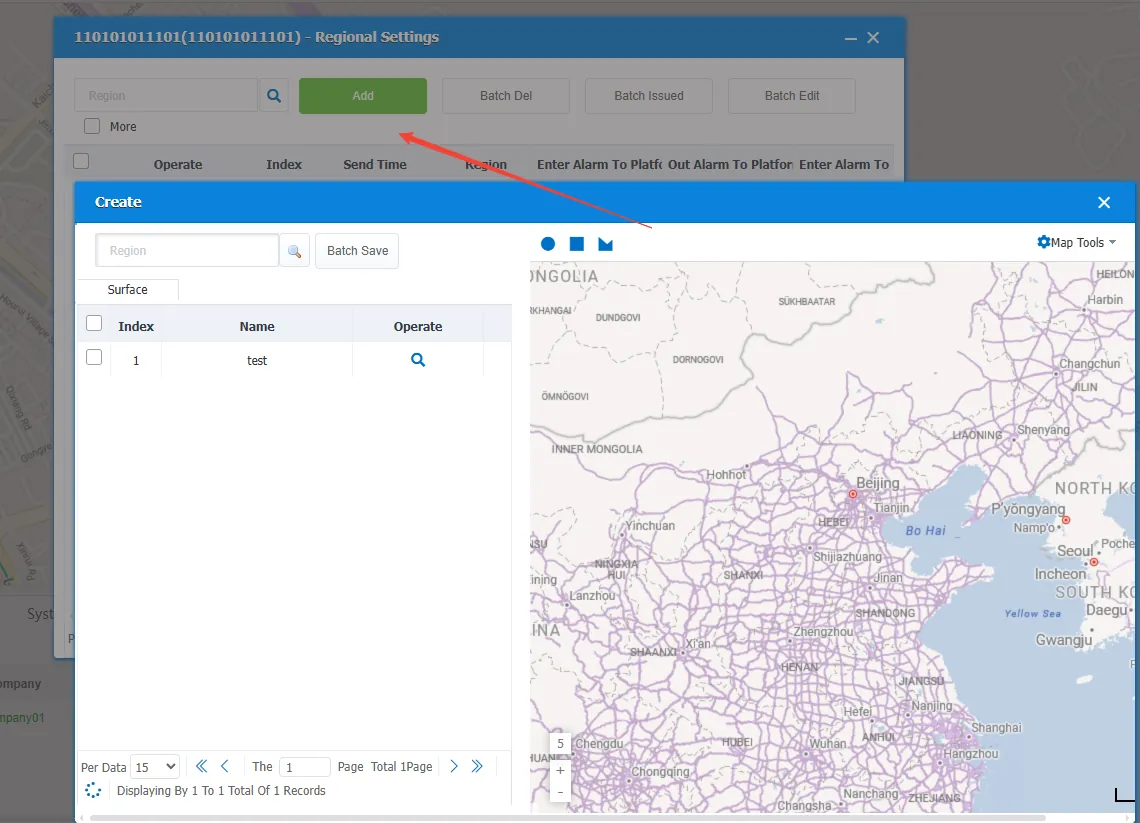
2.2 add area
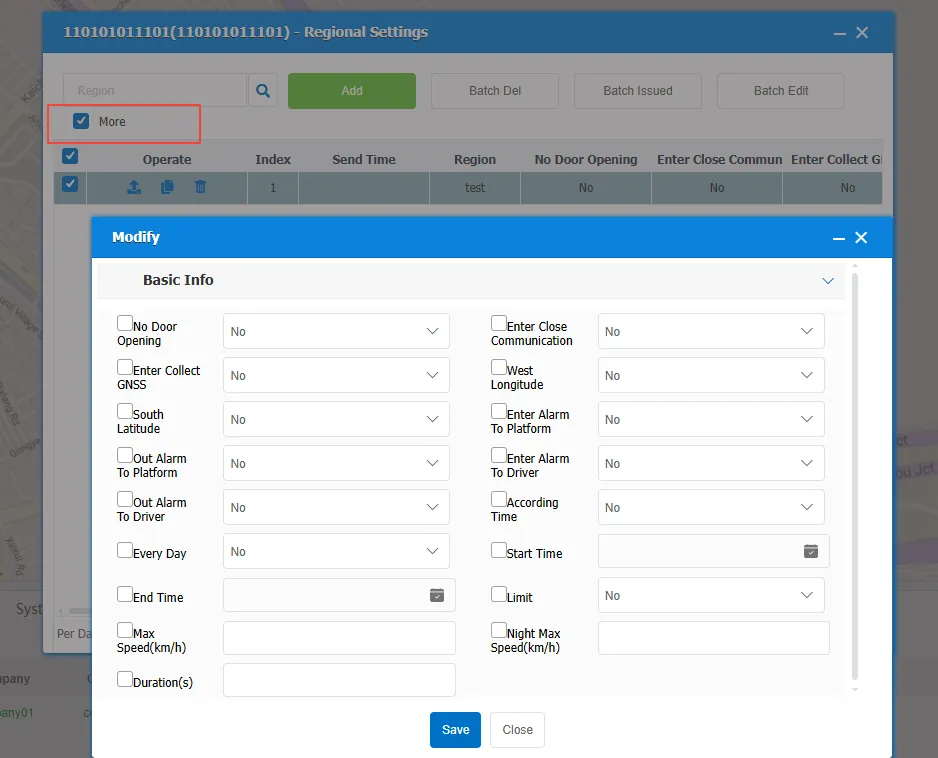
2.3 setting zone properties
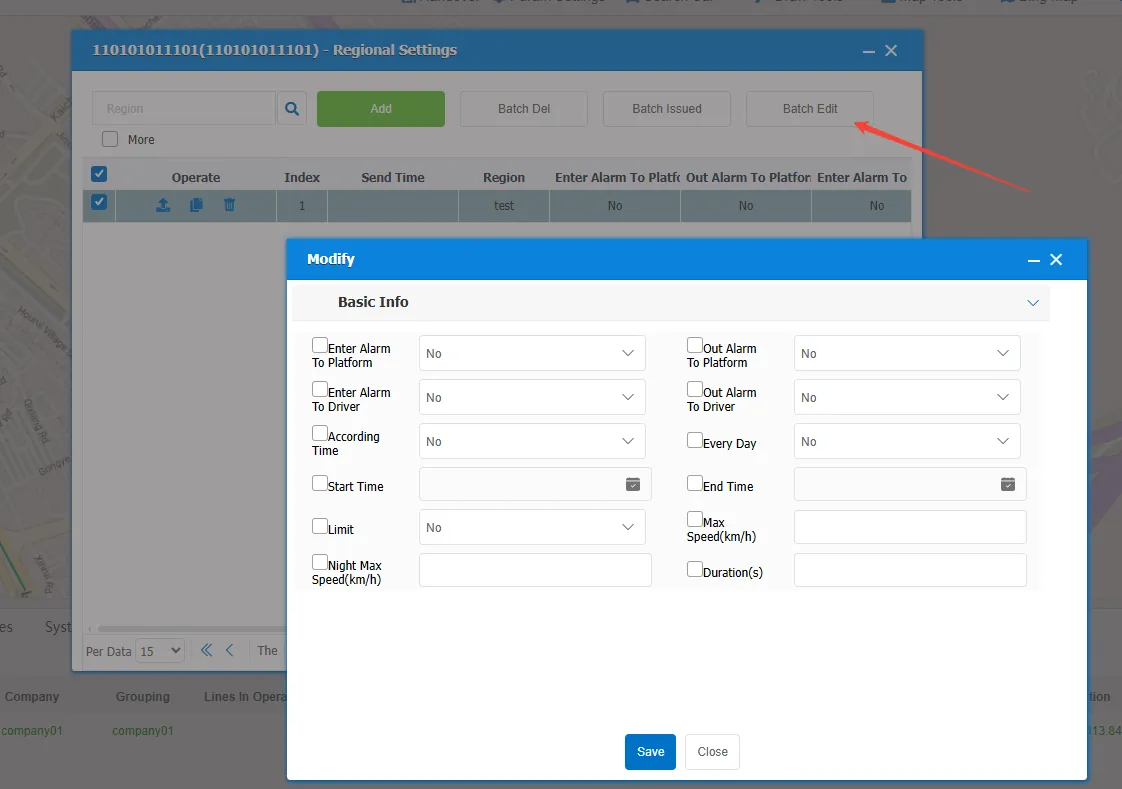
Check more, all area properties will be displayed
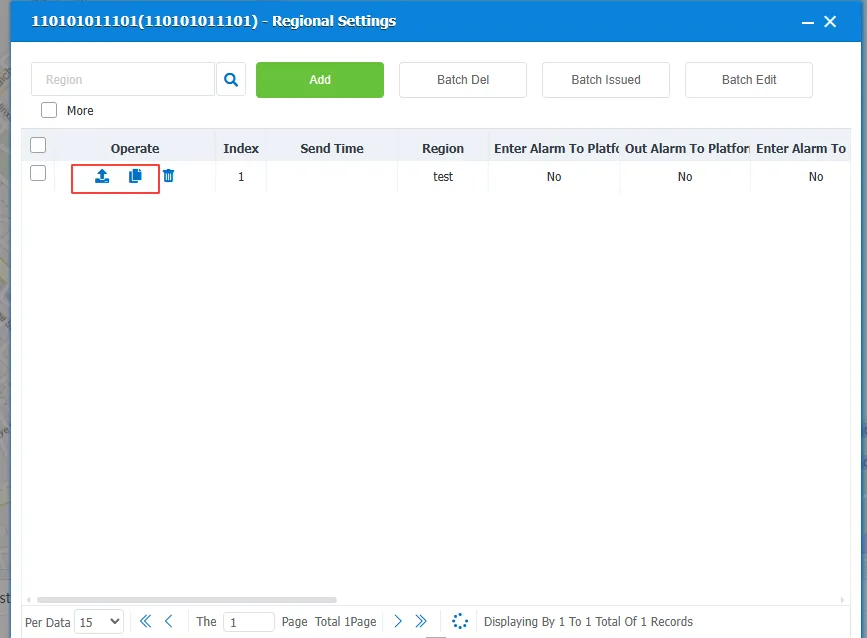
2.4 to distribute the area to the device
 : issue to the current device
 : issue to other vehicles in bulk
 : Delete the area saved on the device