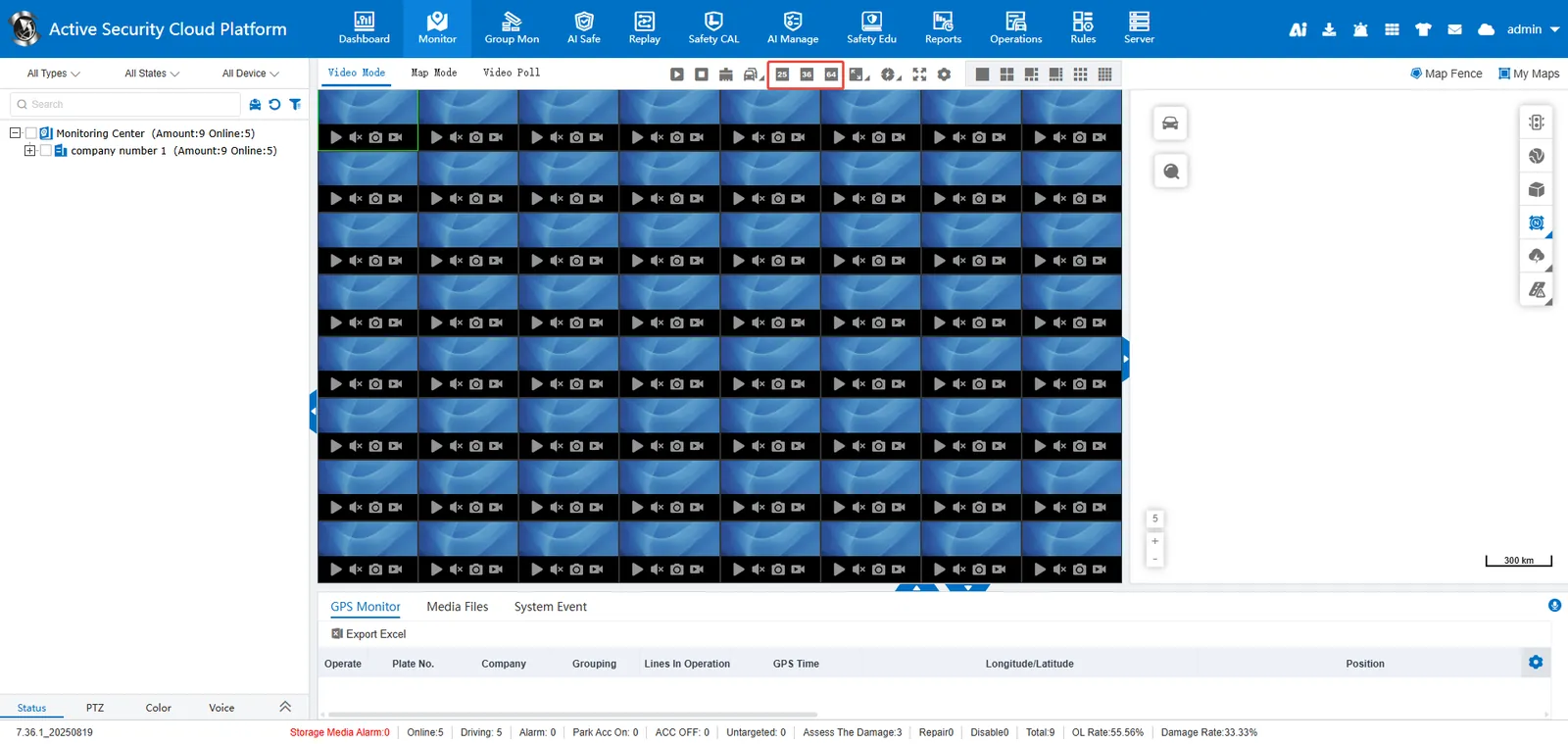
1. function description
When the default maximum of 16 screens on the web side does not meet the requirements, the corresponding configuration item can be enabled in the background to support the maximum of 64 screens.
2. operating instructions
-
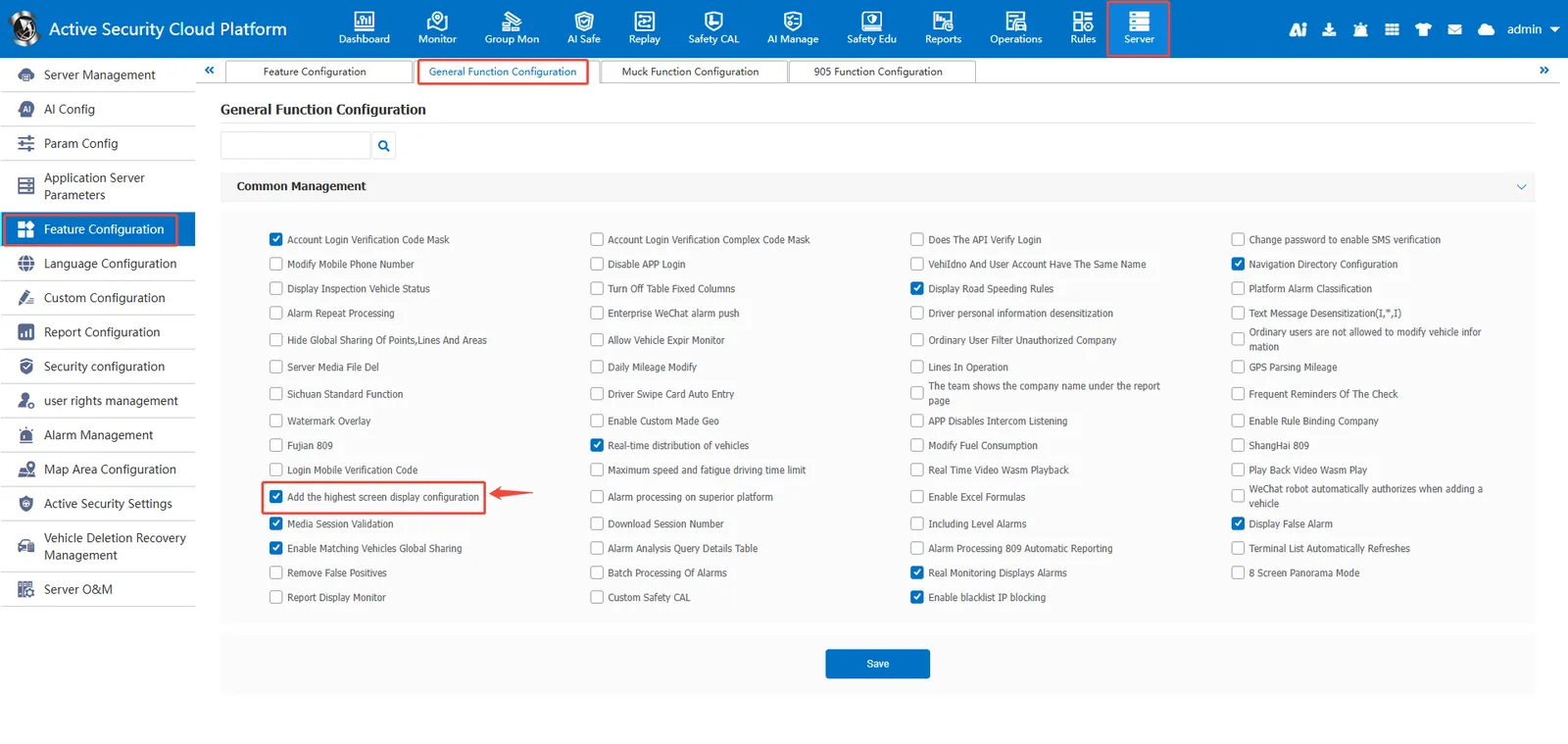
login to the platform with admin account, enter ** [server management]> [function configuration]> [general function configuration] **, and check "add the highest screen display configuration";
-
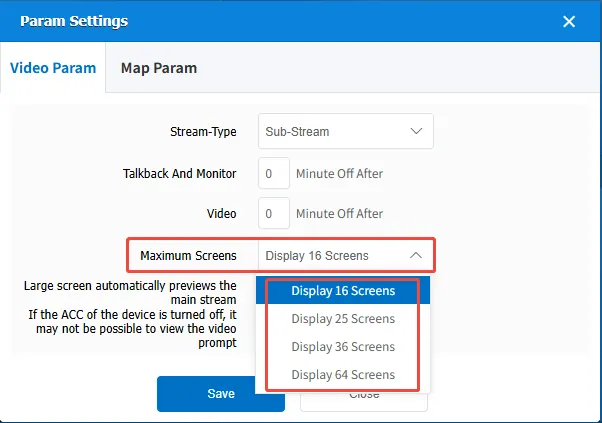
Enter [Video Mode] [Parameter Setting] [Video Parameters] [Display Highest Picture] and select ** 16/25/36/64 ** picture;
-
the maximum can display 64 pictures.