1. function introduction
The client actively initiates a two- way voice intercom to the terminal device (both parties can talk to each other).
2. operating instructions
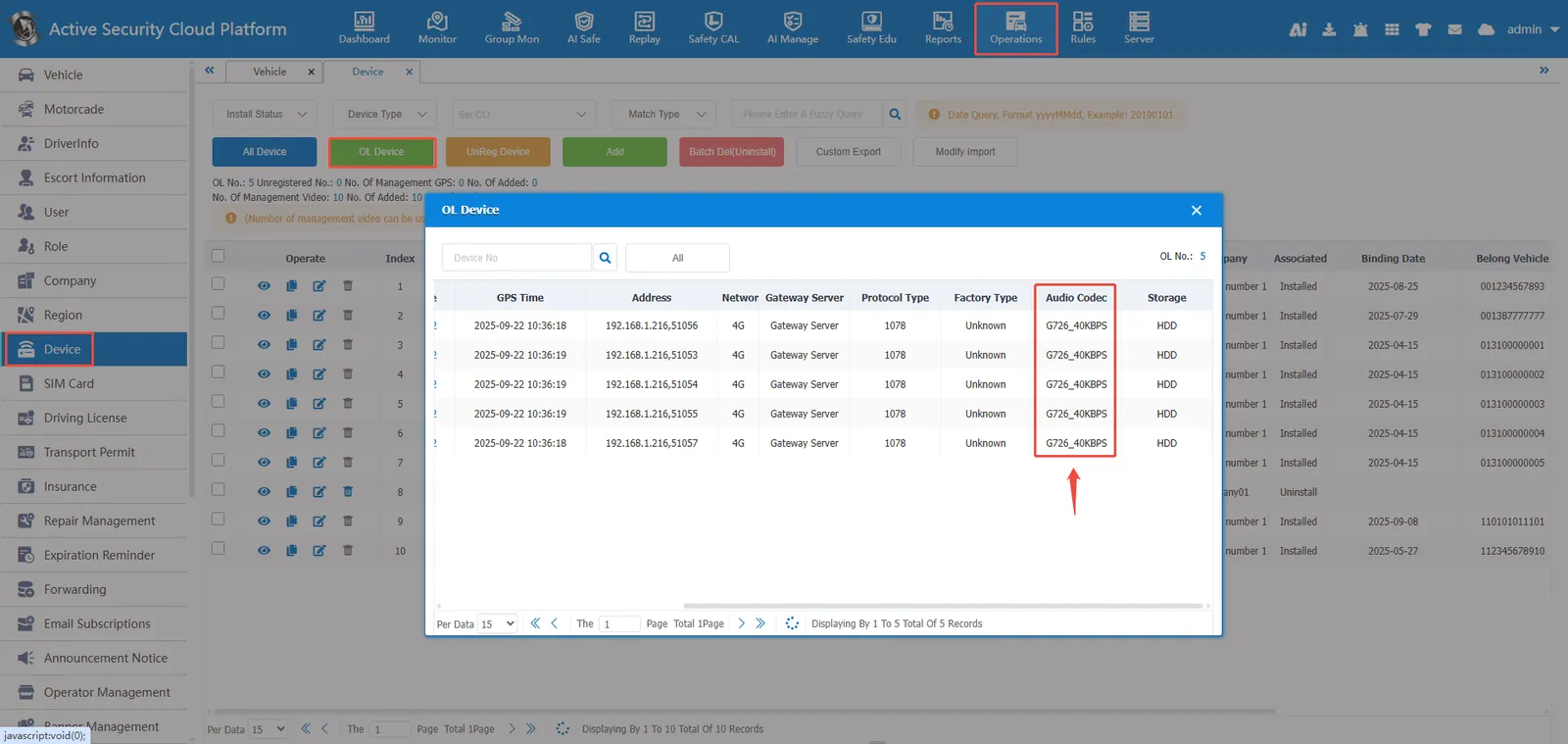
2.1 to view the current audio format of the device;
Enter [Operation Management]> [Equipment Management]> [Online Equipment], search for the corresponding equipment number and check the audio type. If it is not displayed, consult the equipment manufacturer;
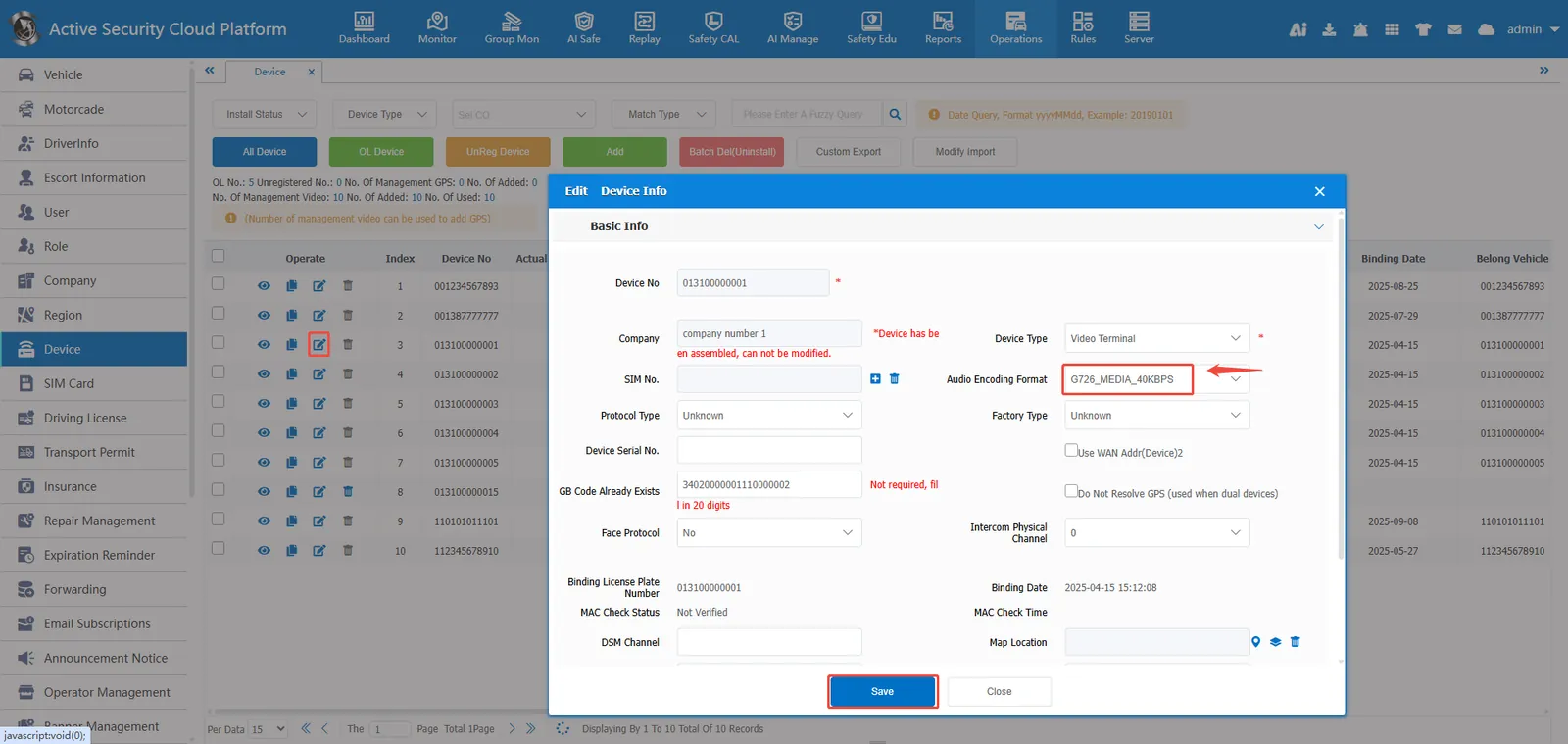
2.2 the audio format in the configuration platform device information;
Enter [Operation Management]> [Device Management]> [Edit] to configure the audio format that the device can support. The platform will send audio data in this format to the device so that the device can decode normally;
2.3 start two- way intercom;
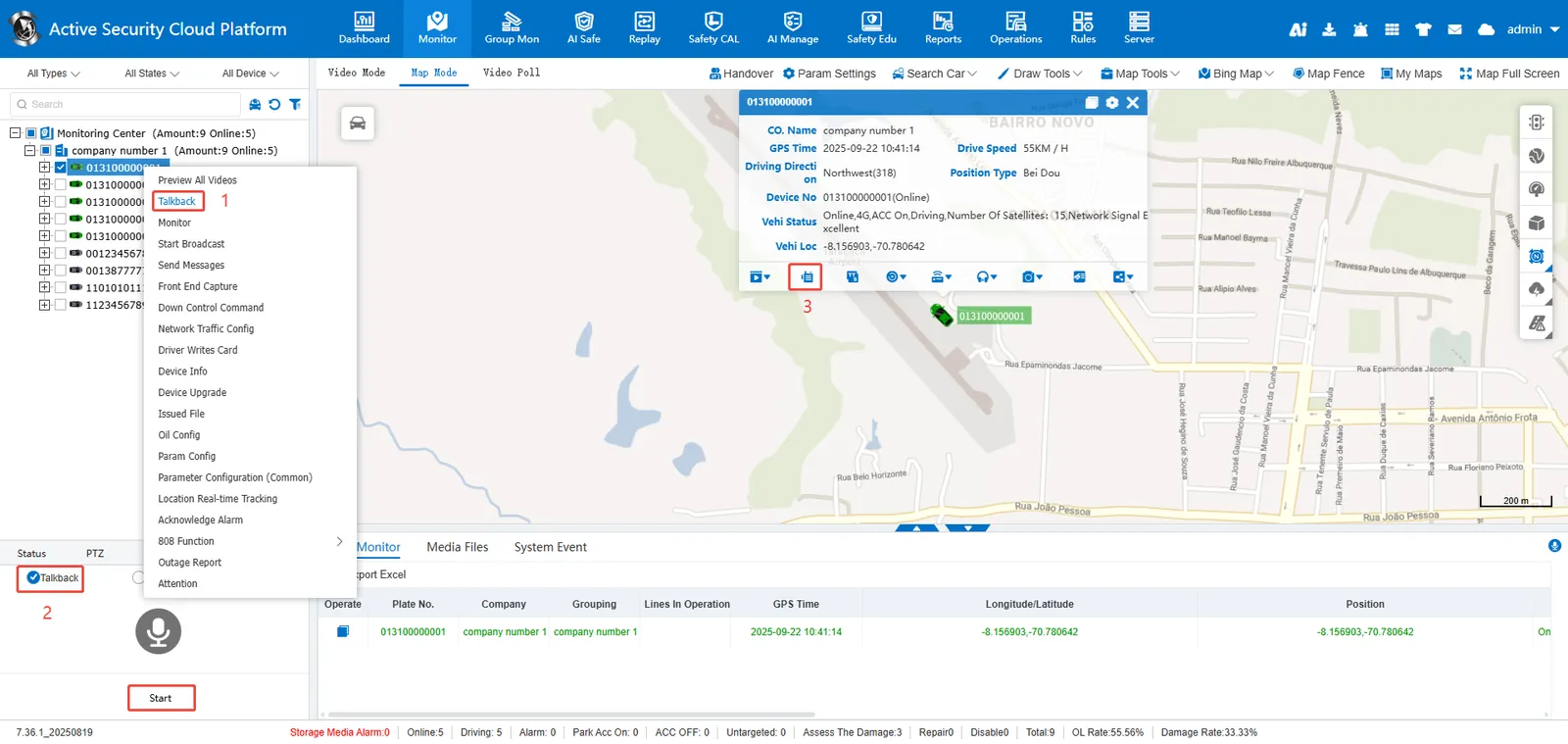
Enter [Real- time Monitoring] to initiate intercom in the following 3 ways:
A. in the vehicle monitoring tree select the vehicle> right click> start intercom
B. in the vehicle monitoring tree check the vehicle> [voice]> [intercom]> [open]
C. click [intercom] in the map bubble
2.4 precautions;
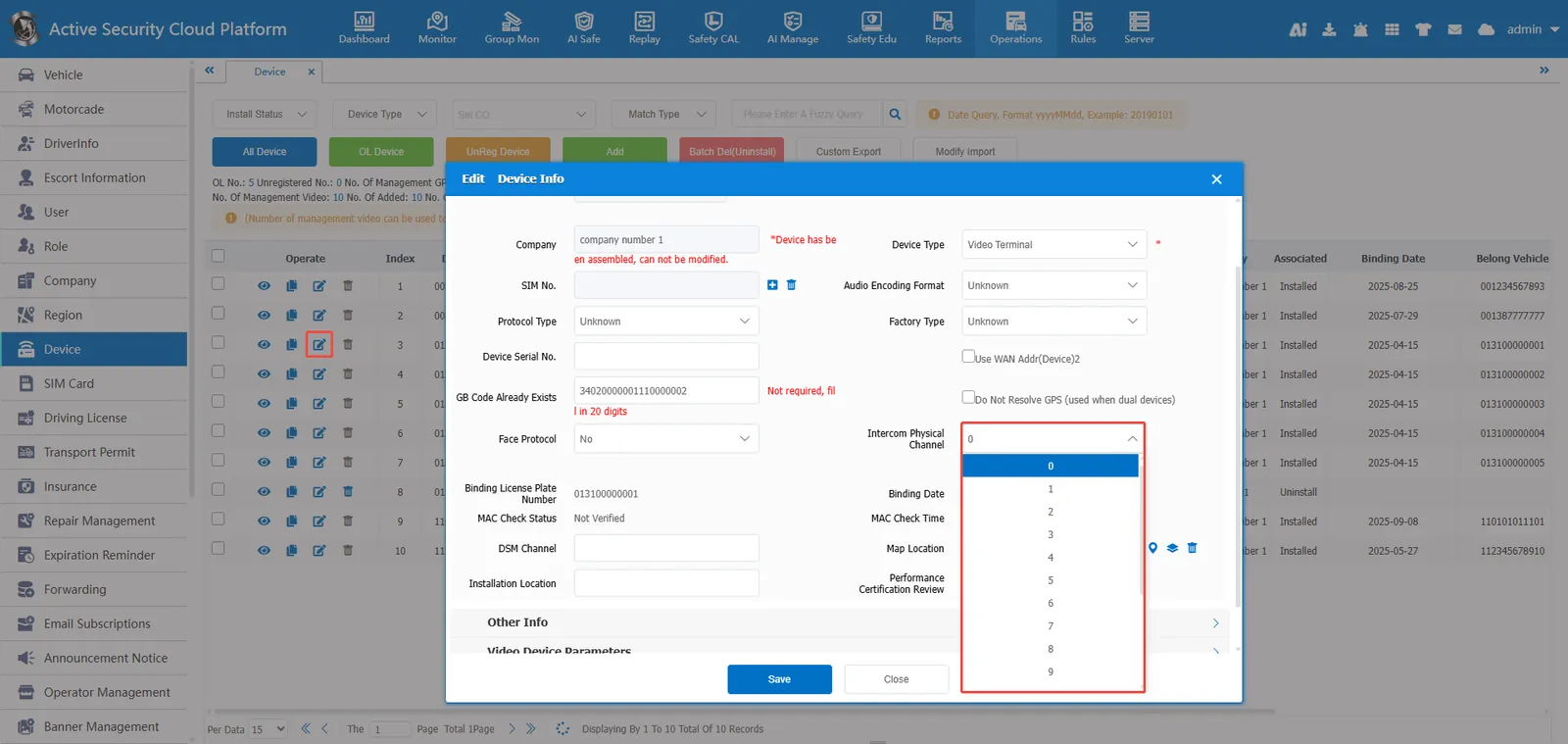
The intercom channel distributed by the platform by default is logical channel 1 (corresponding to CH1). If the device actually supports intercom on other channels, you can modify the intercom physical channel in the following ways:
Enter [Operation Management]> [Device Management]> [Edit] [Basic Information] and select the physical channel of intercom.
Default channel correspondence:
0 - - - - CH1
1 - - - - CH2
2 - - - - CH3
3 - - - - CH4