1. Function description
Video saved while watching live video
2. Operating Instructions
2.1 Open the server software, select "Streaming Media Server", open the storage server configuration, change the storage real- time video of recording parameters to "YES", and then click Save;
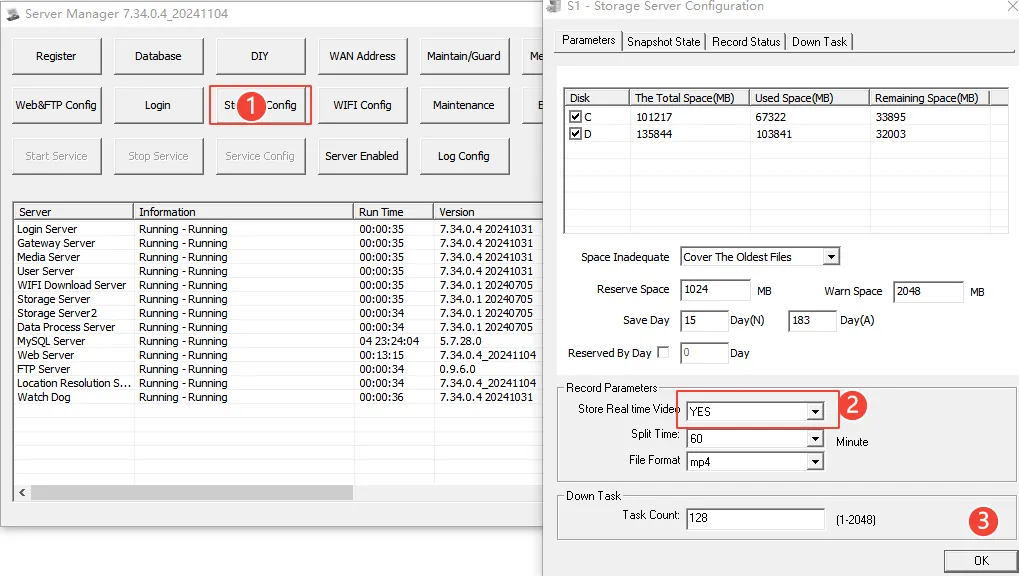
After the configuration is saved, restart the streaming coal body server.
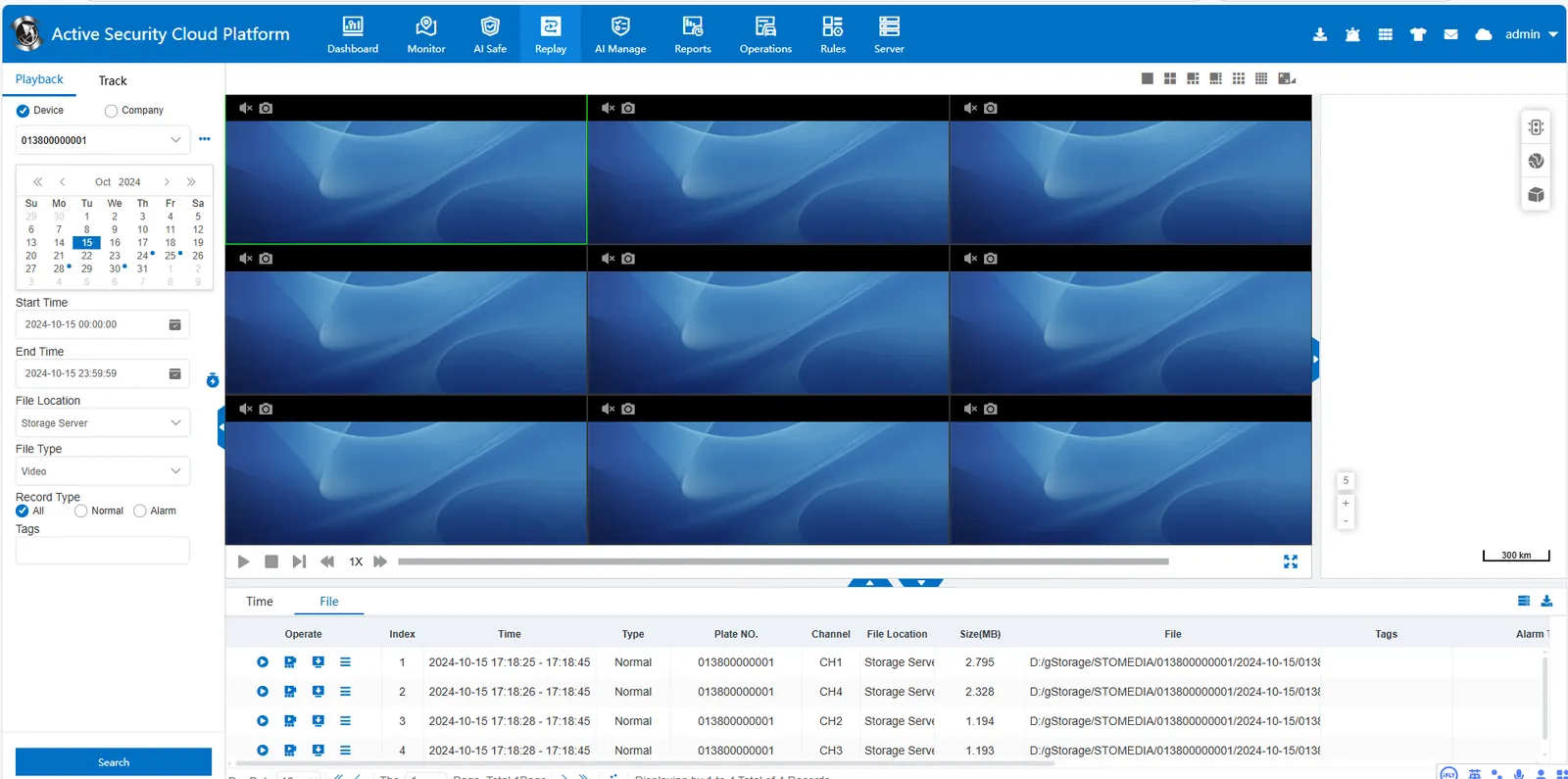
3. On the "Video Playback" page, select the vehicle and time of the terminal equipment, and select "Storage Server (Video)" for the file location"
4. Notes
Pay attention to disk space, saving live preview video will take up a lot of space
