1. Function description
The device video is uploaded to the server in real time.
2. operating instructions
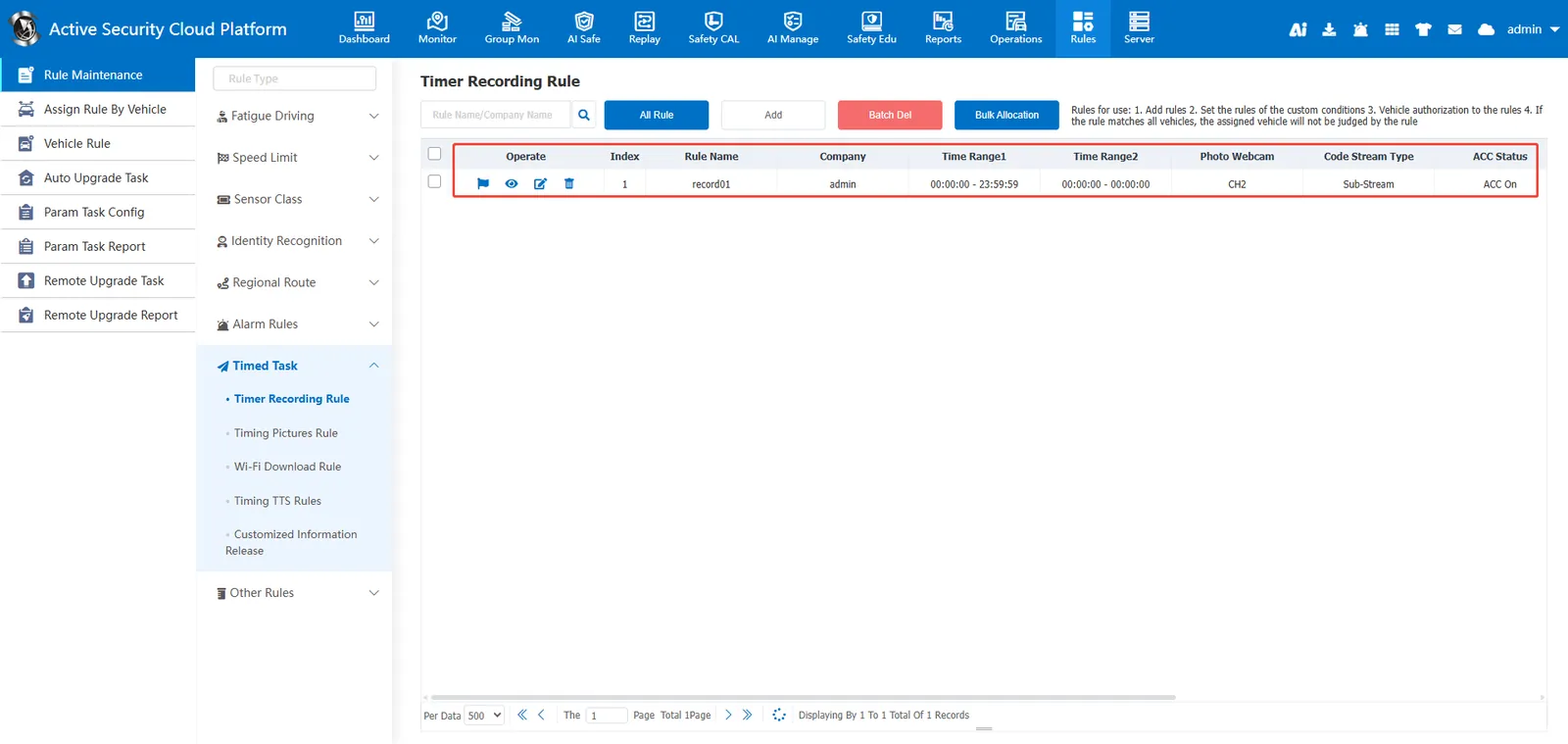
2.1 Rule Management- Timer Recording Rules
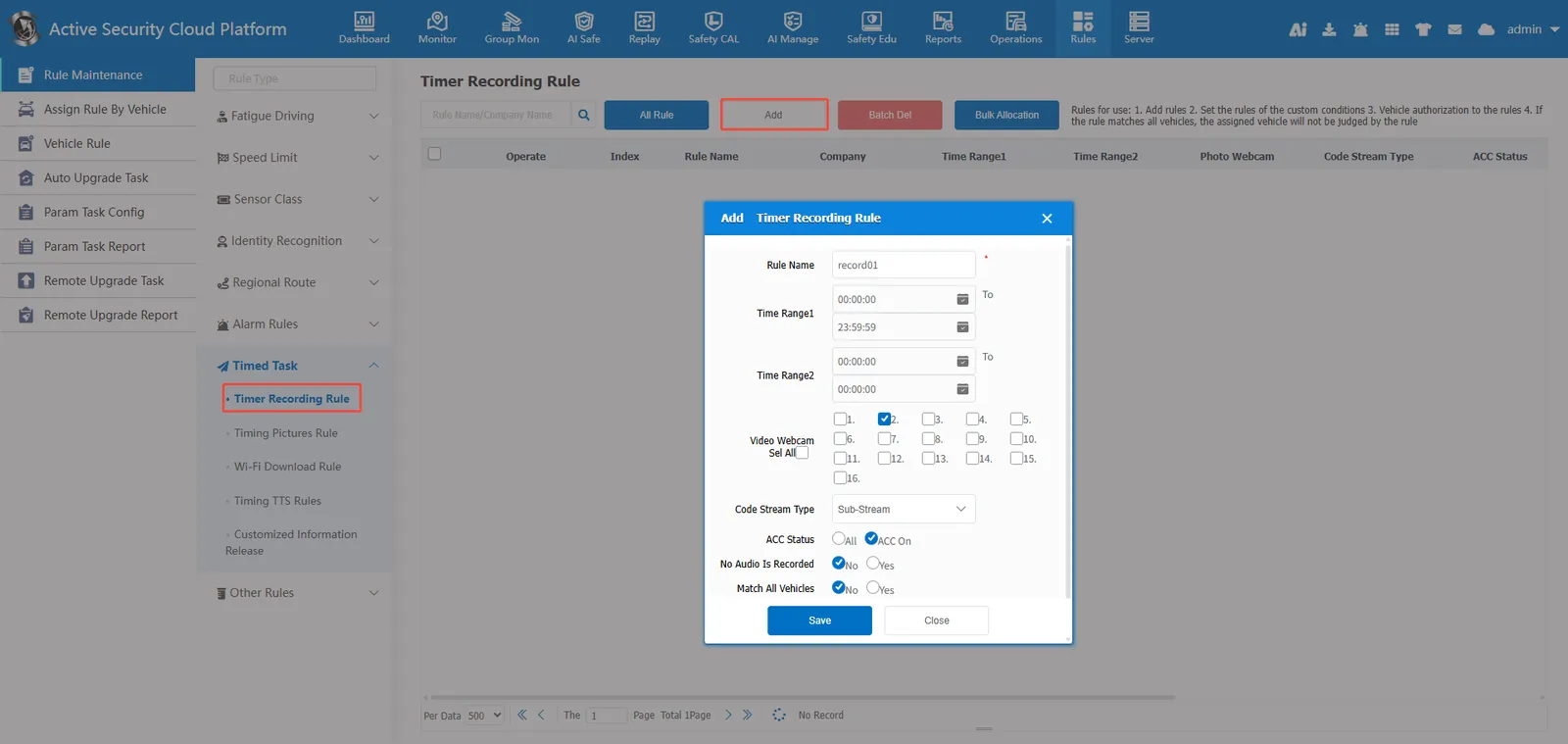
Add Timer Recording Rules
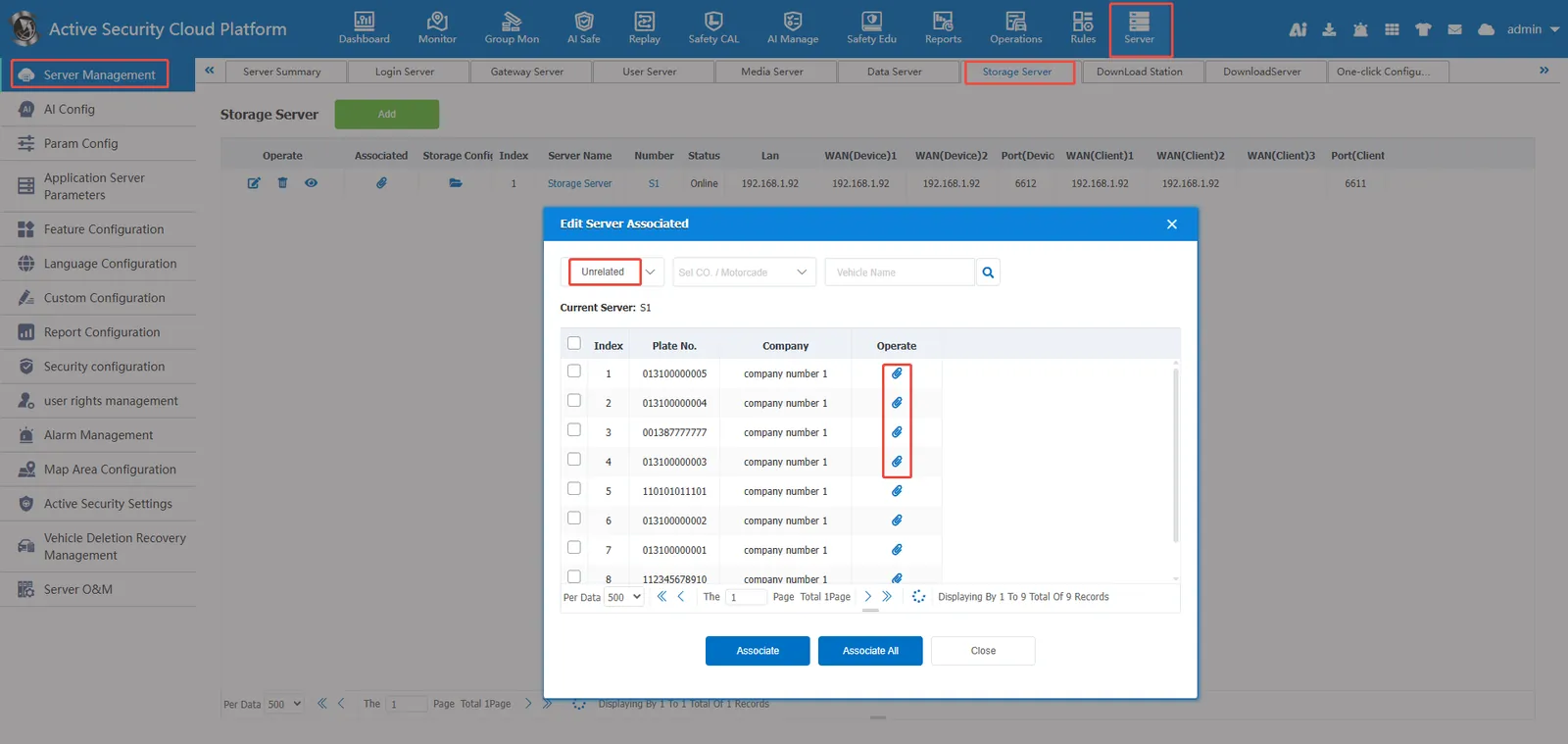
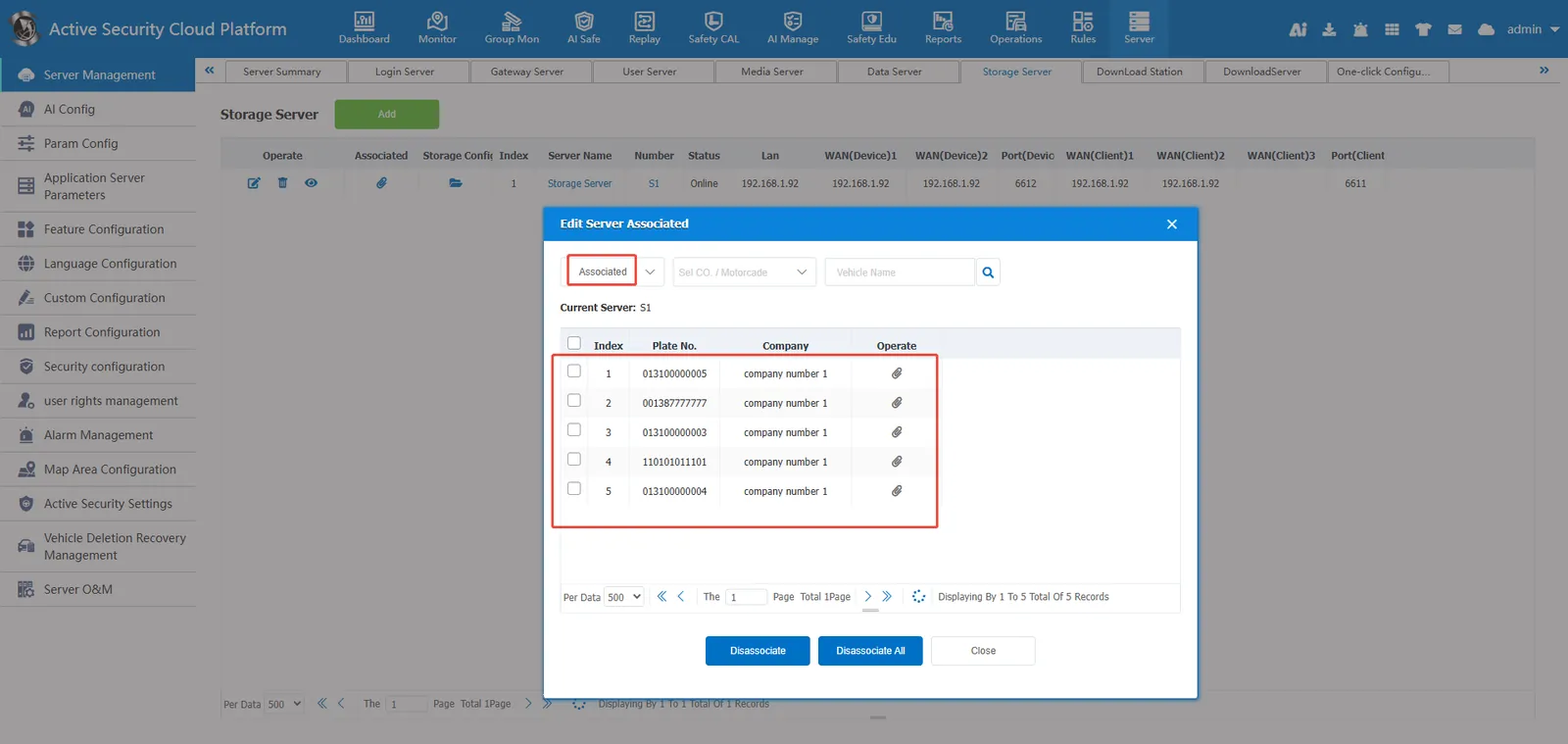
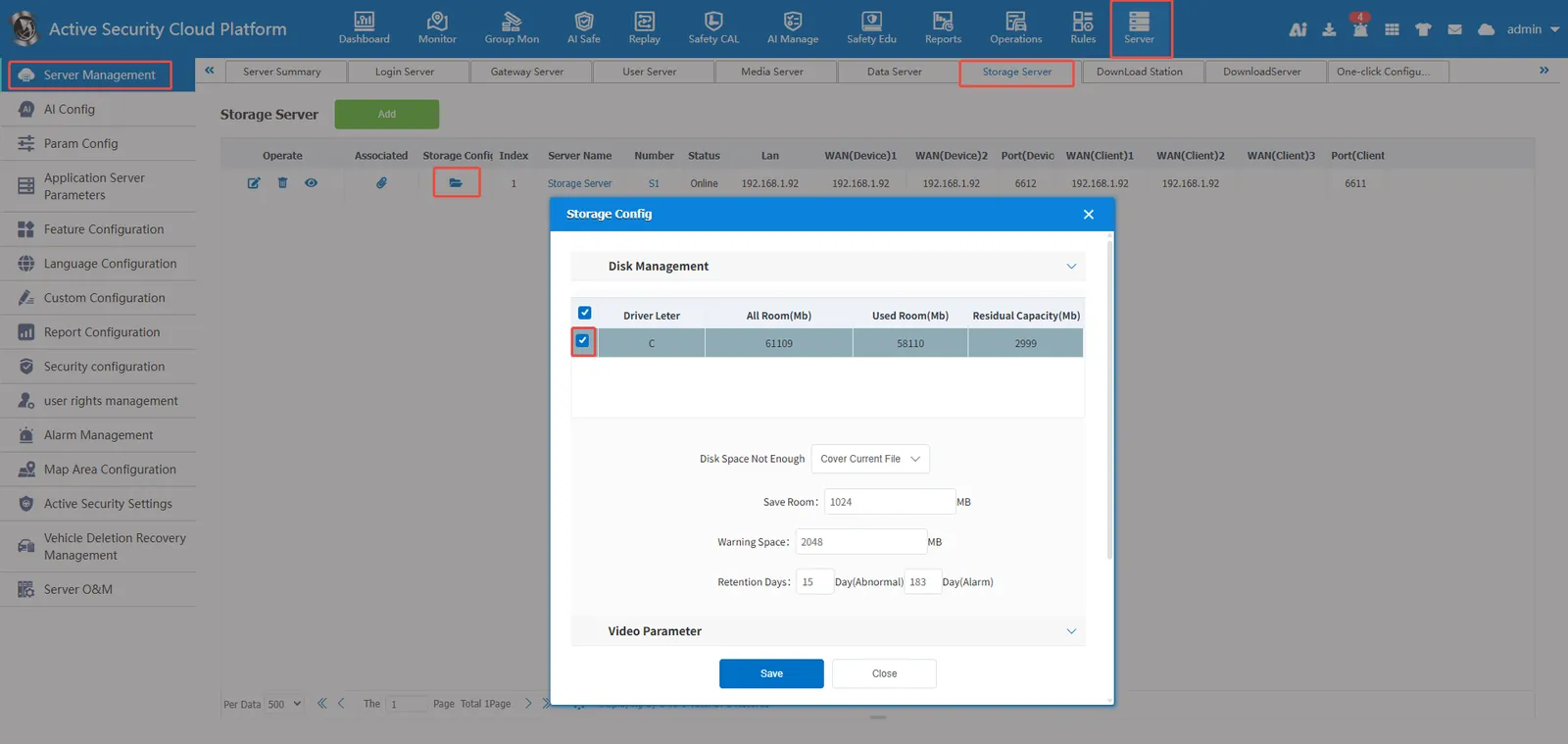
2.2 server management- server management- storage server- terminal association
Only the equipment associated with the terminal will appear in the distribution rules of the timing recording rules.
2.3 Rule Management- Timer Recording Rules- Allocation Rules
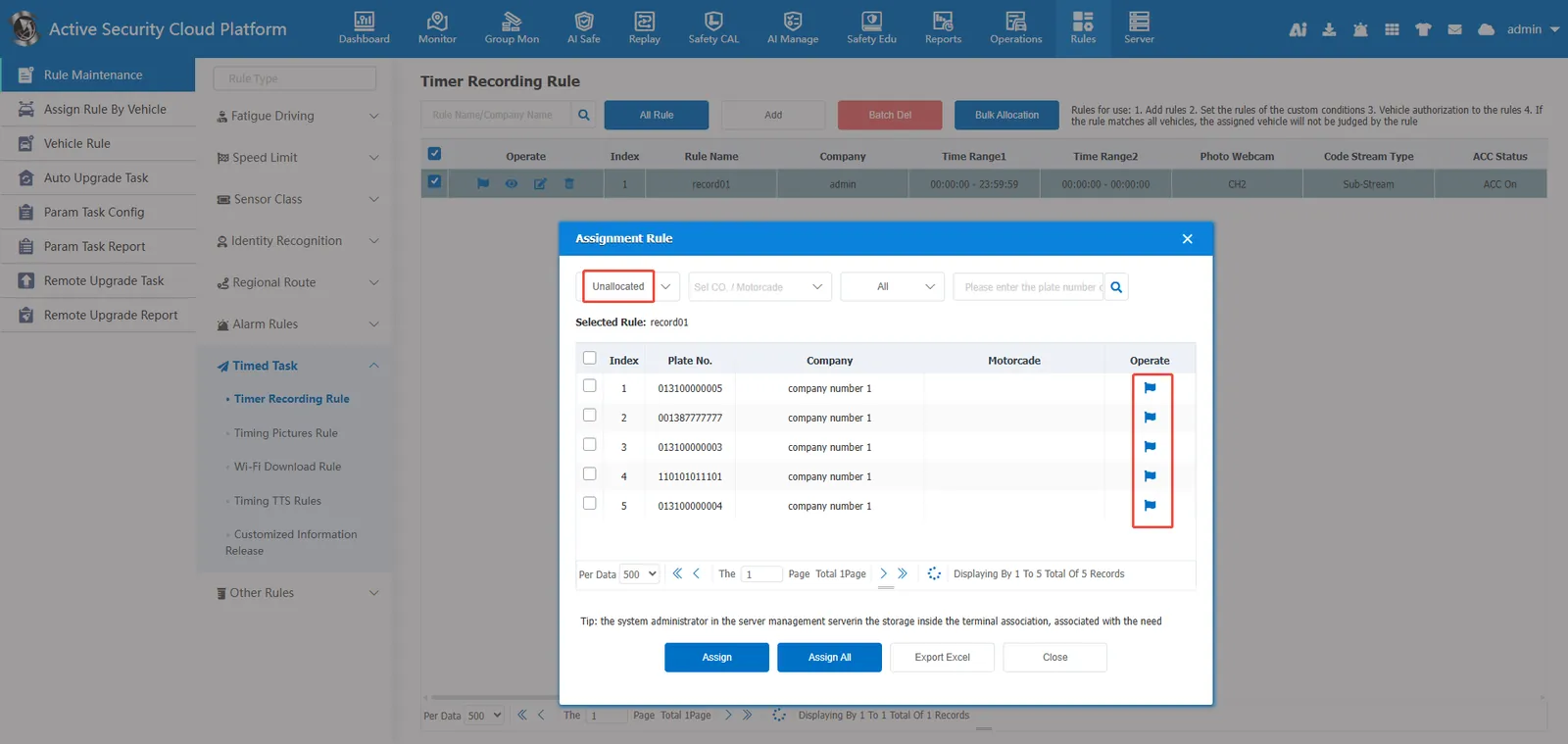
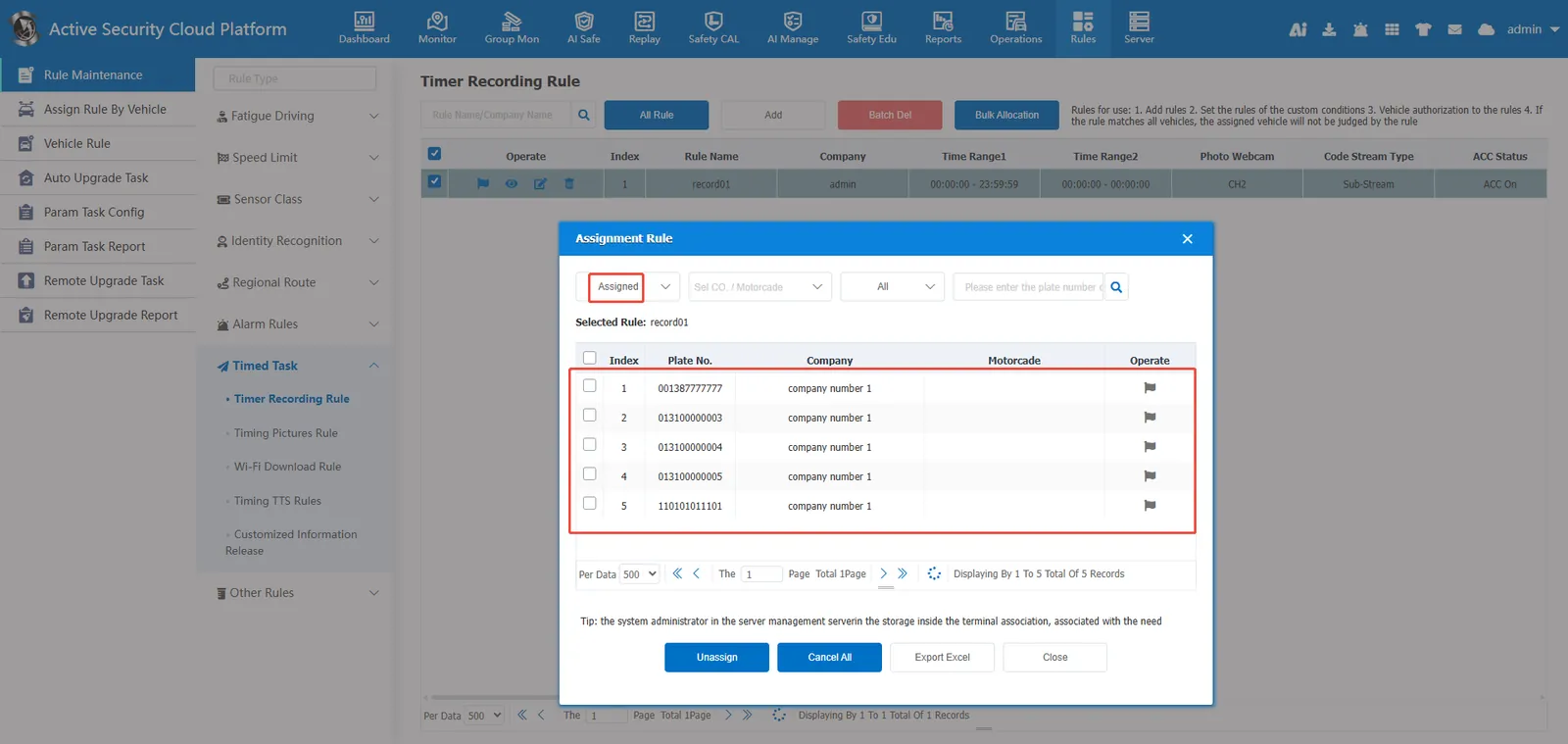
2.4 query timing video
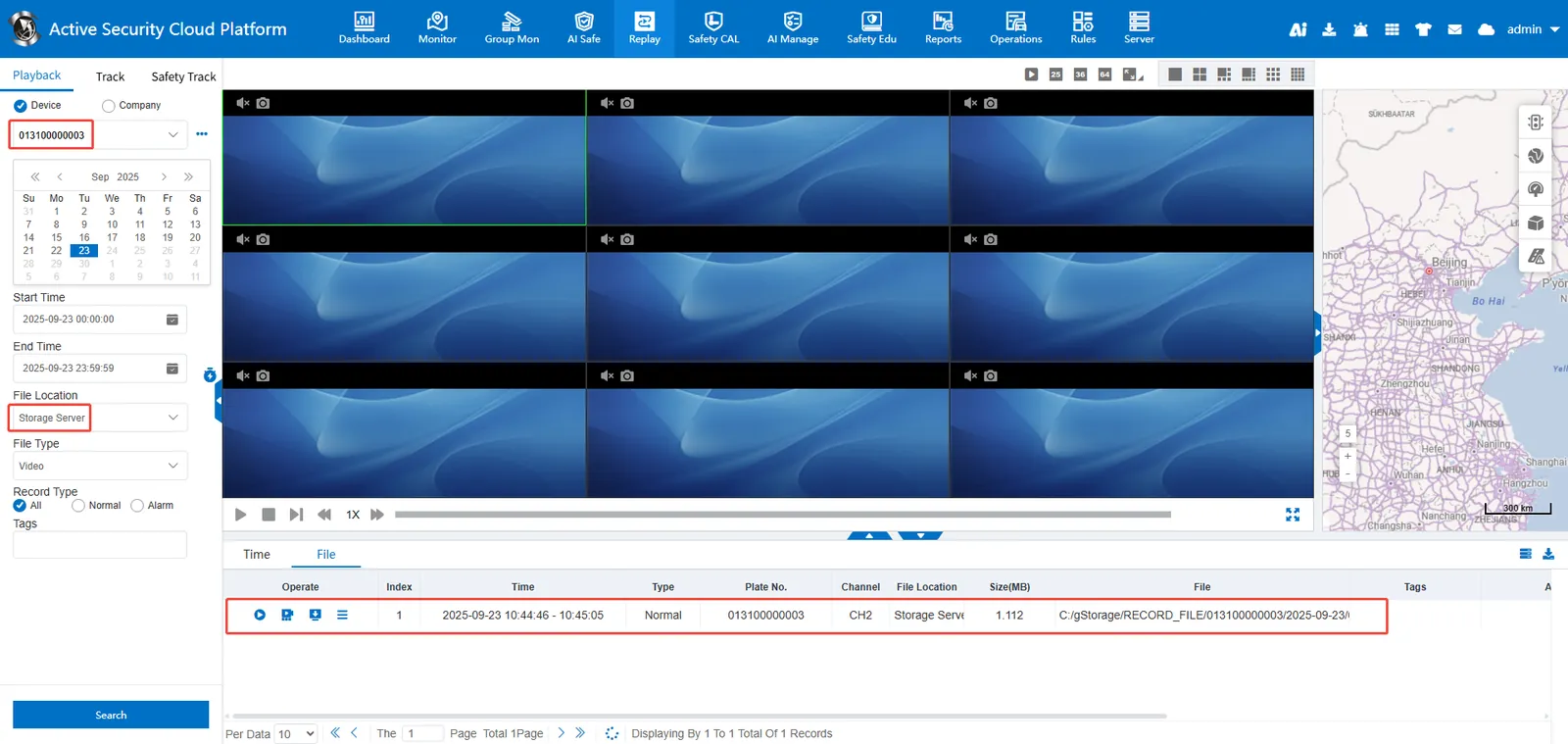
History playback- Video playback Select a file location to search for the storage server
3. Precautions
Ensure that the corresponding equipment can preview normally in real time to record regularly.
Only when the storage server is running normally can the video be recorded regularly.
Storage Server Storage Path Settings
4. Frequently Asked Questions
Question 1: No vehicle can be found in the rules.
Answer: The vehicle needs to be associated with the storage server before it can associate the timing recording rules.