1 Function Description
When intercom docking of 1.1 equipment, you do not know what audio format the equipment is, and you can obtain it by the following methods (only applicable to 1078 equipment)
2 Operating Instructions
2.1. Configure device logs (see: https://help.cmsv8.com/helpCenter/doc/index.html?isStudy=1&docType=1&docId=216&type=1&lang=en)
2.2. Initiate equipment intercom on the platform
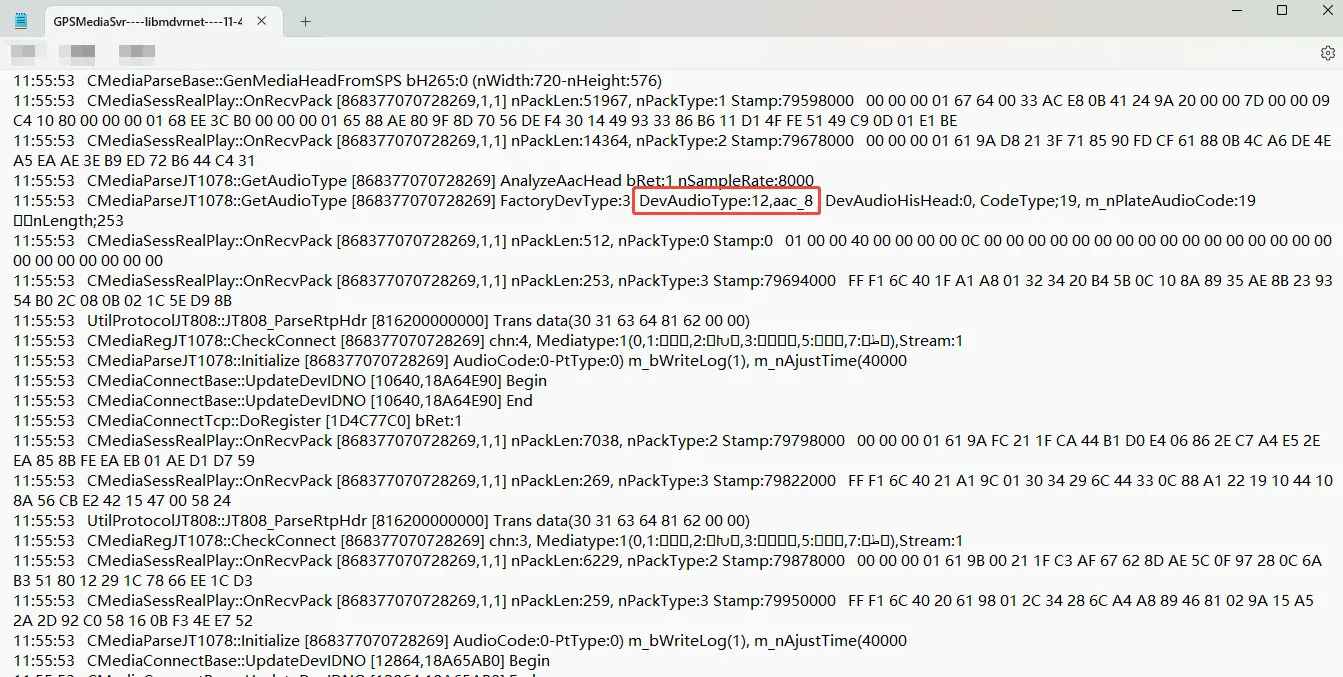
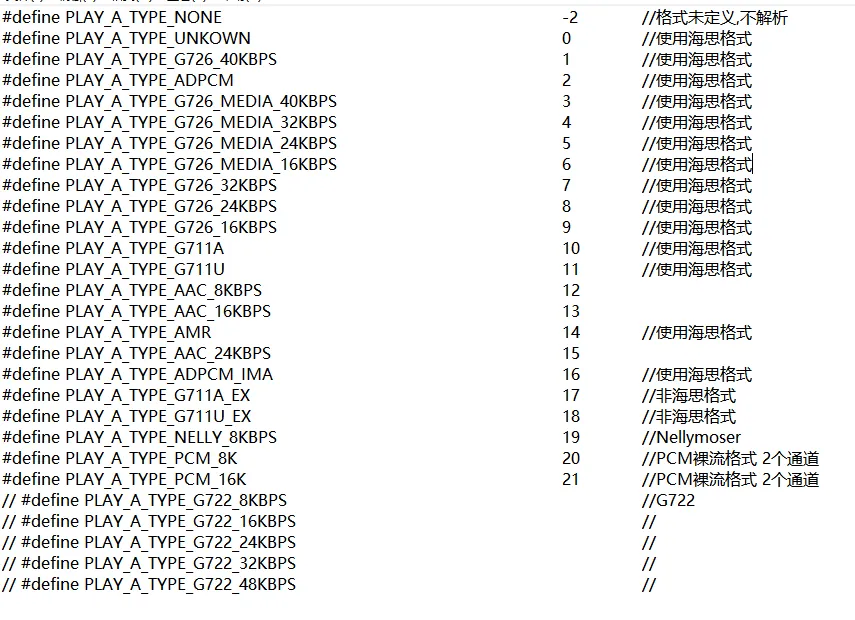
2.3. Find the streaming media log GPSMediaSvr - - - - libmdvrnet, the content in the following figure is parsed according to the RTP report uploaded by the device. GetAudioType:7 is the audio format returned by the device. View the corresponding audio format in the audio format table.
3 Notes
3.1 audio format table:
3.2 G726 format audio data length:
40kbps = 104,32kbps = 84,24kbps = 64,16kbps = 44
Contains a 4- byte Hass header.
Convert intercom audio files to playable format: #2645
