Function description
- TTX platform forwards positioning, audio and video data to other platforms through 28181 cascading protocol
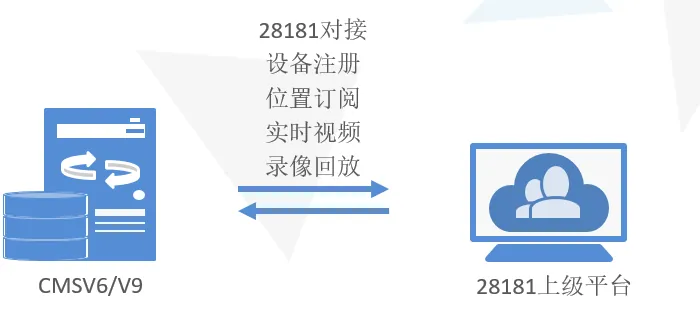
Server version requirements
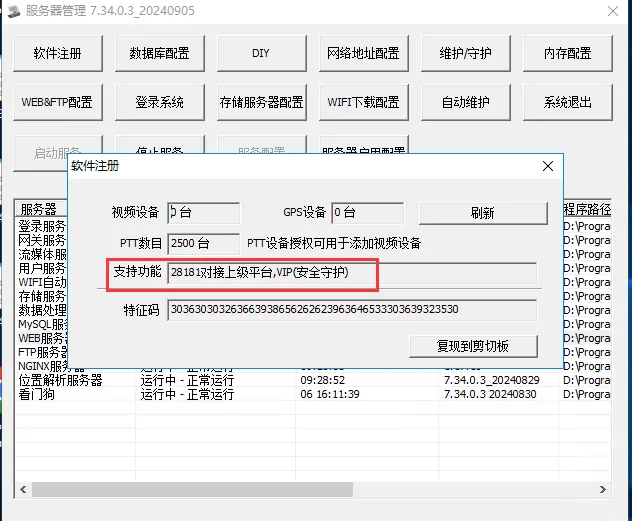
- Version 7.17.0.1 or above supports the use of GB/T28181- 2016 protocol to connect to other 28181 platforms;
- The server needs to open the GB28181 forwarding function;
- At present, it has successfully connected with 28181 platforms such as "Haikang" and "Tiandi Weiye;
The superior platform needs to provide information
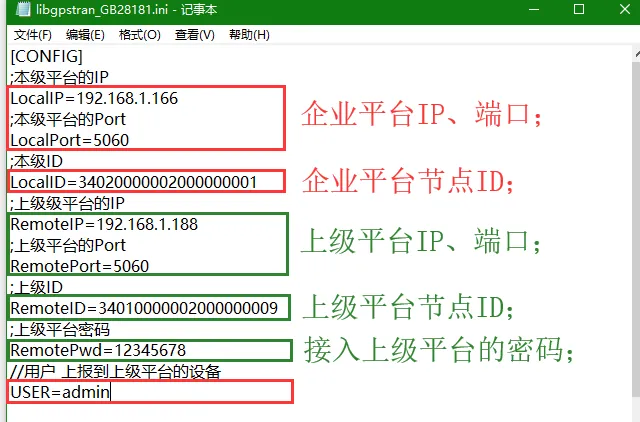
- provided by the parent platform: the IP address, port, node ID and password of the parent platform;
- TTX platform provides: TTX platform IP, port; current- level platform node ID;
- The current level ID needs to be specified with the superior platform. If it is not specified, the default ID can be used.
Operating instructions
-
- Modify the log level;
-
- Obtain forwarding plug- ins;
-
- Configure forwarding plug- ins;
-
- Restart the data processing server;
-
- Find the log;
-
- Check the connection status;
-
- Precautions;
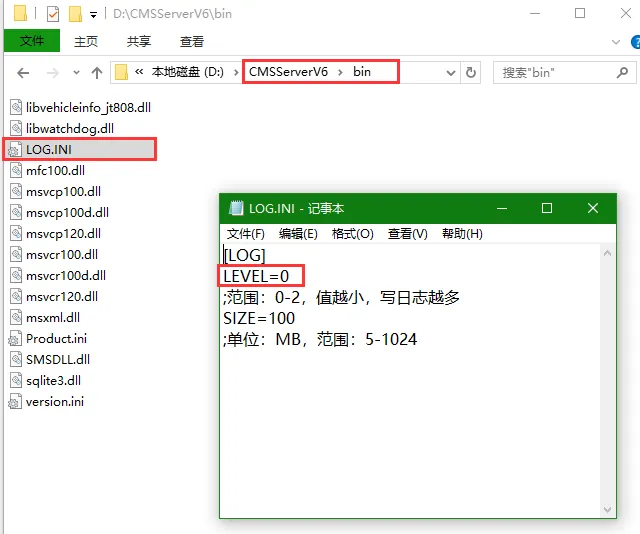
1, modify the log level;
Path: [CMSServerV6\bin\LOG.INI]]
The system log level defaults to 1. The smaller the value of LEVEL, the more logs are written. Here, change the value to 0 and save it;
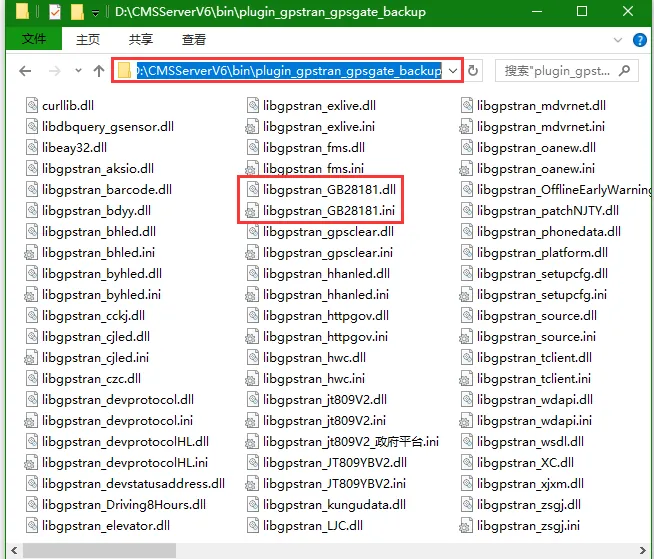
2, get forwarding plug- in;
Path: [CMSServerV6\bin\plugin_gpstran_gpsgate_backup]]
3, configure the forwarding plug- in;
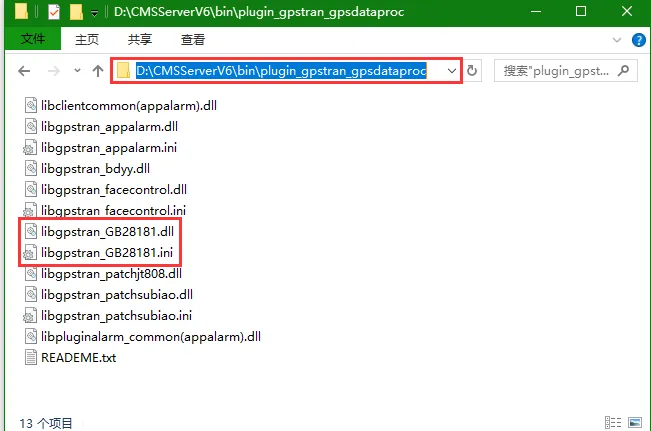
Path: [CMSServerV6\bin\plugin_gpstran_gpsdataproc]]
Copy the plug- in obtained in step 2 to the [plugin_gpstran_gpsdataproc] directory;
then configure the enterprise platform parameters and the parameters provided by the superior platform into the configuration items corresponding to the ini file;
; Accept location and directory subscriptions defaults to 1
SendStatus=1
; Emergency button alarm sending defaults to 0
MINGDUEXTEND=0
; The default 0 bit is converted to ACC and sent, 1 directly sends audio without conversion
ACCAUDIO=0

// Directory related
; Whether to upload vehicle information (0 is not uploaded by default)
MDVR=0
; Whether to convert vehicle information to company directory defaults to 0
MDVRCONVERTCOMPANY=0
; Whether to upload the administrative region, the default value is 1, and 0 is empty.
CivilCode=1
; If the industry code of the conversion center code is empty by default, it will not be converted. If you want to convert, it will be configured as 10 bits for different center codes of multiple superior platforms.
CONVERDOMAIN=
; Channel name composition (0 license plate name_channel name_license plate number)
ChnNamePrefix=0
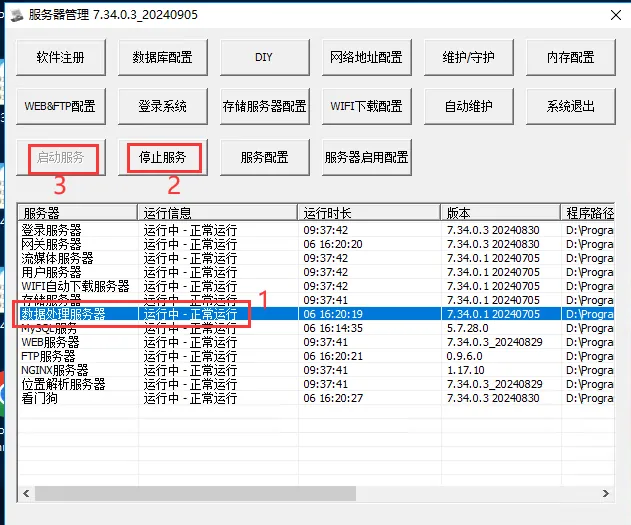
4, restart the data processing server;
5, find the log;
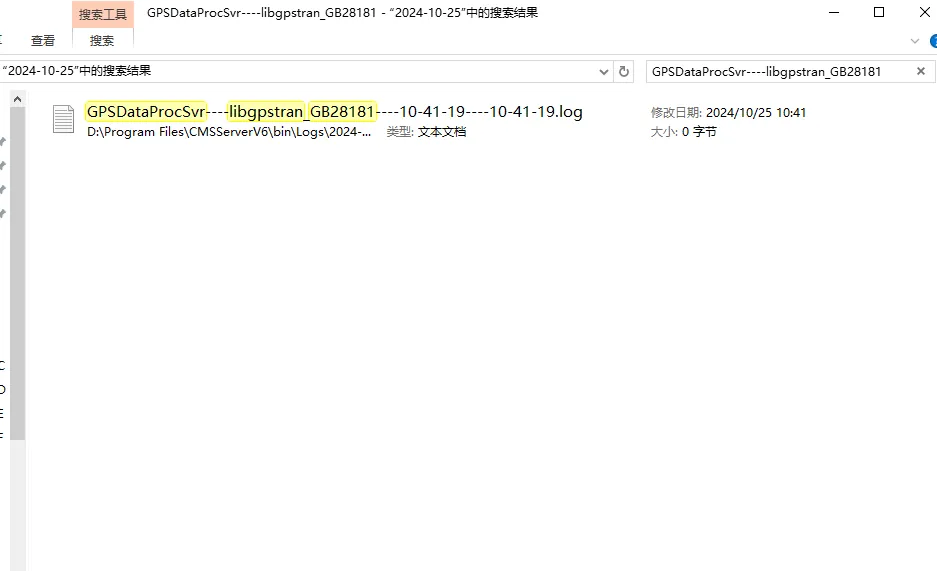
Path: [CMSServerV6\bin\Logs]]
Search for "GPSDataProcSvr- libgpstran_ GB28181" under the log file path ";
When there is more than one log file, find the latest log file;
6, check the connection status;
-
After the 6.1 logs on to the superior platform, it will be displayed in the log. The superior platform needs to request the directory after each successful connection;
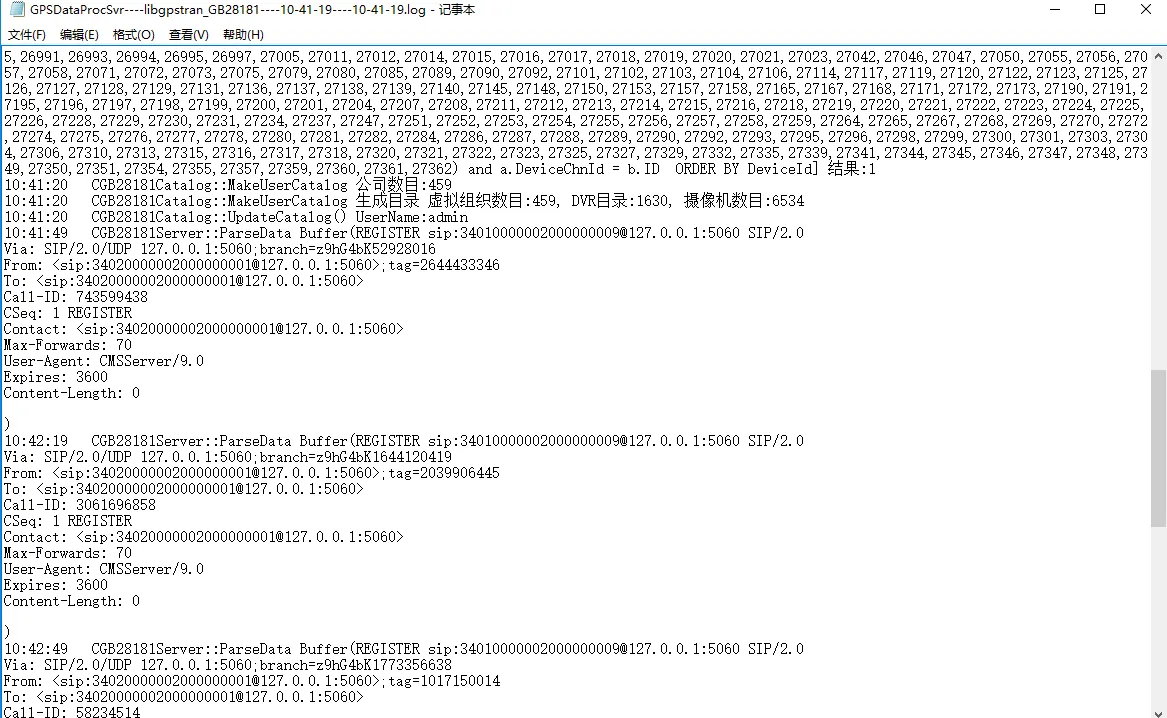
-
View the results of the directory structure generated by the 6.2 server:

-
6.3 log of successful registration:

-
6.4 the superior needs to generate the directory and must retrieve the directory (necessary for the first time, but not for the following):

-
6.5 the superior to subscribe to the vehicle status log:

-
6.6 the superior platform to request video logs:

There is a current log indicating success or failure
Precautions;
-
The national standard codes of the company, equipment and channel shall be configured. If they are empty, they will not be reported.
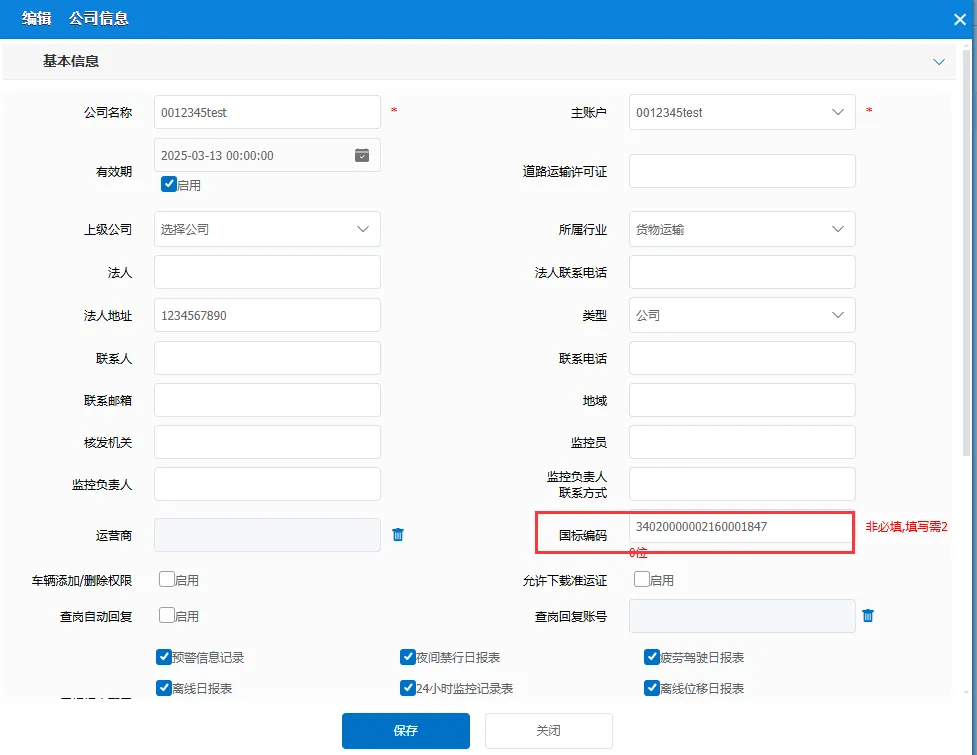
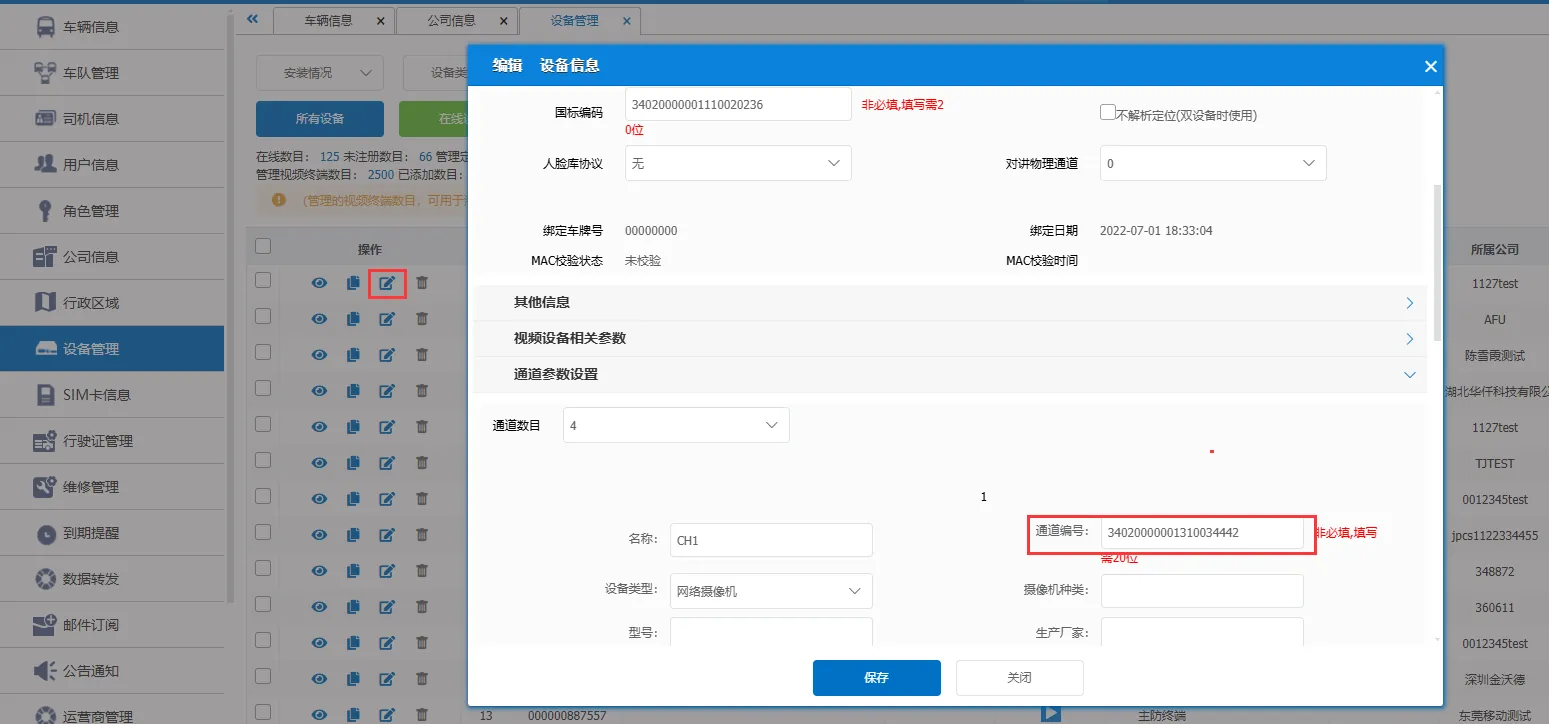
-
28181 forwarding video default sub- stream, forwarding main stream 28181 configuration file added: StreamType = 0
- Configure forwarding device directory: MDVR = 1
- Restart the data processing server after modifying the configuration;