1. Function description
The device sends the driver IC card data to the platform through the "0x0702 driver identity information collection and reporting" message to identify the driver, or binds and associates the vehicle and the driver on the platform.
2. operating instructions
2.1 input driver information
Prerequisite: Driver information must be entered in the platform operation management.
Document reference: https://help.cmsv8.com/helpCenter/doc/index.html?isStudy=1&pageType=2&docType=9&docId=1561&type=1&lang=en
2.2 track playback to display driver information
2.2.1 Mode 1: Report the equipment card to the driver
Check and confirm whether the terminal equipment triggers “Sign In”, query "ReportS"> "Driver Clock-in Report"> "Identity Collection Report", and the identification result is "Success", which means it is associated with driver information.
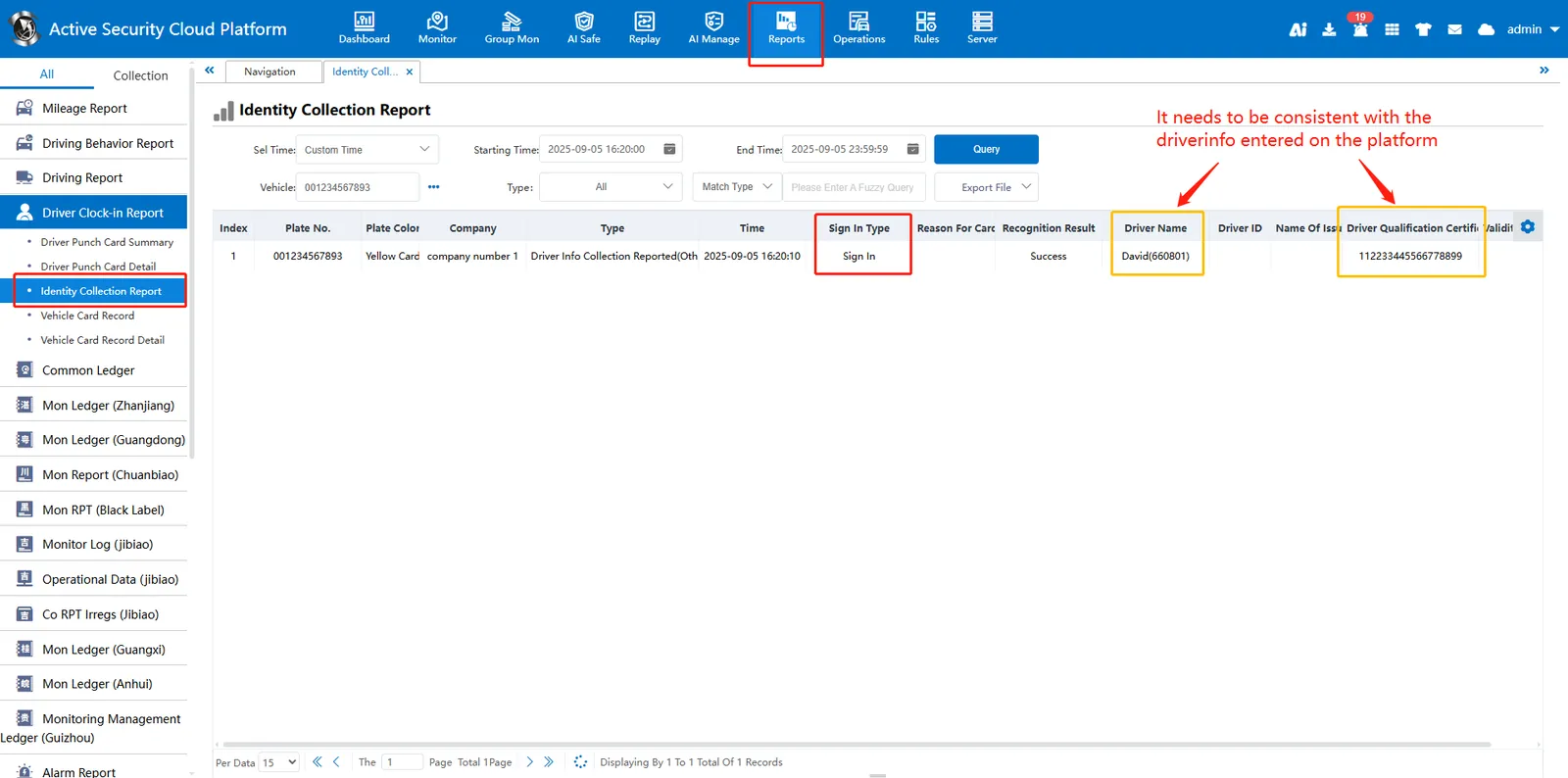
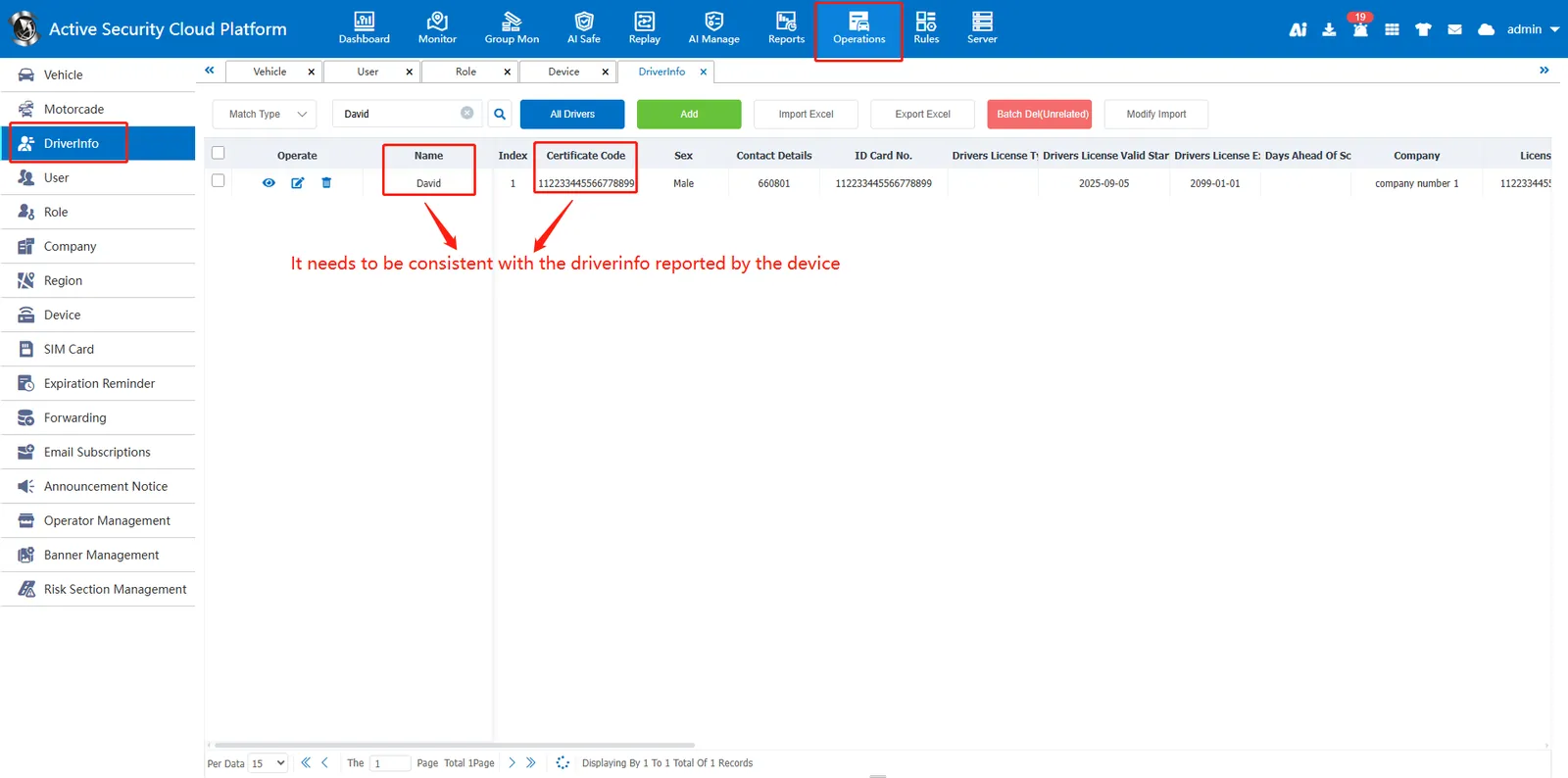
If the identification result is "failed", please verify whether the information of driver "name" and "Certificate Code" reported by the equipment is completely consistent with the information of driver "name" and "Certificate Code" entered by the platform operation management.
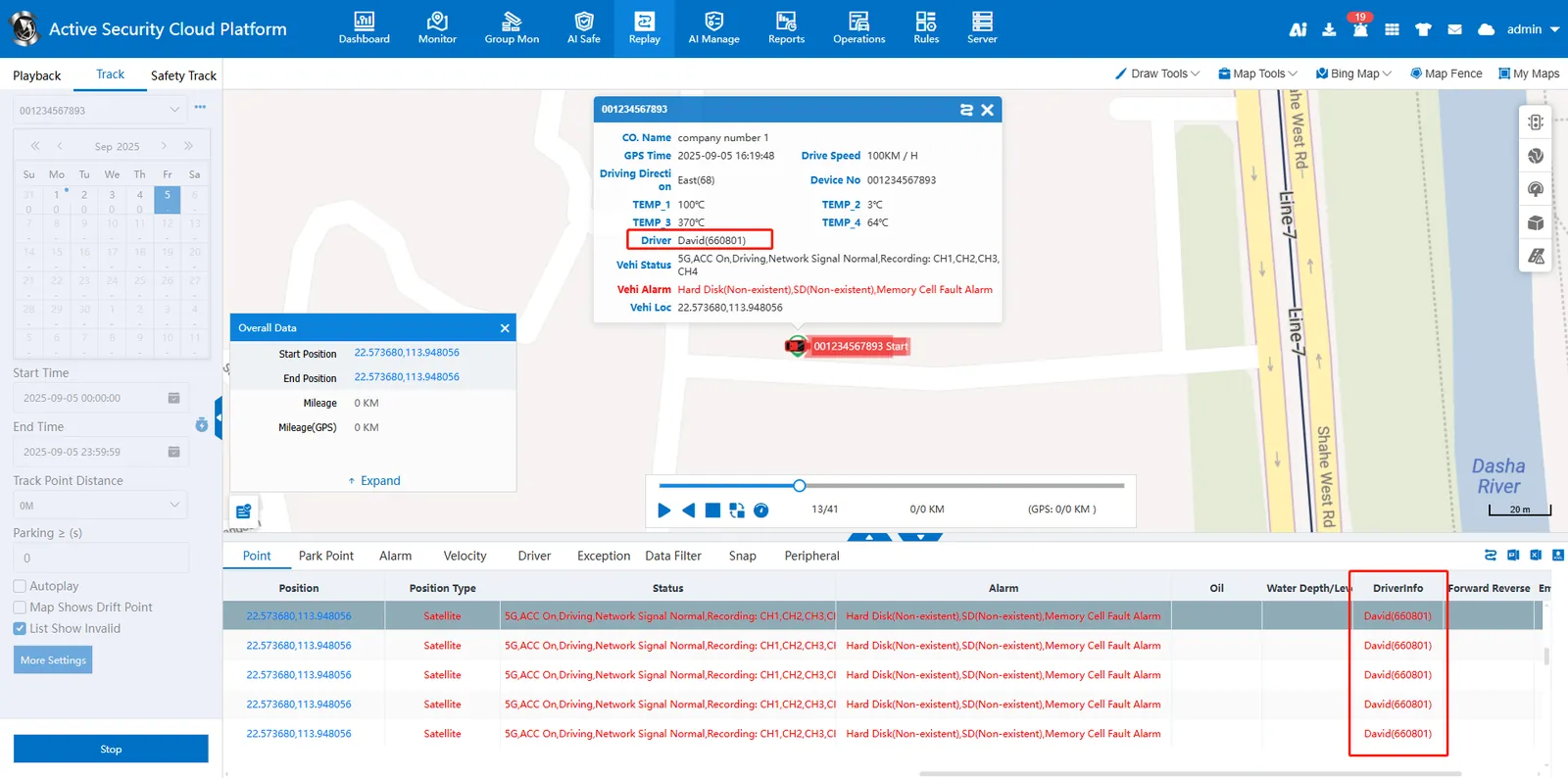
After the identification is successful, the effect of the driver information displayed by the track playback is as follows:
2.2.2 Mode 2: Vehicle binding driver (driver binding vehicle)
By binding and associating the vehicle information and the driver information on the platform, please refer to the following document to operate binding the vehicle to the driver (refer to step 3.1) or binding the driver to the vehicle (refer to step 3.2).
Document reference: https://help.cmsv8.com/helpCenter/doc/index.html?isStudy=1&pageType=2&docType=9&docId=1907&type=1&lang=en
