1. Function description
Analyze the mileage data of the two trajectory points to determine whether there is drift.
2. operating instructions
2.1 select track points
After searching for the track, click on the lower right corner of the track map "Track Point Mileage Analysis" button, enter the track number in the track point list as the start point and end point.
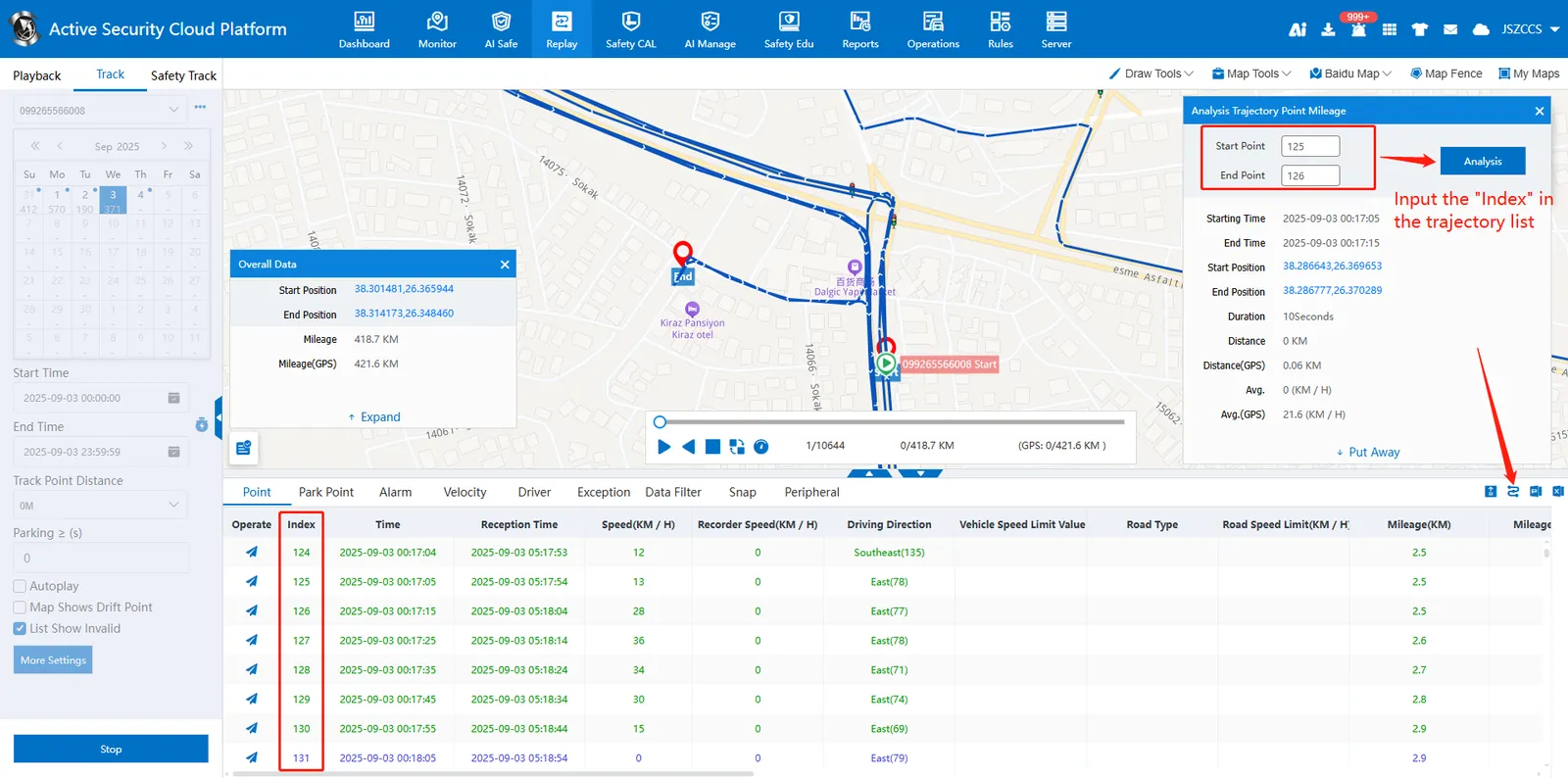
2.2 analysis data
After filling in the serial numbers of the start point and the end point, click the "Analysis" button to display the interval duration, mileage and average speed of the two track points, and judge whether the track drift condition (160 km/h) is met by the average speed.
Note: the start point serial number cannot be greater than the end point serial number.
