1. Function description
Promote normal user to administrator permissions
In order to facilitate other non- admin accounts to log on to the user management platform, the non- admin user is granted admin permission or server management permission.
Single account realizes SMS authentication and login
2, operating instructions
[Server] - [User Rights Management] - [User Authorization] Edit the specified user, check the corresponding permissions, and click Save
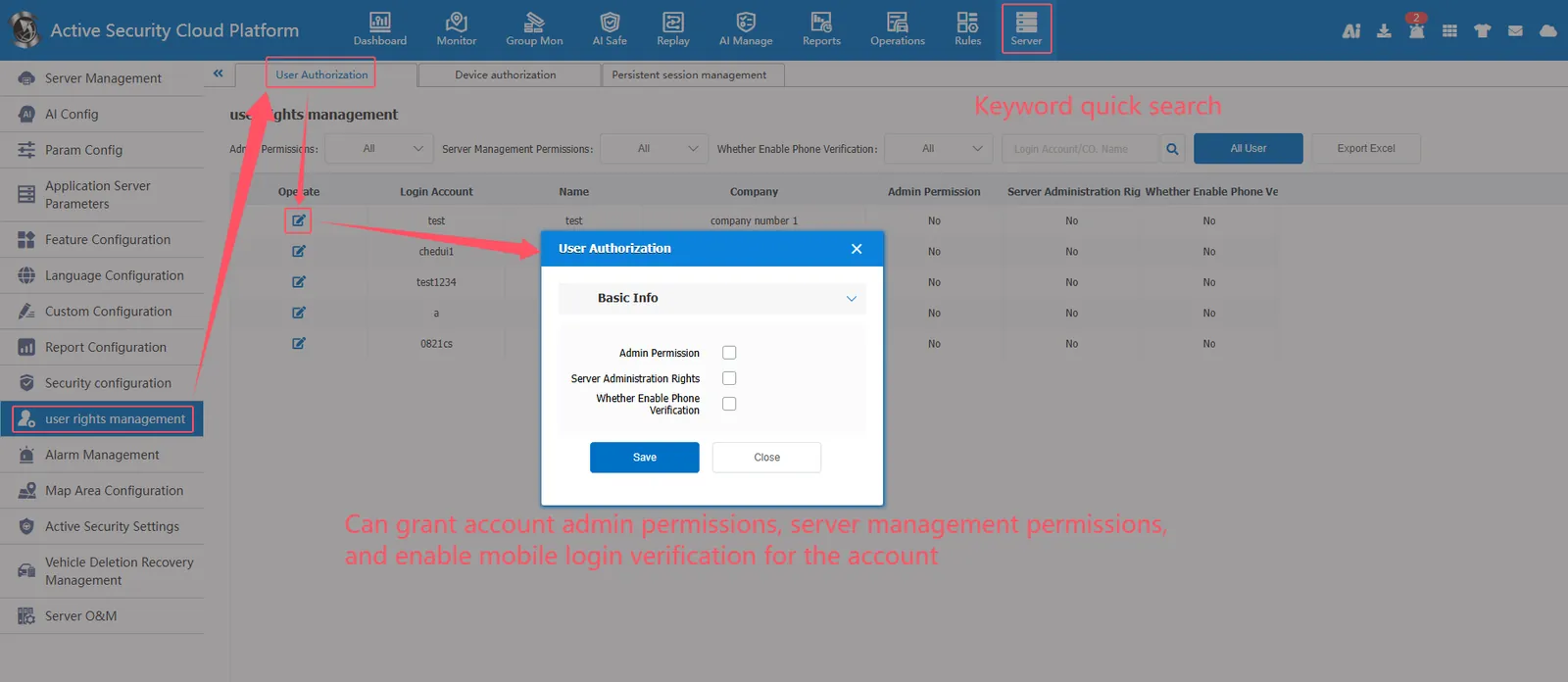
Admin permission: an account authorized with admin permission. The login platform is the same as the admin login platform.
Server management permissions: the account authorized to manage the server, the login platform can access the operation server management module.
Enable mobile phone verification: if enabled, SMS verification is required when logging in to the account (SMS verification is enabled for a single account)
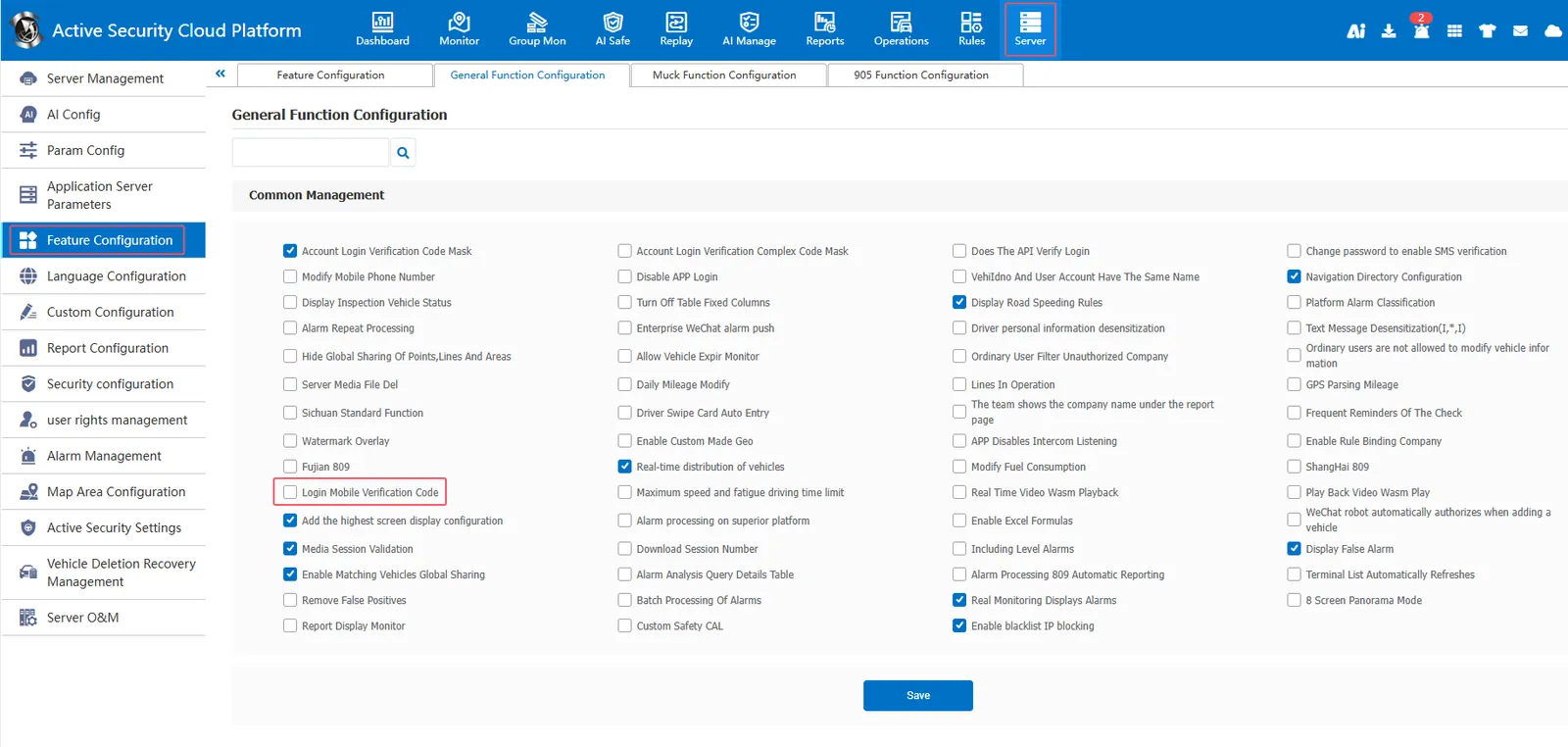
** Function Configuration - General Function Configuration - Login Mobile Verification Code ** Check Login Mobile Phone Verification Code to enable SMS verification for all accounts