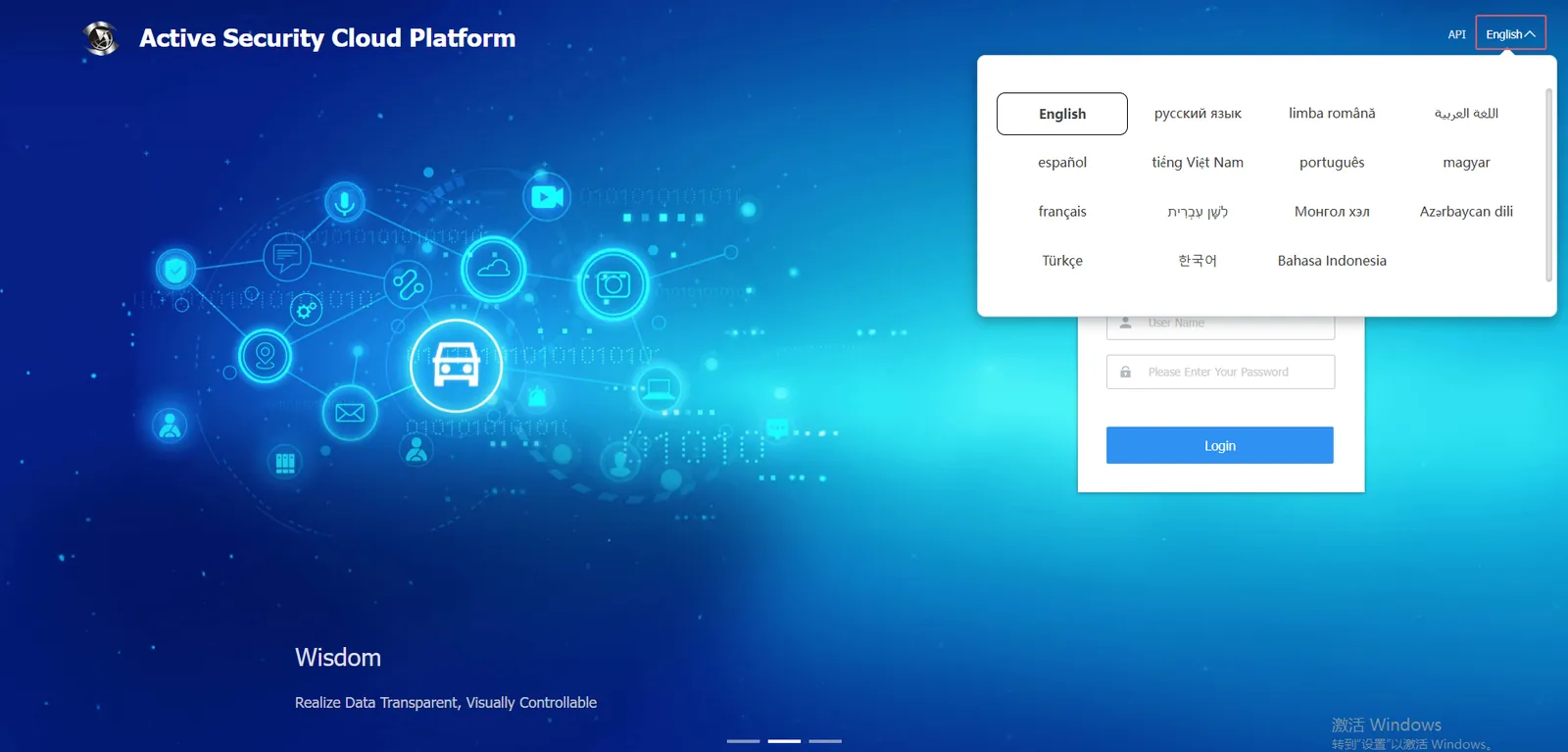
1. Function description
Block platform unnecessary languages
There are many language selection items on the front end of the web. If you want to block some language items, you can go to the language configuration interface for operation.
2, operating instructions
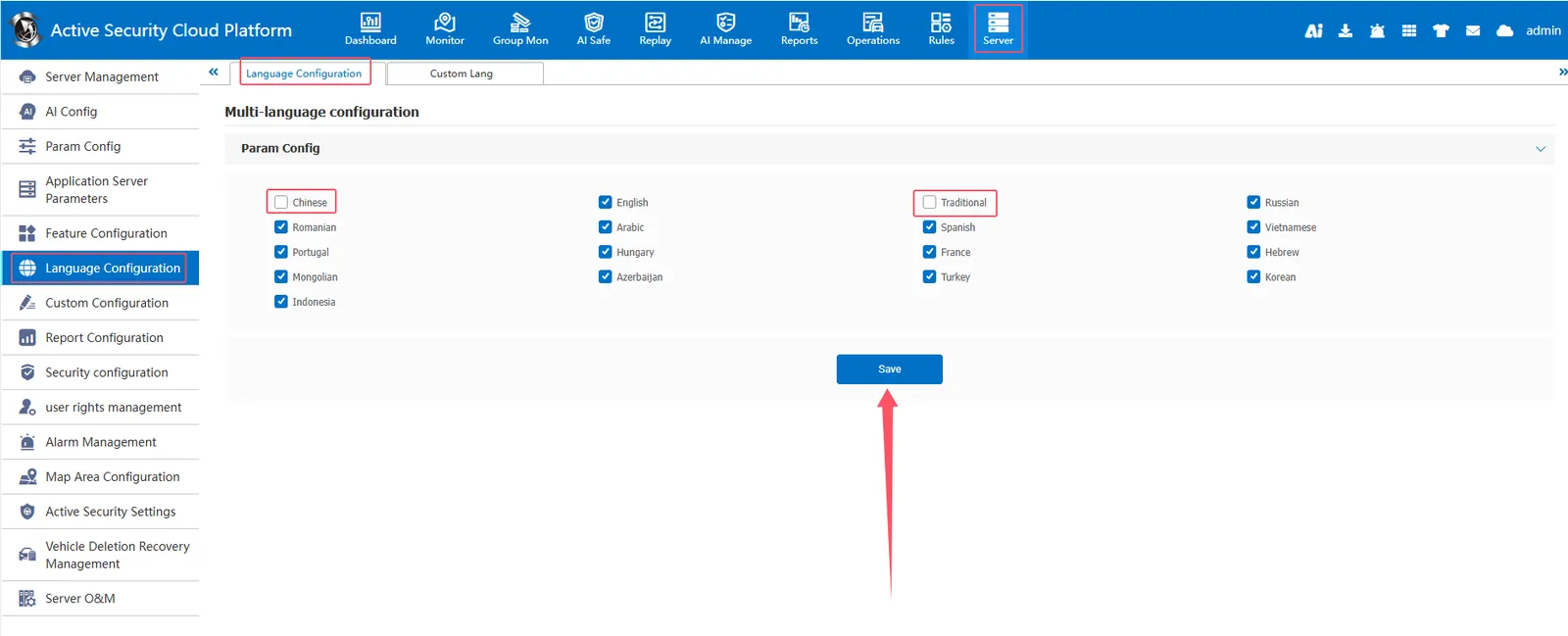
[Server] - [Language Configuration] - [Language Configuration] The checked language can appear in the language selection of the web front end, while the unchecked language will not appear in the language selection of the web front end.
Effect Show
Unchecked languages will not appear in the language selection of the web front end.