1. Function description
Route road statistics configuration
The road route vehicle statistics list and road route vehicle statistics summary report will be generated within the width of the route area selected by the authorized user.
2, operating instructions
[Server] - [Report Configuration] - [Daily Report Configuration] - [Route road statistics configuration] Check Enable, Authorize Users, Select Line Area, Set Line Width
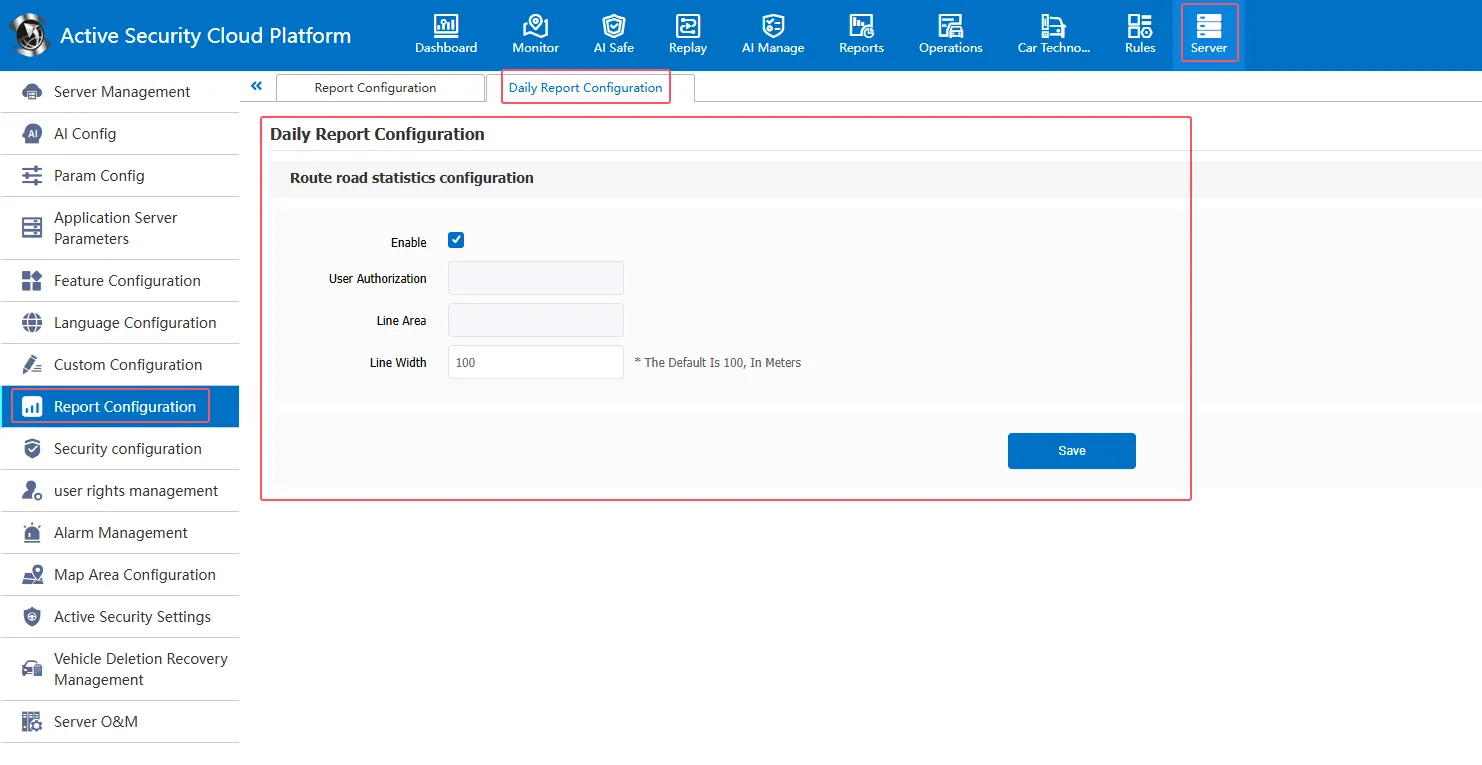
1. Only vehicles under authorized users will be counted.
2. Only vehicles in the selected route area will be counted.
3. Setting the line width is only valid for points and lines
Associated report (report data will only be generated if you select Daily Report Statistics Enabled)
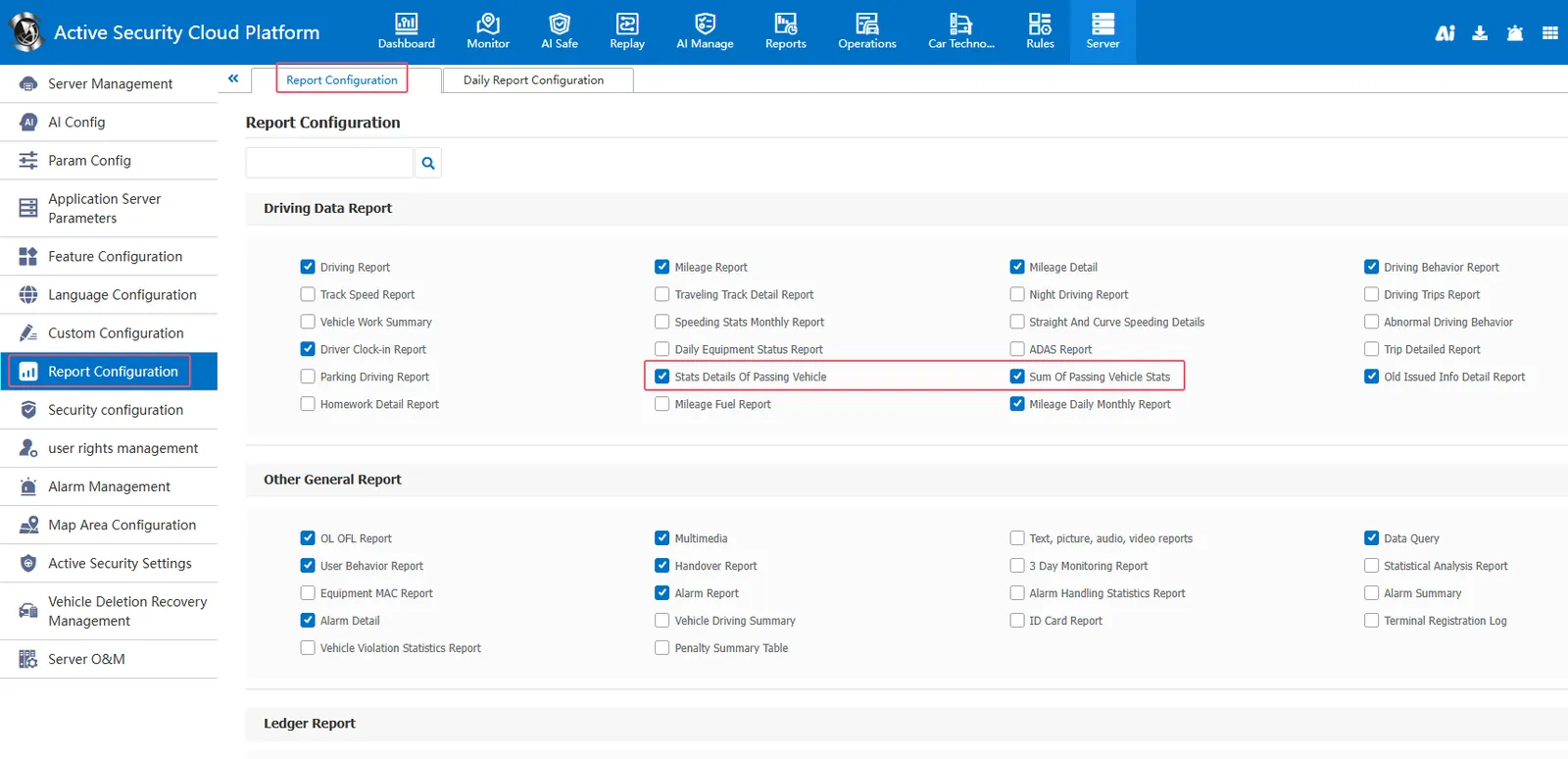
Report Configuration- Report Configuration Check Stats Details Of Passing Vehicle and Sum Of Passing Vehicle Stats report
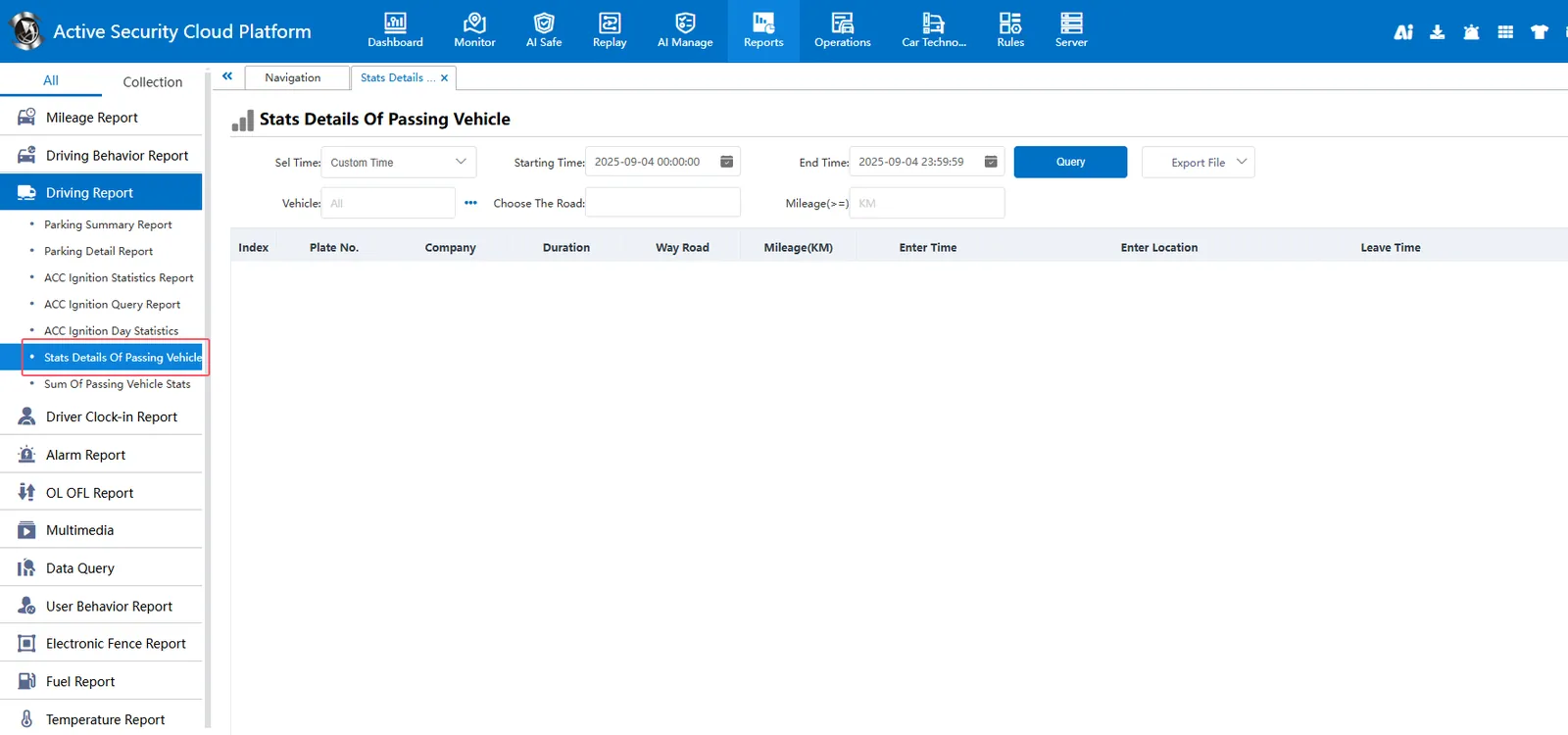
Statistical Report- Driving Report- Stats Details Of Passing Vehicle:
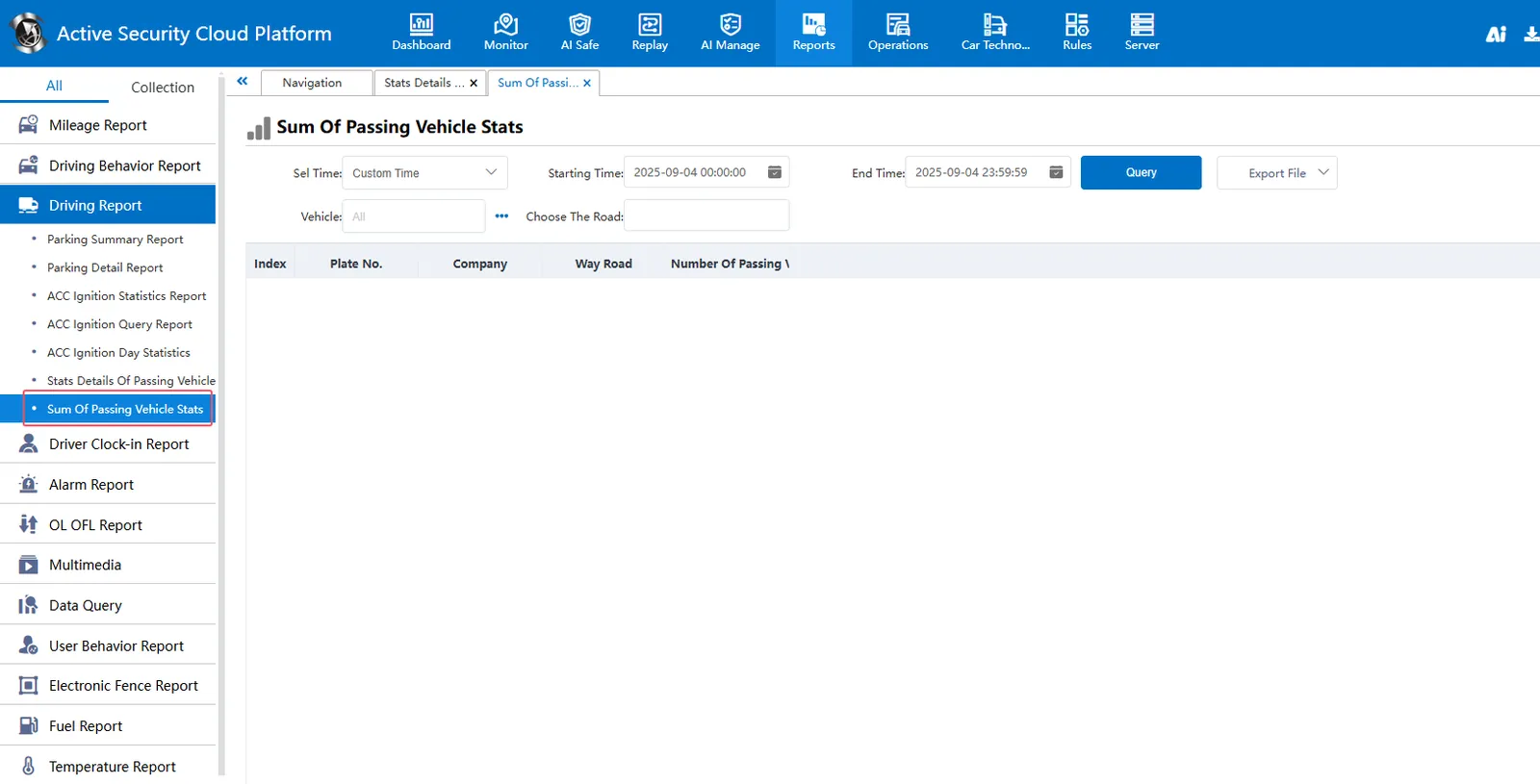
Statistical Report- Driving Report- Sum Of Passing Vehicle Stats: