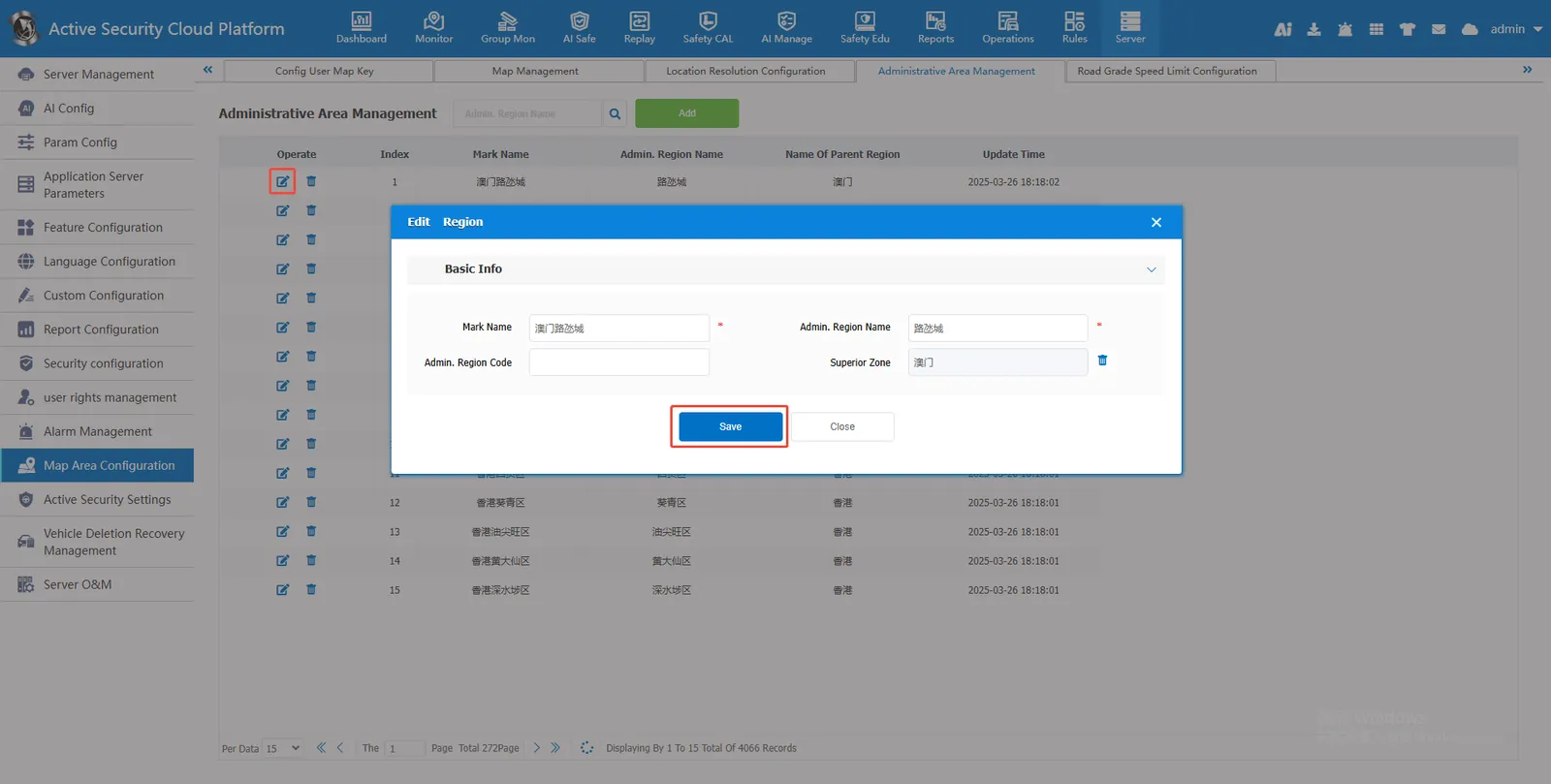
1. Function description
- [Administrative Region Management] in the document has different functions from [Administrative Region] in [Operation Management];
- The administrative area management of server management is used to add newly generated or missing or wrong administrative areas of the platform. After being added or modified here, the administrative areas will be displayed in the operation management.
2. operating instructions
2.1 administrative region added
- Administrative regions in China have been imported by default, or administrative regions can be added by themselves.
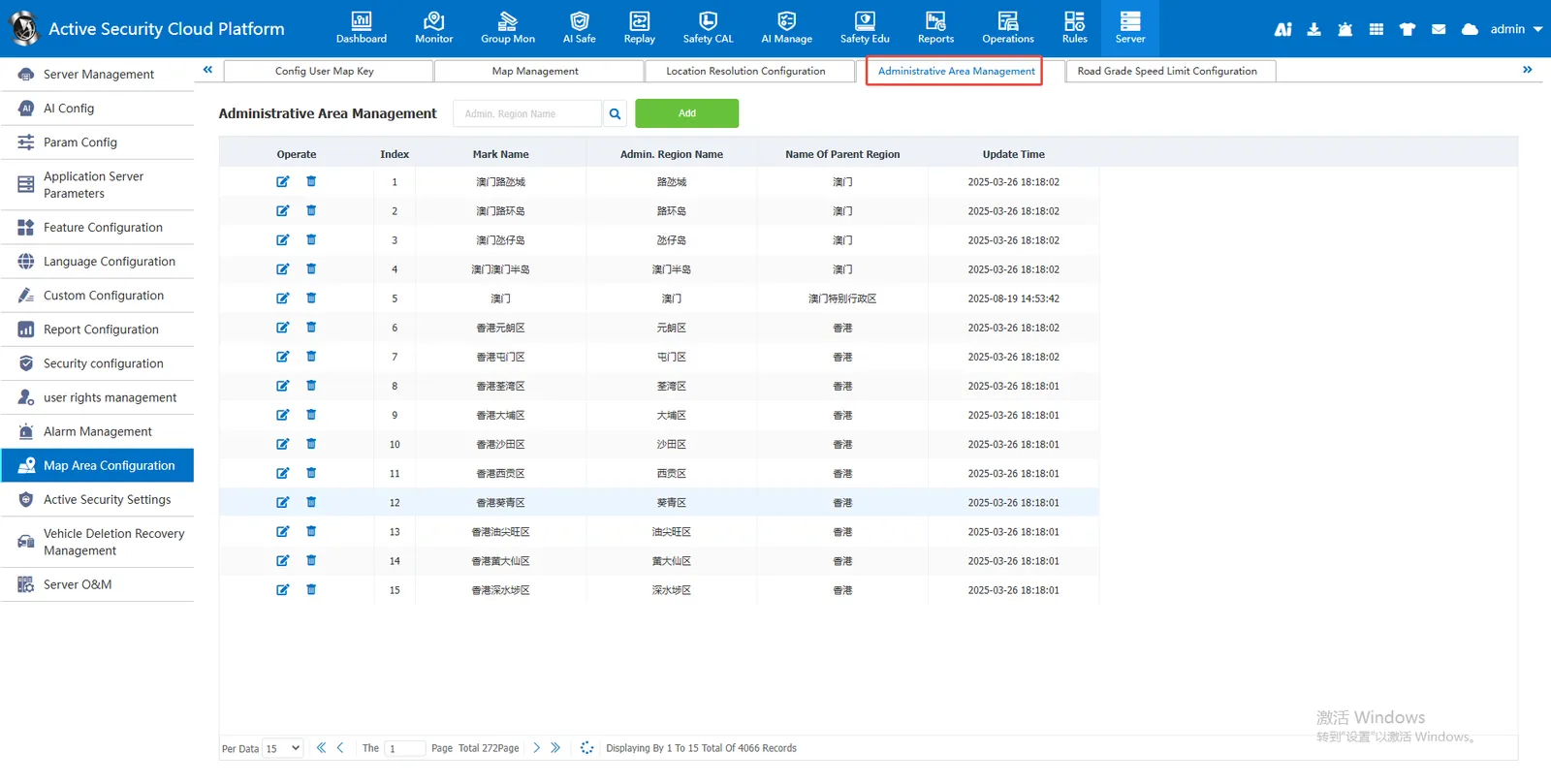
- Click " Add ", enter " Tag Name ", " Administrative Region Name ", " Administrative Region Code ", and select " Superior Region ". (The information must be true and valid, and the background will automatically check online. Error information will cause saving failure), and finally " Save "
- The new area will be automatically displayed in the administrative area under the operation management module and the administrative area of the rule module.
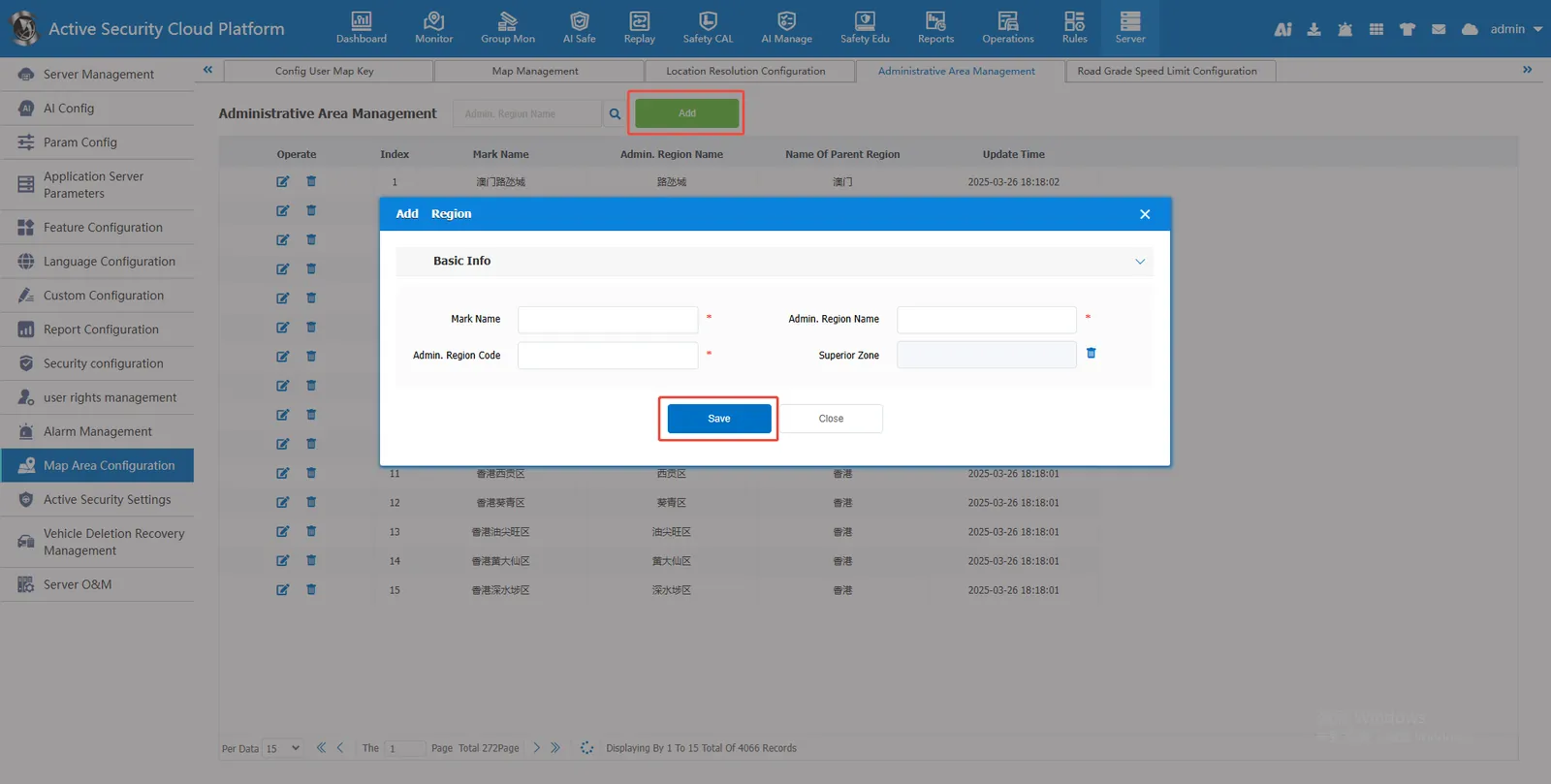
2.2 administrative region modification
In view of the existing wrong administrative area, point