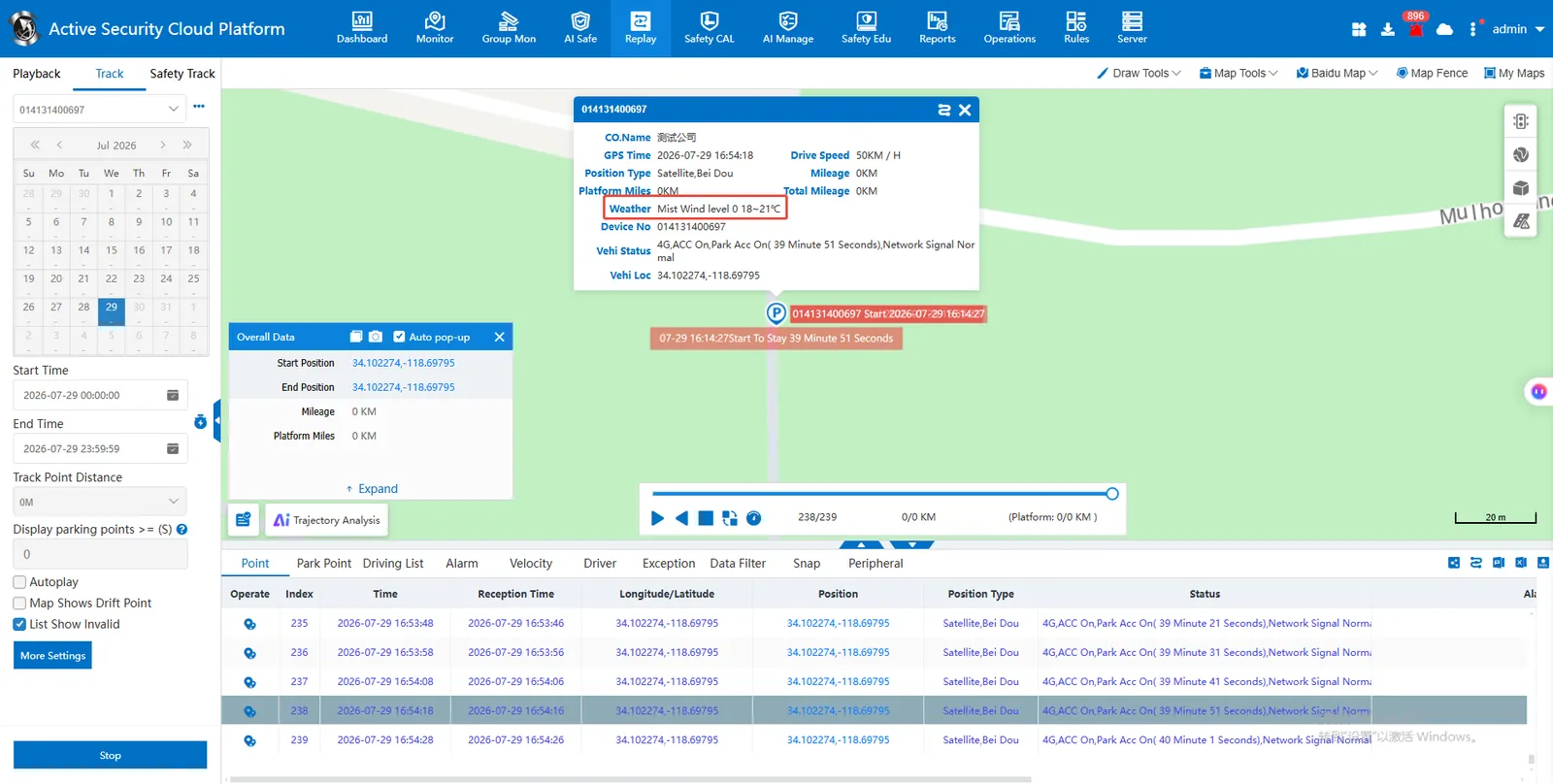
1. Function description
Map bubble box shows weather
2, operating instructions
2.1 add overseas administrative regions
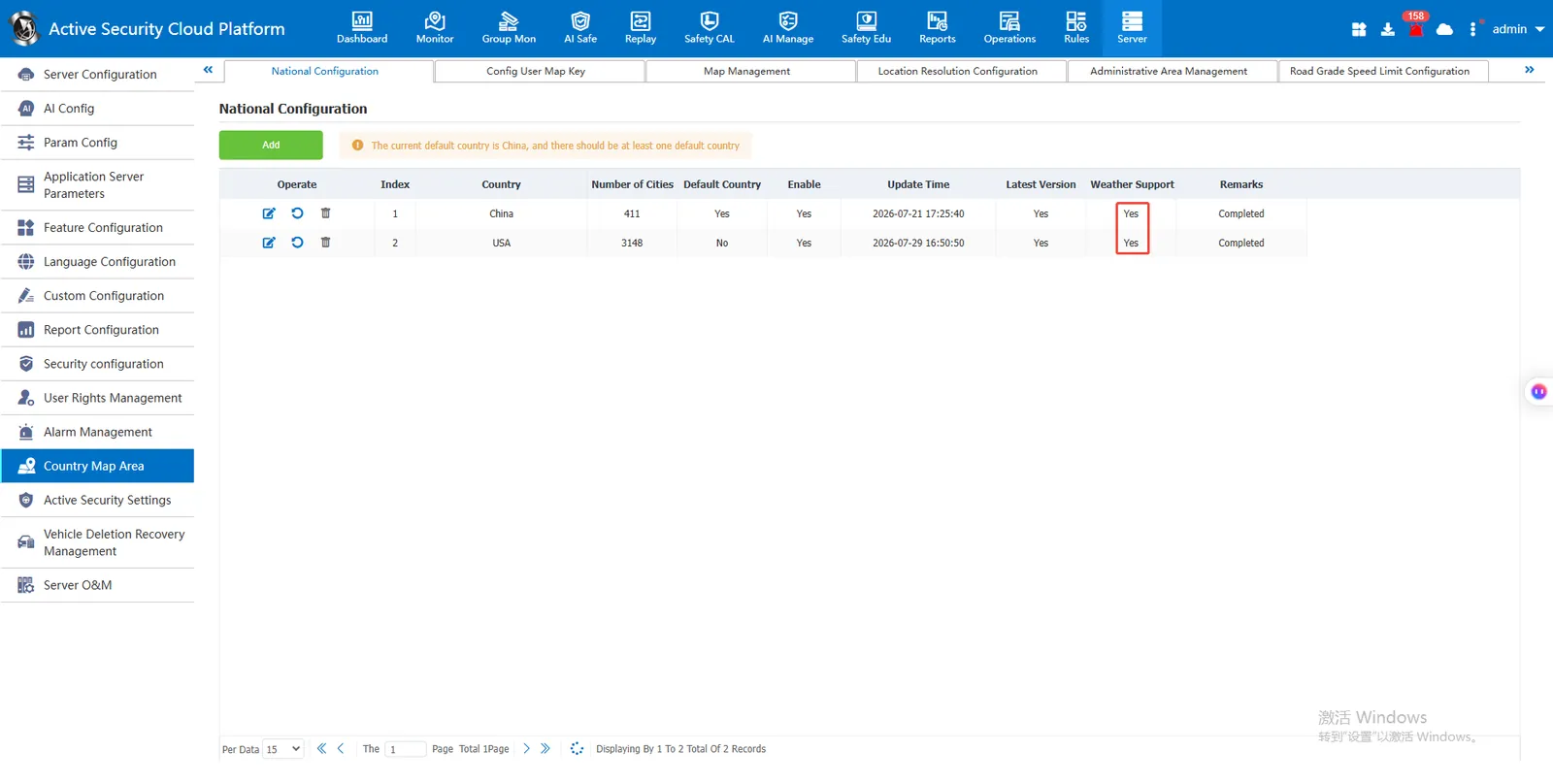
[Server Management]- [Country Map Region]- [Country Configuration] Click Add Overseas Administrative Region
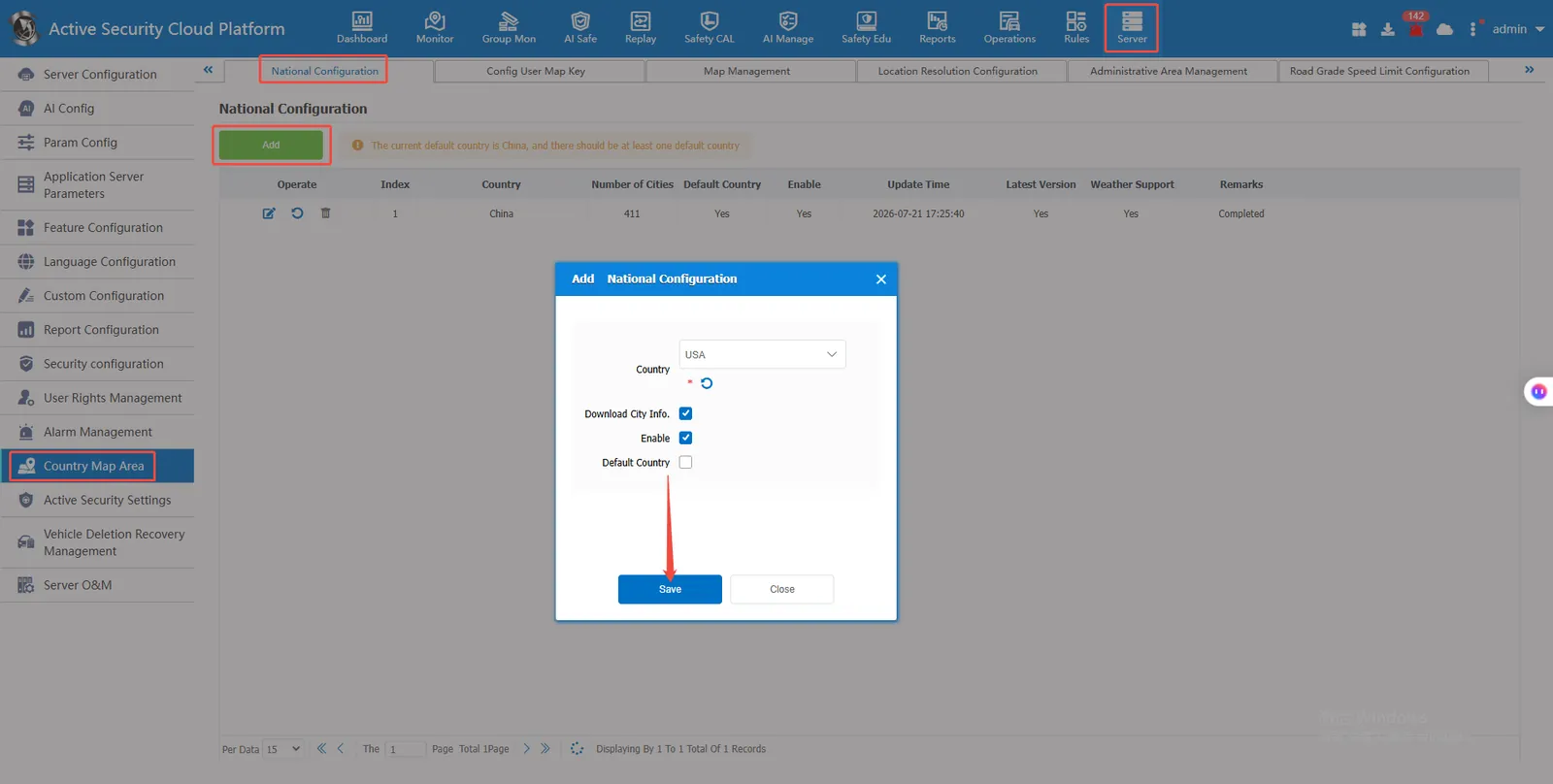
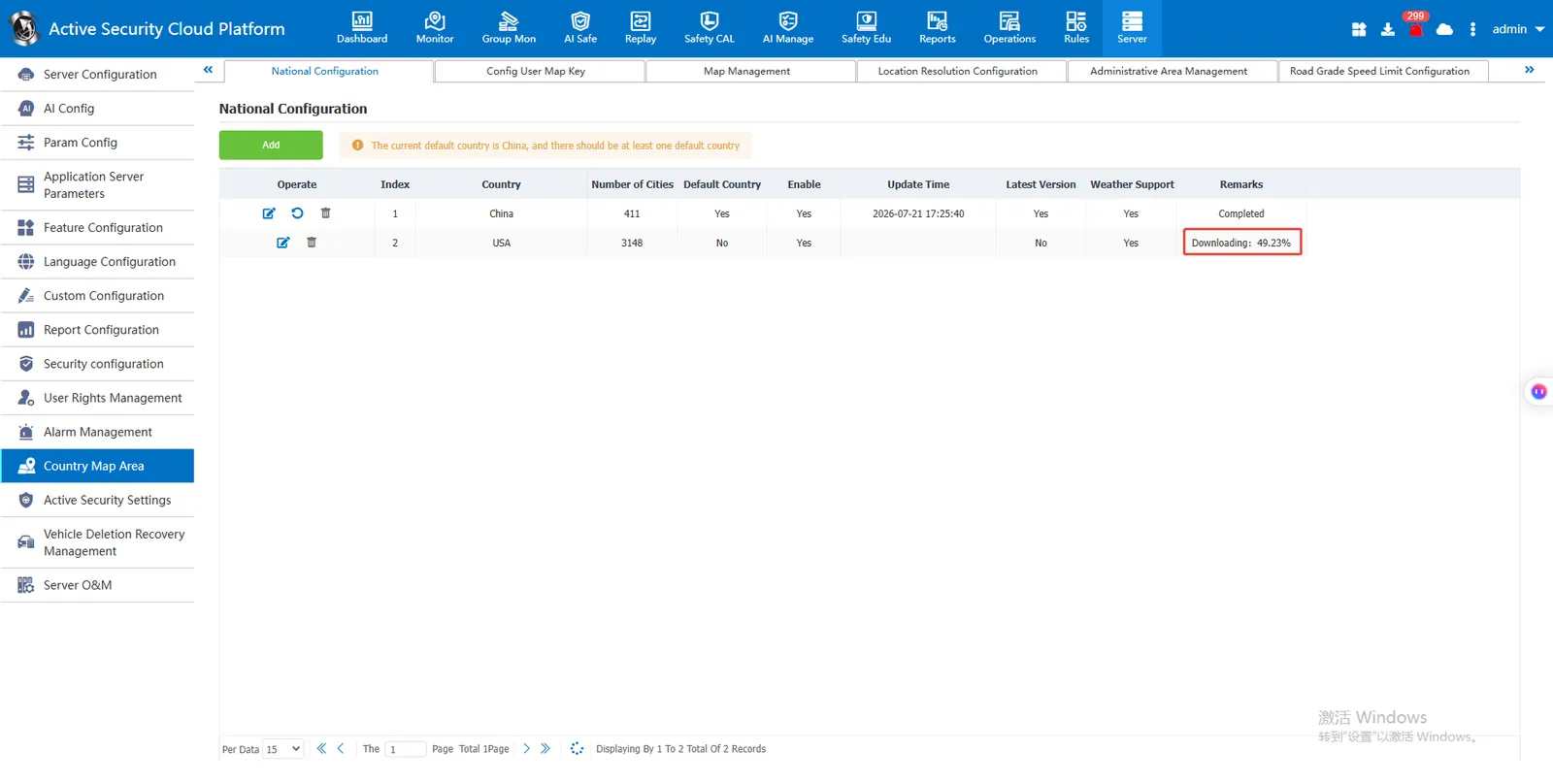
Downloading city information
City information download complete
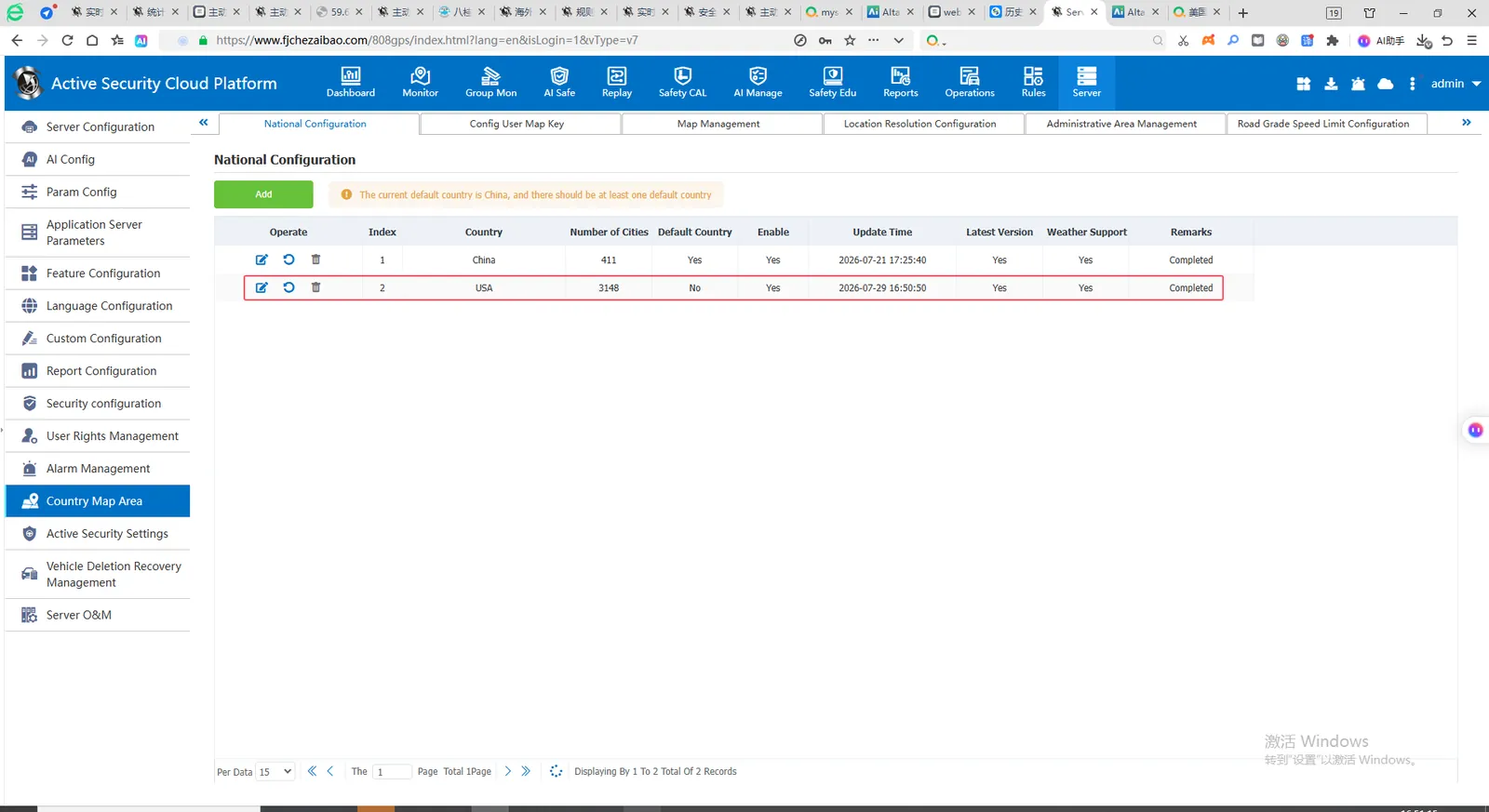
Default support for weather function
2.2 Check real- time AI risk calculation
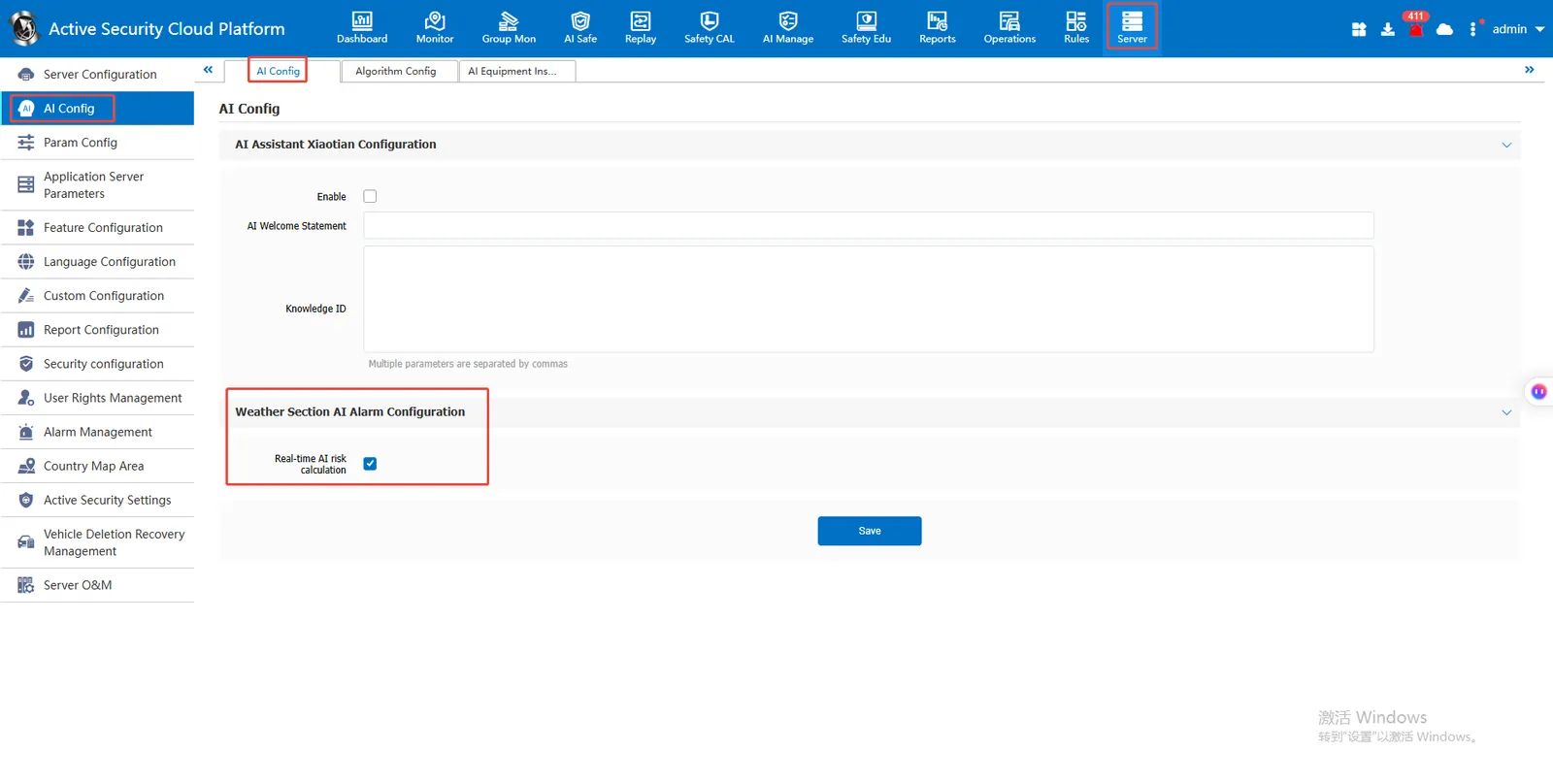
[Server Management]- [AI Configuration]- [AI Configuration]- [Weather Section AI Alarm Configuration] Check Real- time AI Risk Calculation
2.3 effect display
Real- time monitoring map bubble display weather
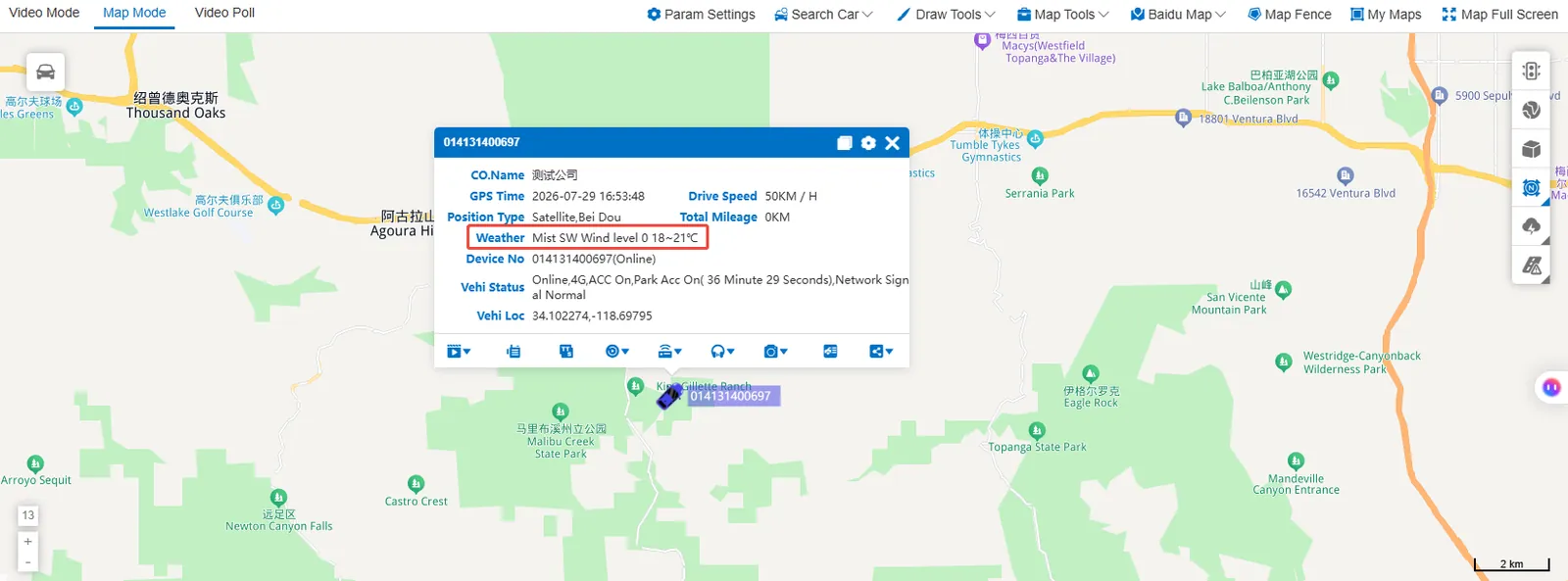
Track playback map bubble display weather