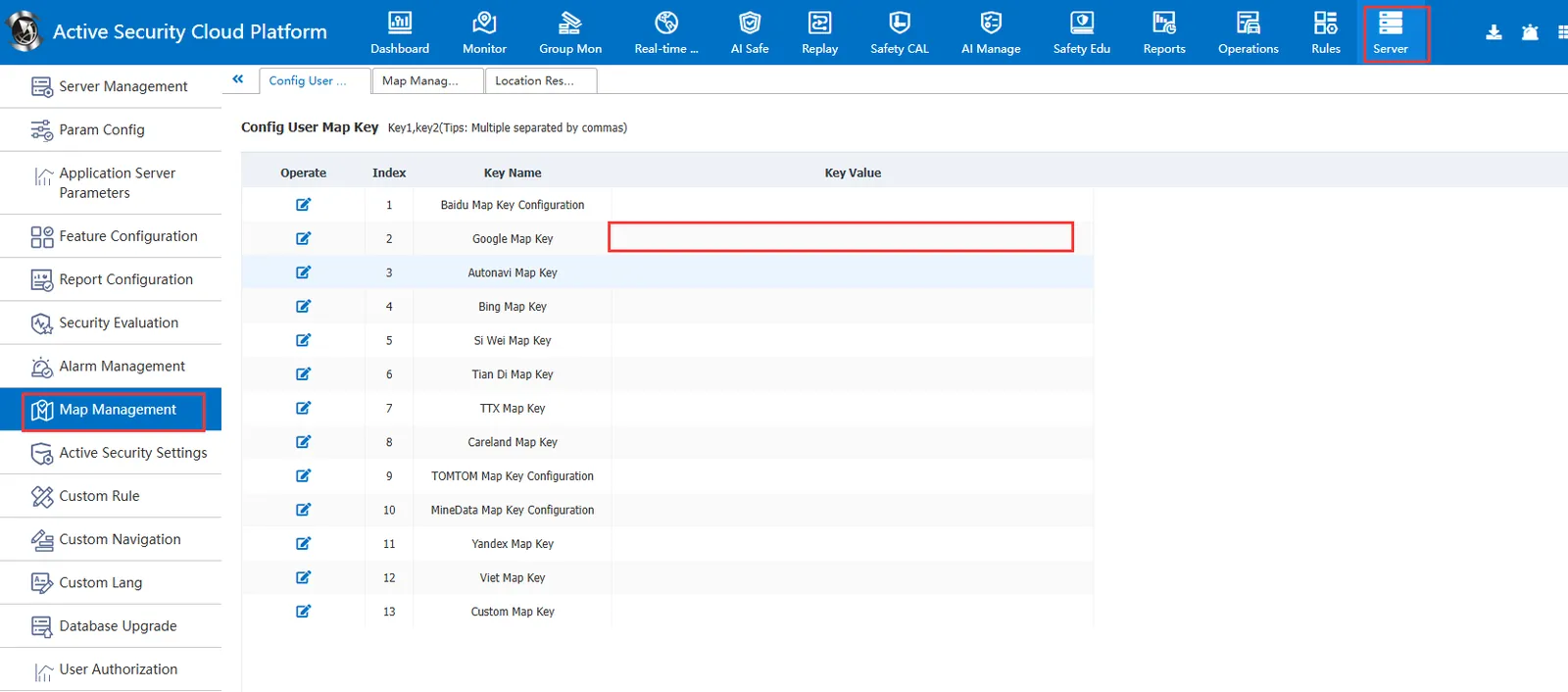
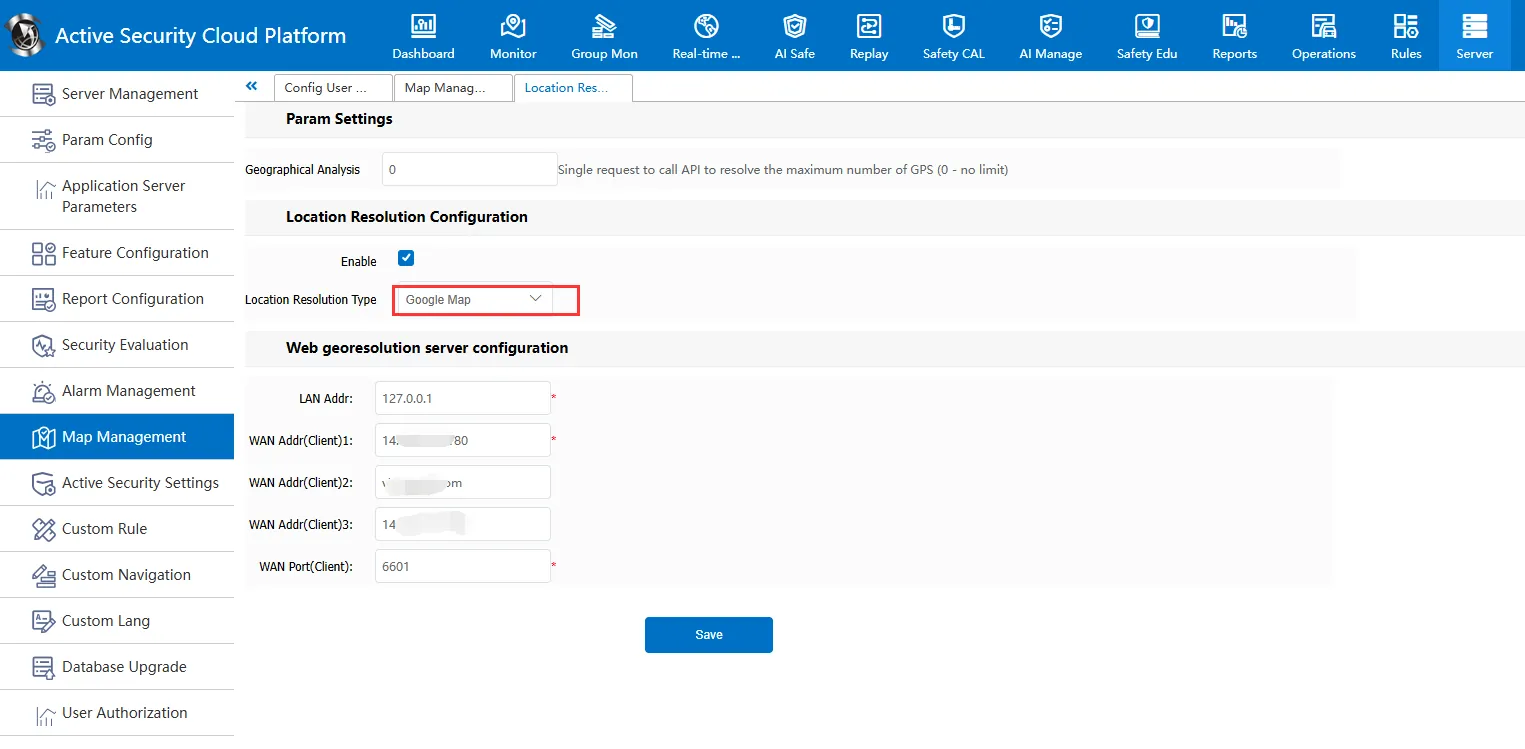
1、 function description
Apply for Google Maps KEY, configured to the platform, used to call Google Maps location resolution
2、 Google key application process
1. Apply for a Google account. If not, please apply by yourself.
2. Log in to the console to enable the map service
-
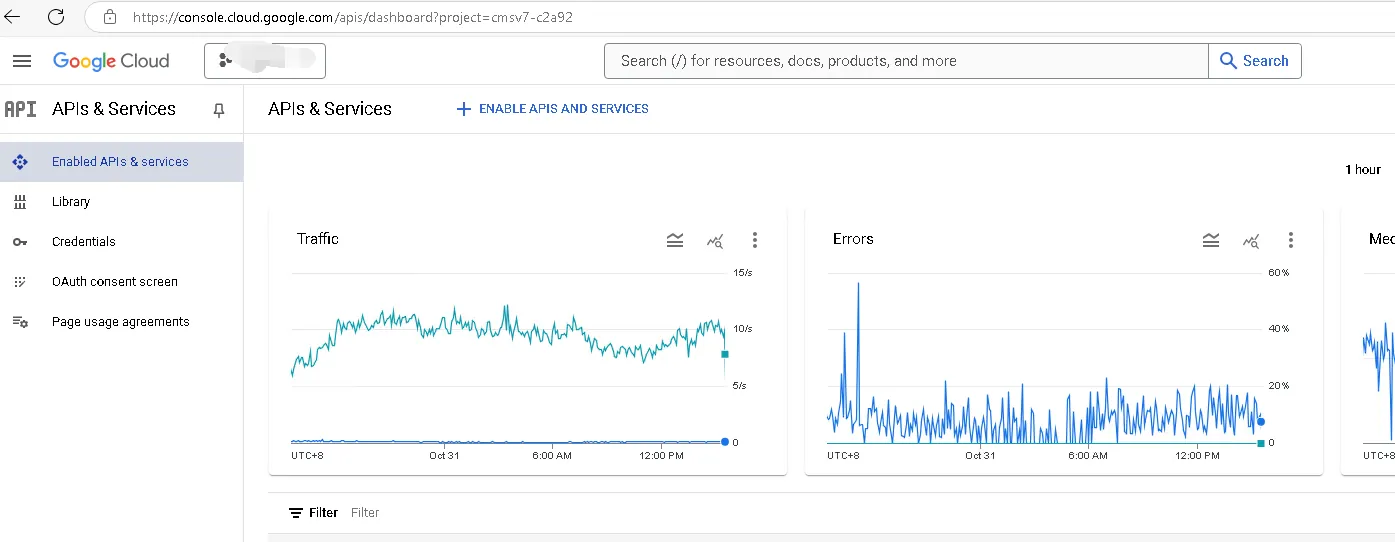
2.1 login address: https://console.developers.google.com/apis/dashboard
-
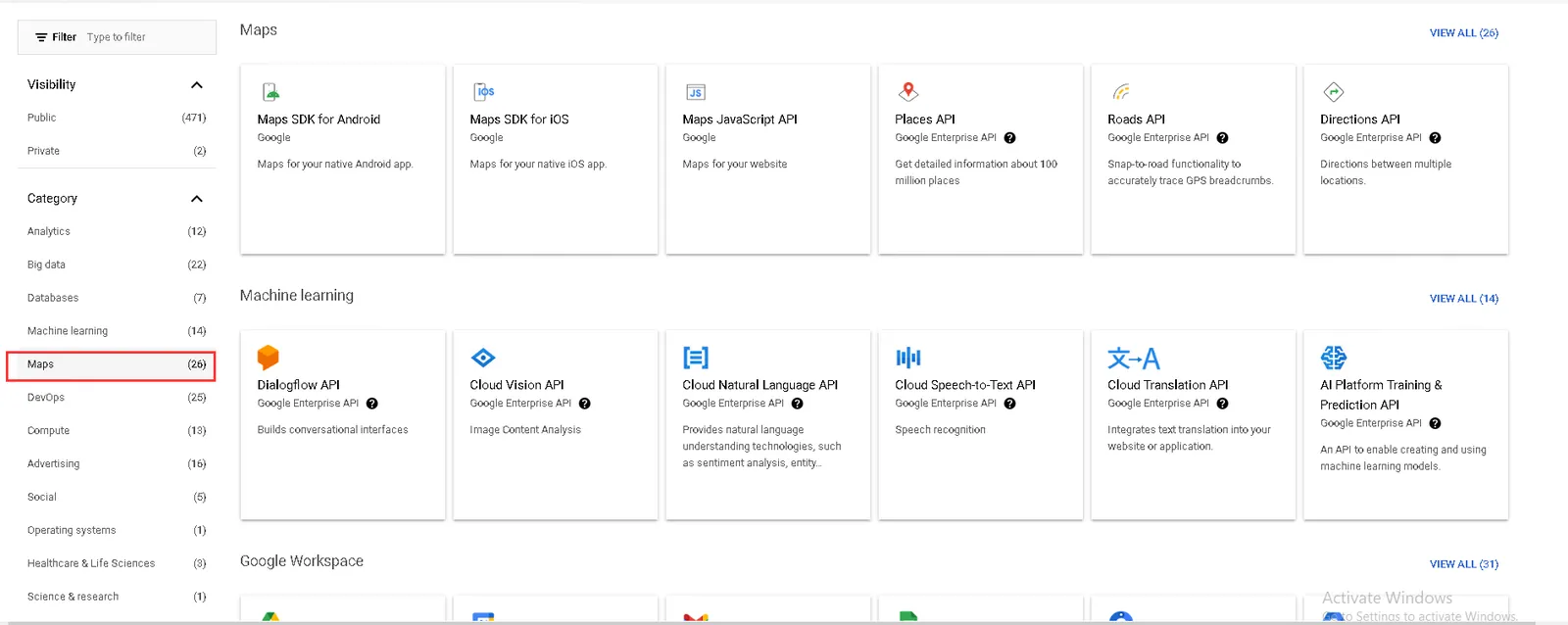
2.2 enable map api
-
2.3 Find Maps JavaScript API
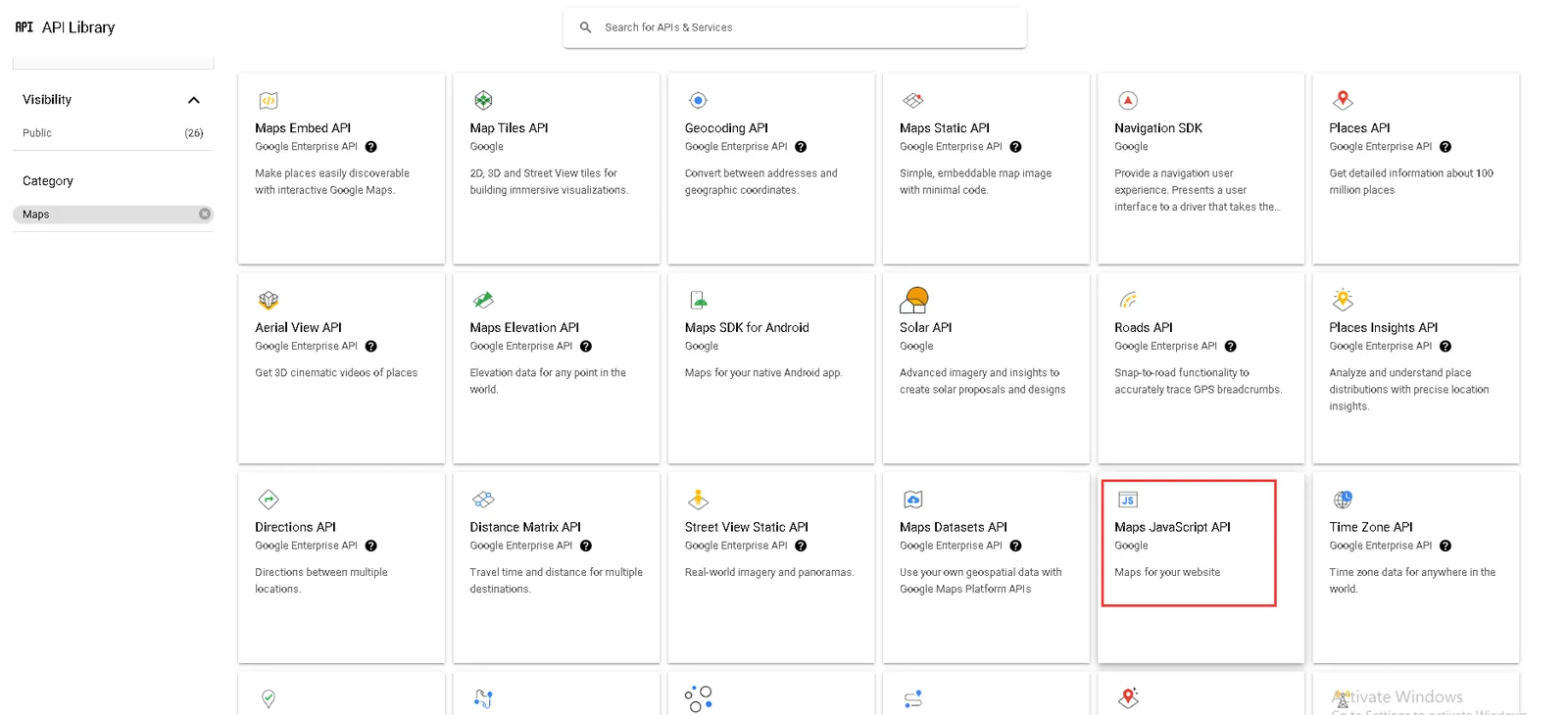
-
2.4 enabled
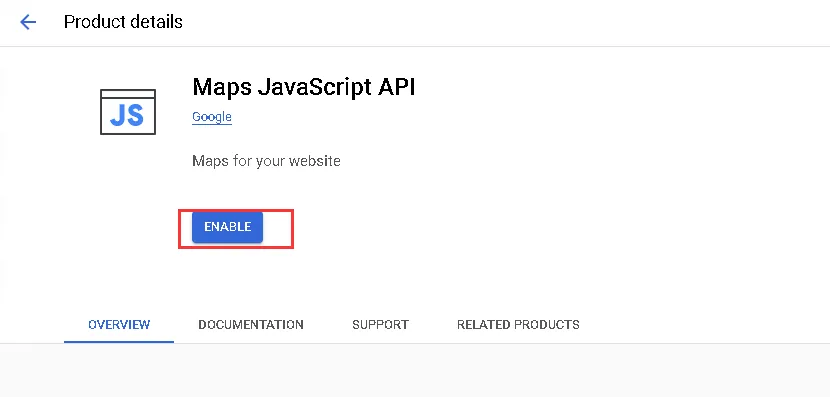
-
2.5 completion of payment authentication
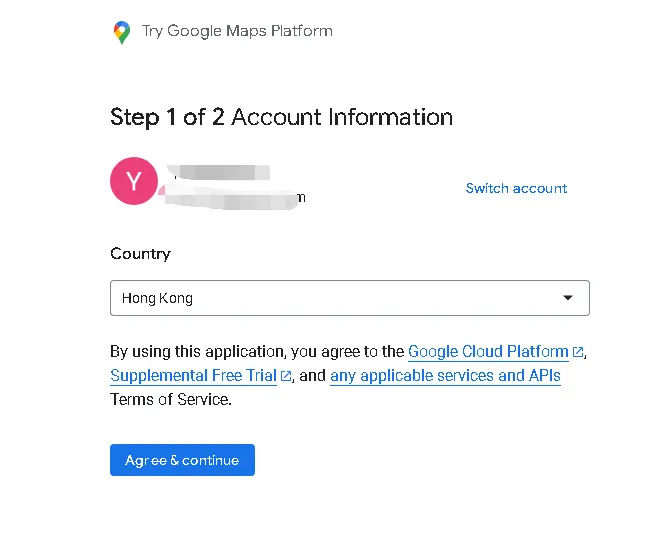
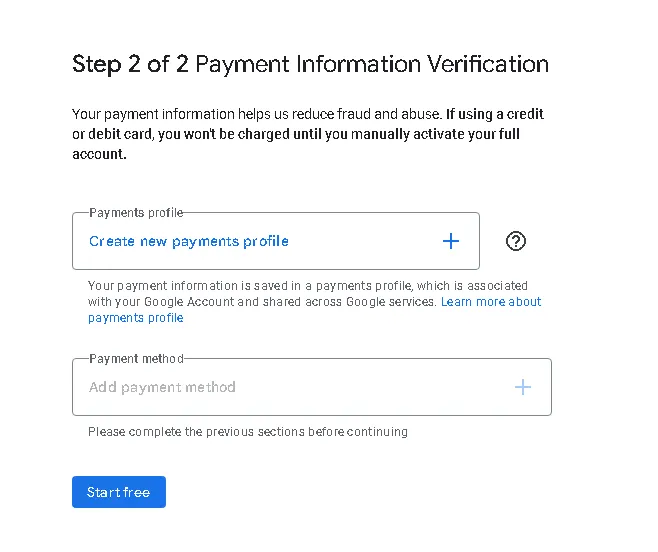
-
2.6 jump to library page
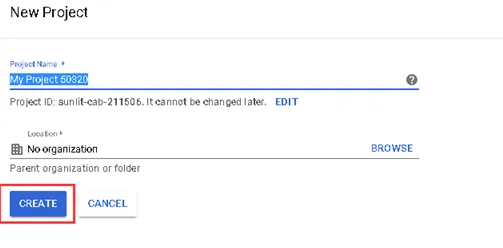
-
2.7 click
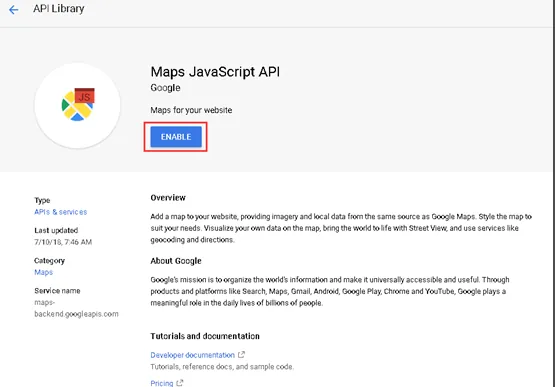
-
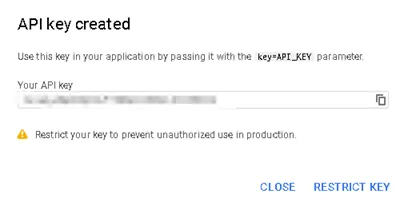
2.8 click Credentials to create Credentials API key to get AK value
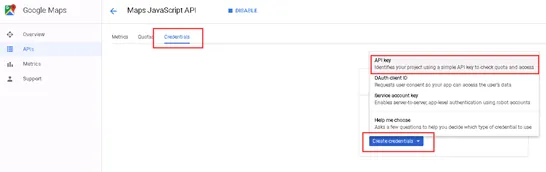
-
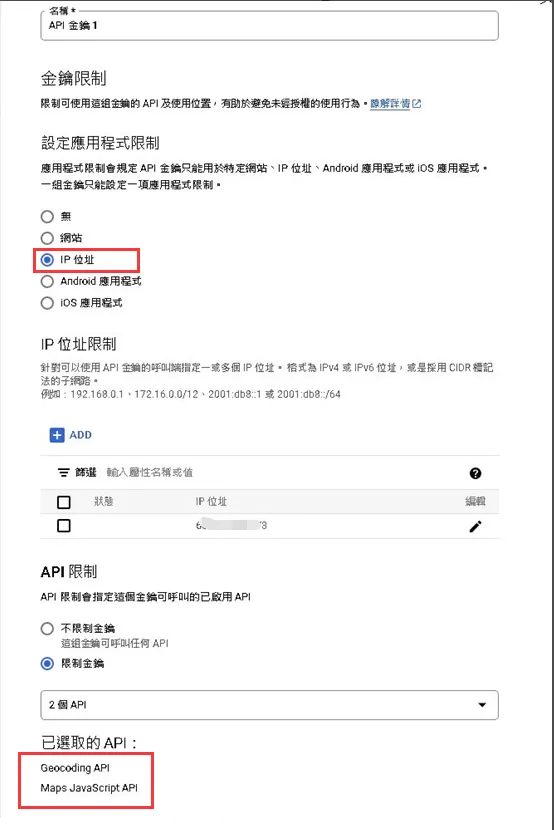
2.8 need to check Geocodeing API interface
-
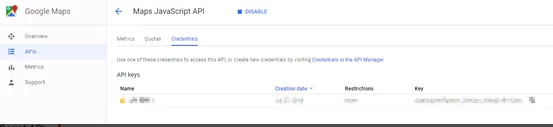
2.9 generate key and save it
3、 Configure key to cms system (admin login system required)