1. Feature Introduction
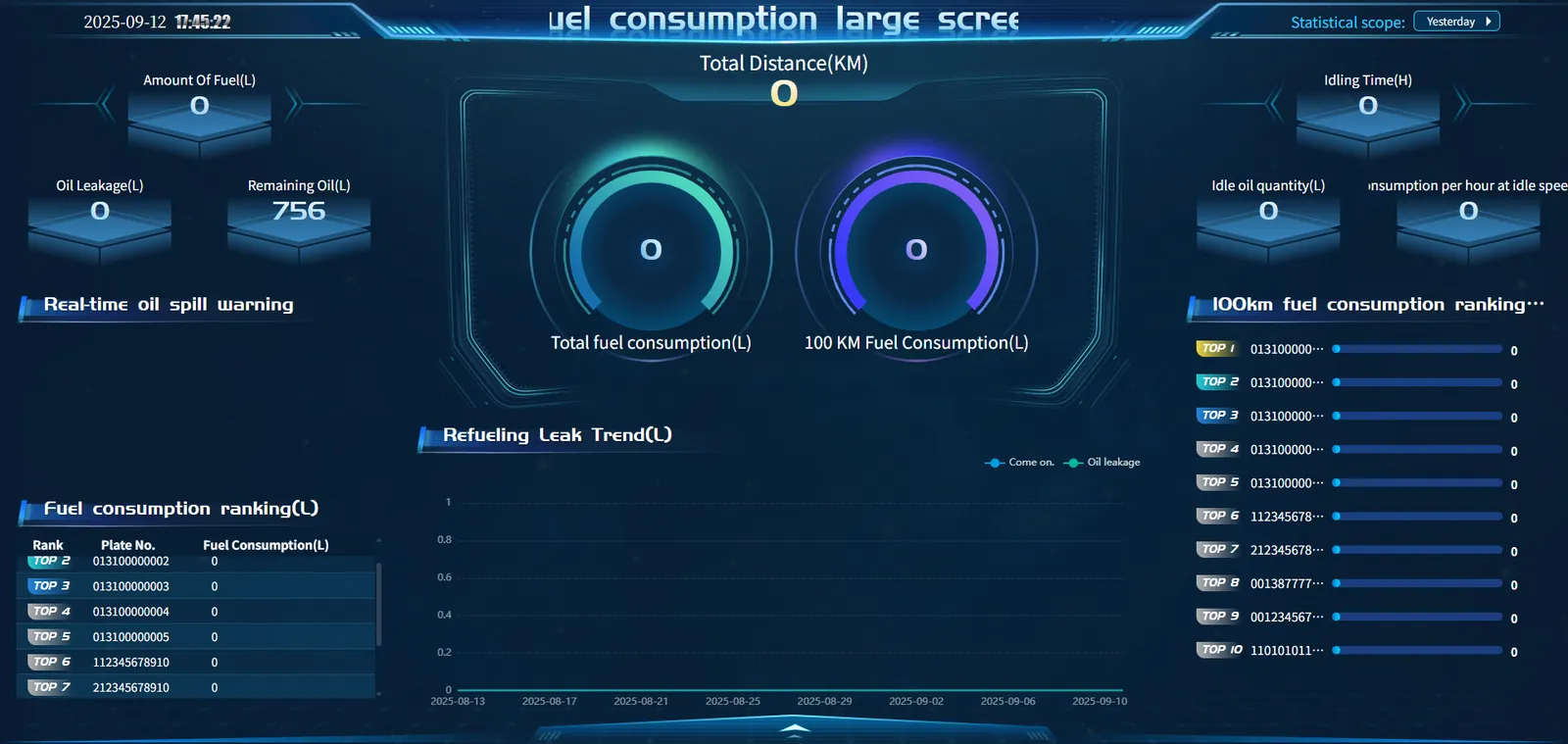
With the help of diversified visual elements, the large fuel consumption screen presents all- round data related to vehicle fuel consumption, covering key information such as refueling, oil leakage, fuel consumption ranking, fuel consumption trend, etc. With the help of this interface, users can grasp the fuel consumption status of vehicles, detect abnormal fuel consumption in time, analyze the trend of refueling and oil leakage, and compare the fuel consumption performance of different vehicles, so as to effectively manage vehicle fuel consumption, reduce operating costs and improve fuel utilization efficiency.
a. Top information bar
Top left: Display the current time
Upper right corner: Display statistics range selection (yesterday, nearly 7 days, nearly 30 days)
b. Left Ribbon
Fuel quantity (L): the fuel quantity of all vehicles within the statistical time range
Oil leakage amount (L): the oil leakage amount of all vehicles within the statistical time range
Remaining fuel (L): remaining fuel of all vehicles within the statistical time range
Real- time oil spill warning: Provide real- time oil spill warning information to ensure driving safety and timely deal with oil spill hazards
Fuel consumption ranking: displays the top ten vehicles in the statistical time range in the form of a list, including ranking, license plate number and fuel consumption (L), so that users can easily identify vehicles with high fuel consumption.
c. Central functional area
Core fuel consumption indicators:
Total mileage (KM): Total mileage of all vehicles within the statistical time range
Total fuel consumption (L): Visually display the total fuel consumption value in a circular chart.
Fuel consumption per 100km (L): visually display the value of fuel consumption per 100km with a circular graph
Refueling and oil leakage trend: The line chart shows the change trend of refueling and oil leakage over time to help users analyze the reasons for fuel consumption fluctuations.
d. Right Ribbon
Summary of key fuel consumption data:
Idle time (H): Displays the total idle time of all vehicles
Idle oil quantity (L): display the total idling fuel consumption of all vehicles
Idle speed fuel consumption per hour (L): idle speed fuel quantity ÷ idle speed duration
Ranking of fuel consumption per 100 kilometers: List the top ten vehicles with fuel consumption per 100 kilometers and their specific fuel consumption values in the form of a list, which is convenient for users to compare vehicle fuel efficiency.
2. Notes
The fuel consumption screen only counts vehicles with fuel sensors enabled.
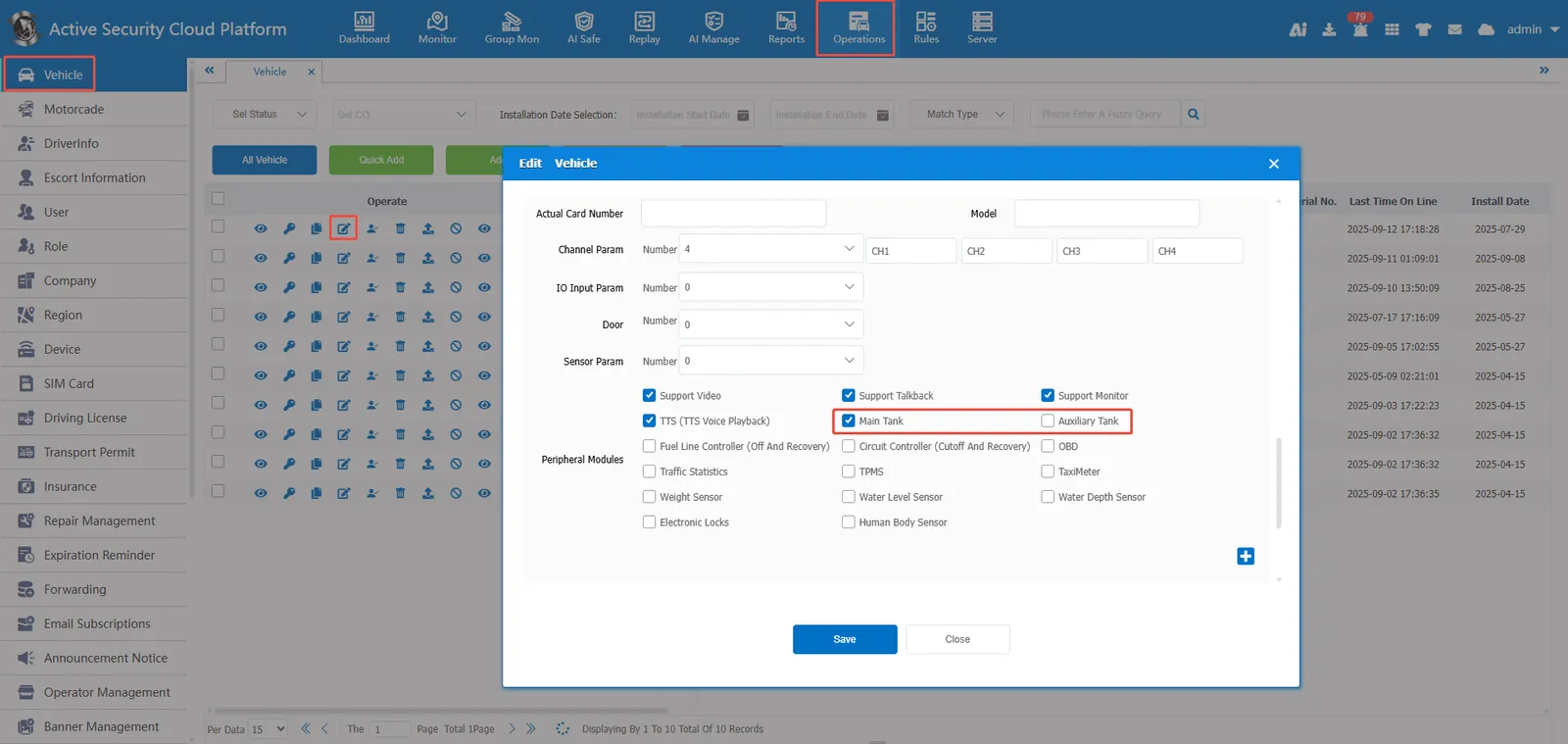
Fuel Quantity Probe Enable:
https://help.cmsv8.com/helpCenter/doc/index.html?isStudy=1&pageType=2&docType=9&docId=2048&type=1&lang=en
