Author 安康Updated 2025-09-15 17:00:12Doc ID 1635278 words · 1 min readView original ↗
1. Feature Introduction
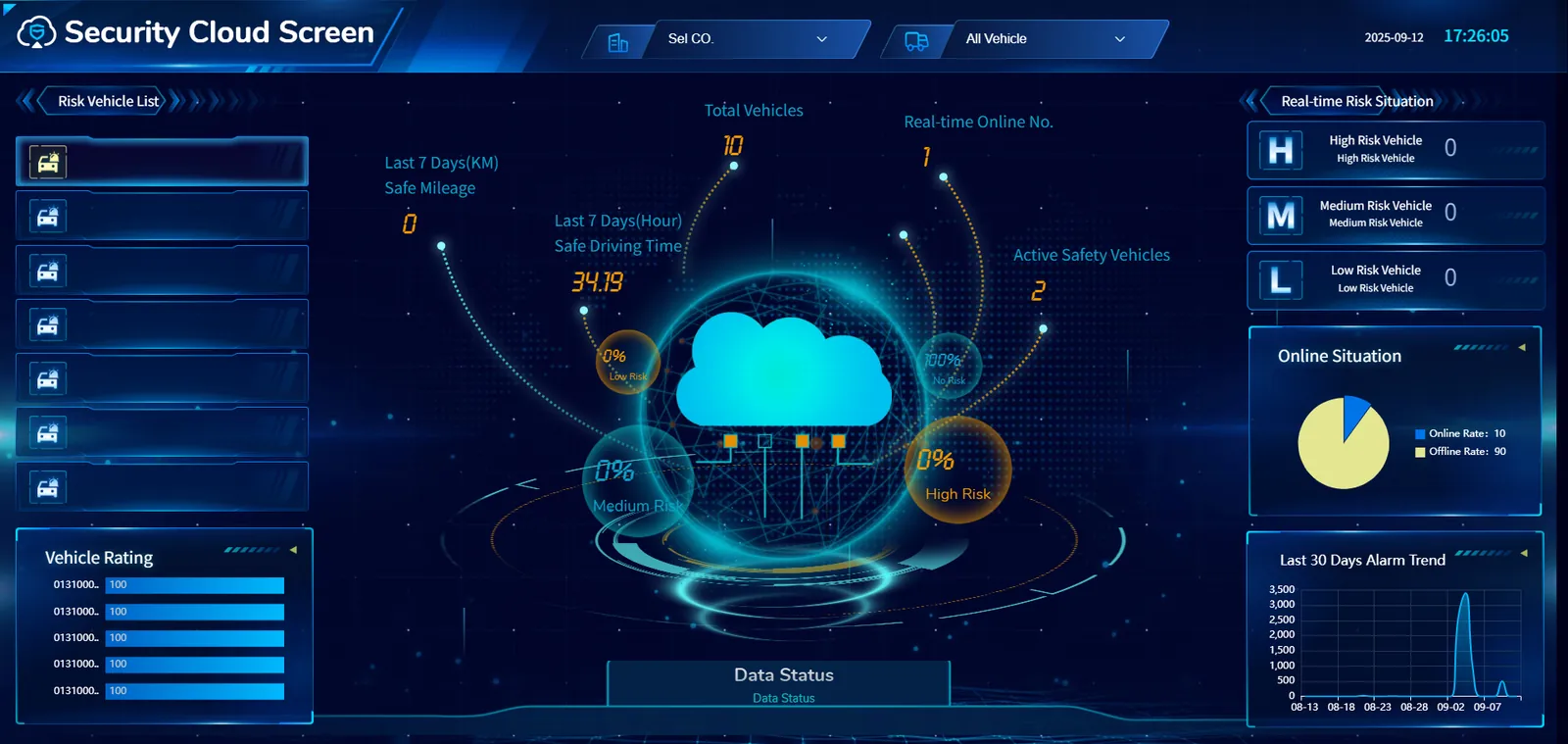
a. Top information bar
Select Company: Users can select the company to view through the drop- down menu.
Vehicle selection: provides a drop- down option of "all vehicles" to facilitate users to filter and view information on specific vehicle types.
Time & Date: Displays the current time and date.
b. Left Ribbon
Risk vehicle list: lists the vehicles at risk and their related information, including license plate number, time, risk type (such as physiological fatigue alarm level 2, smoking alarm level 2, distracted driving alarm level 2, etc.).
Vehicle rating: Show the rating of some vehicles.
c. central data display area
Total number of vehicles: Displays the total number of vehicles currently monitored.
Live Online Number: The number of vehicles online in real time.
Nearly 7 days of data:
Safe driving mileage: The safe driving mileage of the vehicle in the past 7 days.
Safe driving time: the safe driving time of the vehicle in the past 7 days.
Number of active safety vehicles: Number of vehicles with active safety features.
Risk ratio: centered on a cloud- like icon, showing the proportion of low- risk, medium- risk, and high- risk vehicles.
d. Right Ribbon
Real- time risk situation: the number of vehicles with different risk levels is identified by letters:
H (high risk vehicle)
M (Medium Risk Vehicle)
L (low risk vehicle)
Online situation: Show the online rate of vehicles in the form of a bar graph.
Alarm trend in the past 30 days: displays the change trend of the number of alarms in the past 30 days in the form of a line chart to help users understand the fluctuation of the alarm situation.