1. Feature Introduction
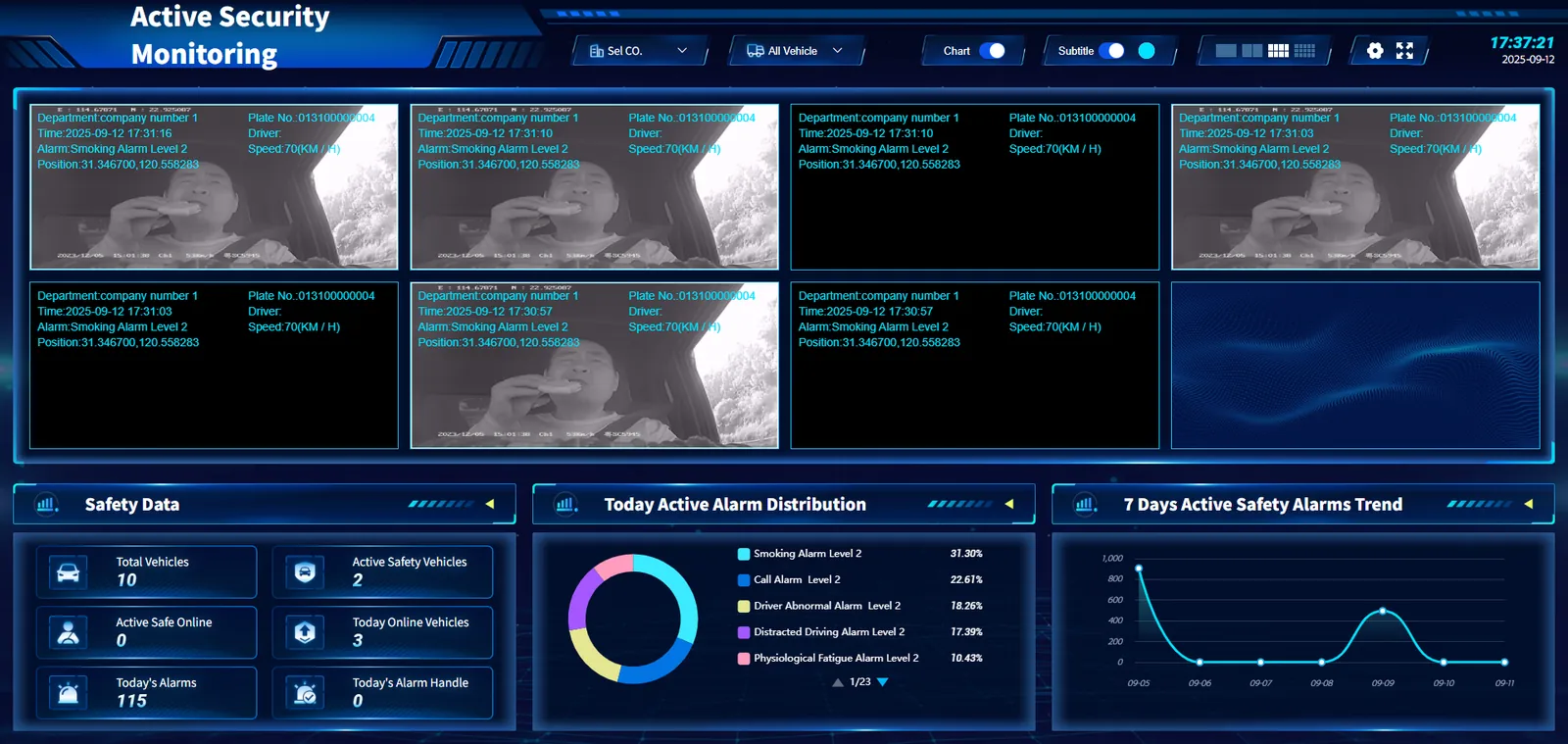
The active safety monitoring screen fully demonstrates the active safety status of the vehicle through real- time video monitoring and detailed data statistics. Users can view the driving situation and alarm information of the vehicle in real time, and understand the location, speed and alarm type of the vehicle. At the same time, through the data statistics area, users can master the total number of vehicles, online conditions, total number of alarms and processing conditions, analyze the distribution of alarm types and the alarm trend in the past 7 days, so as to find and deal with potential safety hazards in time and ensure the safety of vehicle operation.
a. Top Function Bar
- Select Company: provides a drop- down menu for company selection, and users can filter to view the security monitoring data of a specific company.
- All vehicles: A drop- down menu for vehicle filtering is provided, and users can choose to view the safety information of all vehicles or specific vehicles.
- Chart/subtitle switching: users can choose to display relevant data in the form of charts or subtitles.
- Time display: The current time and date are displayed in the upper right corner.
b. Video monitoring area
- Shows real- time monitoring screens of multiple vehicles, each screen contains the following information:
License plate number, organization, time, driver, speed, alarm type, location.
c. bottom data statistics area
-
Active safety data:
Total number of vehicles, number of active safety vehicles, number of active safety online vehicles, number of vehicles launched today, total number of alarms today, and number of alarms processed today. -
Active security alarm type distribution today:
The percentage of different types of alarms is displayed in a ring chart. -
Trend of active safety alarm in recent 7 days:
The line chart shows the change trend of the number of active security alarms in the past seven days. The horizontal axis is the date and the vertical axis is the number of alarms.