1 Function description
Click the "Alarm System" button above the alarm center. Select Alarm Processing Center to enter the alarm processing center configuration interface.
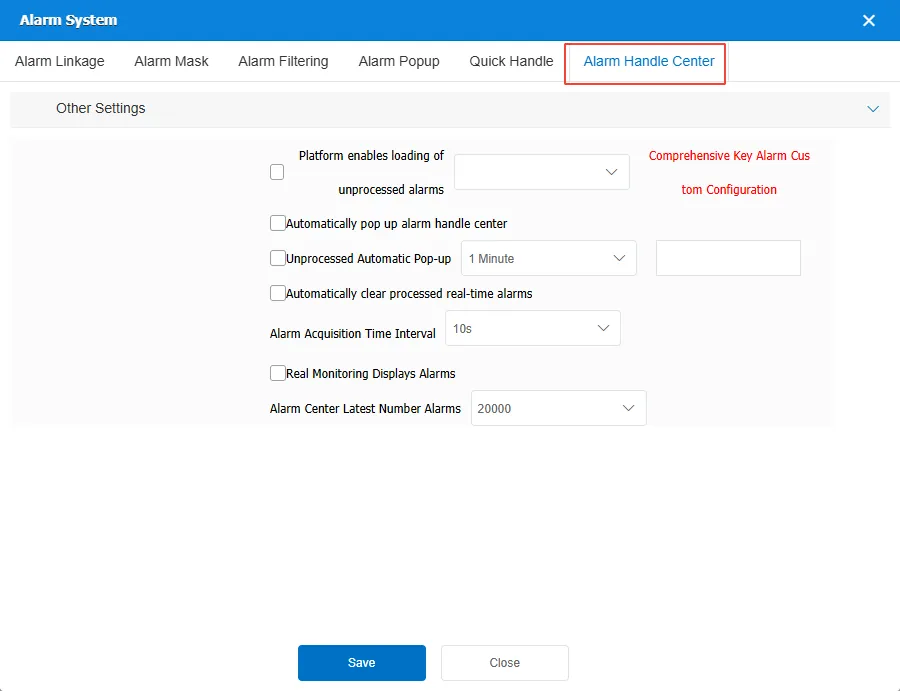
Platform enables loading of unprocessed alarms: If this option is enabled, the alarm center will load the alarms that have not been processed within the specified time. The loaded alarm types can be configured in [ Server]> [ Alarm Management ]> [ Comprehensive Key Alarm Custom Configuration ].
Automatically pop up alarm handle center: Whether the system automatically pops up the alarm processing center interface when a new alarm occurs.
Unprocessed Automatic Pop-up: If there are unprocessed alarms, the system automatically pops up the alarm processing center interface.
Automatically clear processed real-time alarms: The processed alarms are automatically cleared from the real- time list.
Alarm Acquisition Time Interval: specifies the interval for obtaining alarm information.
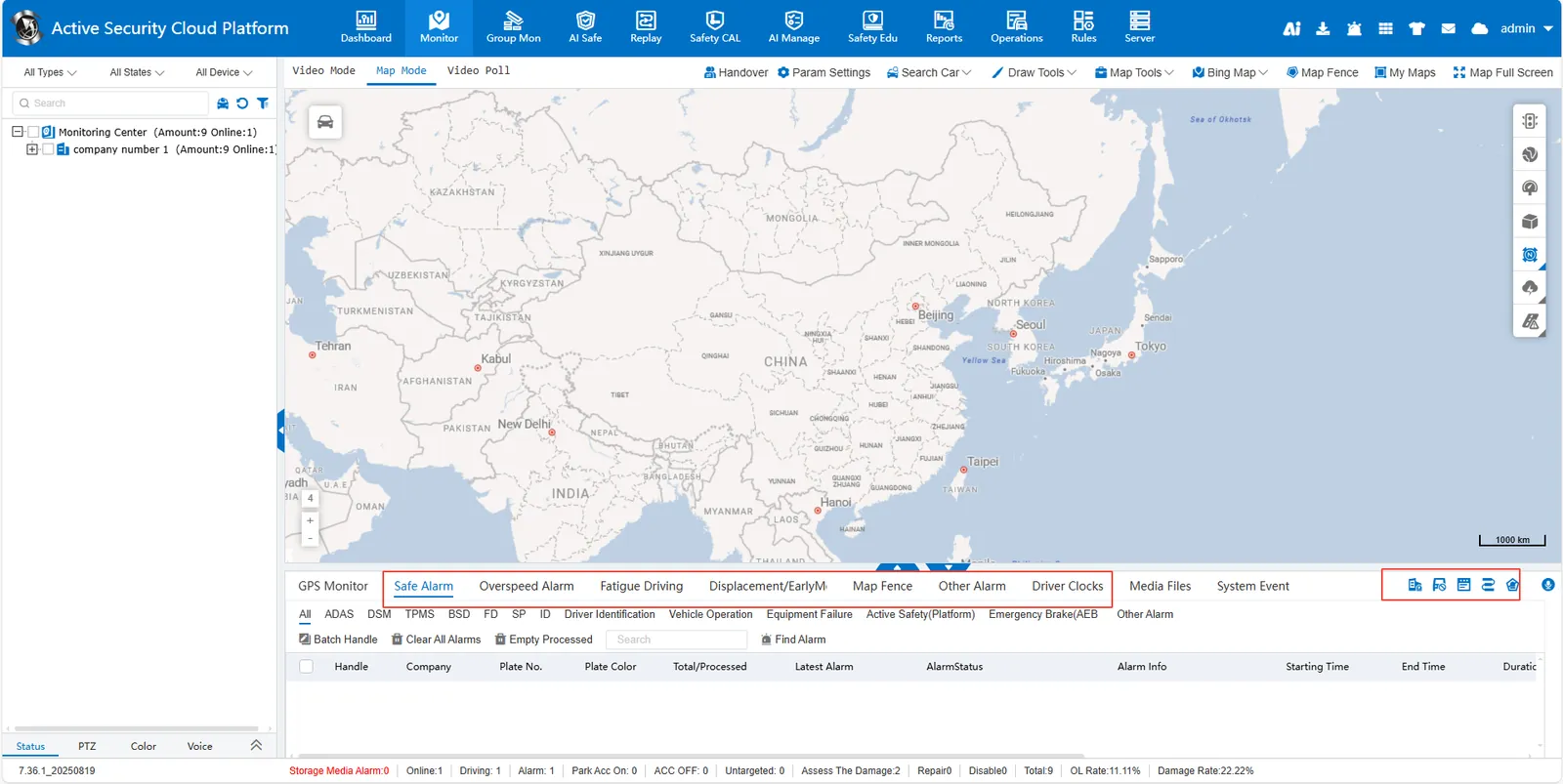
Real Monitoring Displays Alarms: indicates whether to enable the real- time monitoring and alarm display function. The effect is shown in the following figure. (You need to check the "Real Monitoring Displays Alarms" in [ Server]> [ Feature Configuration ]> [ General Function Configuration ] to have this option)
Alarm Center Latest Number Alarms: sets the number of the latest alarm records displayed in the alarm center.
