1 function entrance
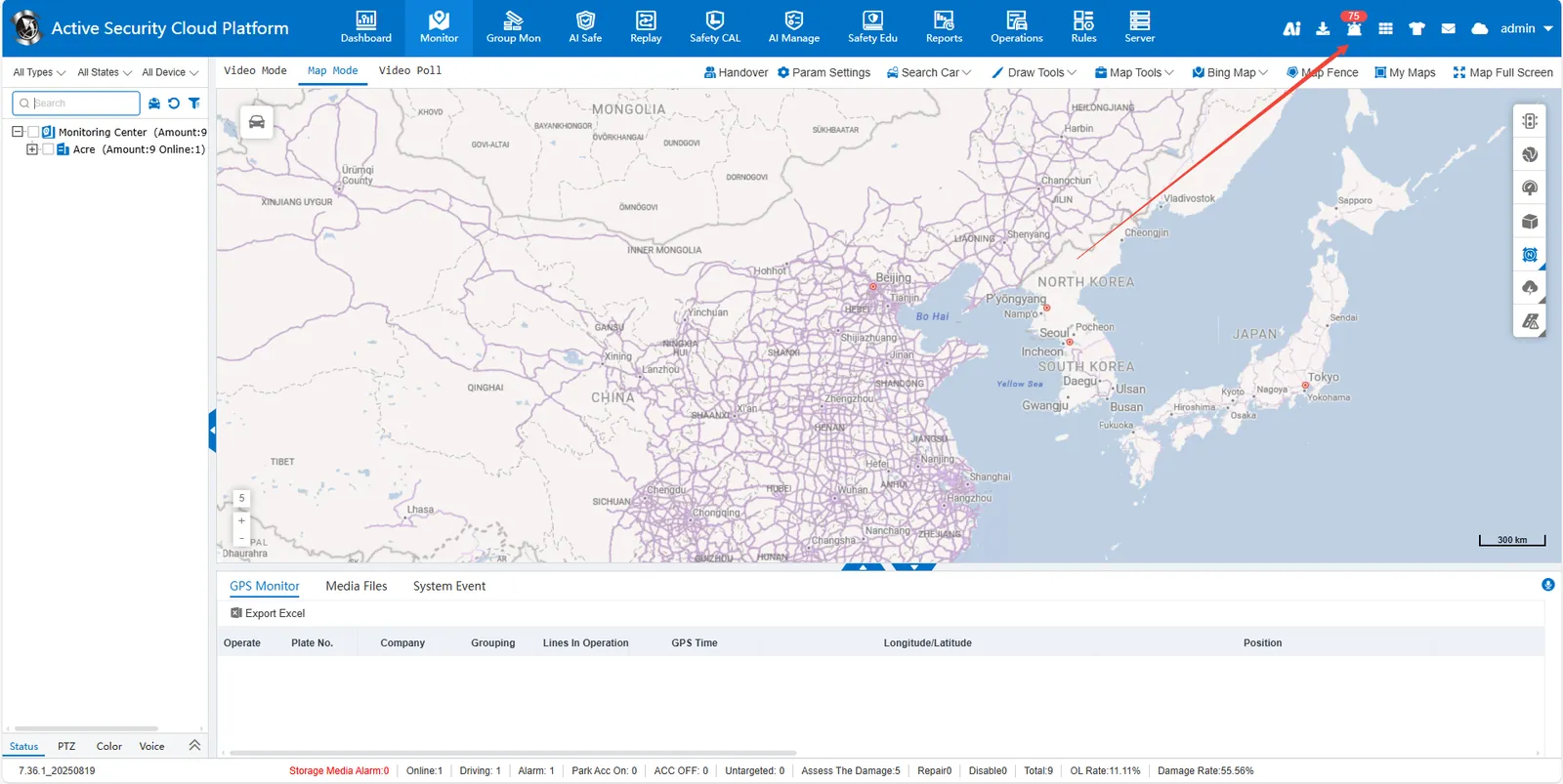
2 Alarm Display Logic
- Only display the alarm triggered by the current login account login
- Page refresh will clear the current alarm list
3 did not deal with the alarm solution in time
-
Auto Load: Enable "Auto Load Unprocessed Alarms" by [Setting]> [Alarm Processing Center]"
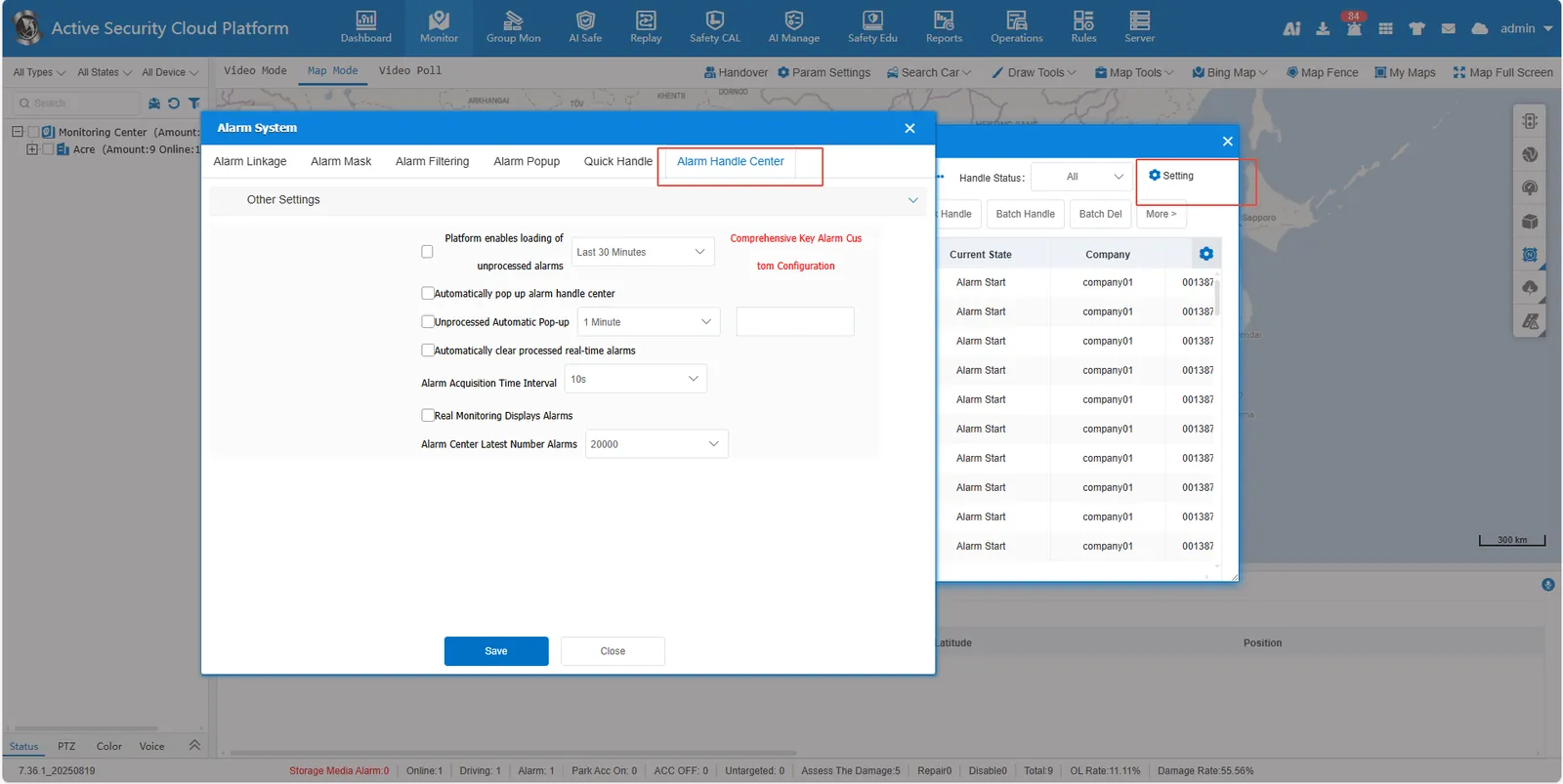
-
Pop- up Reminder: Configure the function of "Automatic Pop- up for Unprocessed Alarm" through [Setting]> [Alarm Processing Center]
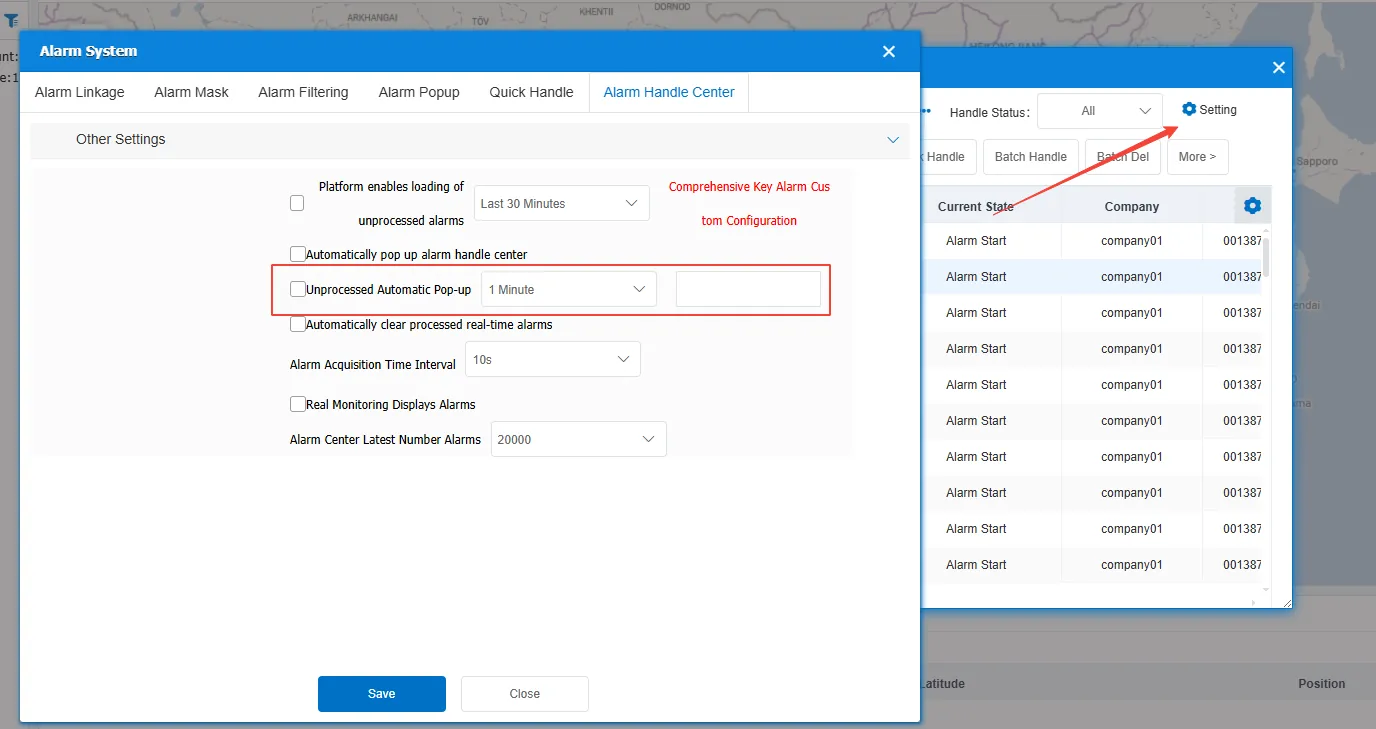
-
Automatic Processing: You can select [Rules]> [Alarm Rules]> [Alarm Linkage Rule] to configure automatic alarm processing.
4 historical alarm processing
Go to [Security Management]> [Active Security Alarm Processing] to view/process active security alarms.
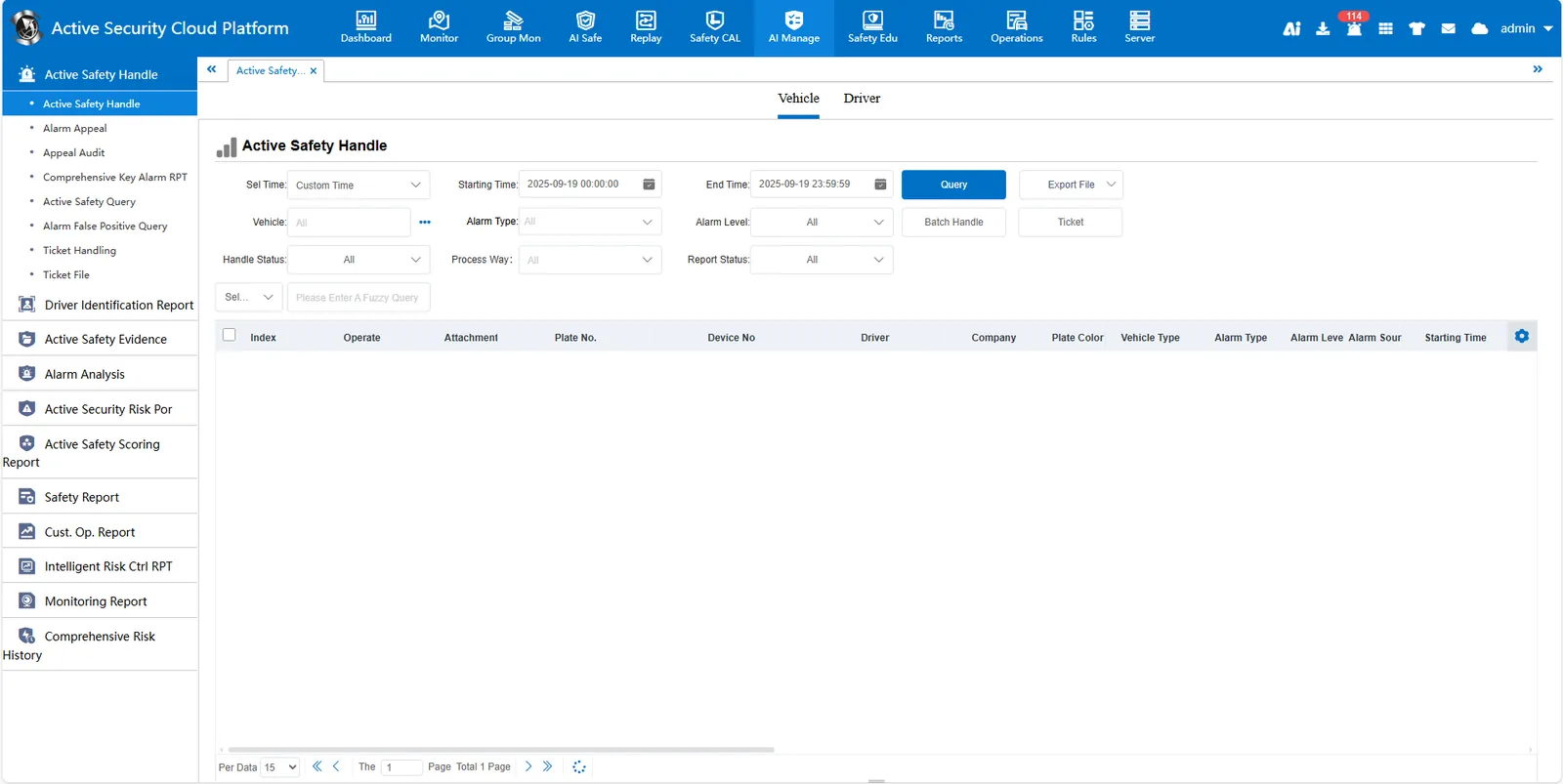
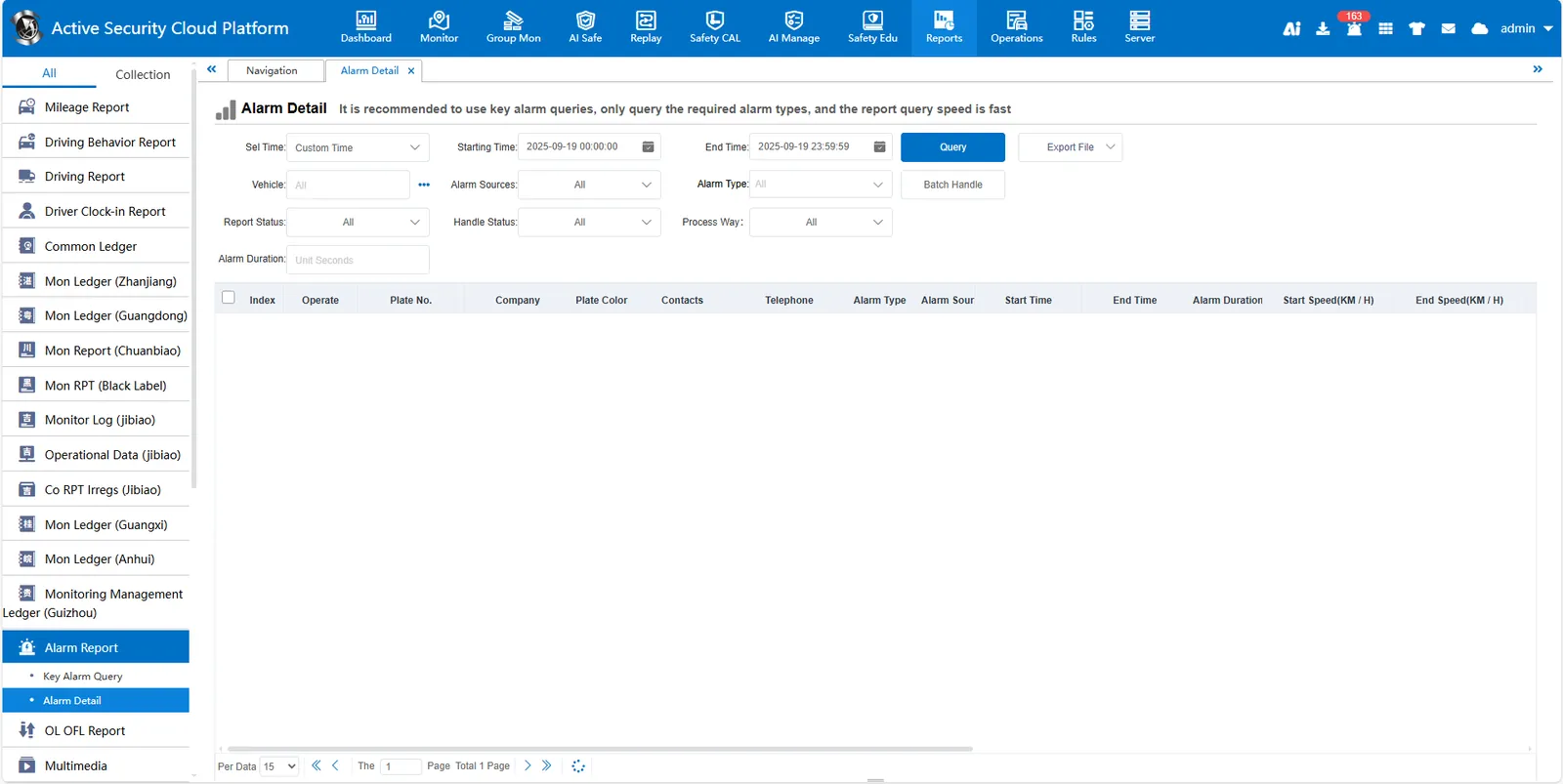
Enter [Reports]> [Alarm Detail] to view/process common alarms
5 Display logic for multiple people to process alarms at the same time
Status Synchronization: The alarm processing status of other users can be displayed synchronously.
Result Judgment:
- [Server]> [Function Configuration]> [General Function Configuration]. After checking "Alarm Repeat Processing", when the same alarm is operated by multiple people, the final submission result shall prevail.
- Not checked, the system is subject to the first submission result
