1 Function description
The automatic alarm processing function can automatically perform processing according to preset rules after a specific alarm is triggered, effectively improving processing efficiency and response speed.
2 operating instructions
2.1 create rules
Go to [Rules]> [Rule Maintenance]> [Alarm Rules] and add an alarm linkage rule.
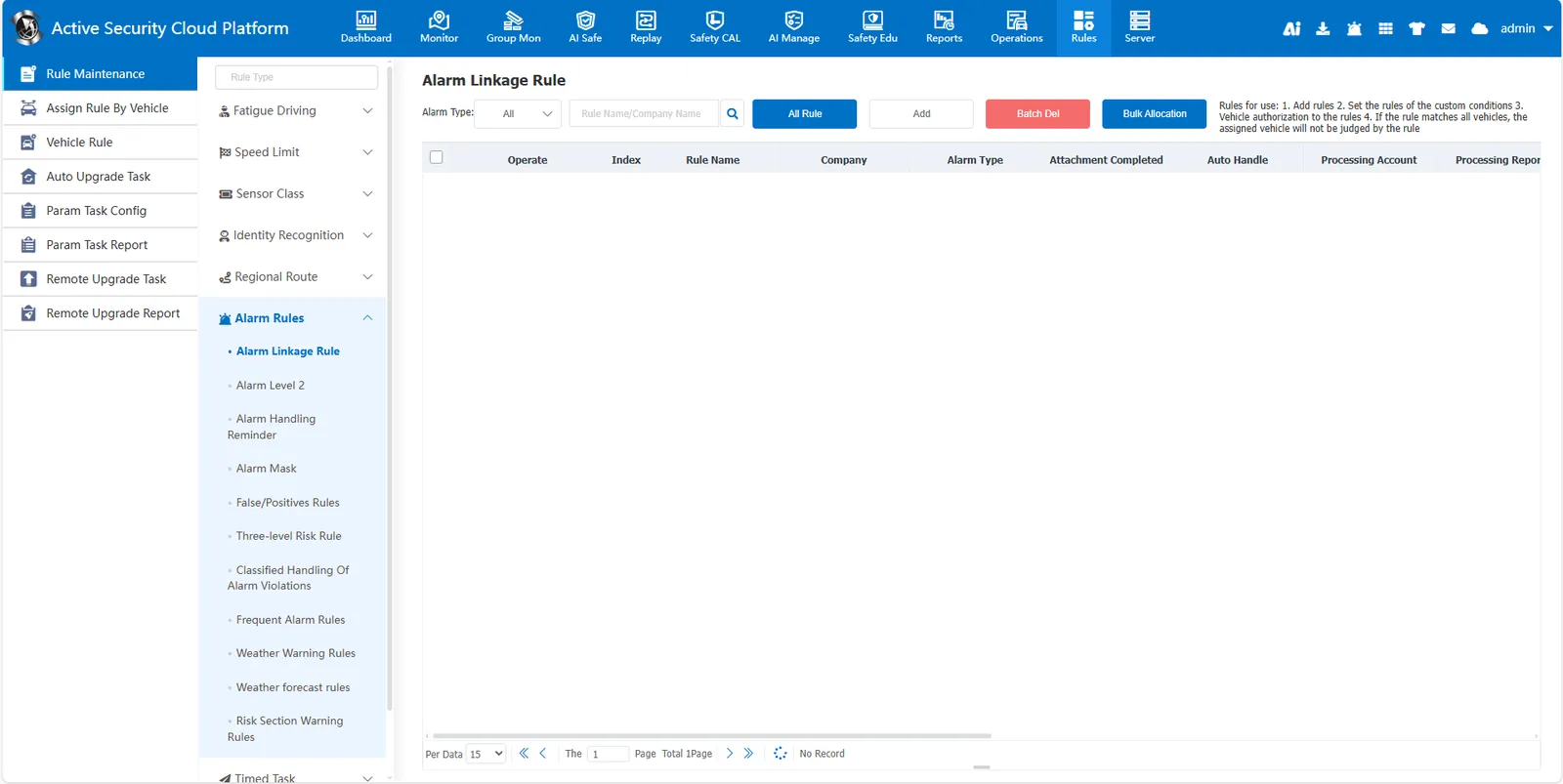
Select the alarm type to be processed automatically, check "Automatic Processing", and select the processing account to save.
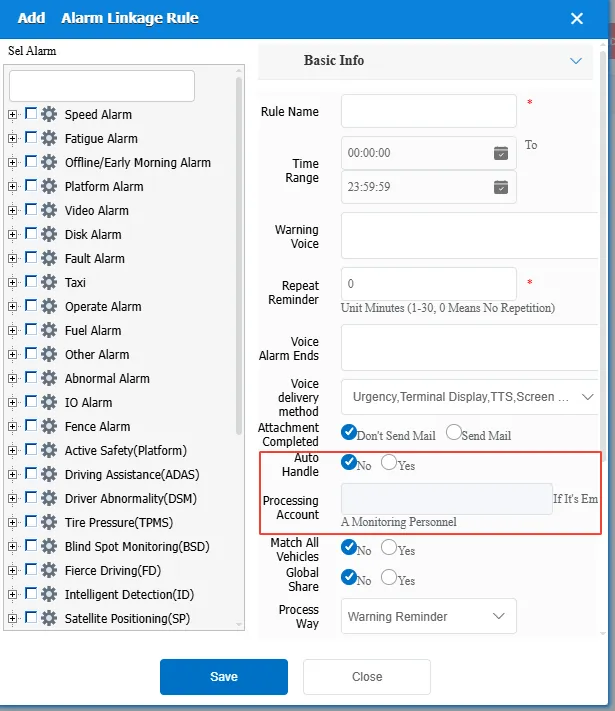
Time Range: The rule takes effect within this time range.
Alarm voice: the message sent to the device when the alarm is triggered
Repeated Reminder: During the duration of the alarm, the alarm voice is sent to the device at regular intervals.
Alarm End Voice: the message sent to the device when the alarm ends.
Whether to send the email when the attachment is completed: This function requires configuring the sending mailbox and the receiving mailbox.
Automatic Processing: When an alarm is triggered, the system automatically uses the configured processing account to process the alarm.
Match all vehicles:
- No: only valid for vehicles assigned to the rule
- Yes: Effective for all vehicles of the company to which the rule belongs (vehicles assigned to the rule are not effective)
Global Share:
- No: only the company account is visible
- Yes: All accounts are visible
Processing Method: Automatic processing is valid when Yes is selected.
Processing and Reporting: indicates whether to report to the higher- level platform through the 809 after alarm processing.
Stop recording when the alarm ends: When the configured recording duration is longer than the alarm duration, whether to stop recording when the alarm ends
Take photos and videos: Whether to take photos and videos when the alarm is triggered
SMS and Email: Whether to send SMS and email notifications when the alarm is triggered.
- SMS function [Server]> [Param Config]> [SMS Configuration] You need to configure SMS service information
- mail function [Server]> [Param Config]> [Mail Configuration] you need to configure the sending mailbox
Telephone Notification: indicates whether to notify by telephone when an alarm is triggered. This function requires [Server]> [Param Config]> [Phone Configuration] to configure voice service information.
2.2 allocated vehicles
Click the first icon of the rule to assign the rule to the vehicle and then take effect.

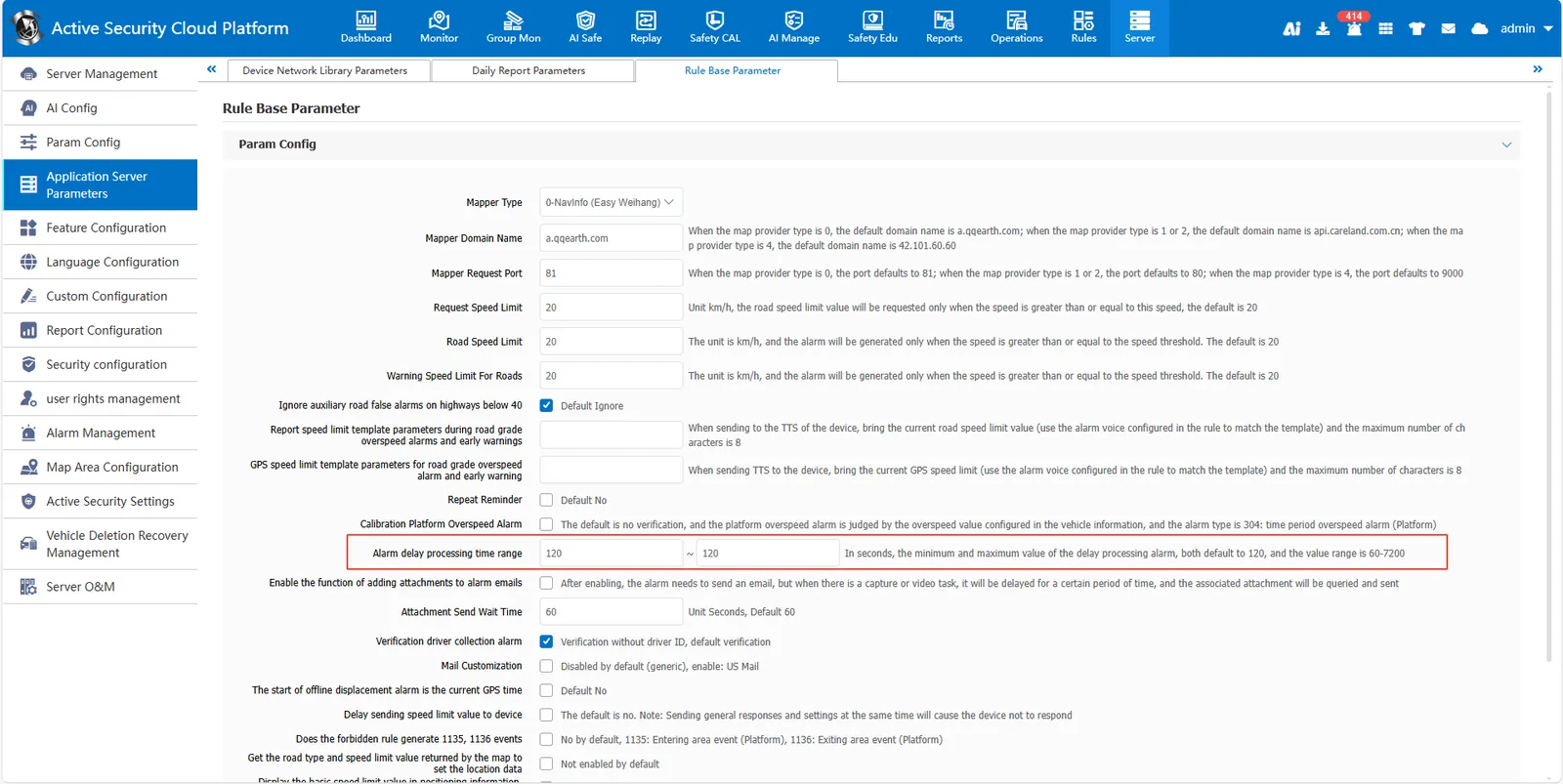
2.3 set processing delay (optional, default 2 minutes)
Go to [Server]> [Application Server Parameters]> [Rule Base Parameter].
Modify the value of "alarm delay processing time range" (unit: second, range: 60- 7200, default 120) and save it.