1 Function description
The alarm linkage function is designed to provide users with a more intelligent and efficient alarm processing method. By configuring alarm linkage, users can automatically perform a series of preset operations when a specific alarm is triggered, thereby improving safety and management efficiency.
2 operating instructions
- Click the setting button above the alarm center to enter the alarm linkage configuration interface
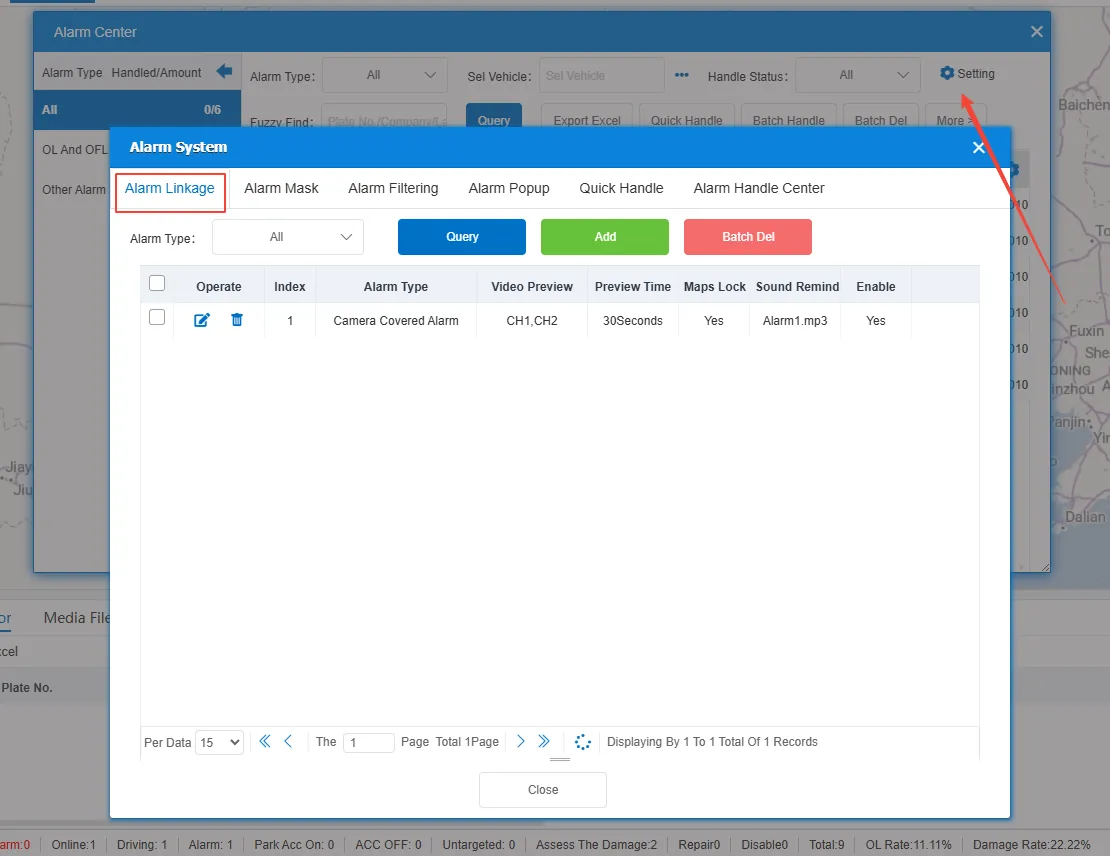
- Add alarm linkage configuration
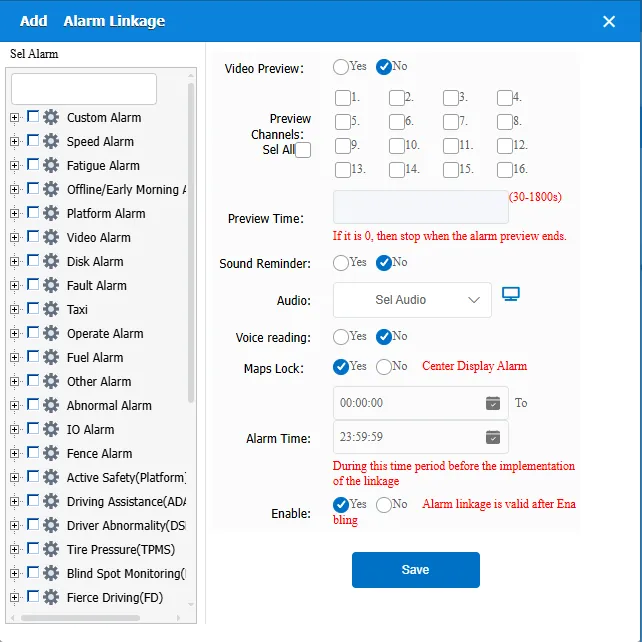
Sel Alarm: You can select the alarm type to be linked from the list on the left.
Preview Channels: Automatically previews the video when an alarm occurs. You can select the Video Preview option and select the appropriate preview channel to view the video when the alarm occurs in real time.
Preview time: Set the duration of the preview, the selection range is 30 seconds to 1800 seconds. If set to 0, the preview is stopped at the end of the alarm.
Sound Reminder: Users can choose whether to alert when the alarm occurs, by checking the "Sound Reminder" option, you can choose to enable or disable this function.
Audio: Users can select a specific audio file as the alarm reminder sound, click the "Select Audio File" button, select the required audio file from the file list, support uploading audio files.
Voice reading:Users can choose whether to read out the alarm name when an alarm occurs.
Maps Lock: Check the "Electronic Map Lock" option to automatically display the alarm location on the electronic map when an alarm occurs, and display it in the center.
Alarm time: sets the alarm time, that is, the time period during which the alarm linkage function takes effect. Alarms that occur within this time period will trigger the linkage operation.
Enable: You can select Enable to enable or disable the alarm linkage configuration.
