1 Function description
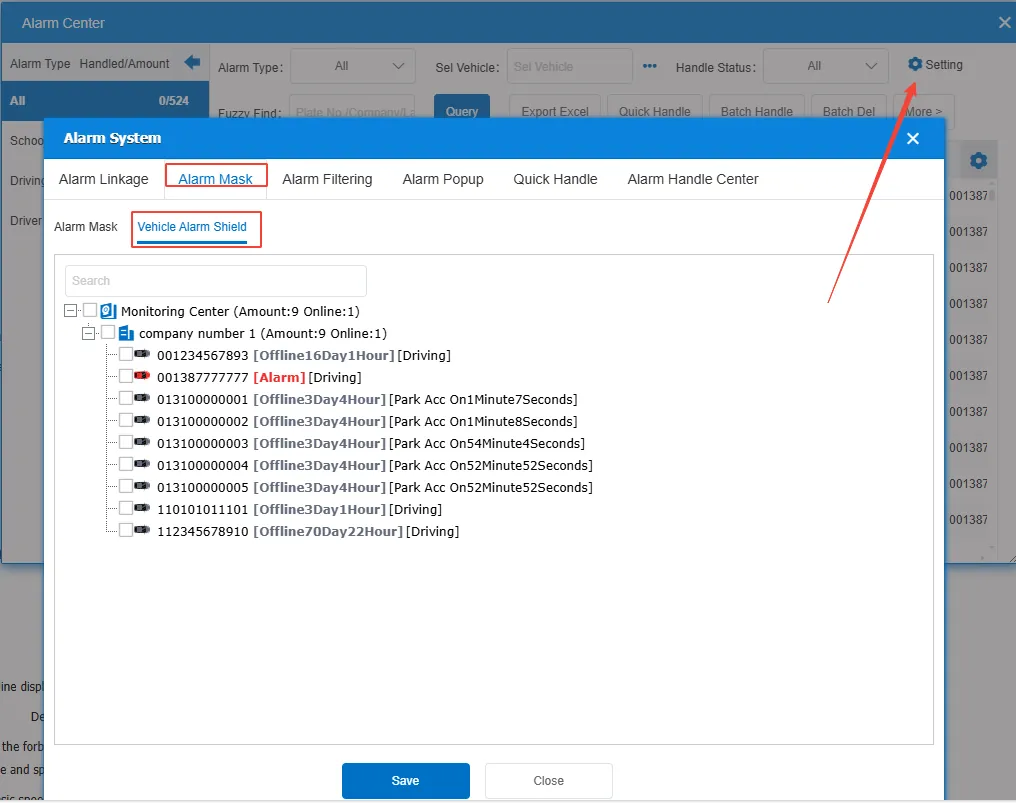
- Mask the alarm of the specified vehicle. If the check box is selected, the alarm of the vehicle will be masked.
- After the function is enabled, it does not affect the bubble box display alarm, only in the alarm list and alarm center does not display new alarm information;
- Client and WEB are affected;
- There are still alarm records in the statistical report, and APP can still receive alarm push.
2 operating instructions
Click the "Alarm Settings" button above the alarm center. Select [Alarm Mask]> [Vehicle Alarm Shield] to enter the alarm shielding configuration interface and select the vehicle to be shielded.