1. Function description
Remotely sends an upgrade task to the device, and the device performs the upgrade action after receiving the task.
2. operating instructions
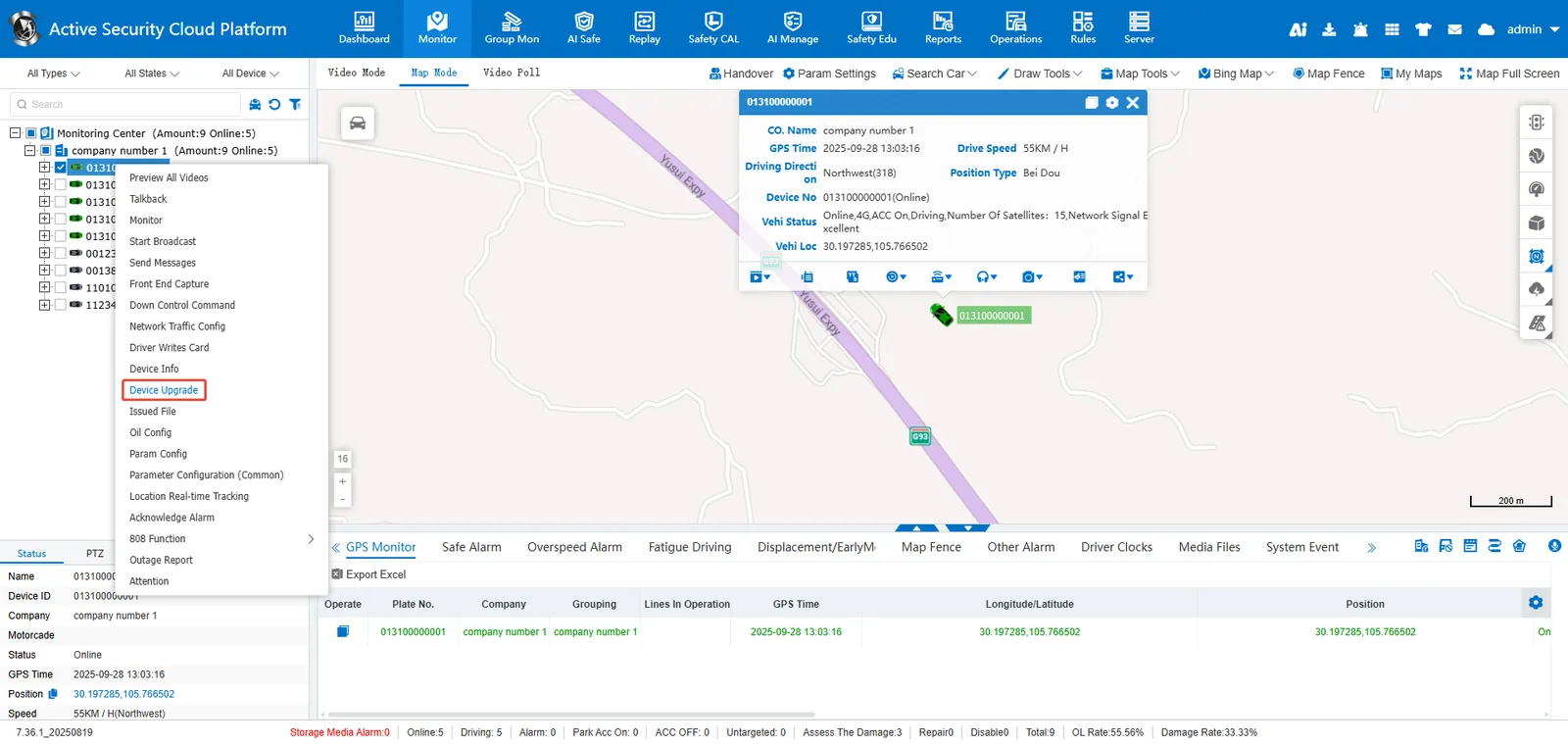
2.1 real- time monitoring> vehicle selected in the vehicle monitoring tree> right click> remote upgrade
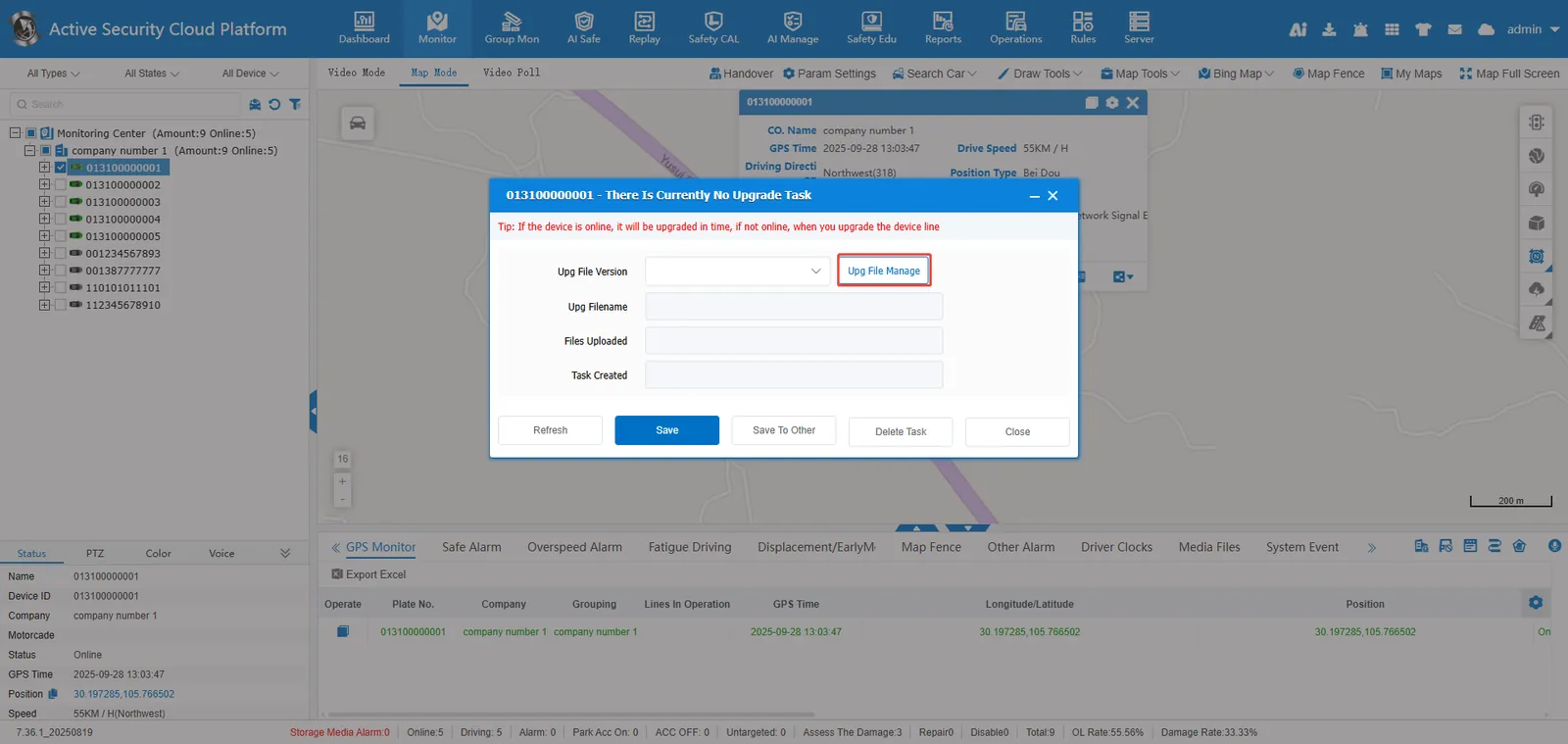
2.2 upgrade file management
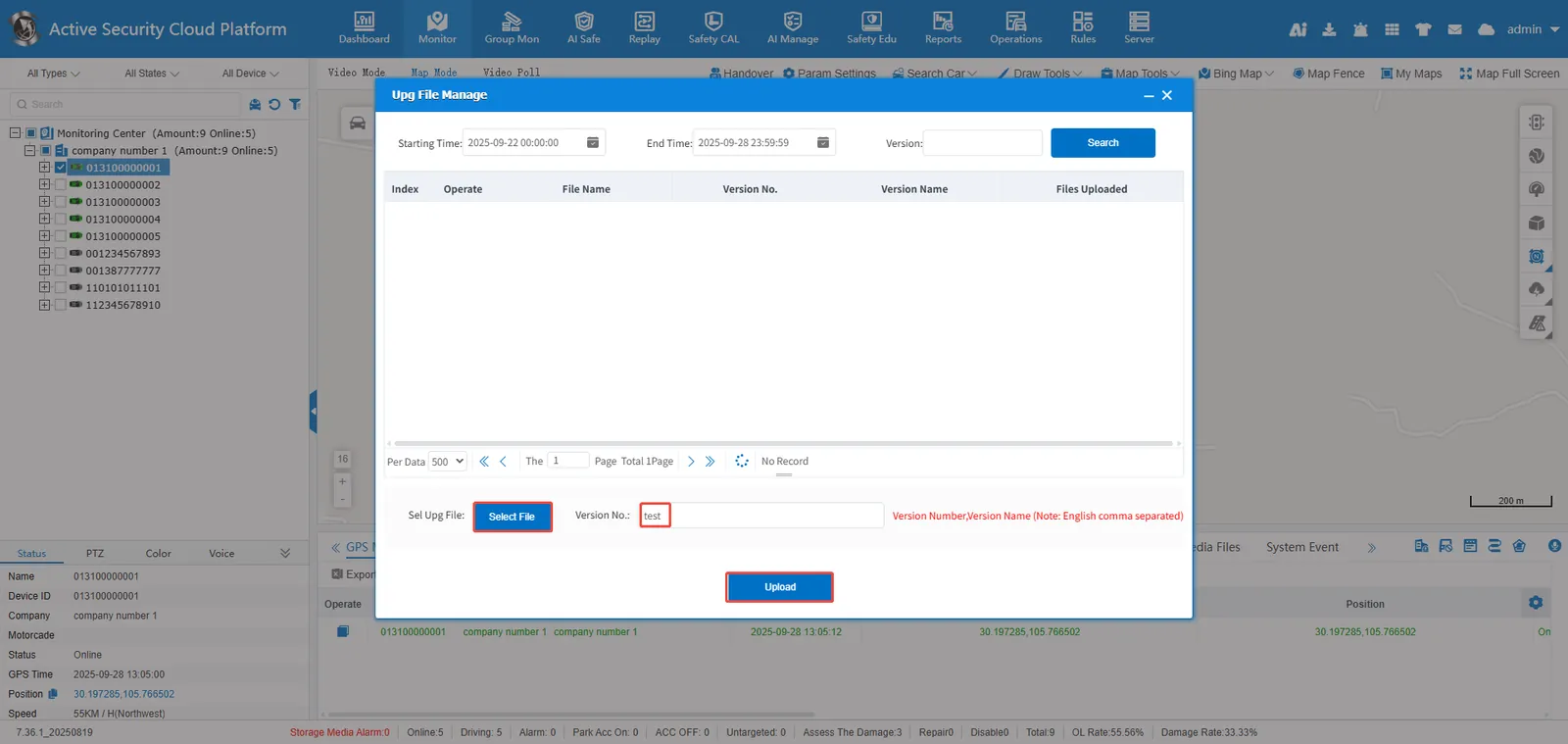
2.3 select local upgrade file> set version number and version name (note: comma separated)> upload
2.4 the uploaded upgrade file> Save
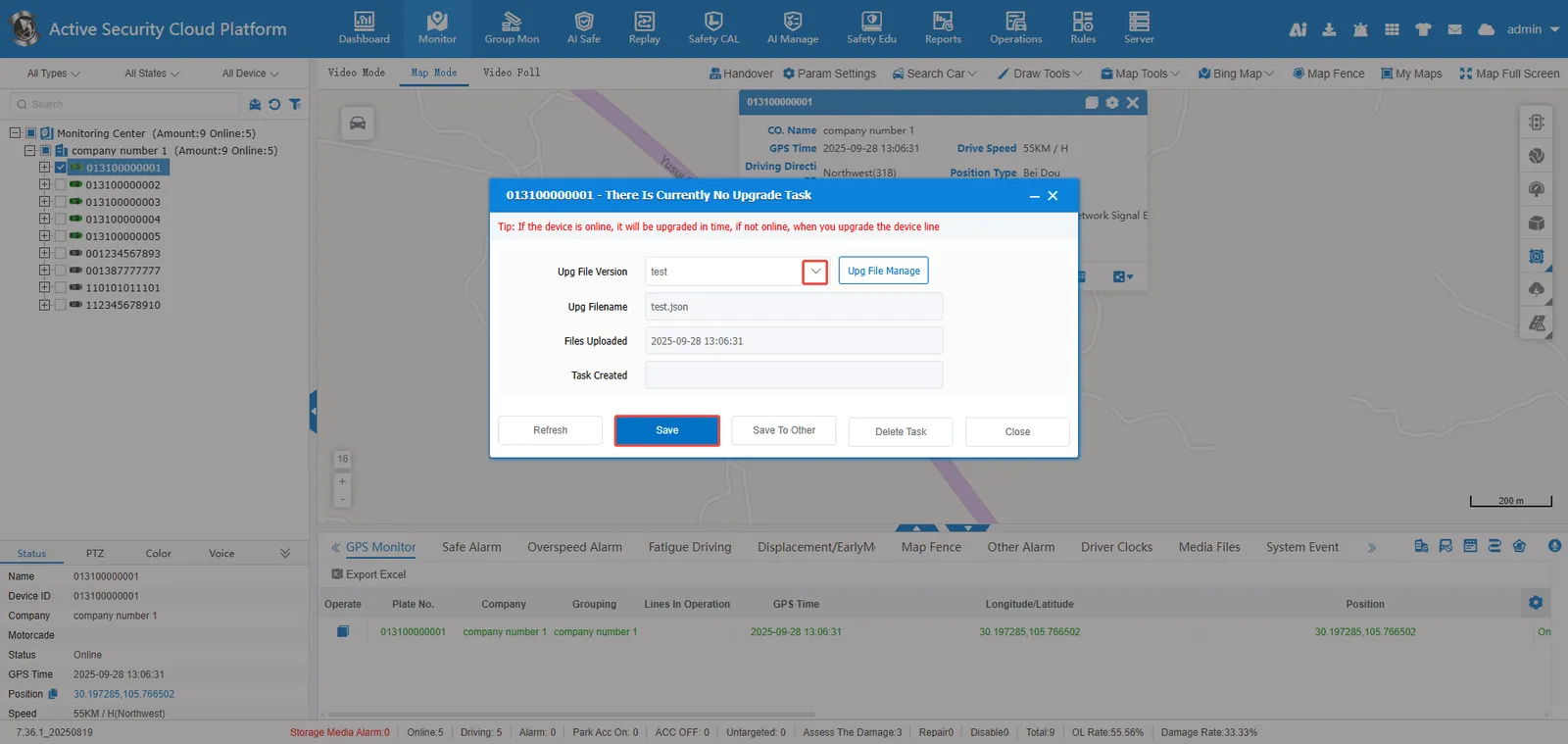
Save to other terminals: You can send upgrade tasks to multiple devices in batches;
Delete Task: Deletes an upgrade task that has been saved but not yet distributed to the device.
Hint:
If the device is online, it will be upgraded in time, if it is not online, it will be upgraded when the device is online;
